Fact-checked by the VisualEnews editorial team
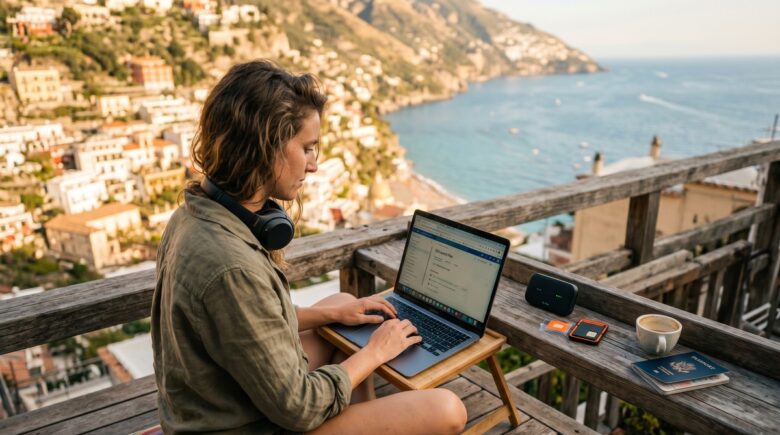
Most people assume that working remotely and being a digital nomad are basically the same thing. They are not — and the gap between the two is costing thousands of location-independent workers their productivity, their security, and sometimes their income. A carefully engineered digital nomad online setup looks nothing like the home office stack a remote worker in Denver or Dublin relies on, and the differences go far deeper than a faster laptop or a VPN subscription.
According to MBO Partners’ 2023 State of Independence report, there are now over 17 million digital nomads in the United States alone — up from just 7.3 million in 2019. Yet the same research shows that 54% of these workers report losing billable hours due to connectivity failures, and nearly 1 in 3 have experienced a data breach or critical device failure while abroad. Meanwhile, traditional remote workers sit behind stable home broadband, employer-issued hardware, and IT departments that handle the messy stuff.
In this deep dive, you will learn exactly how digital nomads structure their online lives differently — from hardware redundancy and connectivity stacks to legal infrastructure and financial tooling. You will walk away with specific tool recommendations, real cost breakdowns, and a step-by-step action plan you can implement in under two weeks.
Key Takeaways
- Digital nomads spend an average of $320–$480 per month on connectivity alone, compared to $60–$90 for typical remote workers with home broadband.
- 17 million Americans identified as digital nomads in 2023, a 131% increase from 2019, according to MBO Partners.
- 54% of digital nomads report losing productive hours due to unreliable internet, versus 11% of home-based remote workers.
- The average nomad replaces or repairs hardware every 18 months, at a cost of $800–$2,000 per incident, compared to every 3–4 years for office-based workers.
- Cloud-first tool stacks save nomads an average of 4.7 hours per week in setup and troubleshooting time when moving between locations.
- Only 23% of digital nomads have a formal legal entity — LLC, freelance visa, or registered business — compared to 71% of remote workers who receive full employer benefits.
In This Guide
- The Nomad vs. Remote Worker Mindset Gap
- Building a Redundant Connectivity Stack
- Hardware Philosophy: Light, Durable, Replaceable
- The Cloud-First Software Architecture
- Security and Privacy in Hostile Networks
- Financial Infrastructure for Location Independence
- Legal and Tax Structure Considerations
- Productivity Systems Across Time Zones
- Community, Coworking, and Social Infrastructure
The Nomad vs. Remote Worker Mindset Gap
The fundamental difference between a digital nomad and a remote worker is not geography — it is infrastructure ownership. Remote workers typically inherit an infrastructure: company laptops, employer-paid software licenses, IT support, and a stable home internet connection they chose once and forgot about.
Digital nomads own every layer of their stack. They decide the hardware, the network redundancy, the backup power source, the security posture, and the legal entity. Every decision that a corporate IT department makes automatically, a nomad makes manually — often in a country where they do not speak the language.
Why the Stakes Are Higher for Nomads
A remote worker who loses internet for two hours calls their ISP and files a trouble ticket. A nomad in Chiang Mai or Medellín during a power cut has to execute a pre-built contingency plan — or lose client work and income in real time. The margin for error is essentially zero.
This pressure forces nomads to build systems that are resilient by design rather than reliable by assumption. That design philosophy cascades through every tool choice they make, from the operating system on their laptop to the bank account they use for international transfers.
According to Nomad List data from 2023, the top 10 digital nomad hubs — including Lisbon, Bali, and Mexico City — all have average internet speeds above 50 Mbps in coworking spaces, yet residential speeds in those same cities can drop below 5 Mbps during peak hours.
The Employer Safety Net vs. Self-Built Redundancy
Remote workers can rely on employer-sponsored health insurance, equipment stipends averaging $500–$1,500 per year, and IT helpdesks available during business hours. Nomads absorb all of those costs personally.
That is not a complaint — it is a design constraint. Understanding it changes how nomads prioritize spending and which tools they consider non-negotiable versus optional. A $15-per-month software subscription that saves 30 minutes of weekly troubleshooting is a straightforward yes for a nomad and a shrug for a remote worker whose employer handles the underlying problem.
Building a Redundant Connectivity Stack
The single most critical component of any digital nomad online setup is internet connectivity — and nomads treat it with the same seriousness that pilots treat fuel systems: redundancy is not optional. A typical nomad runs two to three simultaneous connectivity options at any given location.
The standard layered approach consists of a primary connection (usually coworking space Wi-Fi or Airbnb broadband), a cellular hotspot as a secondary failover, and a portable router that can aggregate or switch between both. Devices like the GL.iNet Beryl AX or the Netgear Nighthawk M6 Pro allow nomads to bond connections or switch between them without interrupting active video calls.
SIM Strategy and eSIM Adoption
Physical SIM cards dominated nomad connectivity until 2021. Now, eSIM technology has dramatically simplified multi-country connectivity. Services like Airalo and Holafly offer regional data plans covering 30–150+ countries for $30–$80 per 30-day period, with no physical card swap required.
According to GSMA’s eSIM adoption data, global eSIM shipments grew 87% between 2021 and 2023, with travel and remote work cited as primary drivers. Nomads typically maintain one eSIM for local data and one physical SIM from a global carrier like Google Fi or T-Mobile International as a backup.
Digital nomads spend an average of $320–$480 per month on connectivity (SIM cards, eSIMs, coworking day passes, portable routers), compared to $60–$90 per month for remote workers with home broadband contracts.
For connectivity decisions that involve choosing between cellular technologies, our breakdown of 5G vs. Wi-Fi 7 wireless technologies is essential reading — the answer changes depending on whether you are in a 5G-dense city or a rural co-living space.
Coworking Space as a Connectivity Layer
Many nomads budget $150–$350 per month for coworking memberships specifically for their internet reliability — not for the desk or the community, though those are bonuses. Networks like Coworker.com and Regus give access to verified-speed spaces in over 170 countries.
Speed testing before committing to a workspace is standard nomad practice. Tools like fast.com or Speedtest CLI allow quick verification of upload speeds — critical for video calls and large file transfers — rather than just the download speeds most coworking spaces advertise.
| Connectivity Option | Average Monthly Cost | Reliability Rating | Best For |
|---|---|---|---|
| Coworking Membership | $150–$350 | High (99%+ uptime) | Video calls, large uploads |
| eSIM Data Plan | $30–$80 | Medium-High | Failover, cafes, travel days |
| Local SIM Card | $10–$40 | Medium | Long stays (1+ month) |
| Portable Router | $80–$200 (one-time) | Depends on source | Aggregating multiple signals |
| Satellite (Starlink Roam) | $150/month + $599 hardware | Very High | Remote locations, slow regions |
Hardware Philosophy: Light, Durable, Replaceable
Remote workers often invest in high-end, heavy workstations because portability is irrelevant. A developer with a desk job might happily use a 17-inch gaming laptop and a 32-inch external monitor. That same setup would destroy a nomad’s back and miss a dozen flights.
The nomad hardware philosophy centers on three words: light, durable, and replaceable. Every device in the stack must weigh as little as possible, survive physical abuse, and be purchasable again in most countries within 24 hours if lost or stolen.
The Primary Machine
Most nomads gravitate toward the Apple MacBook Air M-series or the Lenovo ThinkPad X1 Carbon. Both weigh under 2.9 lbs, offer 10–18 hours of real-world battery life, and are available for purchase in most major cities globally. Our guide to the best laptops for remote workers in 2026 covers the performance benchmarks in detail.
Battery life is non-negotiable for nomads in a way it simply is not for remote workers. A nomad in a Buenos Aires cafe with one outlet for 12 people needs a machine that runs for 8+ hours without panic. Remote workers plug in at their desk and forget about it.
Always buy a laptop with a solid-state drive rather than a mechanical hard drive — SSDs survive the physical shocks of travel far better, perform faster in hot climates, and do not fail catastrophically from a single drop. Our SSD vs. HDD comparison explains why this matters at the hardware level.
Peripherals and the Minimalist Carry
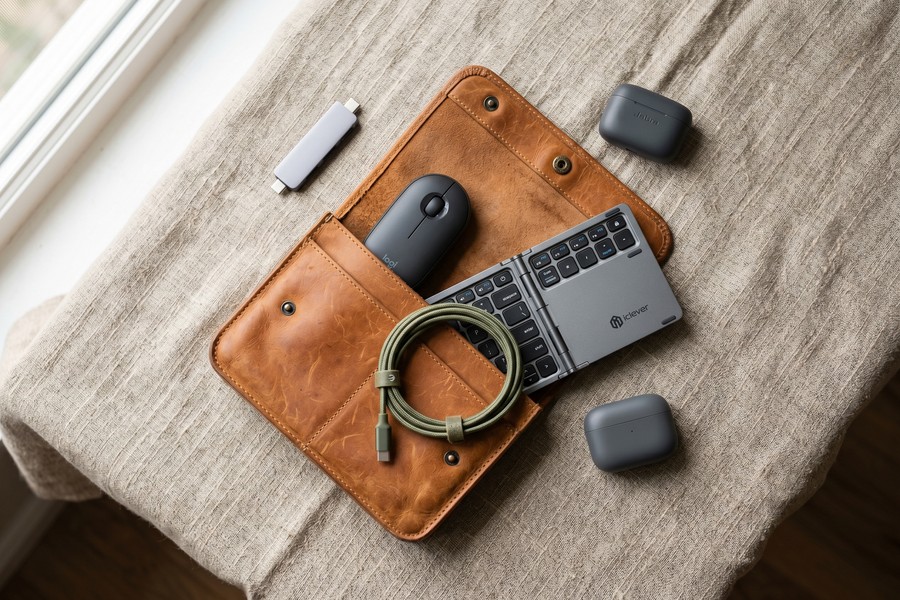
Nomads curate peripherals with extreme discipline. The typical nomad peripheral kit weighs under 1.5 lbs total and fits in a small pouch: a foldable Bluetooth keyboard, a compact wireless mouse, a 65W GaN charger, and a USB-C hub with at least three ports and an HDMI output.
External monitors are unusual in the nomad world unless the person is staying in one location for 3+ months. Portable monitors — like the ASUS ZenScreen or LG gram+ View — weigh under 2 lbs and have become popular for nomads who need dual-screen workflows without sacrificing mobility.
| Hardware Item | Remote Worker Choice | Digital Nomad Choice | Key Difference |
|---|---|---|---|
| Primary Laptop | Any weight, any size | Under 3 lbs, 10+ hr battery | Portability over raw power |
| Monitor | 27–32 inch external | Laptop screen or portable | Weight vs. screen real estate |
| Storage | Internal HDD or SSD | SSD only + cloud backup | Shock resistance, speed |
| Charger | OEM brick | 65W GaN multi-port | Weight, multi-device, universal voltage |
| Internet Backup | None needed | Mobile hotspot device | Nomads need redundancy |
The Cloud-First Software Architecture
A well-engineered digital nomad online setup is almost entirely cloud-native. If a nomad’s laptop is stolen in Lisbon on a Monday, they need to be fully operational again on a new machine by Tuesday. That is only possible if every critical piece of work, every credential, and every file lives in the cloud — not on a single device.
Remote workers often have locally installed software, local file storage with infrequent backups, and workflows that depend on being at their specific machine. Nomads cannot afford that dependency.
The Core Cloud Stack
The nomad cloud stack typically includes: cloud storage (Google Drive, Dropbox, or iCloud — 1TB plans run $9.99–$11.99/month), a password manager (1Password or Bitwarden — $2.99–$4.99/month), a browser-synced workspace (Chrome or Firefox with profile sync), and a project management platform that is entirely web-based (Notion, ClickUp, or Linear).
Beyond basic storage, nomads use cloud-based development environments and design tools. Figma replaced locally installed Adobe Creative Suite for many nomad designers. GitHub Codespaces eliminated the need for local dev environments for nomad developers. These are not just convenience choices — they are survival choices.
A survey by Buffer’s 2023 State of Remote Work found that nomads who used fully cloud-based tool stacks reported 4.7 fewer hours per week spent on setup and troubleshooting compared to nomads who relied on hybrid local-cloud setups.
Managing subscriptions across a cloud-heavy stack can get expensive fast. If you have not audited your digital tools recently, our guide to stopping quiet digital subscription drains will help you trim fat without losing capability.
Communication and Collaboration Tools
Nomads standardize aggressively on asynchronous communication tools. While remote workers often default to synchronous Slack channels and back-to-back Zoom calls, nomads operating across multiple time zones depend on tools like Loom (async video), Notion (async documentation), and Linear or Basecamp for async project tracking.
This is not merely a preference — a nomad in Bali working with a client in New York cannot hold a 10am EST standup at 10pm their time every single day. Async-first communication is a structural requirement, not a cultural preference.
Security and Privacy in Hostile Networks
Every public Wi-Fi network a digital nomad connects to — in an airport, a cafe, a coworking space, or an Airbnb — must be treated as a potentially hostile environment. This is not paranoia. It is the correct posture for anyone transmitting client data, financial credentials, or proprietary code over a network they do not control.
Remote workers at home connect to a private network they configured themselves. The threat surface is small. Nomads connect to dozens of different networks per month, in countries with varying cybersecurity enforcement. The threat surface is enormous.
VPN and Zero-Trust Architecture
A commercial VPN is table stakes for nomads — not optional. Services like Mullvad ($5/month), ProtonVPN ($7.99/month), or ExpressVPN ($8.32/month) encrypt all traffic before it leaves the device. Nomads should also enable kill switches so that if the VPN drops, internet traffic stops entirely rather than transmitting unencrypted.
More sophisticated nomads are moving toward zero-trust network architecture using tools like Cloudflare Access or Tailscale. These tools replace traditional VPN tunnels with identity-verified, device-verified access controls — meaning even if someone intercepts the connection, they cannot access anything without verified credentials on a registered device.
Free VPN services are almost universally dangerous for nomads. Multiple studies, including research from Top10VPN.com, have found that free VPNs routinely log user data, inject ads, and in some cases sell browsing history to third parties. The $5–$8/month cost of a reputable paid VPN is non-negotiable.
Device Encryption and Physical Security
Full-disk encryption is mandatory. macOS FileVault and Windows BitLocker encrypt everything on the device so that a stolen laptop yields nothing to the thief without the login credentials. Both are free and built into the operating system — there is no excuse for skipping this step.
Nomads also practice physical security habits that remote workers rarely consider: never leaving a laptop unattended in a cafe, using privacy screens in airports, and keeping hardware in anti-static, padded sleeves that do not advertise the brand of laptop inside. A laptop bag with a visible Apple logo is a theft invitation in some cities.
Protecting your digital identity is especially critical when you are constantly operating on unfamiliar networks across multiple jurisdictions. Nomads face identity theft risks that home-based workers simply do not encounter at the same frequency.
Financial Infrastructure for Location Independence
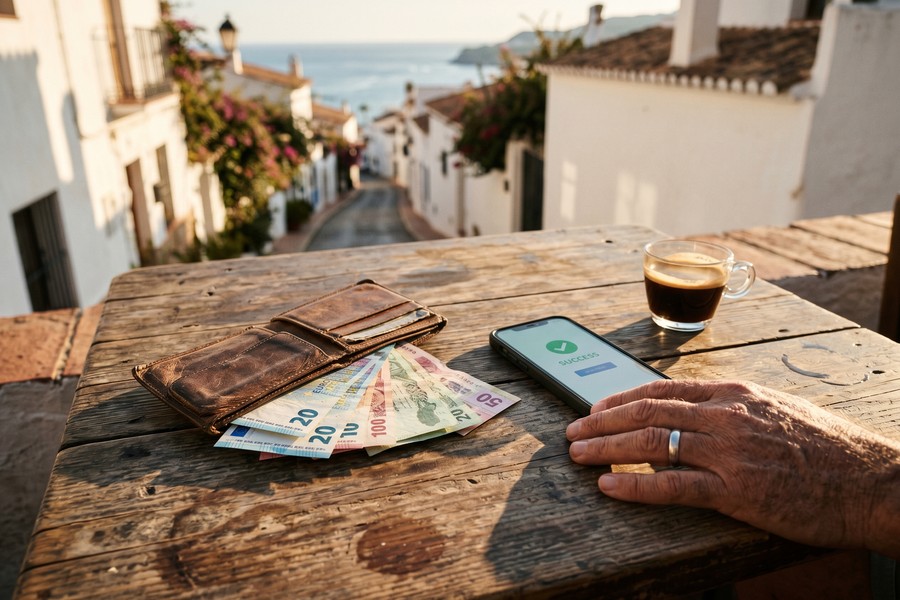
Standard American or European bank accounts are brutally misaligned with nomad financial life. Foreign transaction fees of 1–3% on every purchase, international wire fees of $25–$45 per transfer, and currency conversion spreads that add up to hundreds of dollars per year make traditional banking expensive for nomads.
The nomad financial stack is built around institutions that were designed for borderless money movement, not retrofitted to grudgingly allow it.
Banking and Cards for International Use
The gold standard for nomad banking in 2024 includes accounts with Wise (formerly TransferWise), Revolut, or Charles Schwab Bank. Wise offers multi-currency accounts holding 40+ currencies, with mid-market exchange rates and fees typically under 0.5% on conversions. Schwab’s investor checking account reimburses all foreign ATM fees globally — a massive advantage.
Credit cards matter too. The Chase Sapphire Preferred ($95/year) and Capital One Venture X ($395/year, offset by credits) both offer zero foreign transaction fees and strong travel insurance packages. For a nomad spending $2,000/month abroad, avoiding a 3% foreign transaction fee saves $720 per year — more than covering the annual card fee.
A digital nomad spending $2,500 per month internationally with a traditional bank account pays an estimated $900–$1,400 per year in foreign transaction fees, ATM charges, and currency conversion losses — costs that drop to under $100 with purpose-built nomad banking tools.
Income Collection and Invoicing
Collecting income from international clients while abroad requires infrastructure that most remote workers never think about. Platforms like Deel (for contractor payments from companies), Stripe (for product and service billing), and Wise Business (for multi-currency invoicing) solve this problem cleanly.
PayPal remains common but is losing ground among nomads due to its high currency conversion fees (typically 4–5% above mid-market rate) and account-freezing behavior when it detects unusual geographic activity. Getting your PayPal account frozen while in South East Asia with no home address to verify against is a real and documented problem.
Tracking fluctuating income and expenses across multiple currencies benefits from smart financial tooling. Our coverage of how AI budgeting apps are changing personal finance includes several tools that handle multi-currency expense tracking natively.
Legal and Tax Structure Considerations
This is the area where most digital nomads are dangerously underprepared. Only 23% have a formal legal entity according to MBO Partners — yet operating as a sole proprietor across multiple countries creates tax exposure, liability risk, and banking complications that compound quickly.
The legal structure question is fundamentally different for nomads than for remote workers. A remote worker in the US employed by a US company has taxes withheld automatically, benefits handled by HR, and one tax jurisdiction to worry about. A nomad working for clients in five countries while physically residing in a sixth faces a labyrinth of overlapping obligations.
Popular Legal Structures for Nomads
US-based nomads most commonly use a Wyoming or Delaware LLC as their base entity. Wyoming LLCs cost $102/year to maintain, have no state income tax, and offer strong anonymity protections. The LLC collects all income, and the nomad pays themselves as a member — simplifying the banking and invoicing layer considerably.
Non-US nomads increasingly use Estonia’s e-Residency program, which allows anyone to register an EU-based digital business remotely for approximately 100 EUR. Over 107,000 people from 170+ countries have done so since the program launched in 2014, according to Estonia’s official e-Residency portal.
The US taxes citizens on worldwide income regardless of where they live — a fact that surprises many first-time nomads. The Foreign Earned Income Exclusion (FEIE) allows you to exclude up to $126,500 (2024 limit) of foreign-earned income from US taxes, but you must qualify using either the Physical Presence Test or Bona Fide Residence Test. Missing this filing is an expensive mistake.
Digital Nomad Visas
Over 60 countries now offer official digital nomad visas or remote work permits, including Portugal (D8 visa), Spain (Beckham Law pathway), Costa Rica, Georgia, and Indonesia (Bali’s Second Home Visa). These visas typically allow stays of 1–2 years with legal work authorization and, in some cases, preferential tax treatment.
Portugal’s D8 visa, for example, allows remote workers and freelancers earning at least 3,280 EUR per month to legally reside and work in Portugal for up to two years, with a pathway to residency. This is a materially different legal position than simply arriving on a tourist visa and working remotely — a legally precarious practice that carries deportation risk in many countries.
Productivity Systems Across Time Zones
Time zone management is where nomad productivity systems diverge most sharply from standard remote work practices. A remote worker in Chicago and their New York-based manager share one time zone offset. A nomad in Bali, Bangkok, or Belgrade may be 6–14 hours offset from their primary client base.
This forces nomads to develop what productivity researchers call asynchronous-first work culture — systems designed around the assumption that no one will respond in real time, and that is fine.
Deep Work Scheduling by Time Zone
Nomads often use their time zone offset as an advantage. When US-based clients are asleep, nomads in Asia have 6–8 hours of completely uninterrupted deep work time. Many nomads structure their days to front-load complex cognitive work during these quiet hours and schedule calls and meetings during the 2–4 hour overlap window.
Tools like World Time Buddy and the time zone features in Notion Calendar or Calendly allow nomads to book meetings transparently across time zones without the mental overhead of manual conversion. This is a minor operational detail that saves hours of confusion per week.
“The most productive nomads I work with are not necessarily working fewer hours — they are working better hours. They have engineered their schedule around their cognitive peaks rather than their manager’s calendar.”
Project Management for Solo and Small-Team Nomads
Remote workers often rely on their employer’s project management system. Nomads build their own, usually centered on one master tool that serves as their operating system. Notion is the most popular choice, used by an estimated 4 million+ freelancers and nomads globally according to Notion’s own published figures.
The key principle nomads apply is documentation over communication. Every decision, process, and client deliverable is written down in a shared space — not communicated verbally in a meeting that no one else can access. This makes the nomad’s work auditable, transferable, and client-friendly regardless of what time zone either party wakes up in.

Community, Coworking, and Social Infrastructure
One of the most underrated differences between nomads and remote workers is their relationship to community infrastructure. Remote workers get community by default — colleagues, offices, and local social networks. Nomads must build community intentionally, in every new location.
This is not just a social consideration. Professional networks, client referrals, and collaborative opportunities are generated through human connection. A nomad who treats community as an afterthought will find their professional network decaying within 12–18 months of full-time travel.
Coworking Networks and Memberships
Global coworking memberships — particularly Coworker.com, WeWork All Access ($299/month), and Regus BusinessWorld ($249/month) — give nomads instant access to verified workspaces in hundreds of cities. Beyond the internet reliability, these spaces provide an immediate professional peer network in every new city.
Niche coworking networks have also emerged specifically for nomads. Outsite combines accommodation and workspace in surf, ski, and city destinations globally. Remote Year sells structured 4-month to 12-month programs that bundle housing, coworking, and community in a curated itinerary, starting at $2,000/month.
According to the Global Coworking Unconference Conference (GCUC), the number of coworking spaces worldwide surpassed 40,000 in 2023 — up from 14,411 in 2017. Asia-Pacific and Latin America showed the fastest growth, directly tracking digital nomad migration patterns.
Online Communities and Professional Networks
Digital communities supplement physical ones for nomads. Nomad List (nomadlist.com), founded by Pieter Levels, hosts forums, city-specific chat rooms, and salary databases used by hundreds of thousands of nomads to share real-time information about visa situations, workspace quality, and safety conditions.
Slack communities like DNX Community, Dynamite Circle (paid, ~$49/month), and niche industry-specific nomad groups on Facebook and Reddit serve as professional networks that travel with the nomad regardless of physical location. These communities often generate client referrals, collab opportunities, and early warnings about visa policy changes faster than any official source.
| Infrastructure Type | Remote Worker Access | Digital Nomad Equivalent | Monthly Cost (Nomad) |
|---|---|---|---|
| Professional Community | Colleagues, office culture | Coworking spaces, nomad Slack groups | $0–$299 |
| IT Support | Employer IT helpdesk | Self-managed + paid tech communities | $0–$50 |
| Health Insurance | Employer-sponsored plan | SafetyWing, Cigna Global, World Nomads | $40–$200 |
| Legal Support | Company HR and legal | Freelance attorney, Deel, or DIY | $50–$500 |
| Mail/Address | Home address | Virtual mailbox (Earth Class Mail, Anytime Mailbox) | $15–$30 |
“Location independence sounds like freedom, and it is — but freedom without structure is just chaos. The nomads who sustain this lifestyle for 3, 5, 10 years are the ones who treat their online infrastructure the same way a business treats its IT department: with intentionality, budget, and ongoing maintenance.”
| Monthly Cost Category | Traditional Remote Worker | Digital Nomad |
|---|---|---|
| Internet / Connectivity | $60–$90 | $320–$480 |
| Software / Cloud Tools | $20–$50 (often employer-paid) | $80–$150 (self-paid) |
| Security (VPN, etc.) | $0–$10 | $15–$30 |
| Banking / FX Fees | $5–$15 | $10–$30 (with good tools) |
| Health Insurance | $0–$200 (employer subsidized) | $40–$200 (self-purchased) |
| Community / Coworking | $0 (office provided) | $150–$350 |
“We are witnessing the emergence of a genuinely new labor category. Digital nomads are not remote workers who travel. They are independent infrastructure operators who happen to also do professional work. The tools, costs, and risk profiles are categorically different.”
The global digital nomad economy generated an estimated $787 billion in economic output in 2023, according to MBO Partners research — representing a 50% increase from $524 billion in 2022. This growth is accelerating, not plateauing.
Real-World Example: How Marcus Rebuilt His Entire Digital Stack After a Bali Laptop Theft
Marcus, a 34-year-old UX designer from Berlin, had been freelancing remotely for two years when he decided to go nomadic in early 2022. His original setup was a carry-over from his remote work life: a 15-inch MacBook Pro with all project files stored locally, a German bank account with a 2.5% foreign transaction fee, and a basic free VPN he had not updated in months. In March 2022, his laptop bag was stolen from a Canggu cafe during a 10-minute bathroom break. He lost three client projects, six months of design assets, and two weeks of billable work — a total estimated loss of $4,800.
After the theft, Marcus spent two weeks rebuilding from scratch — this time correctly. He purchased a 13-inch MacBook Air M1 (under 3 lbs), enabled FileVault encryption immediately, and migrated every project to Figma and Google Drive. He set up a 1Password account for all credentials, subscribed to Mullvad VPN at $5/month, and opened a Wise Business account to replace his German bank account. He also signed up for Dropbox Business at $20/month specifically for automatic, continuous backups.
The operational result was dramatic. When Marcus arrived in Medellín four months later and his new laptop’s keyboard developed a fault, he walked into an Apple-authorized service center, borrowed a friend’s MacBook for six hours, logged into his entire cloud stack within 15 minutes, and delivered a client project on time — with zero data loss. His total monthly infrastructure cost rose from approximately $95/month to $310/month. But his net income increased by approximately $800/month because he stopped losing billable hours to connectivity failures, data loss, and banking friction.
Marcus now documents his entire digital nomad online setup in a public Notion template that has been duplicated over 14,000 times by other nomads. He estimates that the $215/month increase in infrastructure spending returns approximately 12 additional billable hours per month — at his rate of $95/hour, that is $1,140 in monthly revenue attributable directly to building the right stack. The math, he says, is not even close.
Your Action Plan
-
Audit Your Current Connectivity Setup
Document every way you currently access the internet. Identify your primary connection, any backup options, and your current monthly spend. If you have no secondary connection option, your first priority is to add one — either a local SIM with a hotspot plan or an eSIM service like Airalo. Budget $30–$80 for this layer.
-
Migrate All Files and Projects to Cloud Storage
Conduct a full audit of any files sitting only on your local drive. Move everything to Google Drive, Dropbox, or iCloud within one week. Enable automatic sync so future files are backed up without manual intervention. A 1TB plan costs $9.99–$11.99/month and is the cheapest insurance you can buy against hardware failure or theft.
-
Set Up a Password Manager and Enable 2FA Everywhere
Install 1Password ($2.99/month) or Bitwarden (free tier available) and migrate all credentials into it. Then enable two-factor authentication on every account that supports it — especially email, banking, and cloud storage. This single step eliminates the majority of account takeover risk on public networks.
-
Subscribe to a Reputable Paid VPN and Configure a Kill Switch
Choose Mullvad ($5/month), ProtonVPN ($7.99/month), or ExpressVPN ($8.32/month). Install it on every device, enable the kill switch feature, and set it to launch automatically on connection. Never connect to a public Wi-Fi network without first confirming the VPN is active.
-
Open a Nomad-Friendly Bank Account
Open a Wise account for multi-currency holding and international transfers, and apply for a Charles Schwab investor checking account for ATM fee reimbursements globally. If you use credit cards, replace any card with foreign transaction fees with the Chase Sapphire Preferred or Capital One Venture X. This alone saves most nomads $700–$1,400 per year.
-
Evaluate Your Legal and Tax Structure
If you are operating as a sole proprietor without a formal entity, consult a nomad-specialized CPA or attorney within the next 60 days. Research whether a Wyoming LLC, an Estonia e-Residency company, or a digital nomad visa in your target country makes sense for your situation. File for the Foreign Earned Income Exclusion if you are a US citizen spending 330+ days per year outside the US.
-
Build Your Async Communication Infrastructure
Set up Loom for async video updates, choose one project management platform (Notion or ClickUp recommended), and write a one-page async communication policy to share with every client and collaborator. Establish explicit expectations that you respond within 24 hours rather than within 2 hours — this protects your deep work time while remaining professional.
-
Join One Physical and One Online Nomad Community
Sign up for Nomad List ($10/month or one-time $99) for city data and forums. Find one in-person coworking space in your current or next location and attend at least twice in your first week. Nomad professional networks are your primary source of client referrals, visa intel, and peer support — treat community-building as a billable activity, not an afterthought.
Related reading: AIO Snapshot: How AI.
Frequently Asked Questions
What is the biggest difference between a digital nomad online setup and a standard remote worker setup?
The core difference is infrastructure ownership and redundancy. Remote workers inherit infrastructure from employers — IT support, hardware, software licenses, and stable home internet. Digital nomads build and pay for every layer themselves, and they build it with redundancy in mind because a single point of failure can cost them income. The nomad stack is deliberately cloud-native, portable, and replaceable in a way that a home office setup never needs to be.
How much does a proper digital nomad setup cost per month?
A well-built nomad infrastructure stack — including connectivity layers, cloud software, security tools, banking, and health insurance — typically runs $600–$1,200 per month. This is significantly higher than a remote worker’s technology costs of $100–$300/month, but nomads offset this through lower housing costs in many destinations, tax advantages available to location-independent workers, and the productivity gains of a properly engineered system.
Do I need a VPN as a digital nomad?
Yes, without exception. Public Wi-Fi networks in cafes, coworking spaces, airports, and accommodation are fundamentally untrusted networks. A VPN encrypts your traffic before it leaves your device, making it unreadable even if someone on the same network is intercepting packets. Paid VPNs from reputable providers like Mullvad or ProtonVPN cost $5–$8/month — a trivial expense relative to the risk of a single data breach on a client project.
Which countries are the best for digital nomads in 2024?
Based on a combination of internet speed, cost of living, visa accessibility, and nomad community size, top-ranked destinations include Portugal (Lisbon, Porto), Mexico (Mexico City, Playa del Carmen), Thailand (Chiang Mai, Bangkok), Indonesia (Bali), Colombia (Medellín), and Georgia (Tbilisi). Each offers reliable high-speed internet, a strong nomad community, and legal pathways for remote workers. Nomad List’s city ranking tool updates these rankings monthly with live data.
How do digital nomads handle health insurance?
Most nomads use international health insurance specifically designed for location-independent workers. SafetyWing’s Nomad Insurance runs approximately $56.28/month for most ages under 40 and covers 185+ countries with a 15-day waiting period on illness claims. Cigna Global and AXA offer more comprehensive plans starting at $100–$200/month. Many nomads combine basic international coverage with a country-specific local plan if staying in one place for 3+ months.
Can digital nomads legally work while on a tourist visa?
This is one of the most legally murky areas of nomad life. The technical answer in most countries is no — tourist visas explicitly prohibit employment and business activities. However, enforcement is rare when the work is entirely digital and for foreign clients. The legally correct approach is to obtain a digital nomad visa or remote work permit in your destination country. Over 60 countries now offer these, including Portugal, Spain, Costa Rica, and Indonesia. The risk of deportation on a tourist visa, while statistically low, increases as more countries formalize enforcement.
What happens if my laptop is stolen abroad?
If your stack is properly built, the answer is: you buy or borrow a new machine, log into your cloud accounts, and are fully operational within a few hours. This is only true if all files are in cloud storage, all credentials are in a password manager, and all software is web-based or easily downloadable. If any of those conditions are not met, a stolen laptop can cost days or weeks of lost work. File a police report in the country where the theft occurred, notify your travel insurance provider (many policies cover electronics up to $1,000–$1,500), and use the incident as a forcing function to fix any gaps in your backup system.
How do digital nomads manage taxes across multiple countries?
Tax management for nomads is complex and highly individual. US citizens owe taxes on worldwide income regardless of residence, but can use the Foreign Earned Income Exclusion (up to $126,500 in 2024) if they qualify. Non-US nomads typically pay taxes in their country of fiscal residency — which may be their home country or a new country if they establish residency there. Many nomads work with international tax specialists like Greenback Tax Services or Taxes for Expats. The cost of proper tax advice ($500–$1,500/year) is always worth it compared to the penalties for incorrect filing.
Is Starlink a viable option for digital nomads?
Starlink Roam (formerly Starlink Portability) is a compelling option for nomads in rural areas or regions with poor cellular infrastructure. The hardware costs $599 upfront, and service runs $150/month. It delivers download speeds of 25–220 Mbps and latency of 20–60ms — more than sufficient for video calls and large file transfers. The main limitations are the hardware weight and size (not ideal for carry-on-only travel) and the subscription cost relative to good cellular alternatives in most urban nomad hubs. For nomads spending time in remote areas of Southeast Asia, Central America, or Eastern Europe, it can be transformative.
How do I stay productive when traveling frequently?
The key is standardizing your setup so that your work environment feels consistent regardless of physical location. This means using the same cloud-based tools in every city, having a pre-arrival checklist (speed test the Wi-Fi, locate the nearest coworking space, set up your portable router), and protecting your deep work hours aggressively by scheduling calls only during defined windows. Nomads who struggle with productivity are usually the ones who have not systematized their environment — they are re-solving the same infrastructure problems in every new city instead of using a pre-built system that travels with them.
Sources
- MBO Partners — State of Independence in America Report 2023
- GSMA — eSIM Consumer Journey and Global Adoption Data
- Enterprise Estonia — e-Residency Program Official Statistics
- Buffer — State of Remote Work 2023
- Nomad List — Digital Nomad City Rankings and Community Data
- IRS — Foreign Earned Income Exclusion (FEIE) Official Guidelines
- Global Coworking Unconference Conference (GCUC) — Industry Statistics 2023
- FlexJobs — Remote Work Statistics and Trends
- Wise — How International Money Transfers and Multi-Currency Accounts Work
- Top10VPN — Free VPN Risk Index and Security Research
- Starlink — Roam Global Satellite Internet Service Details
- Airalo — eSIM Travel Guide and Regional Coverage Data
- Notion — Remote Work and Productivity Statistics Blog
- OECD — Remote Work Policy and Labor Market Analysis
- SafetyWing — Nomad Health Insurance Coverage and Pricing






