
Fact-checked by the VisualeNews editorial team
Quick Answer
As of July 2025, Wi-Fi 7 is faster for home and office use, delivering theoretical speeds up to 46 Gbps, while 5G excels for mobile and on-the-go connectivity with real-world speeds averaging 100–300 Mbps. The right choice depends on your location, device, and use case — most people will benefit from using both.
The 5G vs Wi-Fi 7 debate is not about which technology wins outright — it is about understanding where each performs best. 5G, the fifth generation of cellular networking, offers wide-area mobile coverage, while Wi-Fi 7 (IEEE 802.11be) delivers exceptional local area speeds that, according to the Wi-Fi Alliance’s official Wi-Fi 7 specification, can reach theoretical maximums nearly four times faster than its predecessor, Wi-Fi 6E.
This comparison matters in 2025 because both standards are now mainstream. Carriers like Verizon, T-Mobile, and AT&T have expanded 5G coverage significantly, while router manufacturers including TP-Link, ASUS, and Netgear have launched affordable Wi-Fi 7 hardware. This guide breaks down speed, latency, cost, security, and real-world use cases so you can decide exactly which wireless technology — or combination — belongs in your setup.
Key Takeaways
- Wi-Fi 7 supports theoretical speeds up to 46 Gbps, compared to Wi-Fi 6E’s 9.6 Gbps maximum, according to the Wi-Fi Alliance.
- 5G average real-world download speeds range from 100 to 300 Mbps in the United States, based on Opensignal’s 2024 U.S. Mobile Network Experience report.
- Wi-Fi 7 reduces latency to as low as 1–2 milliseconds using Multi-Link Operation (MLO), making it ideal for gaming and video conferencing, per Qualcomm’s Wi-Fi 7 research documentation.
- 5G standalone (SA) networks achieve latency as low as 10 milliseconds, compared to 30–50 ms on legacy 4G LTE, according to the GSMA’s 5G technology overview.
- Wi-Fi 7 router prices start around $200 as of mid-2025, while 5G home internet plans from major U.S. carriers average $50–$70 per month, per PCMag’s 2025 Wi-Fi 7 router roundup.
In This Guide
What Exactly Are 5G and Wi-Fi 7?
5G is a cellular standard managed by standards body 3GPP, designed to replace 4G LTE across wide geographic areas. It operates across low-band (below 1 GHz), mid-band (1–6 GHz), and high-band mmWave (above 24 GHz) spectrum. Wi-Fi 7 is a local-area wireless standard developed under the IEEE 802.11be specification, operating across the 2.4 GHz, 5 GHz, and 6 GHz bands simultaneously.
The Fundamental Difference
The core distinction in 5G vs Wi-Fi 7 is geographic scope. 5G is a wide-area network (WAN) technology delivered by cellular carriers over licensed spectrum. Wi-Fi 7 is a local-area network (LAN) technology that requires a router and an internet service provider (ISP) connection. You pay a carrier for 5G; you own or rent your Wi-Fi 7 infrastructure.
Wi-Fi 7 introduces a major architectural upgrade called Multi-Link Operation (MLO), which allows a device to transmit and receive data across multiple frequency bands simultaneously. This is the primary reason for its dramatic speed and latency improvements over Wi-Fi 6 and Wi-Fi 6E.
Wi-Fi 7 also increases the maximum channel width from 160 MHz (Wi-Fi 6E) to 320 MHz, effectively doubling the data pipeline available to each connected device.
Which Technology Is Actually Faster?
In controlled conditions, Wi-Fi 7 is significantly faster than 5G. Wi-Fi 7 reaches theoretical maximums of 46 Gbps, while even the fastest 5G mmWave deployments top out around 10 Gbps in lab settings. In everyday use, however, both technologies perform far below their theoretical ceilings.
Real-World Speed Benchmarks
Real-world 5G speeds in the United States average 100–300 Mbps on mid-band networks, according to Opensignal’s 2024 U.S. Mobile Network Experience report. T-Mobile leads domestic 5G median speeds at roughly 230 Mbps, benefiting from its deep mid-band 2.5 GHz holdings.
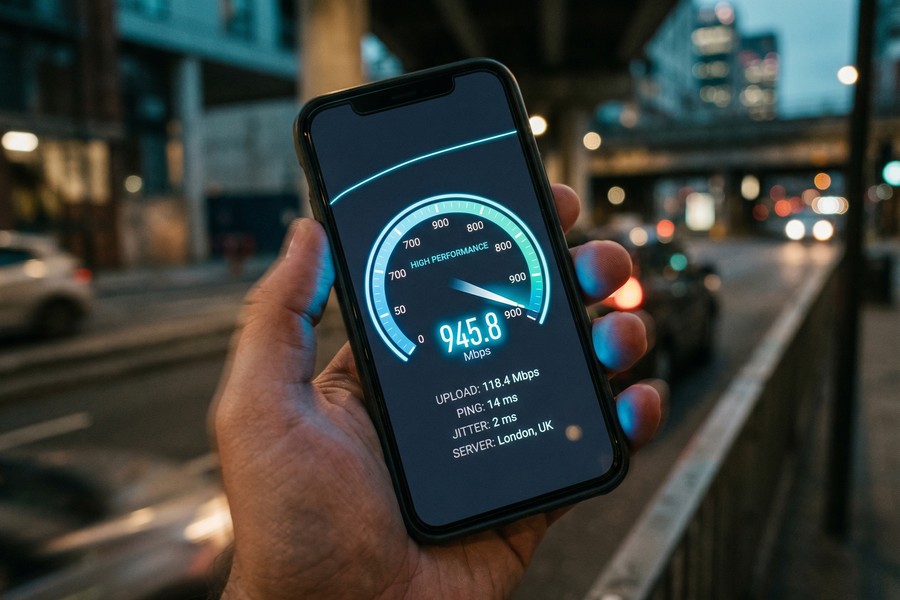
Wi-Fi 7 real-world throughput in home environments ranges from 2–5 Gbps at close range to a router, far exceeding what most ISPs can deliver to the home. In practice, your Wi-Fi 7 router is often bottlenecked by your internet plan, not the wireless standard itself.
| Metric | 5G (Real-World) | Wi-Fi 7 (Real-World) |
|---|---|---|
| Peak Theoretical Speed | 10 Gbps (mmWave) | 46 Gbps |
| Average U.S. Download Speed | 100–300 Mbps | 2,000–5,000 Mbps (local) |
| Average Latency | 10–30 ms | 1–2 ms |
| Frequency Bands | Sub-6 GHz, mmWave | 2.4, 5, 6 GHz |
| Max Channel Width | 100 MHz (FR1) | 320 MHz |
| Entry Hardware Cost | $0 (carrier-subsidized phone) | $200 (router) |
| Monthly Service Cost | $50–$80 (data plan) | $0 (uses existing ISP) |
T-Mobile’s median 5G download speed in the U.S. reached 230 Mbps in 2024 — fast enough to download a 4K film in under two minutes, but still less than 1% of Wi-Fi 7’s theoretical maximum.
Which Has Better Latency and Reliability?
Wi-Fi 7 delivers lower latency than 5G in most indoor environments. Its MLO technology achieves round-trip times as low as 1–2 milliseconds. This matters enormously for cloud gaming, video conferencing, and real-time financial trading applications.
5G Latency Progress
5G Standalone (SA) architecture, which routes traffic natively through 5G core networks rather than relying on 4G infrastructure, has brought cellular latency down to 10 milliseconds on the best deployments, per GSMA’s 5G technology overview. Most U.S. users, however, are still on 5G Non-Standalone (NSA) networks, where latency is closer to 20–30 ms.
Reliability Factors
Wi-Fi 7’s reliability depends on router placement, building materials, and network congestion. A busy apartment building with dozens of Wi-Fi networks can degrade performance significantly. 5G reliability depends on carrier infrastructure density — rural areas often fall back to 4G LTE automatically. Neither technology is universally more reliable than the other.
“Wi-Fi 7’s Multi-Link Operation is the biggest architectural leap in Wi-Fi history. It is not just faster — it is fundamentally more deterministic, which is critical for latency-sensitive applications like augmented reality and industrial automation.”
How Do Coverage and Range Compare?
5G wins on geographic coverage — it works anywhere your carrier has a signal, including outdoors, in vehicles, and across cities. Wi-Fi 7 is limited to roughly 30–100 feet from your router indoors, making it a fixed-location technology by design.
5G Coverage Gaps
Despite marketing claims, true 5G mmWave coverage remains concentrated in dense urban areas and select venues like stadiums and airports. According to the FCC’s Nationwide Broadband Map, mid-band 5G coverage reaches approximately 70% of the U.S. population as of 2024, while mmWave reaches far less. Rural America still relies predominantly on 4G LTE.
Wi-Fi 7 Indoor Performance
Wi-Fi 7 performs exceptionally well within its coverage radius. The 6 GHz band, exclusive to Wi-Fi 6E and Wi-Fi 7, offers less wall penetration than 2.4 GHz but significantly less interference. MLO compensates by automatically routing traffic to the least congested band. For large homes, a Wi-Fi 7 mesh system from brands like Eero or Netgear Orbi can extend coverage throughout multiple floors without degrading speed.
If your wireless costs feel unpredictable month to month, it is worth reviewing how technology subscriptions factor into your overall budget. Our guide on auditing digital subscriptions that quietly drain your budget can help you identify where you might be overpaying.
Which Technology Costs More to Use?
5G has higher ongoing costs because it requires a monthly carrier data plan. Wi-Fi 7 requires a one-time router investment but then runs on your existing home internet service. Over a two-year period, 5G home internet typically costs more than a broadband plus Wi-Fi 7 router combination for most households.
5G Plan Pricing
5G home internet plans from Verizon, T-Mobile, and AT&T range from $50 to $70 per month, often with data caps or deprioritization during peak hours. Mobile 5G plans with unlimited data typically run $35–$80 per line depending on the carrier and tier, according to PCMag’s 2025 unlimited data plan comparison.
Wi-Fi 7 Hardware Investment
Entry-level Wi-Fi 7 routers start at approximately $200, with premium tri-band mesh systems reaching $400–$700. After the hardware purchase, Wi-Fi 7 adds no recurring cost beyond your ISP bill. For households already paying for broadband, upgrading to a Wi-Fi 7 router is a purely additive improvement with no new monthly fee.
Understanding how these technology costs accumulate alongside other household expenses is part of broader financial planning. If you are working on aligning irregular tech upgrades with your savings strategy, the concept of sinking funds for planned expenses can be a useful framework.
If you already have a fiber or cable broadband plan delivering 500 Mbps or more, upgrading to a Wi-Fi 7 router will immediately improve local network performance across all your devices — without paying a single dollar more to your ISP each month.
Which Is More Secure?
Both 5G and Wi-Fi 7 have strong modern security frameworks, but they protect different threat surfaces. 5G uses AKA (Authentication and Key Agreement) protocols and encrypts subscriber identity with SUPI/SUCI frameworks, while Wi-Fi 7 mandates WPA3 encryption as a baseline requirement.
5G Security Architecture
5G Standalone networks eliminate the legacy signaling vulnerabilities found in 2G and 3G protocols. The 3GPP Release 16 and Release 17 standards introduced end-to-end encryption at the network slice level. However, cellular traffic does transit carrier infrastructure, meaning your ISP — the carrier — can see metadata about your connections by default.
Wi-Fi 7 and WPA3
Wi-Fi 7 requires WPA3 certification, which includes Simultaneous Authentication of Equals (SAE) to protect against offline dictionary attacks. The primary vulnerability in Wi-Fi 7 remains physical proximity — attackers must be near your router to attempt an intrusion. Public Wi-Fi networks remain risky regardless of their generation. Understanding your digital exposure is increasingly important; our article on what digital identity is and how to protect it covers the broader implications.

Which Wireless Technology Should You Actually Be Using?
In the 5G vs Wi-Fi 7 decision, the answer for most people is both — each technology serves a distinct role. Use Wi-Fi 7 at home and in the office for maximum speed and minimum latency. Use 5G when mobile, traveling, or in locations without reliable Wi-Fi access.
Use Case Recommendations
- Remote workers and gamers: Prioritize Wi-Fi 7 at home. The latency advantage is significant for video calls, cloud gaming, and large file transfers.
- Frequent travelers and commuters: 5G is indispensable. It provides reliable connectivity in transit where Wi-Fi is unavailable or insecure.
- Rural households: 5G home internet may be the only viable broadband alternative. T-Mobile and Verizon have specifically targeted rural markets where fiber is unavailable.
- Smart home builders: Wi-Fi 7 handles dense device environments better due to its improved OFDMA and MLO scheduling, reducing congestion from dozens of IoT devices.
- Small businesses: A hybrid approach — Wi-Fi 7 for the office network, 5G as a failover connection — provides both performance and redundancy.
The Financial Angle
From a personal finance perspective, upgrading to Wi-Fi 7 is a one-time cost that improves every internet-connected device in your home. Paying for premium 5G tiers is a recurring expense that should be justified by actual mobile usage. Evaluate whether your current cellular plan matches your real data consumption — many people pay for unlimited 5G data while spending most of their connected time on Wi-Fi. Tracking how technology costs interact with your overall monthly budget is a habit that compounds over time, much like the principles outlined in our guide on managing money with practical systems for daily expenses.
According to Qualcomm’s Wi-Fi 7 technical overview, a single Wi-Fi 7 access point can support over 100 simultaneous devices without significant throughput degradation — more than triple the practical capacity of Wi-Fi 6 in dense environments.
As AI-powered devices, smart home hubs, and bandwidth-intensive applications become standard household tools, choosing the right wireless foundation becomes a financial decision, not just a technical one. The way AI is changing how we use the internet also means our home networks face greater demands than ever before.
Frequently Asked Questions
Is Wi-Fi 7 better than 5G for home internet?
Yes, for home use, Wi-Fi 7 delivers superior speed and lower latency than 5G. However, Wi-Fi 7 requires a wired broadband connection to your home — it does not replace 5G’s ability to provide connectivity without fixed infrastructure. For homes with fiber or cable internet, Wi-Fi 7 is the stronger local network choice.
Can Wi-Fi 7 replace 5G entirely?
No. Wi-Fi 7 cannot replace 5G because it requires proximity to a router. When you leave your home or office, 5G is necessary for mobile connectivity. The two technologies are complementary, not competitive replacements.
Do I need a new phone to use Wi-Fi 7?
Yes, to access Wi-Fi 7 speeds, your device must have a Wi-Fi 7-compatible chipset. As of 2025, Wi-Fi 7 is supported in flagship smartphones from Apple (iPhone 16 series), Samsung (Galaxy S24 and S25 series), and devices powered by Qualcomm Snapdragon 8 Gen 3 and later. Older devices will still connect to a Wi-Fi 7 router but at Wi-Fi 6 or Wi-Fi 6E speeds.
Is 5G safe to use for sensitive financial transactions?
Yes, 5G is generally safe for financial transactions. Its AKA encryption protocols protect data in transit across the cellular network. For maximum security, use a VPN regardless of whether you are on 5G or Wi-Fi, particularly on networks you do not control. Avoid conducting sensitive banking on public Wi-Fi networks of any generation.
What is the difference between 5G and Wi-Fi 7 latency?
Wi-Fi 7 achieves latency as low as 1–2 milliseconds using Multi-Link Operation, while the best 5G Standalone networks deliver approximately 10 milliseconds. For most everyday applications — streaming, browsing, video calls — both latencies are imperceptible. For cloud gaming or real-time trading, Wi-Fi 7’s advantage is meaningful.
Will 5G home internet ever match Wi-Fi 7 speeds?
Not at the local level. 5G mmWave can deliver gigabit speeds wirelessly, but network congestion, weather, and building penetration limit real-world performance. Wi-Fi operates in licensed and unlicensed spectrum managed entirely within your home, giving it a structural speed and latency advantage for local-area use cases. The two technologies solve different problems.
How does 5G vs Wi-Fi 7 affect my monthly bills?
Wi-Fi 7 does not add to your monthly bills after the initial router purchase. 5G connectivity requires an ongoing data plan. If you currently pay for both a home internet plan and a premium 5G cellular plan, audit whether you actually use your cellular data heavily enough to justify the tier you are paying for. Switching to a lower 5G tier and investing in Wi-Fi 7 at home is often the more cost-effective long-term decision.
Sources
- Wi-Fi Alliance — Wi-Fi CERTIFIED 7 Overview
- Opensignal — U.S. Mobile Network Experience Report, 2024
- Qualcomm — Wi-Fi 7 Technical Research Overview
- GSMA — 5G Technology Overview
- Federal Communications Commission — Nationwide Broadband Map
- PCMag — Best Wi-Fi 7 Routers, 2025
- PCMag — Best Unlimited Data Plans, 2025
- IEEE — IEEE 802.11be (Wi-Fi 7) Standard Information
- 3GPP — 5G System Overview and Release Specifications
- Ericsson — Mobility Report: Global 5G Subscription Data






