
Fact-checked by the VisualEnews editorial team
Quick Answer
The best video stabilizer apps for mobile in July 2025 are Google Photos, Adobe Premiere Rush, CapCut, Emulsio, and Microsoft Hyperlapse. Most top-rated options offer free stabilization tiers, while premium tools reduce camera shake by up to 90% using AI-powered gimbal simulation and optical flow analysis.
Video stabilizer apps mobile users rely on have become essential tools as smartphone video consumption has surged — over 82% of all internet traffic is now video, according to Cisco’s Annual Internet Report. Shaky footage is the single fastest way to lose viewer trust, but the right stabilization app can transform unsteady handheld clips into broadcast-quality content without extra hardware.
As mobile cameras improve in resolution, stabilization software has kept pace with AI-driven algorithms that analyze motion vectors frame by frame. This guide covers the top video stabilizer apps for mobile in 2025, how they work, what separates free tools from paid ones, and which app fits each use case — from casual creators to professional videographers.
Key Takeaways
- Google Photos offers built-in video stabilization for free on Android and iOS, covering over 1 billion active users worldwide (Google Blog).
- AI-based stabilization algorithms like optical flow processing can reduce motion blur by up to 90% compared to unprocessed footage (Google Research).
- CapCut reached 200 million monthly active users as of 2024, making it one of the most widely used mobile editing apps with stabilization features (Business of Apps).
- Paid stabilization apps like Emulsio and Adobe Premiere Rush offer frame-level correction, with Rush subscriptions starting at $9.99 per month as part of Adobe Creative Cloud (Adobe).
- Mobile video stabilization works best when combined with proper shooting technique — holding the phone with both hands and keeping elbows tucked can reduce shake by an estimated 50% before any software correction (B&H Photo).
In This Guide
- How Does Video Stabilization Work on Mobile Apps?
- What Are the Best Free Video Stabilizer Apps for Mobile?
- Which Paid Video Stabilizer Apps Mobile Users Should Consider?
- How Do the Top Stabilizer Apps Compare Side by Side?
- Are Video Stabilizer Apps Different on iOS vs Android?
- What Settings and Techniques Get the Best Stabilization Results?
- Frequently Asked Questions
How Does Video Stabilization Work on Mobile Apps?
Mobile video stabilization works by analyzing motion between consecutive frames and shifting or cropping the video to compensate for unwanted movement. There are two primary methods: electronic image stabilization (EIS) and optical flow analysis, both used by leading video stabilizer apps mobile platforms support today.
Electronic vs. Optical Flow Stabilization
EIS uses the phone’s gyroscope data to predict and counteract camera movement in real time. It is built into most flagship smartphones from Apple, Samsung, and Google, and works during recording rather than in post-processing.
Optical flow analysis, used in apps like Emulsio and Adobe Premiere Rush, compares pixel movement patterns frame by frame after recording. This approach is more computationally intensive but delivers smoother, more precise results — especially for heavily shaky footage.
Optical flow stabilization was originally developed for professional broadcast software. It is now available on consumer mobile apps, bringing studio-grade correction to devices that fit in your pocket.
Cropping and the Stabilization Trade-Off
Every stabilization method requires cropping the frame edges to allow room for digital shifting. Most apps crop between 5% and 20% of the frame depending on the intensity of the shake. Heavier stabilization means a tighter crop, which can reduce resolution on lower-end devices.
Apps like Google Photos and Microsoft Hyperlapse use smart-fill algorithms to minimize visible cropping. This is an important consideration when shooting in 4K, since the extra resolution provides more buffer for post-processing.
What Are the Best Free Video Stabilizer Apps for Mobile?
The best free video stabilizer apps mobile users can access right now are Google Photos, CapCut, and Microsoft Hyperlapse — each offering reliable stabilization without a subscription. These tools cover the vast majority of casual and content-creation needs at zero cost.
Google Photos
Google Photos includes a dedicated stabilize function accessible directly from the video edit menu on both Android and iOS. It uses motion analysis to smooth footage without requiring any technical knowledge from the user.
The app is free for all users and automatically backs up footage. It serves over 1 billion active users globally, making it the most accessible stabilization tool available on mobile today.
CapCut
CapCut, developed by ByteDance, includes a stabilization slider under its editing tools and is especially popular among short-form video creators on TikTok and Instagram Reels. Its AI-driven stabilization engine handles handheld shake effectively in under a minute of processing time for clips up to 10 minutes.
CapCut reached 200 million monthly active users in 2024, reflecting its dominance in the free mobile editing space. The stabilization feature is fully free with no watermark restrictions on export.

Microsoft Hyperlapse
Microsoft Hyperlapse Mobile was built specifically for stabilizing time-lapse and fast-motion video on Android. It uses a technique called smooth path optimization, which recalculates camera trajectory to remove abrupt movements.
The app is free on Google Play and remains one of the most effective tools for action-heavy footage, including walking, cycling, and travel clips. It is developed by Microsoft Research, giving it a strong technical foundation.
CapCut’s stabilization feature processes footage using AI motion tracking at up to 60 frames per second, enabling smooth correction even in fast-action clips without frame duplication artifacts.
Which Paid Video Stabilizer Apps Mobile Users Should Consider?
Paid video stabilizer apps for mobile offer frame-level precision, advanced algorithm controls, and professional export options that free tools cannot match. The top paid options are Emulsio, Adobe Premiere Rush, and LumaFusion — each suited to different levels of production need.
Emulsio
Emulsio by Creaceed is an iOS-only stabilizer app designed specifically for post-processing shaky footage. It offers three stabilization modes — smooth, strong, and motion-speed — and allows users to preview corrections in real time before export.
Emulsio costs a one-time fee of $4.99 on the Apple App Store, making it one of the most affordable premium options. It consistently earns ratings above 4.5 stars from videographers who need precise control without a subscription commitment. For a broader look at how free and paid app tiers differ in terms of features and trade-offs, see this analysis of free vs paid apps and what you actually give up.
Adobe Premiere Rush
Adobe Premiere Rush includes stabilization as part of its full mobile editing suite, available on both iOS and Android. It connects directly to the Adobe Creative Cloud ecosystem, allowing seamless project handoff to Adobe Premiere Pro on desktop.
Rush subscriptions start at $9.99 per month through Adobe’s Creative Cloud plans. Its stabilization engine uses the same Warp Stabilizer technology found in the professional desktop version, making it the strongest option for creators who need consistent results across platforms.
LumaFusion
LumaFusion by LumaTouch is a professional-grade iOS editor with a dedicated stabilization track. At a one-time purchase of $29.99, it is the most expensive option but delivers the most complete editing environment available on mobile.
LumaFusion supports up to 6 video tracks, 4K export, and frame-by-frame stabilization review. It is used by journalists, documentary filmmakers, and broadcast professionals who edit entirely on iPad or iPhone.
“The shift toward mobile-first video production is permanent. What used to require a $10,000 stabilized rig can now be replicated with a $30 app and the right technique. The gap between mobile and professional output has nearly closed for most use cases.”
How Do the Top Stabilizer Apps Compare Side by Side?
Choosing between video stabilizer apps mobile creators use requires comparing cost, platform availability, stabilization method, and export quality. The table below breaks down the six leading apps across these key dimensions.
| App | Platform | Cost | Stabilization Method | Max Export Resolution | Best For |
|---|---|---|---|---|---|
| Google Photos | iOS, Android | Free | Motion analysis (EIS) | 4K | Casual users |
| CapCut | iOS, Android | Free | AI motion tracking | 4K | Social media creators |
| Microsoft Hyperlapse | Android | Free | Smooth path optimization | 1080p | Time-lapse/action video |
| Emulsio | iOS only | $4.99 one-time | Optical flow | 4K | iPhone video editors |
| Adobe Premiere Rush | iOS, Android | $9.99/month | Warp Stabilizer (optical) | 4K | Cross-platform creators |
| LumaFusion | iOS only | $29.99 one-time | Frame-level optical flow | 4K HDR | Professional mobile editors |
For professionals who also rely on high-performance laptops for remote work, pairing a capable mobile stabilizer app with a strong desktop editing workflow creates the most efficient end-to-end production pipeline.
Are Video Stabilizer Apps Different on iOS vs Android?
Yes — video stabilizer apps perform differently across iOS and Android due to hardware variation and platform-level APIs. iOS devices benefit from Apple’s tightly integrated Core Image and AVFoundation frameworks, which give apps direct access to sensor data for precise stabilization.
iOS Advantages
Apple’s iPhone 15 Pro and later models include a second-generation sensor-shift optical image stabilization system, which works at the hardware level before any app processes the footage. This gives iOS apps a head start, especially in low light where digital stabilization introduces more noise.
Apps like Emulsio and LumaFusion are iOS-exclusive precisely because the platform offers the processing consistency needed for optical flow algorithms. According to Apple’s AVFoundation documentation, the framework exposes stabilization APIs not available on Android.
Android Advantages
Android‘s open platform allows a wider range of third-party stabilizer apps, including Microsoft Hyperlapse, which is not available on iOS. Google’s Pixel lineup uses dedicated Tensor chips with on-device AI processing that enhances EIS performance in real time during recording.
The Google Camera app on Pixel devices applies cinematic pan stabilization automatically, which rivals the output of dedicated post-processing apps. For creators working with faster wireless connections like 5G or Wi-Fi 7, cloud-based stabilization rendering is also becoming a viable option for both platforms.
Apple’s sensor-shift OIS on iPhone 15 Pro moves the image sensor itself — rather than a lens element — allowing stabilization across all lenses simultaneously. This is a significant hardware advantage that software apps build on top of.
What Settings and Techniques Get the Best Stabilization Results?
The best stabilization results come from combining proper shooting technique with the right in-app settings — software alone cannot fully compensate for excessive physical camera movement. Using both approaches together consistently produces the smoothest output across all video stabilizer apps mobile platforms offer.
Shooting Technique Fundamentals
Holding the phone with both hands and tucking elbows into the body can reduce shake by an estimated 50% before any software correction is applied, according to guidance from B&H Photo’s video stabilization guide. Walking with bent knees absorbs vertical motion that apps struggle to remove cleanly.
Shooting at a higher frame rate — 60fps or 120fps — gives stabilization algorithms more frames to analyze per second, producing smoother results when the clip is slowed or played back at standard 24fps. This is especially useful in apps like CapCut and Adobe Premiere Rush that support slow-motion stabilization.
In-App Settings to Prioritize
Most apps offer a stabilization strength slider. Set it to the middle range first — over-stabilizing causes a jello effect or warping around moving edges in the frame. Increase strength only for extremely shaky footage.
Always export at the highest resolution your device supports after stabilization. Because stabilization crops the frame, starting with 4K footage and exporting at 1080p after processing preserves far more detail than shooting at 1080p directly.
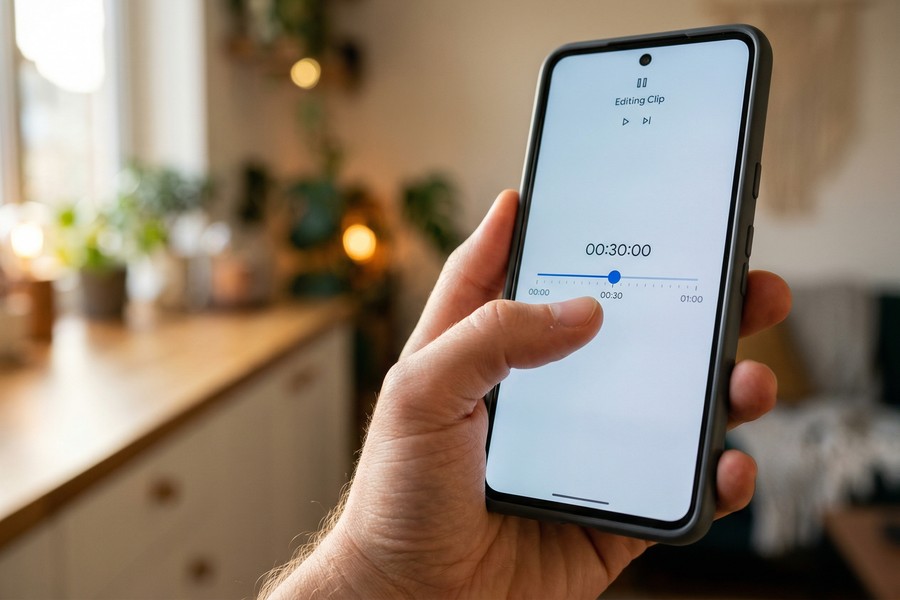
Before applying stabilization in any app, trim dead footage from the start and end of your clip. Apps analyze the full clip’s motion range to set correction parameters — including shaky start and stop moments skews the algorithm and produces weaker results on the usable middle portion.
Understanding how AI tools are reshaping content creation — from how AI is changing internet search to video editing — is increasingly relevant for creators who want to stay ahead of the tools available to them. The stabilization features in apps like CapCut and Premiere Rush are direct products of the same machine learning advances driving other AI-powered consumer tools.
If you use multiple creative apps as part of a subscription stack, it is worth reviewing whether you are actually using each service. A structured digital subscription audit can help identify tools like Adobe Creative Cloud that may be duplicating features you already have in free apps.
Frequently Asked Questions
What is the best free video stabilizer app for mobile?
Google Photos is the best free video stabilizer app for mobile for most users due to its zero-cost access, simple interface, and availability on both iOS and Android. CapCut is the top choice for social media creators who need additional editing features alongside stabilization.
Can video stabilizer apps fix extremely shaky footage?
Yes, but with limitations. Apps using optical flow stabilization — such as Emulsio and Adobe Premiere Rush — can correct heavily shaky footage, but severe shake requires significant frame cropping that may reduce visible resolution. Footage with smooth, consistent motion yields the best results.
Do video stabilizer apps work on 4K footage?
Most top-rated video stabilizer apps mobile users rely on, including CapCut, Google Photos, Emulsio, and Adobe Premiere Rush, all support 4K input and export. Shooting in 4K before stabilizing is recommended because the extra pixel data provides more room for the cropping stabilization requires.
Is there a video stabilizer app built into iPhone?
Yes. Apple’s native Camera app on iPhone includes cinematic video stabilization that activates automatically during recording on iPhone XS and later. For post-processing stabilization, Google Photos (available free on iOS) is the most accessible option without a third-party download.
What is the difference between EIS and OIS on mobile video?
Electronic Image Stabilization (EIS) uses software and gyroscope data to digitally shift frames during or after recording. Optical Image Stabilization (OIS) physically moves a lens element or sensor to counteract motion at the hardware level. OIS works during recording; EIS can be applied in post-processing by stabilization apps.
Are video stabilizer apps safe to use?
Apps from established developers — Google, Adobe, ByteDance (CapCut), Microsoft, and Apple — are generally safe. Always download from official sources: the Apple App Store or Google Play Store. Be cautious of unknown third-party stabilizer apps that request excessive permissions, particularly microphone or contacts access unrelated to video editing. For more on protecting your digital presence, see this guide on digital identity and how to protect it.
Which video stabilizer app is best for professional mobile filmmakers?
LumaFusion is the best video stabilizer app for professional mobile filmmakers on iOS, offering multi-track editing, 4K HDR export, and frame-level stabilization control in a single $29.99 purchase. Adobe Premiere Rush is the top choice for creators who need cross-platform compatibility with desktop editing software.
Sources
- Cisco — Annual Internet Report: Visual Networking Index
- Google Blog — Google Photos Reaches 1 Billion Users
- Google Research — Optical Flow Video Stabilization
- Business of Apps — CapCut Revenue and Usage Statistics
- Adobe — Premiere Rush Pricing and Features
- B&H Photo — How to Stabilize Your Video
- Apple Developer Documentation — AVFoundation Framework
- Google Play — Microsoft Hyperlapse Mobile
- Apple App Store — Emulsio Video Stabilizer by Creaceed
- LumaTouch — LumaFusion Professional Video Editor






