
Fact-checked by the VisualEnews editorial team
Quick Answer
The best screen time tracker apps in July 2025 include Apple Screen Time, Google Digital Wellbeing, RescueTime, Opal, and Forest. Americans spend an average of 7 hours and 3 minutes per day on screens. These tools provide usage reports, app limits, and focus modes to help you reclaim productive time.
Screen time tracker apps are software tools that monitor how long you spend on your phone, tablet, or computer — broken down by app, category, and time of day. According to Statista’s 2024 mobile usage data, Americans now average over 7 hours of daily screen time, a figure that has risen steadily since 2019.
Understanding your digital habits is the first step toward changing them. This guide covers the top screen time tracker apps available in 2025, how they compare on features and price, and which ones work best for different use cases — from productivity-focused professionals to parents managing kids’ device use.
Key Takeaways
- Americans spend an average of 7 hours and 3 minutes per day on screens, according to Statista’s 2024 digital usage report.
- 68% of adults say they try to limit their own screen time, but fewer than half succeed consistently, per Pew Research Center survey data.
- Apple Screen Time and Google Digital Wellbeing are 100% free and built into iOS and Android respectively, covering billions of devices without any third-party download, as confirmed by Apple’s official Screen Time documentation.
- RescueTime Premium costs $12 per month and automatically categorizes over 30 productivity and distraction app types, according to RescueTime’s official pricing page.
- Excessive screen time is linked to a 49% higher risk of depression in adolescents, based on research cited by the National Institute of Mental Health.
In This Guide
- Why Should You Track Your Screen Time?
- What Are the Best Screen Time Tracker Apps in 2025?
- How Do the Top Apps Compare on Features and Price?
- Are Built-In Tools Enough, or Do You Need a Third-Party App?
- Which Screen Time Tracker Apps Work Best for Parents?
- What Are the Best Apps for Productivity and Focus?
- How Should You Use Screen Time Data to Build Better Habits?
Why Should You Track Your Screen Time?
Tracking your screen time gives you objective data on a behavior most people significantly underestimate. Studies show that people typically underestimate their daily phone usage by up to 50%, making self-reporting unreliable without an app.
The health implications are real and well-documented. The National Institute of Mental Health links excessive device use to disrupted sleep, reduced attention span, and elevated anxiety — especially in teenagers.
The Financial Cost of Untracked Digital Habits
Uncontrolled screen time often goes hand in hand with unchecked digital spending. Scrolling social media increases impulse purchases, and digital subscriptions quietly drain your budget the longer you spend inside apps without auditing your usage.
Passive app use — streaming, browsing, social media — accounts for the majority of daily screen time. Awareness alone reduces usage by an average of 20 minutes per day within the first week, according to behavioral research from the University of Pennsylvania.
The average smartphone user receives 46 push notifications per day, each one capable of triggering a screen-checking loop that adds unplanned minutes to daily usage totals, according to Pew Research Center.
What Are the Best Screen Time Tracker Apps in 2025?
The best screen time tracker apps in 2025 are Apple Screen Time, Google Digital Wellbeing, RescueTime, Opal, Forest, and Qustodio. Each serves a distinct purpose — from passive monitoring to aggressive focus blocking.
Apple Screen Time
Apple Screen Time is built into every iPhone and iPad running iOS 12 or later. It tracks usage by app and category, logs pickups, and lets you set daily app limits and Downtime windows. It is completely free and requires no setup beyond enabling it in Settings.
Apple Screen Time also includes Communication Limits and Content and Privacy Restrictions, making it a dual-purpose tool for personal tracking and parental controls. Data syncs across all Apple devices linked to the same iCloud account.
Google Digital Wellbeing
Google Digital Wellbeing is the Android equivalent, available on devices running Android 9 (Pie) or higher. It offers a Dashboard view of daily usage, app timers, Focus Mode, and Bedtime Mode — all at no cost.
One standout feature is Wind Down, which gradually shifts the screen to grayscale at a scheduled bedtime to reduce stimulation. Google has integrated Digital Wellbeing deeply into Pixel devices, but it is available across most Android OEM versions as well.
RescueTime
RescueTime runs quietly in the background on Windows, macOS, Android, and Chrome, automatically logging time spent in each app and website. The free tier offers weekly reports; RescueTime Premium at $12 per month adds real-time alerts, goal tracking, and detailed focus sessions.
Unlike phone-only trackers, RescueTime is especially powerful for remote workers who split time between desktop software and the browser. It categorizes activity into a Productivity Pulse score, giving a single daily performance metric.
Opal
Opal is an iOS-exclusive app that uses Apple’s Screen Time API to block distracting apps during scheduled focus sessions. The free plan allows one active session; Opal Pro costs $9.99 per month or $39.99 per year.
Opal’s key differentiator is its Deep Focus mode, which makes blocking difficult to override — even with a phone restart — reducing the temptation to disable limits mid-session. It also integrates with calendar apps to auto-schedule focus blocks.
Forest
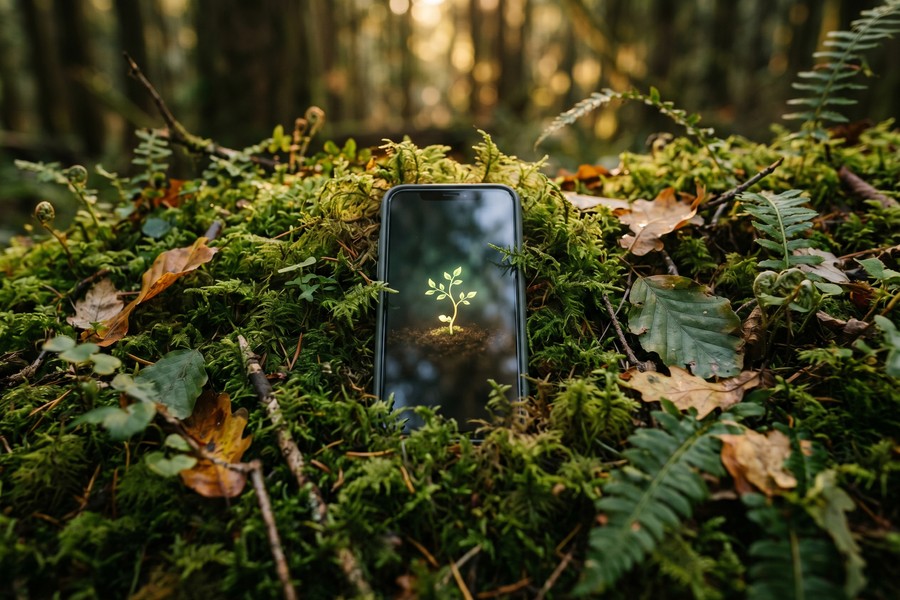
Forest uses a gamification model: you plant a virtual tree that grows while your phone stays untouched, and dies if you leave the app early. It is available on iOS and Android, with a one-time purchase cost of $1.99 on Android (free with in-app purchases on iOS).
Forest partners with Trees for the Future, a real-world tree-planting nonprofit, so accumulated in-app coins can fund actual tree planting. This social accountability layer drives consistent engagement among users who respond to positive reinforcement over restriction.
How Do the Top Apps Compare on Features and Price?
Choosing the right screen time tracker app depends on your platform, budget, and whether you need monitoring, blocking, or both. The table below summarizes the key differences across the top options.
| App | Platform | Free Tier | Paid Plan | Best For |
|---|---|---|---|---|
| Apple Screen Time | iOS, iPadOS, macOS | Full feature set, free | None | iPhone users, parental controls |
| Google Digital Wellbeing | Android 9+ | Full feature set, free | None | Android users, bedtime routines |
| RescueTime | Windows, macOS, Android, Chrome | Weekly reports only | $12/month | Remote workers, desktop tracking |
| Opal | iOS only | 1 active session | $9.99/month or $39.99/year | Deep focus, distraction blocking |
| Forest | iOS, Android | Basic sessions | $1.99 one-time (Android) | Gamification, light users |
| Qustodio | iOS, Android, Windows, macOS | 1 device, limited features | $54.95/year (5 devices) | Families, multi-device parental control |
Global mobile app usage reached 4.8 trillion hours in 2023, according to data.ai’s State of Mobile 2024 report — a figure that underscores why screen time tracker apps have become essential productivity tools rather than optional accessories.
Are Built-In Tools Enough, or Do You Need a Third-Party App?
Built-in tools like Apple Screen Time and Google Digital Wellbeing are sufficient for most casual users who want basic awareness and simple app limits. They require no additional cost, no data sharing with third parties, and are deeply integrated with the operating system.
Third-party screen time tracker apps become valuable when you need cross-platform tracking, desktop monitoring, or harder-to-override blocking. If you work across a MacBook, an Android phone, and a Windows desktop, no native solution covers all three simultaneously.
Privacy Considerations
Built-in tools process all data locally or within your existing Apple ID or Google account ecosystem. Third-party apps — particularly those with cloud dashboards — may store behavioral data on external servers.
Before choosing a third-party tool, review its privacy policy for data retention and sharing practices. This is especially important for apps marketed toward children, where regulations like COPPA (Children’s Online Privacy Protection Act) apply. The FTC’s COPPA rule page details what disclosures app developers must provide when collecting data from users under 13.
Just as protecting your digital identity requires careful vetting of the services you use, the same scrutiny applies to apps that have continuous access to your device behavior data.
Which Screen Time Tracker Apps Work Best for Parents?
For parents, the best screen time tracker apps combine usage monitoring with content filtering and remote management. Qustodio, Apple Screen Time (via Family Sharing), and Google Family Link are the three strongest options in 2025.
Qustodio
Qustodio is a dedicated parental control platform that works across iOS, Android, Windows, macOS, and Kindle. Its paid plan starts at $54.95 per year for up to 5 devices and includes real-time location tracking, YouTube monitoring, app blocking, and daily time allowances.
Qustodio’s parent dashboard is web-based, meaning you can review your child’s activity from any browser without needing the same device ecosystem. This makes it platform-agnostic in a way that Apple’s Family Sharing is not.
Google Family Link
Google Family Link is free and works on Android devices running Android 7.0 or higher. Parents can approve or block app downloads, set daily screen time limits, and remotely lock a child’s device from the Family Link parent app.
Family Link is best suited for younger children who use Android devices. Once a child reaches age 13, they can choose to manage their own Google Account, which removes some parental controls automatically — a limitation parents should plan for.
“Setting consistent daily screen time limits — rather than reacting to overuse — is the single most effective strategy parents can use. Children need predictability, and apps that enforce schedules automatically remove the need for repeated negotiation.”
What Are the Best Apps for Productivity and Focus?
For productivity-focused users, the best screen time tracker apps go beyond reporting and actively enforce focus sessions. RescueTime, Opal, and Freedom are the leading choices for professionals in 2025.
Freedom
Freedom blocks distracting websites and apps across all devices simultaneously — iOS, Android, Mac, Windows, and Chrome — using a single scheduled session. It costs $3.33 per month billed annually ($39.99/year) and syncs blocks in real time across every linked device.
Freedom’s Locked Mode prevents users from ending a session early, making it one of the strongest commitment devices available. It is widely used by writers, developers, and remote workers who require uninterrupted deep work periods. Given how AI is changing how we search the internet, the temptation to constantly check new information sources makes focused blocking tools more valuable than ever.
RescueTime for Professionals
RescueTime’s automatic time logging is its primary advantage over manual tracking tools. It integrates with Slack, Google Calendar, and Asana, allowing users to correlate screen activity with calendar events and project timelines.
Remote workers who want to understand their actual productivity patterns — not just their intentions — benefit most from RescueTime’s detailed retrospective reports. This aligns with broader trends in personal health tracking via wearable technology, where objective data outperforms self-assessment in driving behavioral change.
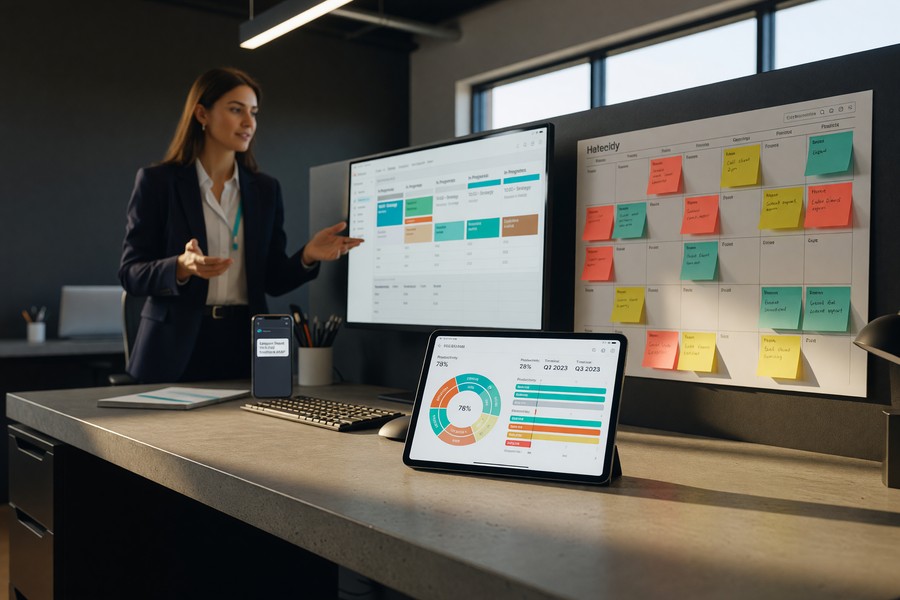
Use RescueTime’s Focus Session feature alongside your calendar by blocking your deepest work hours Monday through Thursday. Reserve Friday mornings for reviewing your weekly Productivity Pulse score and adjusting app block lists based on what actually derailed you — not what you assume did.
How Should You Use Screen Time Data to Build Better Habits?
Screen time data is only useful if you act on it. The most effective approach is to review your weekly report, identify your top two or three highest-usage apps, and set a specific reduction target — not a vague intention to “use your phone less.”
Research from a 2019 study published in Psychological Science found that participants who set specific numerical limits on their social media use reduced their time on those platforms by 41% within three weeks, compared to those who set no numeric goal.
Combining Screen Time Apps with Broader Digital Wellness Practices
Screen time tracker apps work best as part of a broader digital wellness system. Pair usage data with phone-free time blocks, notification audits, and grayscale display modes during evening hours.
If screen time is tied to spending — particularly in-app purchases or subscription renewals — reviewing your usage alongside a digital subscription audit can surface financial waste you would otherwise miss. Heavy app usage and passive subscription spending are closely correlated behaviors.
For users of AI-powered budgeting apps, connecting screen time insights to spending categories can reveal whether high phone usage correlates directly with higher discretionary app spending — a pattern worth quantifying.
Switching your phone to grayscale mode has been shown to reduce daily screen time by an average of 37 minutes without any app blocking, according to behavioral experiments conducted at the Harvard Business School. Color removal reduces the dopamine-driven reward loop that makes apps visually engaging.
Frequently Asked Questions
What is the most accurate screen time tracker app?
Apple Screen Time and Google Digital Wellbeing are the most accurate because they are embedded at the operating system level, capturing every second of foreground app use. Third-party apps that rely on accessibility permissions or VPN proxies can miss some activity.
Can screen time tracker apps monitor social media usage specifically?
Yes. Most screen time tracker apps — including Apple Screen Time, Google Digital Wellbeing, and RescueTime — break down usage by individual app, so Instagram, TikTok, YouTube, and Snapchat each appear as separate line items. You can set per-app daily limits on all major platforms.
Do screen time apps work on desktop computers?
RescueTime and Freedom both offer robust desktop tracking for Windows and macOS. Apple Screen Time extends to Mac via iCloud, but Google Digital Wellbeing is Android-only. For cross-platform desktop and mobile tracking, RescueTime is the most comprehensive single solution.
Are there free screen time tracker apps worth using?
Yes — Apple Screen Time and Google Digital Wellbeing are completely free and cover the core needs of most users. For a free third-party option, the basic tier of RescueTime provides weekly summaries at no cost. Most premium features require a paid subscription, but free tiers are genuinely useful for building awareness.
Can I use screen time apps to monitor my child’s device remotely?
Yes. Apple’s Family Sharing with Screen Time and Google Family Link both allow remote monitoring and limit-setting from a parent device. Qustodio offers the most granular remote controls, including content filtering and real-time location, and works across mixed Apple and Android households.
Will a screen time app slow down my phone?
Built-in tools have no measurable performance impact since they are part of the OS. Third-party apps vary — RescueTime uses minimal system resources in the background, while some VPN-based blockers can slightly increase battery drain. Check app store reviews for reports on specific device models before installing.
How many hours of screen time per day is considered too much for adults?
There is no universal clinical threshold for adults, but the World Health Organization recommends limiting sedentary recreational screen time and prioritizing physical activity. Most behavioral researchers suggest that more than 4 hours of discretionary recreational screen time daily is associated with elevated health risks in adults.
Sources
- Statista — Daily Mobile Device Usage Time in the United States
- Pew Research Center — Americans and Digital Technology
- Apple Support — Use Screen Time on iPhone
- RescueTime — Plans and Pricing
- National Institute of Mental Health — Technology and the Brain
- Federal Trade Commission — Children’s Online Privacy Protection Rule (COPPA)
- Psychological Science — Limiting Social Media Use Reduces Loneliness and Depression (2019)
- World Health Organization — Physical Activity Fact Sheet
- data.ai — State of Mobile 2024 Report
- Trees for the Future — Official Website