Fact-checked by the VisualEnews editorial team
Quick Answer
The best bokeh effect photo apps in July 2025 include Focos, AfterFocus, Snapseed, Adobe Lightroom Mobile, and Portrait AI. These apps use AI-powered depth mapping and lens blur algorithms to simulate professional depth-of-field. Focos and Adobe Lightroom Mobile are widely rated among the top 5 tools for realistic, customizable bokeh on both iOS and Android.
A bokeh effect photo app uses artificial intelligence or manual masking to blur the background of an image while keeping the subject in sharp focus — replicating what a wide-aperture DSLR or mirrorless lens does optically. According to Statista’s mobile photography research, photo editing apps collectively reach over 1.5 billion active users globally, with depth-of-field effects among the most requested features on both iOS and Android platforms.
Whether you shoot with a smartphone or want to enhance existing photos, the right tool makes a measurable difference in output quality. This guide reviews the top-rated bokeh effect photo apps, compares their core features, and tells you exactly which one fits your workflow and budget.
Key Takeaways
- Focos uses iPhone LiDAR and dual-camera depth data to generate 3D depth maps for highly realistic bokeh — rated 4.8 stars on the App Store (Apple App Store listing).
- Adobe Lightroom Mobile’s Masking and Blur Background tool is available on both iOS and Android and is used by over 100 million Creative Cloud subscribers worldwide (Adobe Creative Cloud overview).
- Snapseed’s Lens Blur tool is completely free and has been downloaded over 100 million times on Google Play alone (Google Play Store — Snapseed).
- Portrait AI and AfterFocus use AI segmentation to achieve background blur in under 5 seconds on mid-range devices, according to app developer benchmarks (AfterFocus official site).
- The global photo editing app market was valued at $848 million in 2023 and is projected to grow at a CAGR of 8.4% through 2030 (Grand View Research — Photo Editing Software Market).
In This Guide
- What Is a Bokeh Effect and How Do Apps Recreate It?
- Which Bokeh Effect Photo Apps Are the Best Overall?
- Which Platforms Have the Strongest Bokeh App Support?
- Should You Use a Free or Paid Bokeh Effect Photo App?
- How Do the Top Bokeh Apps Compare Side by Side?
- How Can You Get More Realistic Bokeh Results from Any App?
- Frequently Asked Questions
What Is a Bokeh Effect and How Do Apps Recreate It?
Bokeh is the aesthetic quality of the out-of-focus blur in a photograph, derived from the Japanese word boke meaning “blur” or “haze.” Apps recreate this by using either depth sensor data, AI segmentation, or manual selection tools to identify the subject and apply a Gaussian or lens-shaped blur to everything outside the focal plane.
AI Depth Mapping vs. Manual Masking
Modern bokeh effect photo apps rely on two core techniques. AI depth mapping analyzes pixel relationships and edge contrast to estimate which objects are near or far. Manual masking requires the user to paint a selection, giving more control but requiring more effort.
LiDAR-equipped iPhones (iPhone 12 Pro and later) allow apps like Focos to access true hardware depth data. This produces significantly more accurate subject isolation than software-only approaches, especially around hair, fur, and transparent objects.
The term “bokeh” only entered mainstream English photography vocabulary in the late 1990s, popularized by the magazine Photo Techniques. Today, it is one of the most searched photography terms globally, with over 9 million monthly Google searches according to SEMrush keyword data.
Which Bokeh Effect Photo Apps Are the Best Overall?
The five strongest bokeh effect photo apps available in 2025 are Focos, Adobe Lightroom Mobile, Snapseed, AfterFocus, and Portrait AI — each excelling in different use cases and price tiers.
Focos
Focos is the most technically advanced bokeh app for iPhone. It reads Apple’s native depth data from Portrait Mode photos and allows users to adjust the simulated aperture (f/0.8 to f/16), focal length, and bokeh shape. The app’s ability to relight a scene after the fact using virtual studio lighting sets it apart from any competitor.
Focos Pro unlocks advanced features for $3.99 per month or a one-time purchase, making it one of the more affordable premium tools in this category.
Adobe Lightroom Mobile
Adobe Lightroom Mobile introduced AI-powered background blur through its Masking panel. The tool detects the subject automatically, then lets users apply a lens blur with adjustable bokeh shape, amount, and feathering. It works on any photo — not just Portrait Mode images — making it highly versatile.
Lightroom’s cloud sync means your edited photos are instantly available across desktop and mobile. This integration is particularly valuable for photographers who manage large libraries and need consistent results across devices.
Snapseed
Snapseed, developed by Google LLC, includes a Lens Blur tool that offers linear, radial, and elliptical blur shapes. It is entirely free with no ads, subscriptions, or in-app purchases. For casual users who want a reliable bokeh effect photo app at zero cost, Snapseed remains the default recommendation.
AfterFocus
AfterFocus by MotionOneInc is built specifically for simulating DSLR-style depth of field on any image. Users trace the focus area manually or use auto-detect, then choose from multiple blur types including lens blur, motion blur, and zoom blur. The Android version is particularly well-optimized for mid-range hardware.
Portrait AI
Portrait AI uses neural network segmentation to isolate people from their backgrounds with high accuracy. The app is best suited for portrait photography specifically, and its AI background replacement tools complement the blur feature well. It is available on both iOS and Android as a freemium product.
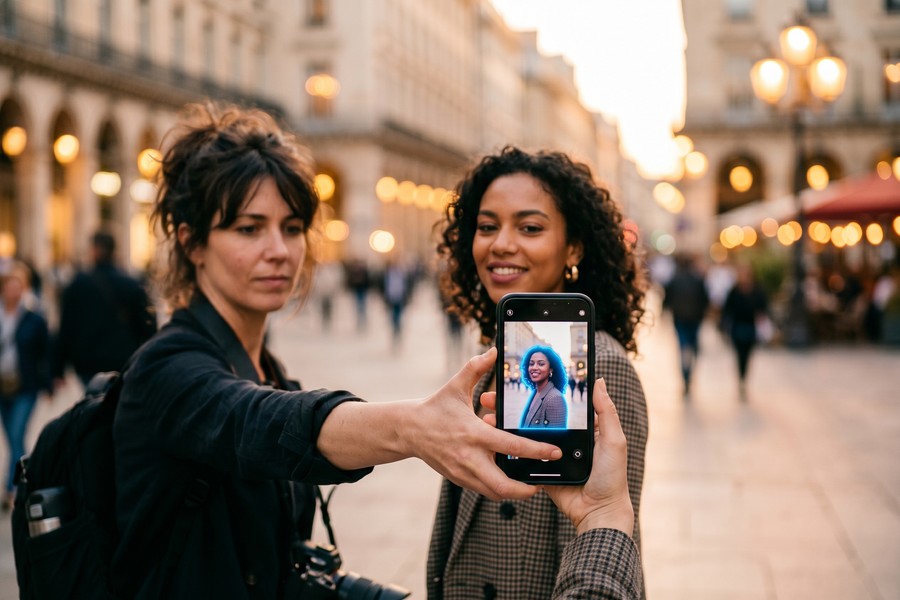
“Computational bokeh has reached a level where, for portrait work at normal viewing distances, it is genuinely difficult to distinguish from optically produced blur — especially when the app has access to depth map data from dual cameras or LiDAR.”
Which Platforms Have the Strongest Bokeh App Support?
iOS has stronger bokeh app support overall, largely due to Apple’s depth data framework and LiDAR integration. However, Android’s ecosystem has closed the gap significantly since 2022, with Google Camera, Samsung Expert RAW, and cross-platform tools like Snapseed and Adobe Lightroom offering competitive results.
iOS-Exclusive Advantages
Apple’s ARKit depth API gives iOS developers access to hardware depth maps that no Android equivalent fully matches. Apps like Focos exploit this directly. Apple’s developer documentation on depth capture explains how Portrait Mode data is stored in HEIF files as a separate depth channel, which third-party apps can read and manipulate.
This is why Focos produces more precise edge masking around complex subjects like curly hair or glasses frames — it reads actual sensor measurements rather than AI estimates.
Android’s Strongest Options
On Android, Google’s Camera app includes a built-in Portrait Mode with adjustable blur for Pixel devices. Third-party options like Snapseed and AfterFocus work on all Android versions from Android 8.0 onwards. Samsung Galaxy devices running One UI 6 also include a native Remaster tool that applies selective focus to existing photos.
If you use multiple devices and need a consistent experience, Adobe Lightroom Mobile is the most reliable cross-platform bokeh effect photo app available today. It is worth understanding what you’re actually giving up when you pay nothing for an app — in this case, free bokeh tools often limit export resolution or add watermarks.
Android holds a 71.9% share of the global smartphone market as of Q1 2025, according to IDC’s smartphone market share data — making cross-platform bokeh app availability a critical factor for most users worldwide.
Should You Use a Free or Paid Bokeh Effect Photo App?
Free apps like Snapseed are sufficient for most casual users, but paid tools like Focos Pro and Adobe Lightroom Mobile offer meaningfully better edge detection, more bokeh shapes, and higher export resolutions that matter for print or professional use.
What Free Apps Offer
Snapseed provides radial, linear, and elliptical blur with no cost or registration. Portrait Mode on both iPhone and Pixel phones processes depth of field at the point of capture — also free. These options are excellent for social media content where images are displayed at compressed sizes.
Free apps often limit output to a maximum resolution or add a watermark on exported files. If you are producing work for clients or large-format prints, those limitations become significant. For a full breakdown of what premium tiers actually unlock, see this comparison of free vs. paid apps and what you’re really giving up.
When Paid Tools Justify the Cost
Focos Pro’s one-time purchase unlocks unlimited high-resolution exports, advanced light simulation, and video bokeh — features that have no free equivalent. Adobe Lightroom Mobile at $9.99/month (part of the Photography Plan) also includes cloud backup for up to 1TB, AI-powered noise reduction, and full desktop access.
For photographers already paying for Adobe Creative Cloud, Lightroom’s bokeh tools add zero additional cost and deliver professional-grade results. It is also worth auditing your existing app subscriptions periodically — many photographers are unknowingly paying for overlapping tools, as outlined in this guide on auditing your digital subscriptions to stop wasting money.
Before paying for a standalone bokeh app, check whether your phone’s native camera or gallery app already includes a built-in Portrait Mode adjustment tool. On iOS 16 and later, you can adjust or remove Portrait Mode blur after shooting directly in the Photos app — no third-party download required.
How Do the Top Bokeh Apps Compare Side by Side?
The table below compares the five leading bokeh effect photo apps across the most decision-relevant dimensions: platform support, pricing, depth map requirement, and maximum export resolution.
| App | Platform | Price | Uses Depth Map | Max Export | Best For |
|---|---|---|---|---|---|
| Focos Pro | iOS only | $3.99/month or one-time | Yes (LiDAR + dual cam) | Full resolution | iPhone power users |
| Adobe Lightroom Mobile | iOS + Android | $9.99/month (Photo Plan) | AI only | Full resolution | Cross-platform pros |
| Snapseed | iOS + Android | Free | No | Original file size | Casual editing |
| AfterFocus | iOS + Android | Free / $0.99 pro | No (manual mask) | Up to 8MP free | Manual control users |
| Portrait AI | iOS + Android | Free / $4.99/month | AI segmentation | 4K (paid tier) | Portrait photographers |
How Can You Get More Realistic Bokeh Results from Any App?
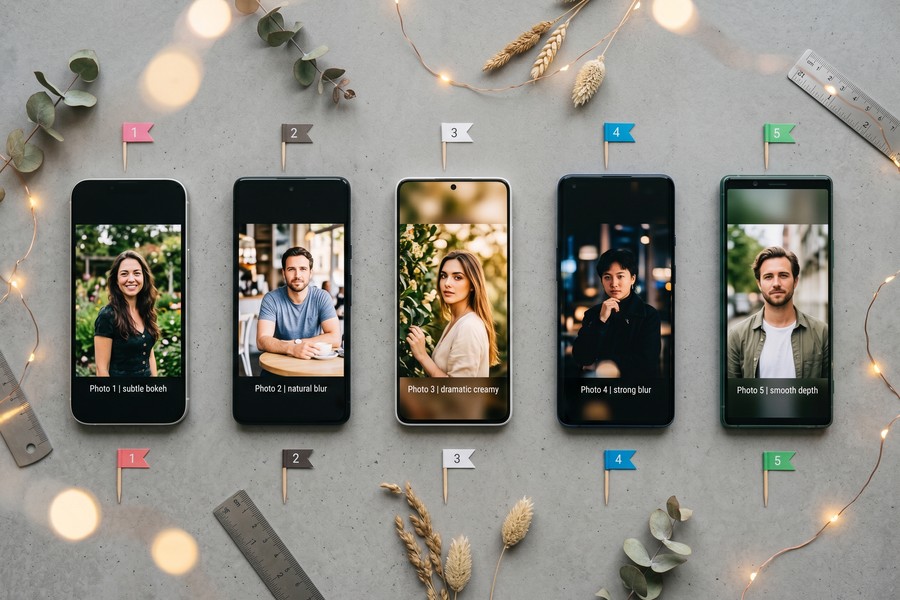
The most realistic bokeh from any app comes from shooting in good light, maintaining clear subject-background separation, and choosing the correct blur shape for the simulated focal length. These three factors matter more than the app itself in most cases.
Shoot for the Edit
Apps perform best when there is already some physical distance between your subject and the background. A gap of at least 3 to 5 feet between subject and background gives the AI more contrast information to work with, reducing edge artifacts. Shooting against a bright or uniformly colored background also simplifies segmentation.
Lighting is equally important. Harsh backlit scenes or scenes with dappled light can confuse AI depth estimation. Diffuse, even lighting from the front reduces segmentation errors around hair and clothing edges significantly.
Adjust Blur Shape to Match Your Lens
Real lens bokeh shapes vary based on the number of aperture blades and the focal length used. A 50mm f/1.8 produces round, soft circles. A wider lens at the same aperture produces harder-edged hexagonal shapes. Apps like Focos and Adobe Lightroom let you select the number of aperture blades (typically 5 to 9) — matching this to the look you want makes the result feel far more authentic.
The way AI is reshaping every category of creative tool is worth understanding more broadly — including how AI is changing the way we search the internet and discover apps like these in the first place. Understanding the technology behind these tools helps you use them more intentionally.
“The single biggest mistake people make with software bokeh is applying too much blur. Real lenses at f/1.4 still leave considerable detail in the midground — they don’t produce the ‘vaseline on glass’ look that aggressive slider settings create in apps.”
Another overlooked technique is using radial blur gradients instead of uniform background blur. In real photography, blur increases gradually with distance from the focal plane. Apps that offer a depth slider or distance-based falloff — like Focos and Lightroom — produce more convincing results than those applying a flat, uniform blur to everything behind the subject.
Finally, consider the role of hardware upgrades in your overall photography setup. Just as choosing the right storage technology affects how quickly your editing software processes large photo libraries, your device’s chipset directly impacts how fast AI-powered bokeh tools render depth maps and apply effects.
Frequently Asked Questions
What is the best free bokeh effect photo app?
Snapseed is the best free bokeh effect photo app, offering radial, linear, and elliptical lens blur at no cost and with no watermarks. It is available on both iOS and Android and exports at the original file’s resolution.
Can I add bokeh to a photo that wasn’t taken in Portrait Mode?
Yes. Apps like Adobe Lightroom Mobile, AfterFocus, and Snapseed can add bokeh to any standard photo using AI segmentation or manual masking. The results are less precise than using hardware depth data, but still effective for most uses.
Is Focos only available for iPhone?
Yes, Focos is an iOS-exclusive app. It is not available on Android. Its most advanced features require an iPhone with a dual-camera system or LiDAR sensor (iPhone 12 Pro or later).
Does Adobe Lightroom Mobile add bokeh to video?
No. Adobe Lightroom Mobile’s blur background tool applies only to still photos as of July 2025. For video bokeh on mobile, tools like Filmmaker Pro or desktop software like Adobe After Effects are required.
What is the difference between lens blur and Gaussian blur in bokeh apps?
Gaussian blur applies a uniform mathematical blur that looks soft but artificial. Lens blur simulates the optical characteristics of a real camera lens, including circular bokeh highlights (specular highlights rendered as discs). Lens blur always looks more realistic for photography-style effects.
How does Portrait Mode on iPhone create bokeh automatically?
Apple’s Portrait Mode uses the dual or triple camera system combined with machine learning to generate a depth map at the moment of capture. This data is embedded in the HEIF image file and can be read by third-party apps like Focos to adjust the blur amount and focal point after shooting.
Will a bokeh effect photo app work on older smartphones?
Most AI-based bokeh apps require at least iOS 14 or Android 8.0 and a device with a reasonably modern processor. Snapseed is the most lightweight option and runs on older hardware. Apps with heavy AI processing like Portrait AI or Focos Pro may perform slowly or crash on devices older than 2019.
Sources
- Statista — Mobile Photo Apps Market Overview
- Grand View Research — Photo Editing Software Market Size and Forecast
- Adobe — Lightroom Mobile Official Product Page
- Apple App Store — Focos App Listing and Ratings
- Google Play Store — Snapseed by Google LLC
- Apple Developer Documentation — Capturing Photos with Depth Data
- IDC — Worldwide Smartphone Market Share Q1 2025
- AfterFocus — Official App Site and Feature Documentation
- Adobe Creative Cloud — Subscription Overview and User Base






