
Fact-checked by the VisualEnews editorial team
Quick Answer
The best password manager mobile apps in June 2026 are 1Password, Bitwarden, Dashlane, NordPass, and Keeper. These apps protect credentials across iOS and Android using AES-256 encryption. With over 80% of data breaches involving weak or stolen passwords, a dedicated mobile password manager is no longer optional — it is essential security infrastructure.
Password manager mobile apps are dedicated applications that generate, store, and autofill complex passwords on smartphones and tablets using end-to-end encryption. According to Verizon’s 2025 Data Breach Investigations Report, credential theft remains the leading attack vector in confirmed breaches, making secure password storage on mobile devices a critical first line of defense.
Mobile-first internet usage continues to grow, with smartphones now accounting for the majority of daily digital interactions. This guide compares the top-rated password manager mobile apps of 2026 across security, pricing, platform support, and features — so you can choose the right one for your needs without guesswork.
Key Takeaways
- Over 80% of data breaches involve compromised passwords, according to Verizon’s 2025 DBIR — making a password manager one of the highest-ROI security tools available.
- Bitwarden’s free tier is rated the most feature-complete free option in 2026, offering unlimited password storage across devices (PCMag, 2025).
- 1Password charges $2.99 per month for its individual plan and is consistently ranked the top premium password manager for mobile users (Wirecutter, 2025).
- The global password management market is projected to reach $7.09 billion by 2030, growing at a 19.4% CAGR, according to Grand View Research.
- AES-256 encryption combined with zero-knowledge architecture is the security standard used by all five top-rated password manager mobile apps covered in this guide.
In This Guide
- Why Do You Need a Password Manager on Mobile?
- What Features Matter Most in a Mobile Password Manager?
- Which Are the Best Password Manager Mobile Apps in 2026?
- Should You Use a Free or Paid Password Manager App?
- How Secure Are Mobile Password Managers?
- How Do You Choose the Right Password Manager for Your Phone?
- Frequently Asked Questions
Why Do You Need a Password Manager on Mobile?
You need a password manager on mobile because the average person manages over 100 online accounts, and reusing passwords across even a few of them multiplies breach risk exponentially. The UK’s National Cyber Security Centre (NCSC) officially recommends password managers as a primary tool for personal cybersecurity.
The Scale of the Password Problem
A Security.org survey on password habits found that 65% of people reuse the same password across multiple accounts. On mobile devices, where convenience often overrides caution, this habit is even more pronounced.
Protecting your credentials is directly tied to protecting your digital identity — a concept that extends well beyond passwords to your entire online presence. A single compromised credential on a mobile device can cascade into account takeovers within minutes.
The average cost of a data breach involving stolen credentials reached $4.88 million in 2024, according to IBM’s annual Cost of a Data Breach Report — the highest figure ever recorded at the time of publication.
Why Mobile Is a Unique Risk
Mobile devices combine persistent internet connectivity, app-based authentication, and frequent public Wi-Fi use — creating a uniquely vulnerable environment. Biometric unlock features on modern smartphones (Face ID, fingerprint sensors) pair well with password managers, adding a strong authentication layer without friction.
Understanding how your apps handle your data is also relevant if you are already thinking about auditing your digital subscriptions — password managers often reveal forgotten accounts you are still paying for.
What Features Matter Most in a Mobile Password Manager?
The features that matter most in a mobile password manager are end-to-end encryption, biometric autofill, cross-device sync, and breach monitoring. These four capabilities separate functional security tools from basic credential vaults.
Core Security Features
Zero-knowledge architecture means the provider cannot access your stored passwords — only you can, using your master password or biometrics. This is non-negotiable. All five apps covered in this guide use zero-knowledge models and AES-256 encryption, the same standard used by financial institutions.
Two-factor authentication (2FA) support is also essential. Look for compatibility with apps like Google Authenticator, Authy, or hardware keys such as YubiKey. This ensures that even if your master password is somehow exposed, your vault remains inaccessible.
Usability on Mobile
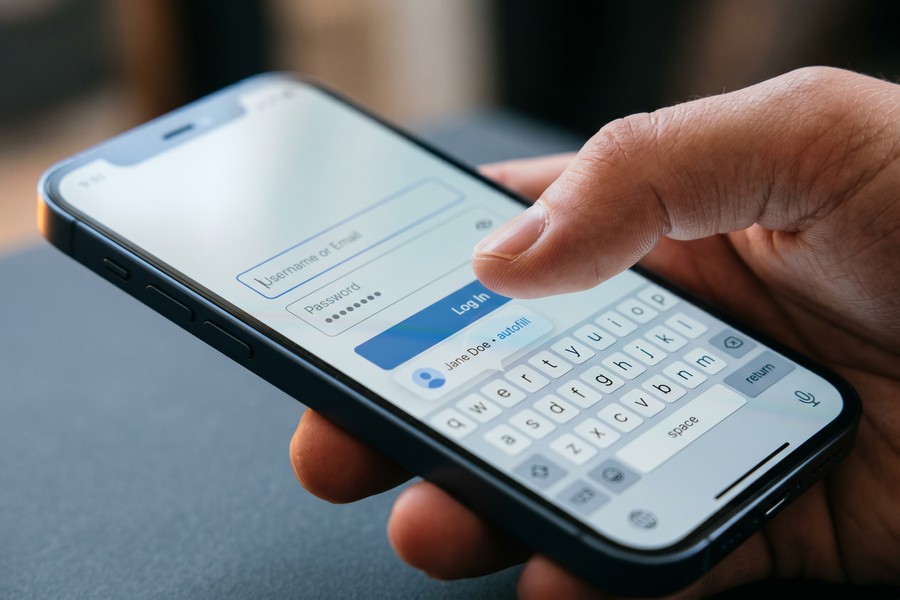
Autofill integration with iOS and Android is a make-or-break feature. The best password manager mobile apps hook directly into the operating system’s autofill framework — meaning passwords populate automatically in apps and browsers without manual copying.
Cross-device sync ensures that passwords saved on your phone are immediately available on your laptop or tablet. This is especially important for remote workers who regularly switch between devices — a topic explored further in our guide to the best laptops for remote workers in 2026.
Which Are the Best Password Manager Mobile Apps in 2026?
The best password manager mobile apps in 2026 are 1Password, Bitwarden, Dashlane, NordPass, and Keeper — each excelling in different use cases from enterprise security to budget-conscious personal use.
Top Picks at a Glance
| App | Free Tier | Monthly Price (Individual) | Platform Support | Standout Feature |
|---|---|---|---|---|
| 1Password | No (14-day trial) | $2.99 | iOS, Android, Windows, macOS, Linux | Travel Mode, Watchtower breach alerts |
| Bitwarden | Yes (unlimited) | $0.83 (premium) | iOS, Android, all major browsers | Open-source, self-hosting option |
| Dashlane | Yes (1 device) | $4.99 | iOS, Android, Chrome extension | Built-in VPN, dark web monitoring |
| NordPass | Yes (1 device active at a time) | $1.99 | iOS, Android, Windows, macOS | XChaCha20 encryption, passkey support |
| Keeper | No (30-day trial) | $2.92 | iOS, Android, Windows, macOS, Linux | BreachWatch, secure file storage |
1Password — Best Overall for Mobile
1Password, developed by AgileBits Inc., is the top-rated premium password manager mobile app heading into 2026. Its Watchtower feature continuously monitors for compromised credentials, weak passwords, and unsecured websites, alerting users in real time.
The Travel Mode feature is unique — it lets you hide specific vaults when crossing international borders, protecting sensitive data from device inspection. This is a feature no other major competitor currently offers on mobile.
Bitwarden — Best Free Option
Bitwarden is the only fully open-source password manager in this group, meaning its code is publicly audited for vulnerabilities. At $0.83 per month for premium features, it is the lowest-cost paid option with enterprise-grade security.
“Bitwarden’s open-source model provides a level of transparency that proprietary tools simply cannot match. When security researchers can inspect every line of code, trust is earned rather than assumed.”
Dashlane, NordPass, and Keeper
Dashlane differentiates itself with a built-in VPN powered by Hotspot Shield and real-time dark web monitoring — making it the most comprehensive all-in-one security suite of the group. Its mobile app is polished but commands a premium price at $4.99 per month.
NordPass, developed by the team behind NordVPN, uses XChaCha20 encryption — a modern cipher considered more resistant to certain attack vectors than AES-256. It is the best option for users already in the Nord ecosystem.
Keeper Security targets both consumers and enterprises. Its BreachWatch add-on scans the dark web for stolen credentials tied to your accounts and is particularly valued by small business owners managing team access.
The global password management market was valued at $1.74 billion in 2022 and is forecast to hit $7.09 billion by 2030 at a compound annual growth rate of 19.4%, according to Grand View Research.
Should You Use a Free or Paid Password Manager App?
You should use a paid password manager if you need multi-device sync, breach monitoring, and priority support — but Bitwarden’s free tier is powerful enough for most individual users. The key trade-off is not security but convenience and features.
What Free Plans Actually Include
Bitwarden’s free plan includes unlimited password storage across unlimited devices — a rare exception in the market. Most competitors, including Dashlane and NordPass, restrict free users to a single active device, which becomes impractical quickly.
Understanding what you give up with free apps is critical. Our comparison of free vs. paid apps explores this trade-off across multiple app categories — the conclusions are especially relevant when security is the core function.
When Paid Plans Are Worth It
Paid plans justify their cost primarily through dark web monitoring, encrypted file storage, emergency access, and priority customer support. For families, shared vault plans (like 1Password Families at $4.99 per month for up to 5 users) offer significant per-user savings.
If you are also budgeting for multiple subscriptions, password managers integrate well into a broader digital finance strategy. Tools like AI-powered budgeting apps can help you track these recurring costs alongside your other digital expenses.

How Secure Are Mobile Password Managers?
Mobile password managers are highly secure when they use zero-knowledge architecture and AES-256 or XChaCha20 encryption — meaning even the provider cannot decrypt your vault. No major provider covered in this guide has experienced a successful breach of encrypted vault data.
The LastPass Incident and What It Taught the Industry
In 2022, LastPass suffered a significant breach in which encrypted vault data was exfiltrated. Critically, the vaults remained encrypted, but the incident exposed weaknesses in LastPass‘s infrastructure and iteration count for password hashing. This event accelerated adoption of competitors and raised industry standards for storage security.
The lesson: the encryption of the vault itself matters, but so does how the provider secures surrounding infrastructure. Apps that have undergone independent third-party security audits — including 1Password, Bitwarden, and Keeper — offer greater assurance.
Passkey support is now standard in all five top password manager mobile apps. Passkeys replace traditional passwords entirely using public-key cryptography — a shift endorsed by the FIDO Alliance as the future of authentication.
Biometric Authentication on Mobile
All five apps support biometric unlock via Face ID, Touch ID (Apple), and Android’s fingerprint and face recognition APIs. Biometrics do not replace the master password — they provide a convenient unlock layer that still requires the master password for new device logins or security-sensitive actions.
The rise of quantum computing poses a theoretical future risk to current encryption standards. For context, our explainer on how quantum computing will change everyday technology covers what these developments mean for consumer security in practical terms.
How Do You Choose the Right Password Manager for Your Phone?
Choose based on three factors: your operating system ecosystem, whether you need multi-device or family sharing, and your budget. For most individuals on a budget, Bitwarden is the default recommendation. For premium users prioritizing polish and features, 1Password leads the field.
Matching Apps to User Types
- Budget-conscious users: Bitwarden free or premium ($0.83/month)
- Apple ecosystem users: 1Password (deep iOS/macOS integration)
- Privacy-first users: Bitwarden (open-source, self-hosting) or NordPass (XChaCha20)
- All-in-one security: Dashlane (VPN + dark web monitoring)
- Small business owners: Keeper (team management, BreachWatch)
- Families: 1Password Families ($4.99/month for 5 users)
Migration and Setup Considerations
Switching password managers is easier than most users expect. All five apps support importing credentials from browsers (Chrome, Safari, Firefox) and from competitors via CSV export. Most mobile apps complete the initial import in under 10 minutes.
Before committing to a paid plan, use a password manager’s free trial to test its autofill performance specifically within your most-used mobile apps. Autofill compatibility varies by app and OS version — testing in advance prevents frustration after payment.
“The single most impactful thing an average person can do to improve their digital security is to start using a password manager. It eliminates the root cause of the majority of account takeovers overnight.”
Choosing the right password manager also fits into a broader conversation about managing your digital security posture. Reviewing your full online footprint — including your digital identity — helps you understand exactly what a password manager is protecting.
Frequently Asked Questions
Are password manager mobile apps safe to use?
Yes. All reputable password manager mobile apps use zero-knowledge encryption, meaning only you can access your stored credentials. No provider covered in this guide has ever had encrypted vault data successfully decrypted in a breach.
What happens if I forget my master password?
Most apps offer account recovery options such as an emergency recovery kit (1Password), trusted emergency contacts (Dashlane, Keeper), or biometric-based recovery. If no recovery method is set up, vault data is permanently inaccessible — by design, to protect your security.
Can I use a password manager on both iPhone and Android?
Yes. All five top password manager mobile apps — 1Password, Bitwarden, Dashlane, NordPass, and Keeper — support both iOS and Android with full feature parity. Cross-platform sync is included in all paid plans and in Bitwarden’s free tier.
Is Bitwarden really free and secure?
Bitwarden’s free tier is genuinely free with no paywalled security features. It uses AES-256 encryption, zero-knowledge architecture, and has undergone multiple third-party security audits. Its open-source codebase is publicly available for independent review on GitHub.
Do password managers work with banking apps on mobile?
Most password managers work with banking apps through the OS autofill framework, but some banking apps disable autofill for security reasons. In those cases, you can copy the password directly from the vault. Compatibility has improved significantly across iOS 17 and Android 14.
What is the best free password manager for mobile in 2026?
Bitwarden is the best free password manager for mobile in 2026. It offers unlimited password storage across unlimited devices at no cost, with AES-256 encryption and open-source code — capabilities that most paid competitors restrict to premium tiers.
Should I use my browser’s built-in password manager instead?
Browser-based managers like Google Password Manager or Apple Keychain are convenient but limited to their respective ecosystems. Dedicated password manager mobile apps offer superior cross-browser support, breach monitoring, secure notes, and zero-knowledge architecture that browser managers typically lack.
Sources
- Verizon — 2025 Data Breach Investigations Report
- The New York Times Wirecutter — Best Password Managers (2025)
- PCMag — The Best Password Managers for 2025
- Grand View Research — Password Management Market Size Report
- UK National Cyber Security Centre (NCSC) — Use a Password Manager
- FIDO Alliance — Passkeys Overview
- Security.org — Online Password Habits Survey
- IBM — Cost of a Data Breach Report 2024






