
Fact-checked by the VisualEnews editorial team
Quick Answer
The best photo collage app mobile users can download in July 2025 are PicsArt, Canva, Adobe Express, and Google Photos. PicsArt alone has surpassed 1 billion downloads globally. For mood boards, Canva offers 250,000+ templates, making it the most versatile free option for both iOS and Android users.
A photo collage app mobile is a smartphone application that lets users combine multiple images, text, and graphic elements into a single composed layout — covering everything from simple grid collages to complex mood boards. According to Statista’s 2024 mobile app category data, photo and video apps collectively account for over 8 billion downloads annually, making visual creation one of the most competitive app categories on both the App Store and Google Play.
Choosing the wrong tool wastes time and limits creative output — especially as social media platforms demand higher-quality visuals. This guide breaks down the top apps by use case, compares their features side by side, and gives you the exact data you need to pick the right tool in minutes.
Key Takeaways
- PicsArt has exceeded 1 billion downloads globally, making it the most-downloaded photo collage app mobile users rely on today (PicsArt About Page).
- Canva’s free plan includes access to over 250,000 templates, covering mood boards, social media layouts, and presentation collages (Canva About).
- Adobe Express is backed by Adobe Inc., offering 100+ collage grid templates and direct Creative Cloud integration for professional workflows (Adobe Express Overview).
- Google Photos automatically generates collage suggestions using on-device AI, processing images across 4 trillion photos stored on the platform (Google Blog — Photos Storage).
- The global photo editing app market is projected to reach $1.67 billion by 2028, driven largely by mobile-first creation tools (Mordor Intelligence — Photo Editing Market).
In This Guide
- What Is a Photo Collage App for Mobile?
- Which Photo Collage Apps Are Best Overall?
- Which Apps Are Best Specifically for Mood Boards?
- Should You Use a Free or Paid Photo Collage App?
- How Do the Top Apps Compare Feature by Feature?
- What Makes a High-Quality Mobile Collage or Mood Board?
- Frequently Asked Questions
What Is a Photo Collage App for Mobile?
A photo collage app mobile tool is a native or browser-based smartphone application that arranges multiple photos, design elements, and text into a unified visual composition. These apps differ from standard photo editors because they focus on layout, layering, and multi-image management rather than single-image correction.
Collage Apps vs. Mood Board Apps
Collage apps typically use grid-based or freeform layouts to combine photos in a structured way. Mood board apps go further — they allow the integration of color swatches, typography samples, inspiration images, and branded elements into an open-canvas format.
Apps like Canva and Milanote straddle both categories. PicsArt and Unfold lean more toward social-first photo collage creation, while tools like Moodboard by Canvasio3D focus exclusively on the mood board format for creative professionals.
The term “mood board” originated in the fashion and interior design industries during the 1970s. Today, digital mood boards are used by UX designers, brand strategists, and content creators — and most are now assembled entirely on mobile devices.
Which Photo Collage Apps Are Best Overall?
The best all-around photo collage app mobile users should consider is PicsArt for creative flexibility, Canva for template variety, and Adobe Express for professional-grade output. Each app serves a distinct user type, from casual social media posters to working designers.
PicsArt — Best for Creative Customization
PicsArt, developed by PicsArt Inc. and headquartered in San Francisco, offers a full-featured collage editor with grid, freestyle, and scrapbook modes. It has surpassed 1 billion downloads on both iOS and Android, making it the most widely used photo collage platform globally.
PicsArt’s AI-powered background remover and sticker library of over 60 million assets give it a creative edge over simpler grid-only apps. The free tier is generous, though the PicsArt Gold subscription at $13.99/month unlocks the full asset library.
Adobe Express — Best for Professional Output
Adobe Express (formerly Adobe Spark) is built for users who need polished, brand-consistent collages. It integrates directly with Adobe Creative Cloud, which has over 33 million paid Creative Cloud subscribers worldwide as of 2024.
Adobe Express offers direct font management, brand kit uploads, and one-click resize for multiple social platforms. It is available free with an Adobe account, with premium features unlocked via a Creative Cloud subscription starting at $9.99/month.
Canva — Best for Template Variety
Canva, founded in Sydney, Australia by Melanie Perkins, is the dominant template-based design tool globally. Its mobile app mirrors the desktop experience and includes over 250,000 templates covering mood boards, Instagram layouts, and presentation collages.
Canva’s free plan is highly capable, while Canva Pro at $14.99/month adds background removal, brand kits, and premium assets. As of 2024, Canva reports over 170 million monthly active users across its web and mobile platforms.

“Mobile-first design tools have fundamentally shifted how creators work. The barrier to producing professional-quality visuals is essentially gone — the challenge now is curation, not creation.”
Which Apps Are Best Specifically for Mood Boards?
For dedicated mood board creation on mobile, Canva, Milanote, and Pinterest are the strongest options. Each excels at a different workflow: Canva for designed layouts, Milanote for visual project management, and Pinterest for inspiration gathering and board organization.
Milanote — Best for Creative Projects
Milanote, developed by Void Design Pty Ltd, is purpose-built for visual thinking. Its flexible canvas allows users to drag images, notes, links, and video references into a single workspace — a true digital mood board environment. The free tier supports up to 100 notes, images, and links.
Milanote is popular among UX designers, filmmakers, and brand consultants because boards can be shared with collaborators in real time. This positions it directly against tools like Miro and Notion, though Milanote’s visual-first interface is more intuitive for non-technical creatives.
Pinterest — Best for Inspiration-Led Boards
Pinterest, operated by Pinterest Inc. and listed on the NYSE, functions as a visual discovery engine and mood board tool simultaneously. Users can save images from across the web directly to themed boards. Pinterest reports over 518 million monthly active users as of Q1 2024.
While Pinterest is not a traditional photo collage app mobile platform, its board-building functionality serves the same mood board purpose. It lacks export tools but excels as a reference and ideation workspace.
Pinterest processes over 5 billion searches per month on its platform, with the majority of those searches initiated from mobile devices — confirming it as the world’s largest mobile mood board discovery engine.
Should You Use a Free or Paid Photo Collage App?
Free photo collage apps are sufficient for most casual users, but paid plans deliver measurable advantages in asset quality, export resolution, and creative control. The decision depends entirely on your output requirements and how often you create.
What Free Plans Actually Offer
Most free tiers — including those from Canva, PicsArt, and Adobe Express — provide access to a core set of templates, basic editing tools, and standard export at up to 1080p resolution. Watermarks are rare on leading apps but common on lesser-known alternatives.
If you are creating content for personal use or low-stakes social media, a free photo collage app mobile solution will cover the majority of your needs. Our detailed breakdown of what you actually give up with free apps covers this trade-off across categories in more depth.
When Paid Upgrades Are Worth It
Paid plans are worth the investment if you require brand kit management, high-resolution exports above 1080p, bulk creation tools, or access to premium stock libraries. For context, Adobe Express Premium provides access to over 200 million Adobe Stock images included in the subscription.
It is also worth auditing your current app subscriptions before adding another. As we cover in our guide on auditing digital subscriptions that drain your budget, many users pay for design tools they use fewer than twice per month.
Before upgrading to a paid plan, use the 30-day free trial that most premium apps offer. Create five full collage projects during the trial period. If you hit limitations more than three times, the upgrade is justified. If not, the free tier is sufficient for your workflow.
How Do the Top Apps Compare Feature by Feature?
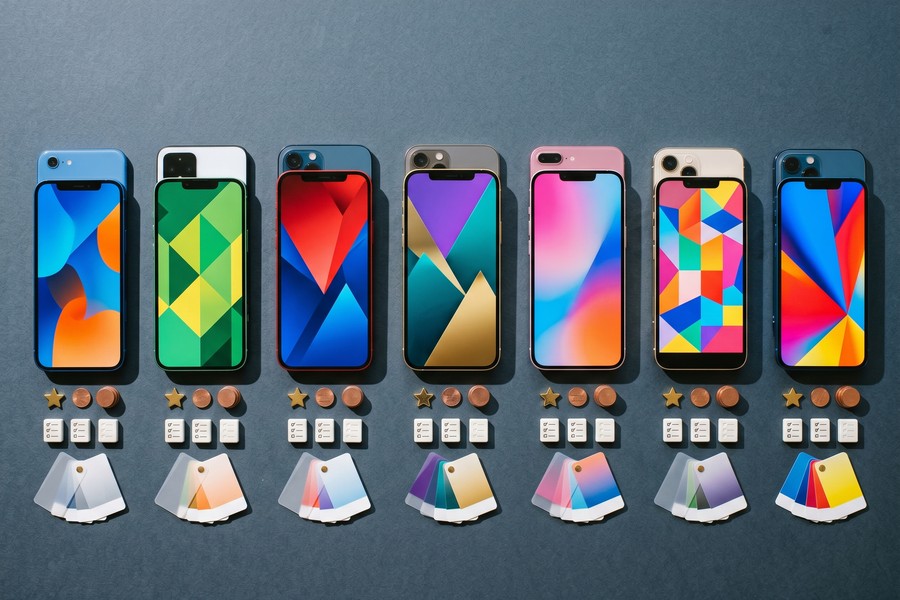
The table below compares the seven most widely used photo collage and mood board apps by platform, pricing, template count, export quality, and standout feature. Use it to match the right app to your specific workflow.
| App | Platform | Free Tier | Paid Plan (monthly) | Templates | Max Export Resolution | Best For |
|---|---|---|---|---|---|---|
| Canva | iOS, Android, Web | Yes | $14.99 | 250,000+ | 4K (Pro) | Template variety |
| PicsArt | iOS, Android | Yes | $13.99 | 10,000+ | 1080p (free), 4K (Gold) | Creative customization |
| Adobe Express | iOS, Android, Web | Yes | $9.99 | 100+ | Print-quality (Premium) | Brand consistency |
| Milanote | iOS, Android, Web | Yes (100 items) | $12.50 | 50+ | PNG export | Mood boards |
| Google Photos | iOS, Android | Yes | $2.99 (storage) | AI-generated | Original resolution | Auto collage creation |
| Unfold | iOS, Android | Yes | $12.99 | 300+ | 1080p (free), 4K (Pro) | Story-format collages |
| iOS, Android, Web | Yes | Free | N/A | No direct export | Inspiration boards |
What Makes a High-Quality Mobile Collage or Mood Board?
A high-quality mobile collage depends on three core principles: visual hierarchy, color consistency, and intentional white space. Apps provide the tools, but these principles determine whether the output looks professional or cluttered.
Visual Hierarchy and Layout Rules
Every strong collage has a dominant element — one image or section that anchors the composition. Supporting elements should decrease in visual weight as they move away from the focal point. PicsArt’s freeform mode and Canva’s grid layouts both support this structure natively.
Research from the Nielsen Norman Group on visual hierarchy in UX design confirms that users spend 80% of their viewing time above the fold in any visual composition — meaning the top-left or center-dominant area should always contain the primary visual element.
Color Palette Discipline
Limiting a mood board or collage to a palette of 3 to 5 colors significantly increases perceived professionalism. Canva’s color palette generator and Adobe Express’s brand kit both enforce this discipline automatically. Inconsistent color use is the single most common mistake in user-generated collages.
For creators managing a visual brand across multiple platforms, understanding how AI is changing how content is discovered online is increasingly relevant — visual consistency directly affects how AI-driven search engines index and recommend image content.
“The tools have become almost irrelevant — what separates good visual content from great visual content in 2025 is restraint. Fewer elements, tighter color discipline, and a clear point of focus.”
According to Adobe’s Color Theory Guide, color increases brand recognition by up to 80%. Applying a consistent palette across your collages and mood boards significantly improves audience recall and content performance on social platforms.
Frequently Asked Questions
What is the best free photo collage app for mobile?
Canva is the best free photo collage app mobile users can access without paying. Its free plan includes over 250,000 templates, unlimited collage creation, and export at up to 1080p resolution. PicsArt is a close second for users who prefer a more hands-on, creative editing workflow.
Is PicsArt better than Canva for collages?
PicsArt is better than Canva for freeform, artistic collages with heavy photo manipulation. Canva is better for structured, template-driven collages and mood boards intended for brand or business use. The choice depends on whether your priority is creative flexibility or design consistency.
Can I create a mood board on my phone for free?
Yes. Both Canva and Milanote offer free tiers that support full mood board creation on iOS and Android. Milanote’s free plan allows up to 100 items per board, which is sufficient for most project briefs. Pinterest is also a fully free option for inspiration-focused mood boarding.
Which photo collage app is best for Instagram?
Unfold is purpose-built for Instagram Stories and grid collages, offering over 300 story-format templates optimized for Instagram’s 9:16 and 4:5 aspect ratios. Canva and PicsArt also offer Instagram-specific templates and one-tap resize features across their paid plans.
Does Google Photos make collages automatically?
Yes. Google Photos uses on-device AI to automatically suggest collages, animations, and highlight reels based on your stored images. Users can also manually create collages using the app’s built-in layout tool. Automatic collages are generated at the original photo resolution with no additional cost.
What app do professional designers use for mood boards on mobile?
Professional designers most commonly use Milanote or Canva Pro for mobile mood board creation. Adobe Express is preferred by users already embedded in the Adobe Creative Cloud ecosystem. For high-complexity visual projects, many professionals begin on mobile and finalize on desktop using Adobe InDesign or Figma.
Are photo collage apps safe to use?
Apps from established developers — Canva, Adobe, Google, and PicsArt — are safe and follow standard data privacy practices. Always review the permissions requested at install: a photo collage app mobile tool needs photo library access, but should not require access to your contacts or microphone. Protecting your digital identity when using cloud-connected apps is an important consideration for any app that stores your photos on remote servers.
Sources
- Statista — Photo and Video App Annual Downloads
- PicsArt Inc. — About PicsArt (Download Milestones)
- Canva Newsroom — Monthly Active Users 2024
- Adobe — Adobe Express Product Overview
- Pinterest Newsroom — Monthly Active Users Q1 2024
- Mordor Intelligence — Photo Editing Software Market Forecast to 2028
- Nielsen Norman Group — Visual Hierarchy in UX Design
- Adobe — Color Theory Guide and Brand Recognition Data
- Google Blog — Google Photos Storage and AI Features
- Adobe — Creative Cloud Subscriber Base 2024






