
Fact-checked by the VisualEnews editorial team
Picture this: it’s 11 p.m., you’re at the kitchen table, and there’s a mountain of medical records, insurance forms, prescription bottles, and appointment reminders spread out in front of you. Your loved one has a cardiology follow-up tomorrow, physical therapy on Thursday, and three medication refills sitting somewhere in the queue — and you genuinely cannot remember if you sent in that prior authorization form. Sound familiar? You’re not alone. Not even close. Digital tools for caregivers have become a genuine lifeline for the more than 53 million Americans providing unpaid care to a family member, according to the AARP Public Policy Institute’s 2020 Caregiving in the United States report.
The administrative weight of caregiving is, honestly, staggering. A 2023 study published in Health Affairs found that family caregivers spend an average of 47 hours per week on care — more than a full-time job, for people who often already have one. The National Alliance for Caregiving puts the economic value of all that unpaid work at over $600 billion annually. And that’s before you even get to the cognitive load: tracking medications, wrangling specialists, managing benefits, keeping legal documents current, and fighting for your loved one inside a healthcare system that was never exactly built with families in mind.
This guide cuts through the noise. What you’ll find here is a practical, research-backed breakdown of the digital tools that actually move the needle for caregivers — which apps handle what, how to judge them on cost, security, and usability, and how to build a system that holds up over time rather than collapsing after week two. Whether you’re caring for an aging parent, a chronically ill spouse, or a child with complex medical needs, the strategies here can turn a genuinely chaotic situation into something you can actually manage.
Key Takeaways
- Over 53 million Americans are unpaid family caregivers, spending an average of 47 hours per week on care-related tasks, according to AARP and the National Alliance for Caregiving.
- The economic value of unpaid caregiving exceeds $600 billion annually in the U.S., making efficiency tools a genuine financial necessity, not a luxury.
- Medication errors among elderly patients cost the U.S. healthcare system an estimated $21 billion per year — digital medication trackers can reduce error rates by up to 50%.
- Caregivers who use a dedicated health-record app report saving an average of 3-5 hours per week on administrative tasks, according to a 2022 survey by the Caregiver Action Network.
- HIPAA-compliant cloud storage platforms (many starting at $0-$15/month) allow multiple family members and providers to access documents securely in real time.
- Telehealth adoption has grown 38x since 2019, with 76% of hospitals now offering virtual visit options — reducing unnecessary ER trips that cost families an average of $1,389 per visit.
In This Guide
- The Caregiving Crisis: Why Paper Systems Are Failing Families
- Digital Health Records: Centralizing Your Loved One’s Medical History
- Medication Management Apps: Preventing Costly and Dangerous Errors
- Document Organization Platforms: Taming the Paperwork Mountain
- Care Coordination Tools: Keeping the Whole Team Aligned
- Telehealth and Remote Monitoring: Care Without the Trip
- Financial and Benefits Management: Tracking Costs and Entitlements
- Security and Privacy: Protecting Sensitive Health Data
- Choosing the Right Tools: A Practical Evaluation Framework
The Caregiving Crisis: Why Paper Systems Are Failing Families
Here’s the thing about the traditional caregiving approach — the notebooks, the filing cabinets, the sticky notes plastered to the fridge, the “I’ll just remember it” method. It was never built to handle what modern healthcare actually demands. Today’s care recipients often live with multiple chronic conditions, see four to six specialists, take eight or more daily medications, and deal with insurance systems that seem almost designed to exhaust you into giving up. Paper collapses under that kind of pressure. It’s not a personal failure. It’s a structural one.
Think about the math for a second. A single hospital stay generates roughly 12 distinct documents on average — discharge summaries, medication reconciliation lists, follow-up instructions, billing statements, and more. Multiply that across multiple hospitalizations, routine visits, specialist consults, and lab results, and you’ve got a volume that no filing cabinet was ever meant to hold. The downstream effect is caregiver burnout, a medically recognized condition affecting approximately 40% of family caregivers, according to the Family Caregiver Alliance. Forty percent. That’s not a fringe problem.
The Hidden Cost of Disorganization
Disorganization isn’t just stressful — it’s expensive in very concrete ways. When you can’t find a medication list in an emergency, duplicate tests get ordered. When insurance paperwork goes missing, claims get denied. When care transitions happen without proper documentation, patients end up back in the hospital. Medicare data consistently shows that poor care coordination drives billions in unnecessary spending every single year.
And caregivers themselves take a direct financial hit. AARP estimates that family caregivers spend an average of $7,242 out of pocket annually on caregiving-related expenses — a figure that doesn’t even touch lost wages from missed work. Digital organization changes this equation. Not hypothetically. Directly.
The Shift to Digital Solutions
Now, the genuinely good news: the technology has caught up. Platforms that used to require IT support to configure now offer interfaces that anyone can navigate. Many are free. Many more cost under $15 a month. The move toward digital tools for caregivers isn’t just a trend being marketed at you — it’s a real structural response to a system that has always placed an unreasonable administrative burden on families who were already stretched past their limits.
According to the Family Caregiver Alliance, 40% of family caregivers report clinical levels of depression — a rate significantly higher than the general population. Administrative overwhelm is cited as a leading contributing factor.
Worth noting, too: the assumption that older adults won’t use technology is increasingly outdated. Pew Research Center reports that 61% of adults aged 65 and older now own smartphones, and 75% use the internet regularly. The generational barrier is much smaller than most people assume.
Digital Health Records: Centralizing Your Loved One’s Medical History
If there’s one place to start — just one — it’s establishing a centralized digital health record for your loved one. Think of it as the source of truth: every appointment, every test result, every diagnosis, every treatment decision, all in one place. Without it, critical information is scattered across providers, pharmacies, and insurance companies who don’t talk to each other nearly as well as they should.
Federal law is actually on your side here. Under the 21st Century Cures Act (2016) and the ONC’s information blocking rules, healthcare providers are prohibited from withholding electronic health records from patients and their authorized representatives. That means you have a legal right to request digital records in structured formats. Most providers just don’t lead with that information.
Patient Portal Access: Your Starting Point
Most hospital systems and larger medical practices now run patient portals — secure online platforms where test results, visit summaries, and medication lists live. MyChart, used by over 300 hospital networks, allows caregivers to be granted proxy access with the patient’s consent. It’s typically free. Setup takes 10 to 15 minutes. Start here.
The limitation? Fragmentation. Your loved one’s cardiologist, primary care physician, and orthopedic surgeon may all use completely different portal systems. That’s where consolidation apps come in. CommonHealth and Apple Health Records can pull data from multiple portals into one interface using FHIR (Fast Healthcare Interoperability Resources) standards — now federally mandated for all major EHR systems. Imperfect, but genuinely useful.
Dedicated Caregiver Health Record Apps
Beyond portals, a growing category of caregiver-specific apps offers richer features for people managing complex care situations. Apps like CaringBridge, CareZone, and Lotsa Helping Hands combine health record storage with care team coordination, journal logging, and appointment tracking. CareZone, for example, lets you photograph insurance cards, scan medication bottles directly with your phone camera, and set refill reminders — all without switching between apps. That kind of consolidation matters when you’re already managing a dozen things at once.
Caregivers who use a dedicated health-record or care-management app report saving an average of 3-5 hours per week on administrative tasks, according to a 2022 Caregiver Action Network member survey.
The table below compares leading digital health record tools available to caregivers, including cost and key features.
| Platform | Monthly Cost | Key Caregiver Features | HIPAA Compliant |
|---|---|---|---|
| Apple Health Records | Free | Multi-portal aggregation, medication list, lab trends | Yes |
| MyChart (Epic) | Free | Proxy access, messaging providers, appointment scheduling | Yes |
| CareZone | Free / $4.99+ | Med tracking, document storage, caregiver notes | Yes |
| CaringBridge | Free (donation) | Care journal, team updates, guestbook | Partial |
| CommonHealth (Android) | Free | FHIR-based record aggregation, data sharing | Yes |
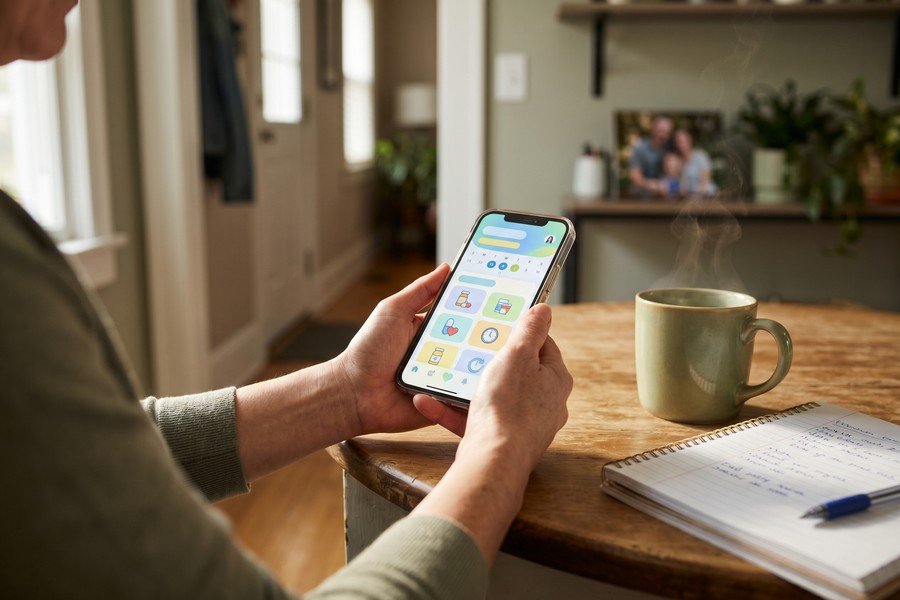
Medication Management Apps: Preventing Costly and Dangerous Errors
Medication mismanagement is one of the most dangerous problems in elder care — and one of the most preventable. The National Institutes of Health estimates that adverse drug events cause approximately 125,000 deaths and 1 million hospitalizations in the U.S. annually. For older adults already managing multiple prescriptions — what clinicians call polypharmacy — the risk of dangerous interactions multiplies with every added medication.
Caregivers often become the de facto medication managers by default. Right drug, right time, right dose — managed manually, with pill organizers and handwritten schedules. It works until it doesn’t. And when it doesn’t, the consequences can be severe.
How Medication Apps Work
Modern medication management apps go well beyond simple reminders. Platforms like Medisafe, MyMedSchedule, and PillPack (by Amazon Pharmacy) include drug interaction checking, refill reminders synced with pharmacy systems, missed-dose alerts sent directly to a caregiver’s phone, and exportable medication lists you can hand to an ER nurse the moment you walk in. That last one alone is worth the setup time.
Medisafe — with over 7 million users — has published clinical data showing its platform improves medication adherence by an average of 11 percentage points. For chronic conditions like hypertension and diabetes, that kind of adherence improvement translates directly into fewer hospitalizations. Not a small thing.
Smart Dispensers: The Hardware Complement
For caregivers managing medications from a distance, smart pill dispensers add a meaningful layer of safety. The Hero Health Dispenser ($99.99 upfront plus $44.99/month) automatically sorts and dispenses medications on schedule, sends caregiver alerts via app if a dose is missed, and locks to prevent accidental double-dosing. For loved ones with any degree of cognitive decline, this technology can be genuinely transformative — not just convenient.
Not all medication reminder apps perform drug interaction checks. Always verify that your app of choice includes this feature, and never rely solely on an app — consult with a pharmacist or physician about potential interactions when adding a new prescription.
If you’re thinking about health-tracking technology more broadly, wearables are increasingly being woven into caregiving routines as well. Our guide on how wearable technology is transforming personal health tracking covers smartwatches and biosensors that caregivers are integrating into their loved one’s daily life.
| App / Device | Cost | Interaction Check | Caregiver Alerts | Best For |
|---|---|---|---|---|
| Medisafe | Free / $4.99/mo premium | Yes | Yes | General polypharmacy management |
| MyMedSchedule | Free | No | Limited | Simple schedules, no frills |
| PillPack | Insurance/copay based | Yes (pharmacist) | Via delivery alerts | Pre-sorted delivery service |
| Hero Dispenser | $99.99 + $44.99/mo | Yes | Yes (missed dose) | Remote or cognitive-decline care |
Document Organization Platforms: Taming the Paperwork Mountain
Health records are only part of the story. Caregiving also generates a relentless avalanche of legal, financial, and administrative documents — healthcare proxies, powers of attorney, advance directives, Medicare and Medicaid cards, Social Security documentation, tax records, insurance policies, property deeds. These aren’t documents you look at every day. But when you need them, you need them immediately, usually in the middle of something stressful and urgent.
A 2021 survey by the Caregiver Action Network found the average caregiving household manages between 50 and 200 distinct documents related to their loved one’s care. Fifty to two hundred. Storing all of that in a single, searchable, cloud-based system isn’t optional anymore — it’s essential infrastructure.
Cloud Storage Solutions for Caregivers
HIPAA-compliant cloud storage platforms let caregivers scan, upload, tag, and share documents with family members and authorized providers. Google Drive and Dropbox are convenient and widely used — but neither is HIPAA-compliant out of the box. For anything health-related, look at Box for Healthcare ($15/user/month) or purpose-built tools like Cake, a free end-of-life planning platform, which provide the security guarantees that consumer-grade products simply don’t offer.
For documents where HIPAA compliance isn’t strictly required — financial records, legal paperwork — Google Drive’s shared folder system works well and costs nothing. The key is building a consistent folder structure from day one. Dump everything into an unorganized directory and you’ve just created a digital version of the paper pile you were trying to escape.
Legal Document Management
Legal documents need special attention. Durable Power of Attorney (DPOA) and Healthcare Proxy documents get requested at hospitals and care facilities constantly — often at the exact moment you’re least prepared to locate them. Storing executed copies in cloud storage and sharing access with at least two trusted family members means these documents are always reachable, regardless of who’s handling the crisis at that particular moment.
Services like DocuSign ($10-$25/month) allow caregivers to execute and store legally binding documents electronically in many states. Estate planning platforms like Trust & Will combine document preparation with secure storage for around $199 as a complete package — not cheap, but significantly cheaper than scrambling through a filing cabinet in an emergency.
“The single most common crisis I see in elder law practice is a family that has done all the right planning — they have the power of attorney, the healthcare proxy, the will — but they can’t locate the documents when they need them. Digital storage with multiple authorized users solves this problem completely.”
Care Coordination Tools: Keeping the Whole Team Aligned
Caregiving is almost never a solo act, even when it feels that way. Most caregiving situations involve multiple people — adult children scattered across different cities, professional home health aides, visiting nurses, neighbors, friends who want to help but don’t know how. Each person handles a different piece. And without a shared communication hub, tasks fall through the cracks, effort gets duplicated, and family tension climbs fast.
Care coordination platforms exist to solve exactly this problem. Think of them as project management tools built specifically for healthcare — combining task assignment, scheduling, messaging, and documentation in one interface the entire care team can access.
Top Platforms for Care Team Communication
Platforms like Lotsa Helping Hands and CareZone let a primary caregiver create a “care circle” — a private group that includes family, friends, and paid caregivers. Tasks (grocery runs, medication pickups, rides to appointments) get posted to a shared calendar, and people sign up directly. No more “did anyone pick up the prescription?” texts at 9 p.m. This model has been shown to reduce primary caregiver burnout by actually distributing the load more equitably — which sounds obvious but rarely happens without a system forcing it.
For more complex situations, Carely (formerly CareFlash) and Aidaly offer structured care management with HIPAA-compliant messaging between family members and professional care teams. Aidaly goes a step further, including a compensation platform that helps families pay family caregivers through Medicaid waiver programs — a genuinely significant financial tool for eligible households that many people don’t know exists.
Integrating Professional Care Teams
When paid home health aides are in the picture, digital tools create a layer of accountability that’s hard to replicate otherwise. Platforms like ClearCare (now WellSky Personal Care), used by home care agencies, provide GPS check-ins, digital care notes, and real-time task documentation that family caregivers can monitor remotely. Knowing your loved one’s aide arrived on time and completed the morning routine removes a specific, persistent layer of daily anxiety. That matters.
A 2022 study by the National Alliance for Caregiving found that caregivers who used formal care coordination tools reported 27% lower rates of caregiver stress compared to those relying on informal communication methods like group texts and email chains.
It’s also worth keeping an eye on what these coordination platforms are actually costing you on a monthly basis. If you’re running multiple caregiving subscriptions, our guide on auditing digital subscriptions to eliminate hidden costs gives you a systematic way to review recurring charges and cut what you’re not actually using.
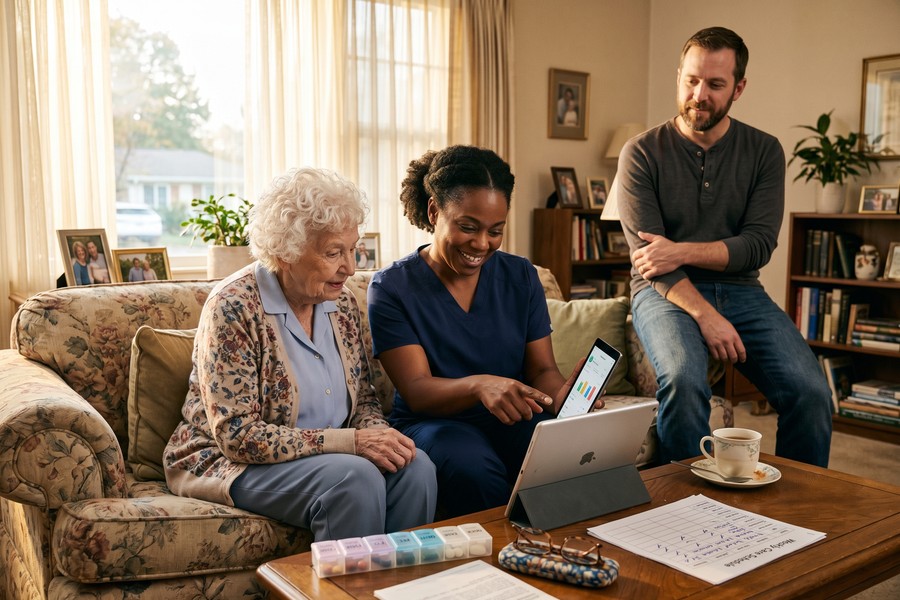
Telehealth and Remote Monitoring: Care Without the Trip
Getting a frail or mobility-limited loved one to a medical appointment is one of caregiving’s most physically draining logistics challenges. You’re arranging transport, managing their anxiety, navigating a waiting room, and getting home — and for a routine medication check, all of that effort is often genuinely unnecessary. Telehealth has fundamentally changed this equation, and not just during the pandemic years.
Since 2019, telehealth utilization has grown by 3,800% — that’s the “38x” figure you’ll see referenced. Some of that was pandemic-driven, sure. But the adoption has remained remarkably durable. Medicare permanently expanded telehealth coverage in 2022, and most major insurers now cover virtual visits for a broad range of conditions at the same copay as in-person visits.
How Caregivers Use Telehealth Effectively
There are three primary ways caregivers are using telehealth right now: routine follow-ups for stable chronic conditions, urgent care triage to avoid ER trips (which average $1,389 per episode, per the Health Care Cost Institute), and mental health support — for both the care recipient and, critically, the caregiver themselves. That last one doesn’t get mentioned enough.
Platforms like Teladoc, MDLive, and Amwell offer 24/7 physician access with typical wait times under 15 minutes, and many integrate directly with pharmacy networks for same-day prescription delivery. For specialized care, SpecialistDirect and Teladoc’s specialty services provide access to neurologists, cardiologists, and geriatric care specialists who might otherwise have three-to-six-month wait lists. That wait list problem is real, and telehealth is genuinely chipping away at it.
Remote Patient Monitoring Tools
Remote patient monitoring (RPM) takes telehealth a step further — continuously tracking vital signs between appointments rather than just during them. Blood pressure cuffs, glucose monitors, pulse oximeters, weight scales: these devices now transmit readings automatically to a provider’s EHR system via Bluetooth and cellular connectivity. Medicare covers RPM services for eligible chronic care patients under CPT codes 99453 and 99454, making these services accessible at little or no cost to beneficiaries. Worth asking about.
Remote patient monitoring programs have been shown to reduce 30-day hospital readmissions by 38% in patients with congestive heart failure, according to a study published in the Journal of the American Heart Association.
For caregivers managing loved ones with cognitive decline, GPS tracking devices and door and movement sensors offer a layer of safety monitoring that in-person supervision simply can’t replicate around the clock. Products like AngelSense and iTraq provide real-time location data and alerts when a loved one wanders or deviates from their normal daily pattern. For families dealing with dementia, this technology isn’t a luxury — it’s peace of mind you can’t put a dollar value on.
Financial and Benefits Management: Tracking Costs and Entitlements
Caregiving is extraordinarily expensive. Beyond the $7,242 average in annual out-of-pocket expenses that AARP has documented, many caregivers are simultaneously managing their loved one’s entire financial life — bill payment, benefit enrollment, insurance claims, tax preparation, all of it. Financial disorganization in this context doesn’t just cause stress. It causes missed benefits, late fees, and creates openings for exploitation by bad actors who specifically target caregiving households.
Look, the benefits landscape alone is a full-time navigation challenge. Medicare, Medicaid, veterans’ benefits through the VA, Social Security Disability Insurance, and state-specific assistance programs each have their own enrollment deadlines, documentation requirements, and appeals processes. Many eligible families leave significant money unclaimed simply because they don’t know these programs exist or have any idea how to access them.
Digital Tools for Financial Tracking
Budgeting apps like YNAB (You Need A Budget) and Monarch Money can be configured to track caregiving-specific spending — medical expenses, home modification costs, respite care fees — in a way that makes year-end tax preparation far less painful. Medical expenses exceeding 7.5% of adjusted gross income are deductible on federal returns, and you need meticulous records to claim that deduction accurately. A spreadsheet won’t cut it over a multi-year caregiving period.
For broader financial monitoring, EverSafe (starting at $7.99/month) was built specifically for senior financial protection. It scans linked accounts for unusual transactions — large withdrawals, new recurring charges, geographic anomalies — and alerts designated family members in real time. Given that elder financial abuse costs Americans an estimated $36.5 billion annually, this kind of monitoring has moved from “nice to have” to genuinely essential.
“Financial exploitation is the fastest-growing form of elder abuse, and the perpetrators are increasingly sophisticated. Digital monitoring tools that flag anomalies in real time are now a critical component of a comprehensive caregiving strategy — not an optional add-on.”
Navigating Benefits Programs Digitally
Government benefit portals have improved meaningfully in the past few years. Medicare.gov, Benefits.gov, and VA.gov now include eligibility screening tools that can surface programs a caregiver may not even know their loved one qualifies for. The BenefitsCheckUp tool from the National Council on Aging scans over 2,500 federal, state, and private assistance programs based on a 10-minute questionnaire. Ten minutes. Worth every second. If you need step-by-step guidance on actually applying once you’ve identified eligible programs, our resource on how to apply for assistance without losing your mind walks you through the process in plain language.
AI-powered financial tools are entering this space as well. If you want to understand how those platforms actually work, our piece on how AI-powered budgeting apps are changing personal finance breaks down the technology and evaluates leading platforms across key metrics.
| Tool | Cost | Primary Use | Best For |
|---|---|---|---|
| EverSafe | $7.99–$24.99/mo | Elder financial fraud monitoring | Protecting accounts from exploitation |
| YNAB | $14.99/mo | Caregiving budget tracking | Tax documentation and spending control |
| BenefitsCheckUp | Free | Benefits eligibility screening | Identifying unclaimed assistance programs |
| Quicken Premier | $59.99/yr | Full financial account management | Complex financial picture management |
Security and Privacy: Protecting Sensitive Health Data
With this much sensitive information flowing through digital channels, security isn’t optional — it’s foundational. Health data is among the most valuable data types for cybercriminals. A complete medical record sells for up to $1,000 on the dark web, compared to just $5-$10 for a stolen credit card number. Caregivers who digitize their loved one’s information without adequate security controls aren’t just taking a small risk. They’re creating a significant one.
The good news: basic security practices eliminate the vast majority of risk. The challenge is that most caregivers were never trained in digital security and may not know where the vulnerabilities actually are — which means they don’t know what they don’t know.
Essential Security Practices for Caregiver Platforms
Every platform you use to store or transmit health data should clear three minimum bars: HIPAA compliance, end-to-end encryption, and multi-factor authentication (MFA). Missing any one of these? That platform isn’t suitable for sensitive health information, full stop. Caregivers should also consider using a dedicated email address exclusively for health and care-related accounts — separate from personal and work email — to limit blast radius in the event of a breach.
Password managers like 1Password ($2.99/month) or Bitwarden (free for individuals) solve the extremely common problem of reusing weak passwords across multiple platforms. The manager generates, stores, and auto-fills complex unique passwords for every account — and it’s genuinely the single most effective step most caregivers can take to improve security across their entire digital setup. Simple. Impactful. Underused.






