Fact-checked by the VisualEnews editorial team
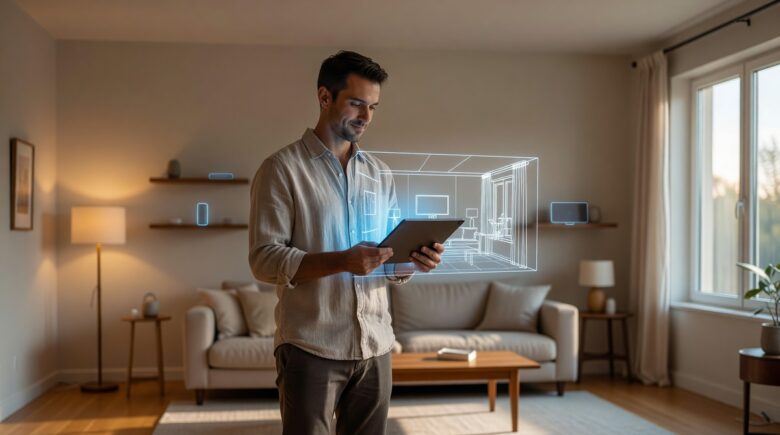
Imagine getting a $400 electricity bill in January — and having no idea why. That’s the reality for millions of homeowners who manage their properties reactively, patching problems after they’ve already cost serious money. Digital twins home management is changing that equation entirely, giving ordinary people a live, data-fed virtual replica of their home that predicts failures, optimizes energy use, and tracks every system in real time.
The numbers behind home maintenance neglect are staggering. According to U.S. Census Bureau housing data, the average American homeowner spends between $1,000 and $4,000 annually on unexpected repairs. A 2023 Angi report found that 52% of homeowners had experienced at least one major surprise repair costing over $1,500 in the previous 12 months. Meanwhile, HVAC failures alone account for roughly $11 billion in emergency repair spending each year across the United States.
This guide breaks down exactly how digital twins work at the residential level, which platforms are worth your money, how much setup actually costs, and what real homeowners are saving after adoption. You’ll walk away with a clear, step-by-step framework to start building your own home digital twin — even if you’ve never heard the term before today.
Key Takeaways
- The global digital twin market is projected to reach $110 billion by 2028, with residential applications growing at 38% annually.
- Homeowners using digital twin platforms report average energy savings of 15–30%, translating to $400–$900 per year on utility bills.
- Predictive maintenance enabled by digital twins can reduce emergency repair costs by up to 40%, saving the average household $600–$1,600 annually.
- Entry-level home digital twin setups (smart sensors + software subscription) start at roughly $300–$500 upfront, with monthly fees of $10–$40.
- Full-featured residential digital twin platforms like Matterport, Autodesk Tandem, and Homee typically deliver ROI within 18–24 months of deployment.
- Homes equipped with digital monitoring and predictive systems sell for 3–5% more on average, according to a 2023 Zillow analysis of smart-home premiums.
In This Guide
- What Is a Home Digital Twin?
- How Digital Twins Actually Work in a Residential Setting
- Platforms and Tools Available to Everyday Homeowners
- Cost Breakdown: What You’ll Actually Pay
- Energy Management: The Biggest Win for Most Homeowners
- Predictive Maintenance and Avoiding Costly Surprises
- Security, Privacy, and Data Risks to Understand
- Measuring the Real ROI of Digital Twins Home Management
- Getting Started: Skills, Hardware, and Time Required
What Is a Home Digital Twin?
A digital twin is a dynamic, data-connected virtual model of a physical object or system. In industrial settings, engineers have used digital twins to monitor jet engines, oil rigs, and manufacturing lines for over two decades. The concept is now filtering down to the residential level — and it’s more accessible than most people realize.
At its core, a home digital twin is a continuously updated software model of your house. It ingests data from smart sensors, utility meters, HVAC controllers, weather APIs, and even your appliances. The model then reflects real-time conditions, flags anomalies, and simulates future scenarios — like what happens to your heating bill if you drop the thermostat set point by 3 degrees.
How It Differs from a Smart Home
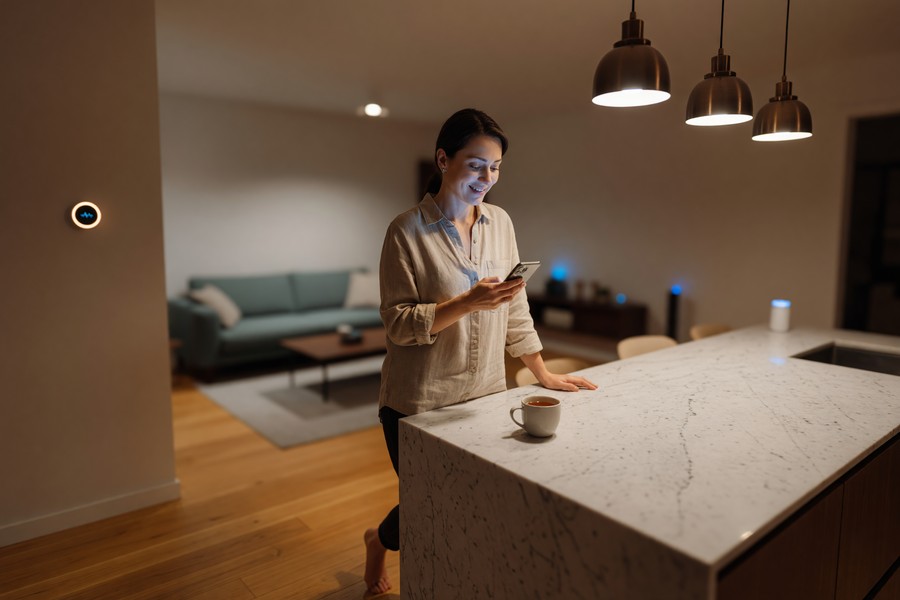
Many people confuse digital twins with smart home setups. They’re related, but distinct. A smart home reacts to commands — you tell the thermostat to change, and it does. A digital twin thinks ahead — it models your home’s thermal behavior, predicts when the furnace filter will need replacing, and suggests changes before problems appear.
Think of a smart home as a remote control. A digital twin is a co-pilot. The difference in value is enormous, especially for homeowners trying to reduce long-term costs rather than just add convenience.
The Industrial Origins and Consumer Evolution
NASA pioneered twin-model concepts in the 1960s to simulate spacecraft remotely. General Electric formalized the “digital twin” term around 2003. By 2020, platforms like Matterport began offering 3D spatial capture tools aimed at real estate and property management. Consumer-grade digital twin applications for home management began gaining real traction between 2021 and 2023, driven by falling sensor costs and maturing IoT ecosystems.
The cost of IoT sensors dropped by over 70% between 2014 and 2023, making residential digital twin setups economically viable for average homeowners for the first time.
This evolution matters because the barrier to entry is no longer a $50,000 enterprise software license. Today, a motivated homeowner can stand up a functional home digital twin for a few hundred dollars and a weekend of setup time.
How Digital Twins Actually Work in a Residential Setting
The architecture of a residential digital twin has three layers: data collection, modeling and analysis, and action and feedback. Understanding each layer helps you make smarter purchasing decisions and avoid buying hardware you don’t need.
Layer 1: Data Collection via Sensors and APIs
Sensors are the nervous system of your digital twin. Temperature sensors track conditions room by room. Smart electrical panels like the Leviton or Span panel monitor energy draw at the circuit level. Water leak detectors, CO2 monitors, occupancy sensors, and smart plugs all feed into the model. Many platforms also pull in external data — local weather forecasts, utility rate schedules, and even seismic data in earthquake-prone regions.
APIs (application programming interfaces) connect your digital twin to third-party systems. Your utility’s smart meter data, for example, can sync automatically via programs like Green Button Connect, which is supported by the U.S. Department of Energy’s Green Button initiative. This allows your digital twin to track energy consumption without you manually entering a single number.
Layer 2: The Model and Analytics Engine
Raw data is useless without interpretation. The modeling layer uses algorithms — often machine learning-based — to turn sensor readings into actionable intelligence. It learns your household’s patterns: when rooms are occupied, how long your water heater takes to recover, what your baseline electricity draw looks like at 2 a.m. Deviations from those baselines trigger alerts.
More advanced platforms simulate future states. You can ask: “If I add attic insulation with an R-value of 38, how much will my heating costs drop over the next five winters?” The model calculates a projected answer using your home’s actual thermal profile — not a generic estimate.
Layer 3: Feedback, Automation, and Decision Support
The third layer closes the loop. Alerts go to your phone. Automated rules adjust your smart thermostat. Reports summarize monthly performance. Some platforms generate maintenance schedules based on actual usage data rather than manufacturer calendar estimates. If your dishwasher motor is drawing 12% more power than usual, the system flags it as a potential failure risk — weeks before you’d notice a problem.
Homes using sensor-based predictive maintenance experience 25–40% fewer emergency repair events compared to homes managed on traditional calendar-based schedules, according to a 2022 McKinsey & Company analysis of residential IoT deployments.
Platforms and Tools Available to Everyday Homeowners
The market for residential digital twin software is still maturing, but several strong contenders have emerged. They vary significantly in complexity, cost, and focus area. Some emphasize 3D spatial modeling; others prioritize energy analytics or predictive maintenance.
Dedicated Home Digital Twin Platforms
Matterport is best known for its 3D spatial capture capability. Using a compatible camera (or a smartphone with the Matterport app), you can create a photorealistic 3D model of your home. The platform then layers in measurements, room data, and over time, maintenance notes and utility overlays. Subscription plans start at $9.99/month for basic access.
Autodesk Tandem targets more technically inclined homeowners and property managers. It supports BIM (Building Information Modeling) data imports, meaning if you have architectural drawings of your home, Tandem can ingest them and build a rich digital model. It’s more powerful but has a steeper learning curve. Pricing starts at approximately $500/year for small projects.
Homee is a German-engineered smart home hub that functions as a lightweight digital twin engine. It connects hundreds of sensor types, automates responses, and logs historical data for trend analysis. The hub costs around $129, with no mandatory subscription.
| Platform | Best For | Starting Cost | Monthly Fee | Learning Curve |
|---|---|---|---|---|
| Matterport | 3D spatial modeling | $0 (app only) | $9.99–$69 | Low |
| Autodesk Tandem | Technical/BIM users | ~$500/yr | Included | High |
| Homee Hub | Sensor integration | $129 hub | $0–$10 | Medium |
| Sense Energy Monitor | Energy analytics | $299 | $0 | Low |
| Span Smart Panel | Circuit-level monitoring | $3,500 installed | $0 | Low |
Energy-Focused Tools That Serve as Partial Twins
Not every homeowner needs a full 3D spatial model. For many, the highest-value starting point is energy monitoring. The Sense Energy Monitor installs in your electrical panel in about 30 minutes and uses machine learning to identify individual appliances by their electrical signatures. Within a few weeks, it knows your refrigerator from your dryer — no manual programming required. It retails for $299 with no ongoing subscription.
Just as wearable technology transformed personal health tracking by giving people continuous data about their bodies, energy monitors give homeowners continuous data about their home’s consumption — often revealing surprises within the first week.
Start with an energy monitor before committing to a full digital twin platform. The data it reveals in the first 30 days will tell you exactly which areas of your home deserve the most attention — and guide smarter hardware purchases.
Cost Breakdown: What You’ll Actually Pay
One of the biggest misconceptions about digital twins home management is that it requires enterprise-level spending. The reality is that a functional, valuable setup can be assembled for less than the cost of a single emergency plumber visit.
Entry-Level Setup (Under $500)
An entry-level home digital twin uses a mix of off-the-shelf smart sensors, a hub, and a basic software subscription. This tier is suitable for apartments, condos, or homeowners primarily interested in energy tracking and leak detection.
| Component | Example Product | Estimated Cost |
|---|---|---|
| Energy Monitor | Sense Energy Monitor | $299 |
| Water Leak Sensors (3-pack) | Govee Wi-Fi Water Sensors | $45 |
| Smart Thermostat | Ecobee SmartThermostat | $189 |
| Software Subscription | Matterport Basic | $120/yr |
| Total (Year 1) | — | ~$653 |
Mid-Tier Setup ($500–$2,000)
The mid-tier adds circuit-level monitoring, air quality sensors, smart lighting with occupancy data, and a more capable hub. This setup generates richer data and enables more sophisticated automation and predictive analytics. Expect to spend $800–$2,000 in year one, with ongoing costs of $20–$50/month depending on software subscriptions chosen.
Premium Setup ($2,000+)
The premium tier includes a smart electrical panel (like Span or Leviton), whole-home water monitoring (like Flo by Moen), HVAC runtime and performance tracking, and a professional-grade digital twin platform. Total setup costs range from $3,500 to $8,000, but energy and maintenance savings at this tier frequently reach $1,500–$3,000 per year — meaning payback in under five years.
Avoid buying a large bundle of smart home devices without a clear integration plan. Incompatible ecosystems (Zigbee vs. Z-Wave vs. Wi-Fi vs. Matter) can leave you with sensors that don’t talk to your chosen platform — wasting hundreds of dollars. Confirm compatibility before purchasing.
Budgeting for a digital twin system is similar to evaluating any technology investment. If you’re already auditing your recurring tech costs, our guide on stopping wasteful digital subscription spending can help you redirect existing budget toward higher-value tools like these.
Energy Management: The Biggest Win for Most Homeowners
For the majority of homeowners, energy management delivers the fastest and most measurable return from digital twins home management. Heating and cooling account for roughly 43% of the average U.S. home’s energy use, according to the U.S. Energy Information Administration. That’s also where digital twin optimization cuts deepest.
How Digital Twins Optimize HVAC Efficiency
A digital twin monitors your HVAC system’s runtime, output temperature differentials, and energy draw simultaneously. It correlates that data with outdoor temperature, humidity, occupancy patterns, and utility rate schedules. The result is a continuously refined operating schedule that costs less without sacrificing comfort.
Ecobee’s internal data shows that homeowners using their SmartThermostat with full integration save an average of 26% on heating and cooling costs compared to a conventional thermostat. On a $200/month average utility bill, that’s $52/month — or $624/year — from a single device.
“The real power of a home digital twin isn’t the sensor data itself — it’s the model that interprets that data over time. A house that’s been modeled for six months can predict equipment failures and energy anomalies that no human would catch by casually reviewing an app.”
Solar and Battery Integration
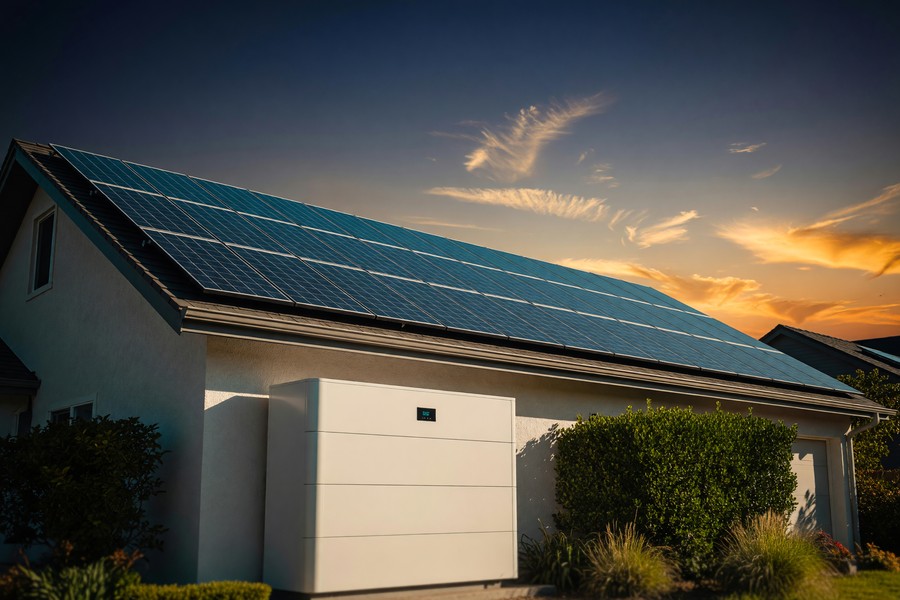
For homeowners with solar panels, digital twins unlock a new level of optimization. By modeling your home’s consumption patterns alongside solar production forecasts and time-of-use electricity rates, the system can decide when to charge batteries, when to sell back to the grid, and when to shift high-draw tasks like laundry or dishwasher cycles.
Tesla’s Powerwall Gateway software functions as a partial home digital twin in this context. Homeowners using it report an average 30% reduction in grid electricity purchases compared to solar-only setups without smart storage management. At current electricity prices, that adds up to $300–$700 per year in additional savings.
Predictive Maintenance and Avoiding Costly Surprises
Predictive maintenance is arguably the most financially impactful application of digital twins home management. The traditional approach to home maintenance is calendar-based: change the filter every 90 days, service the HVAC annually, flush the water heater every two years. These intervals are generic estimates — not tailored to your home’s actual conditions.
How Predictive Alerts Work
A digital twin monitors real performance metrics and flags deviations. Your water heater normally takes 22 minutes to reach temperature. If it starts taking 31 minutes, the system recognizes inefficiency — possibly sediment buildup or a failing heating element — and alerts you before the unit fails entirely. A proactive flush or element replacement costs $50–$200. An emergency water heater replacement costs $800–$2,000.
The same logic applies to refrigerators, washing machines, HVAC compressors, and sump pumps. Flo by Moen, a whole-home water monitoring system, uses flow rate anomaly detection to catch slow leaks. The company reports that its system has helped homeowners avoid an average of $10,000 in water damage claims — per incident caught.
Water damage is the second most common homeowners insurance claim in the United States, with the average claim totaling $11,650. Many of these incidents stem from slow leaks that a sensor-based system would detect within hours of onset.
Appliance Lifespan Extension
Running appliances within their optimal parameters extends their useful lives. A refrigerator compressor that runs 20% harder than necessary due to a dirty condenser coil wears out years earlier than it should. A digital twin flags the coil condition based on runtime patterns and energy draw — prompting a $15 fix before it becomes a $1,200 replacement.
The DOE estimates that proper maintenance can extend major appliance lifespans by 15–30%. For a household with $25,000 in appliances, that extension represents thousands of dollars in deferred replacement costs.
| System/Appliance | Reactive Repair Cost | Predictive Intervention Cost | Average Savings |
|---|---|---|---|
| HVAC Compressor | $1,500–$3,000 | $150–$400 (service) | $1,100–$2,600 |
| Water Heater | $800–$2,000 | $50–$250 (flush/element) | $550–$1,750 |
| Sump Pump | $2,000–$10,000 (flooding) | $120–$300 (replacement) | $1,700–$9,700 |
| Refrigerator | $800–$1,400 | $15–$80 (cleaning/part) | $720–$1,320 |
| Washing Machine | $300–$800 | $50–$150 (hose/bearing) | $150–$650 |
Security, Privacy, and Data Risks to Understand
A digital twin is only as valuable as the data feeding it — and that same data creates real privacy and security risks if mishandled. Before deploying sensors throughout your home, understand what you’re sharing, with whom, and under what terms.
What Data Your Home Twin Collects
Home digital twin systems can collect occupancy patterns, daily routines, appliance usage schedules, sleep times, energy consumption habits, and even voice commands if integrated with smart speakers. This data paints an extraordinarily detailed portrait of your life. It’s valuable to you — and potentially valuable to advertisers, data brokers, or bad actors.
Always read the privacy policy of any platform before installation. Look for local data processing options (data stays on your hub, not the cloud), end-to-end encryption, and clear data deletion policies. Platforms like Home Assistant — an open-source home automation engine — process all data locally by default, never sending it to a third-party server.
Some “free” smart home apps monetize your behavioral data by selling anonymized (but often re-identifiable) usage patterns to third parties. This is similar to the broader dynamic explored in our breakdown of what you actually give up with free apps — apply the same skepticism here.
Network Security for IoT Devices
Every sensor you add is a potential entry point to your home network. IoT devices are notoriously vulnerable — a 2023 report by Bitdefender found that the average smart home has 21 connected devices and experiences at least 8 attack attempts per day. Isolating your IoT devices on a separate VLAN (virtual local area network) dramatically reduces this risk.
For a deeper look at how your home’s connectivity infrastructure affects device security, our guide on 5G vs. Wi-Fi 7 and which wireless technology to use covers the performance and security trade-offs between protocols relevant to smart home networks.
“Homeowners often focus entirely on the benefits of connected home systems without asking who else has access to that connection. Data hygiene matters as much as device performance in any residential IoT deployment.”
Measuring the Real ROI of Digital Twins Home Management
Return on investment for digital twins home management depends on three variables: your home’s size, current inefficiencies, and which tier of system you deploy. But the math is consistently favorable across home types when you account for all savings categories.
Building Your ROI Calculation
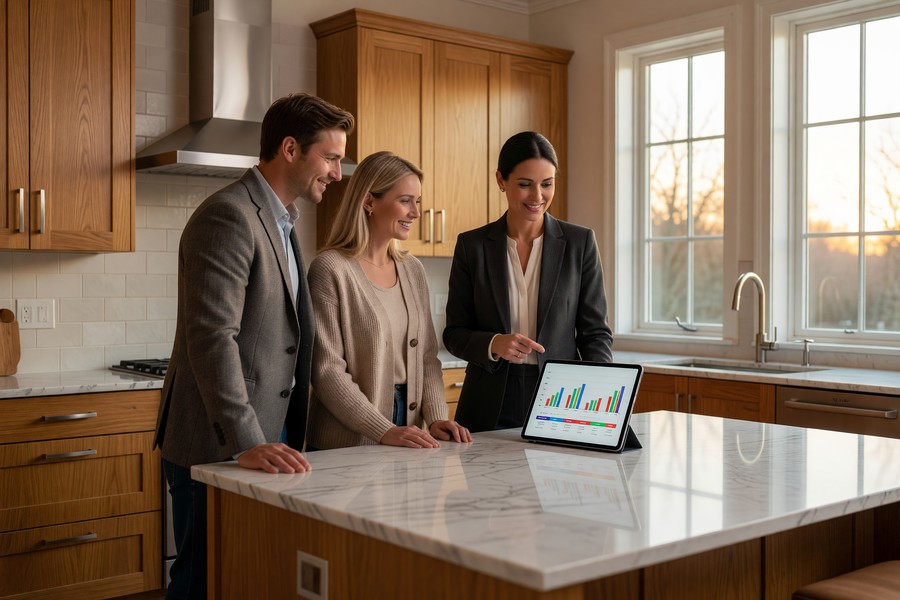
Start with your current annual utility spend and maintenance costs. The average U.S. household spends $2,200/year on electricity alone, plus roughly $1,500 on home maintenance and repairs. Apply conservative savings estimates — 20% on energy, 30% on maintenance — and you get $440 + $450 = $890 in annual savings. A $600 entry-level setup pays back in under nine months.
For mid-tier setups with $1,500 in hardware and software, the same math extends payback to 20–24 months. That’s still well within the useful life of the equipment. And savings compound over time as the model learns more about your home.
A 2023 study by the Rocky Mountain Institute found that homes with integrated energy management and predictive maintenance systems reduced total home operating costs by an average of 22% over five years — representing $5,500–$9,000 in cumulative savings for a typical U.S. household.
Resale Value Impact
Digital twin documentation adds measurable resale value. A well-maintained digital twin creates a complete operational history of your home — every repair, every energy reading, every system upgrade. Buyers increasingly value this transparency. Zillow’s 2023 consumer survey found that 73% of buyers aged 25–44 would pay a premium for a home with documented smart monitoring history. The average premium cited was 3.5% — worth $14,000 on a $400,000 home.
The financial discipline required to maximize these returns mirrors the same logic behind using AI-powered budgeting apps — the systems work best when you stay engaged with the data they surface, rather than setting them up and walking away.
Getting Started: Skills, Hardware, and Time Required
The most common reason homeowners delay adopting digital twins home management is the assumption that it requires technical expertise. In reality, most entry-level setups require no more skill than setting up a new smartphone.
What You Actually Need to Know
You need to be comfortable with your home Wi-Fi network — specifically, knowing your network name and password, and ideally knowing how to log into your router to create a guest network. Beyond that, most consumer-grade sensors and hubs come with guided setup apps that walk through installation step by step. Sense Energy Monitor installation, for example, takes 30 minutes and requires only a screwdriver.
More advanced configurations — like setting up Home Assistant, integrating with your utility’s API, or building custom automation rules — do require more technical comfort. But these steps can be deferred. Start with the easy wins, then expand as confidence grows.
Time Investment
Expect to spend 3–6 hours on initial setup for an entry-level system: installing sensors, downloading apps, linking accounts, and reviewing baseline data. After that, routine engagement drops to about 15–20 minutes per week reviewing dashboards and acting on alerts. The system does the continuous monitoring for you.
Home Assistant — the leading open-source home automation platform — has over 700,000 active installations worldwide as of 2024, with a vibrant community forum where beginners can get step-by-step help setting up their first home digital twin configuration.
Understanding the broader technology ecosystem helps, too. Concepts like edge computing — processing data locally on your hub rather than in the cloud — directly affect how fast and how privately your home digital twin operates. Platforms built on edge computing principles are generally faster and more secure.
“We’ve reached an inflection point where the tools for residential digital twins are genuinely consumer-grade. The question is no longer whether ordinary homeowners can use them — it’s whether they can afford not to.”
Real-World Example: How a Phoenix Homeowner Saved $2,300 in Year One
Marcus and Denise Okafor purchased a 2,400-square-foot home in Phoenix, Arizona, in 2021. Like most homeowners in the desert Southwest, their summer electricity bills routinely exceeded $380/month — nearly $4,600 annually. Their HVAC system was 11 years old, and they had no visibility into how efficiently it was running. In March 2023, after reading about digital twins home management online, Marcus decided to invest in a mid-tier setup: a Sense Energy Monitor ($299), an Ecobee SmartThermostat with three remote sensors ($229), three Govee water leak detectors ($45), and a Matterport Basic subscription ($120/year). Total year-one investment: $693.
Within the first two weeks, Sense identified that their second refrigerator — kept in the garage for drinks — was drawing 38% more power than expected for its size. A technician found a failing door seal allowing hot Phoenix air to pour in continuously. A $65 seal replacement dropped the fridge’s energy draw by 31% and saved roughly $18/month. Over the same period, Ecobee’s occupancy data revealed that the Okafors were cooling three bedrooms they didn’t occupy before 6 p.m. — wasting energy for seven hours daily. Adjusting the cooling schedule saved another $40/month during the six-month cooling season.
The most significant catch came in August 2023. Sense detected that their HVAC compressor’s runtime was extending 22% longer than the baseline it had established in April. A preventive service call identified refrigerant loss and a partially clogged evaporator coil. The repair cost $310. The technician estimated that, left unaddressed, the compressor would have failed within 60–90 days — a replacement that would have cost $2,200. Total emergency repair avoided: $1,890. Combined with $410 in verified energy savings over 10 months, the Okafors recovered their entire investment in approximately 4 months and ended year one with a net savings of $2,307.
They have since added a Flo by Moen water monitor ($499 installed) after a neighbor experienced a $14,000 pipe burst claim. “I feel like I finally know what’s happening inside my own house,” Denise said. “Before, the house was just this expensive black box. Now it tells us when something’s wrong before it becomes a disaster.”
Your Action Plan
-
Audit your current home costs
Pull 12 months of utility bills and list your last five home repair expenditures. Calculate your annual totals for energy and maintenance. This baseline is essential — without it, you can’t measure the ROI of your digital twin investment. A simple spreadsheet is all you need.
-
Choose your starting tier
Based on your budget and primary pain points, select an entry, mid, or premium setup. If energy costs are your biggest frustration, start with an energy monitor like Sense. If water damage risk is your concern, prioritize a leak detection system. Don’t try to solve everything at once.
-
Check platform compatibility before buying sensors
Identify the hub or platform you plan to use — whether that’s Home Assistant, Homee, SmartThings, or a proprietary app — and verify that every device you plan to buy is explicitly supported. Check the platform’s compatibility list, not just the device box. Incompatible hardware is the most common and most avoidable mistake beginners make.
-
Install your first sensor and establish a baseline
Start with the energy monitor or thermostat. Let it run for 30 days without making changes. This baseline period is how the system learns your home’s normal patterns. Alerts and anomaly detection become far more accurate once a solid baseline exists.
-
Enable utility data integration
Register for your utility’s Green Button or API data-sharing program. This syncs actual usage and rate data into your digital twin, enabling cost modeling and time-of-use optimization. Most U.S. utilities support this at no cost. Find your utility’s enrollment page through the DOE’s Green Button initiative site.
-
Build your 3D home model
Use Matterport’s mobile app to scan each room of your home. This creates the spatial layer of your digital twin — useful for insurance documentation, renovation planning, and overlaying sensor data onto a visual floor plan. A full home scan typically takes 2–3 hours for an average-sized house.
-
Set up alerts and weekly review habits
Configure push notifications for anomalies: energy spikes above 20% of baseline, any water sensor trigger, HVAC runtime extensions over 15%. Then schedule a 15-minute weekly dashboard review. Consistency matters — the homeowners who get the best results treat their digital twin like a weekly financial review, not a set-it-and-forget-it gadget.
-
Measure, document, and expand strategically
At the 6-month mark, compare your utility bills and repair costs against your pre-digital twin baseline. Document savings by category. Use that data to justify expanding into the next tier — whether that’s adding a smart panel, integrating solar production data, or adding room-level air quality sensors to the model.
Related reading: aio quick authority: real estate.
Frequently Asked Questions
Do I need to own my home to set up a digital twin?
You don’t need to own the property, but you should have landlord permission before installing anything that attaches to electrical panels or plumbing. Renter-friendly setups are entirely possible using plug-in energy monitors, portable sensors, and smart plugs — all of which require no permanent installation. Renter-oriented digital twin setups typically cost less too, often under $300 for a functional starting configuration.
Is a digital twin the same as a smart home system?
They overlap but are not the same. A smart home system gives you control over connected devices. A digital twin gives you a living model of your home that monitors, predicts, and analyzes — often informing automated responses. Think of a smart home as the hands, and a digital twin as the brain. Many homeowners use their existing smart home devices as data sources that feed into a digital twin layer on top.
How much technical knowledge do I need?
Entry-level setups like Sense, Ecobee, or Matterport require no technical expertise beyond basic smartphone fluency. Mid-tier systems that use Home Assistant or custom API integrations require moderate comfort with apps and network settings. Full enterprise-grade configurations (like Autodesk Tandem with BIM imports) require either technical knowledge or professional assistance. Most homeowners find the entry and mid tiers fully accessible.
Will my data be sold or shared with third parties?
It depends entirely on the platform. Many commercial platforms explicitly reserve the right to share anonymized usage data with partners. Open-source platforms like Home Assistant process all data locally and share nothing externally. Always review the privacy policy before installation, specifically looking for sections covering data sharing, third-party partnerships, and your rights to delete stored data.
How long does it take to see savings?
Energy savings are often visible within the first billing cycle — typically 30 days — as the system begins optimizing heating and cooling schedules. Predictive maintenance savings are realized when the system catches a problem early, which can happen anytime and save hundreds or thousands in a single incident. On average, most homeowners recoup their entry-level investment within 6–12 months.
Can a digital twin help with home insurance?
Yes, in multiple ways. Documented leak detection systems may qualify you for premium discounts — some insurers offer 5–10% reductions for verified water sensor installations. A complete 3D model of your home created through Matterport serves as powerful documentation in the event of a claim, providing irrefutable evidence of pre-loss conditions. Some insurers are beginning to partner directly with digital twin platforms to offer usage-based policies.
What happens if the platform I use shuts down?
This is a legitimate concern in a still-maturing market. Mitigate this risk by choosing platforms with strong user communities and local data storage options. Open-source platforms like Home Assistant eliminate vendor lock-in entirely. Before committing to any proprietary platform, check whether your data is exportable in standard formats (CSV, JSON). Avoid platforms that store all your data exclusively in a proprietary cloud with no export option.
Can digital twins help with renovation planning?
Absolutely — this is one of the more underappreciated applications. A 3D spatial model of your home lets you test renovation ideas virtually before committing to demolition. Some platforms integrate with design tools to model how a wall removal or addition would affect room dimensions, natural light, and even HVAC load calculations. This capability alone can save thousands in design iteration costs and prevent expensive mistakes.
Are there any ongoing costs I should plan for?
Yes. Budget for software subscriptions ($0–$70/month depending on platform), occasional sensor battery replacements ($10–$30/year), and potential professional installation fees for complex hardware like smart panels. Some sensors have 5–10 year battery lives; others are wired and require no battery management. Factor these costs into your ROI calculation, but they rarely undermine the overall economics of a well-chosen setup.
Does digital twins home management work in older homes?
Yes, though older homes may require more attention to electrical panel compatibility and Wi-Fi coverage gaps. Homes built before 1990 often have limited circuits and may benefit from a professional assessment before adding an energy monitoring system. Wi-Fi dead zones in older homes with thick walls can be addressed with mesh network extenders. In many cases, older homes have more inefficiencies to identify and correct — meaning the savings potential is actually higher than in newer, already-efficient construction.
Sources
- U.S. Census Bureau — Characteristics of New Housing: Highlights
- U.S. Energy Information Administration — Use of Energy in Homes
- U.S. Department of Energy — Green Button Data Initiative
- Matterport — Residential Real Estate Solutions
- MarketsandMarkets — Digital Twin Market Global Forecast Report
- Rocky Mountain Institute — Homes That Pay for Themselves: Integrated Energy Performance
- IoT Security Foundation — Best Practice Guidelines for Consumer IoT Devices
- Insurance Information Institute — Homeowners Insurance Facts and Statistics
- Angi — Home Repair and Maintenance Statistics Report 2023
- Zillow Research — Smart Home Technology and Buyer Preferences Survey 2023
- GE Digital — Digital Twin Technology Overview
- Home Assistant — Official Blog and Installation Statistics
- Sense Energy — Home Energy Insights and User Data Reports
- McKinsey & Company — Digital Twins: The Art of the Possible
- National Association of Home Builders — Smart Home Technology Trends 2024






