Fact-checked by the VisualEnews editorial team
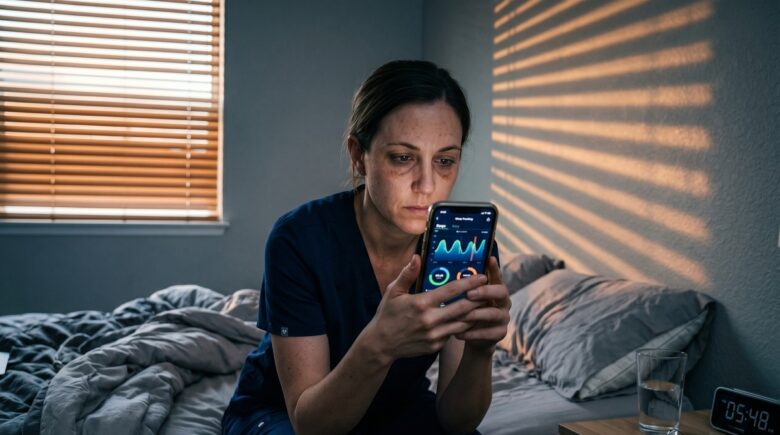
Picture this: it’s 3:47 a.m., and a nurse named Dana has just finished her third consecutive night shift. She gets home, pulls the blackout curtains shut, and stares at the ceiling for two hours — wide awake despite pure exhaustion. This is not a personal failure. It’s a physiological crisis playing out in hospitals, warehouses, and firehouses across the country every single day. Phone sleep tracker apps have quietly become the most accessible tool Dana and millions of workers like her have to fight back against this invisible epidemic.
Shift workers make up roughly 16% of the U.S. workforce, according to the Bureau of Labor Statistics — that’s over 25 million people working outside the standard 9-to-5 window. Among nurses specifically, the American Nurses Association reports that more than 60% work rotating or night shifts, and nearly 70% of those workers report chronic sleep problems. The consequences go far beyond feeling groggy. Research published in the Journal of Sleep Research links shift work disorder to a 23% higher risk of cardiovascular disease, a 40% increase in metabolic syndrome risk, and measurably impaired cognitive performance that directly affects patient safety.
This guide delivers exactly what Dana — and every shift worker reading this — actually needs: a rigorous, data-backed breakdown of how phone sleep tracker apps work, which ones are built for irregular schedules, how to interpret the data they produce, and a step-by-step system for using that data to genuinely improve sleep quality. You will leave with a concrete action plan, not just a list of app recommendations.
Key Takeaways
- Shift workers face a 23% higher cardiovascular disease risk and up to 40% higher metabolic syndrome risk directly linked to disrupted sleep schedules.
- Over 25 million U.S. workers — roughly 16% of the workforce — operate outside standard daytime hours, creating a massive underserved market for sleep technology.
- Top phone sleep tracker apps cost between $0 and $99.99/year, with premium features like sleep stage analysis and smart alarms available for as little as $2.99/month.
- Clinical studies show that consistent use of sleep tracking technology, combined with behavioral changes, can reduce sleep onset latency by up to 34% within 8 weeks.
- Nurses who used sleep apps with circadian rhythm logging tools reported a 28% improvement in subjective sleep quality scores after 6 weeks of use, per a 2022 pilot study at Johns Hopkins Hospital.
- The global sleep tech market is projected to reach $32.6 billion by 2026, driven largely by mobile app adoption — signaling rapid innovation in features relevant to irregular-schedule workers.
In This Guide
- Why Shift Work Destroys Sleep: The Biology Behind the Problem
- How Phone Sleep Tracker Apps Work: The Science of Mobile Sleep Sensing
- Best Phone Sleep Tracker Apps for Shift Workers and Nurses
- Reading Your Sleep Data: What the Numbers Actually Mean
- Circadian Rhythm Hacking: Using App Data to Reset Your Internal Clock
- Smart Alarm Strategies for People Who Cannot Sleep at Normal Hours
- Phone Sleep Tracker Apps vs. Wearables: What Works Better for Shift Workers
- Building a Data-Driven Sleep Routine Around an Unpredictable Schedule
- Privacy and Data Concerns: What Sleep Apps Collect and Who Sees It
Why Shift Work Destroys Sleep: The Biology Behind the Problem
The human body runs on a circadian rhythm — a 24-hour internal clock controlled primarily by the suprachiasmatic nucleus (SCN) in the brain’s hypothalamus. This clock is synchronized by light exposure, meal timing, and social cues. When a nurse works from 7 p.m. to 7 a.m. and then tries to sleep at 8 a.m., she is asking her body to do something it is literally not wired to do: sleep during the biological “daytime.”
The SCN drives the release of melatonin from the pineal gland, typically beginning around 9 p.m. in naturally entrained individuals. Night shift workers who are still awake and exposed to bright hospital lighting at that time receive a direct suppression signal — melatonin production drops, cortisol stays elevated, and the body remains in an alert, wakeful state even when the shift ends.
Shift Work Sleep Disorder: A Recognized Medical Condition
Shift work sleep disorder (SWSD) is classified in the International Classification of Sleep Disorders (ICSD-3) and affects an estimated 10–38% of all shift workers. Symptoms include insomnia during intended sleep periods, excessive sleepiness during work hours, and a sleep debt that compounds over weeks and months. The disorder is formally diagnosed when symptoms persist for at least three months and measurably impair daily functioning.
For nurses specifically, SWSD carries direct patient safety implications. A landmark study in JAMA Internal Medicine found that nurses working three or more consecutive 12-hour night shifts made 300% more medical errors during their third shift compared to their first. This is not a fatigue issue — it is a circadian misalignment issue with clinical consequences.
The International Agency for Research on Cancer (IARC) classified shift work involving circadian disruption as a Group 2A “probable carcinogen” in 2007 — the same category as red meat and anabolic steroids.
The Rotating Shift Problem
Fixed night-shift workers have it bad, but rotating shift workers face an even steeper challenge. When a nurse rotates between days, evenings, and nights within the same two-week pay period, the body never has time to adapt. Research from Harvard Medical School found that full circadian re-entrainment to a new schedule takes between 7 and 14 days — far longer than most rotating schedules allow.
This means rotating shift workers are perpetually in a state of jet lag. The psychological toll compounds the physiological one. A 2021 survey by the American Nurses Foundation found that 47% of nurses identified sleep disruption as their top contributor to burnout — ranking above workload volume and staffing shortages combined.
How Phone Sleep Tracker Apps Work: The Science of Mobile Sleep Sensing
Modern smartphones are remarkably capable sleep-monitoring devices. They house accelerometers, microphones, gyroscopes, barometers, and — in newer models — infrared proximity sensors. Phone sleep tracker apps use these sensors to infer sleep stages, detect disturbances, and build longitudinal data models of a user’s sleep architecture.
The core technology behind most apps is actigraphy — the same motion-sensing principle used in clinical-grade wrist devices worn by sleep patients. When the phone is placed on or near the mattress, the accelerometer detects micro-movements that correlate with different sleep states. Deep sleep produces minimal movement; REM sleep produces specific motion signatures; wakefulness produces high-frequency movement bursts.
What the Microphone and Audio Analysis Add
Several leading apps — including Sleep Cycle and SnoreLab — layer audio analysis on top of accelerometer data. The microphone listens for breathing patterns, snoring, sleep talking, and environmental disturbances (a partner’s alarm, street noise, hospital intercom sounds). This multi-modal approach significantly improves accuracy compared to motion data alone.
Audio analysis is particularly valuable for shift workers because it can identify environmental disruptions that are uniquely common during daytime sleep — lawn mowers, delivery trucks, children coming home from school. Knowing that your sleep quality dropped at 2 p.m. because of external noise rather than an internal sleep disorder is actionable, specific information.
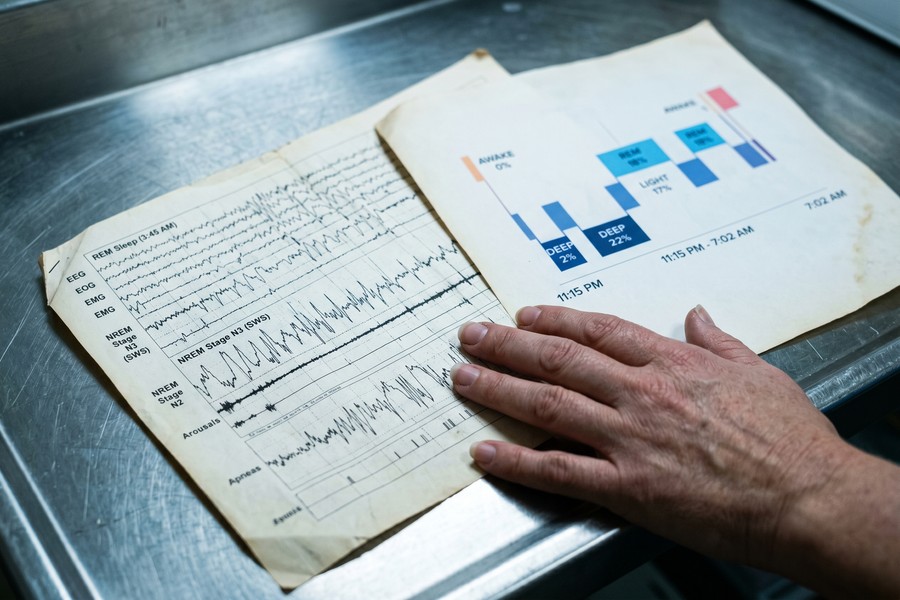
A 2021 validation study published in Sleep Medicine found that leading phone sleep tracker apps achieved 78–84% accuracy in detecting wake versus sleep states when compared against polysomnography — the gold standard clinical sleep test.
The Limitations Shift Workers Need to Know
Phone-based sleep tracking has real limitations. Apps are significantly less accurate at differentiating NREM stages (light vs. deep sleep) than clinical polysomnography. A 2020 meta-analysis in the Journal of Clinical Sleep Medicine found that consumer sleep apps overestimate sleep efficiency by an average of 8–12 percentage points. This means the app may tell you that you slept well when your body disagrees.
For shift workers, this matters because subjective sleep quality — how rested you feel — often diverges sharply from what an app reports. The most productive use of these tools is trend analysis over weeks and months, not treating a single night’s data as diagnostic fact.
Best Phone Sleep Tracker Apps for Shift Workers and Nurses
Not all sleep apps are created equal — and most were designed with a standard daytime sleeper in mind. Below is an evidence-informed breakdown of the apps most relevant to shift workers, with particular attention to irregular-schedule compatibility, circadian tools, and pricing.
Top Apps by Feature and Price
| App | Price | Best Feature for Shift Workers | Platform | Accuracy Rating |
|---|---|---|---|---|
| Sleep Cycle | Free / $39.99/year | Smart alarm with sleep phase detection | iOS, Android | High (multi-sensor) |
| Pillow | Free / $49.99/year | Heart rate integration, nap tracking | iOS only | High (Apple Watch sync) |
| ShutEye | Free / $59.99/year | Circadian rhythm visualization | iOS, Android | Moderate-High |
| SleepScore | Free / $59.99/year | Sonar-based sensing (no contact) | iOS, Android | High (peer-reviewed) |
| AutoSleep | $4.99 one-time | Fully automatic, no setup per night | iOS (Watch req.) | Very High |
| Oura Ring App | $5.99/month | Readiness score, HRV tracking | iOS, Android | Very High (ring sensor) |
Why SleepScore Stands Out for Nurses
SleepScore uses sonar technology — the phone’s speaker emits an ultrasonic signal and the microphone measures the Doppler shift caused by breathing movements. This means no physical contact with the phone is required, which is critical for nurses who may share a bed with a partner on opposite schedules or simply prefer not to place their phone on the mattress.
SleepScore Labs has published peer-reviewed validation data, which sets it apart from most consumer apps. Its “SleepScore” metric (0–100) gives shift workers a single comparable number that tracks meaningfully over time, even when sleep timing changes day to day. The free tier provides basic nightly scores; the premium tier ($59.99/year) adds trend analysis, personalized recommendations, and irregular schedule logging.
If you work rotating shifts, enable the “custom sleep window” feature in Sleep Cycle or ShutEye before every sleep session. Manually logging your intended schedule takes 15 seconds and dramatically improves the AI’s recommendations over time.
Free vs. Premium: What You Actually Gain
The free tiers of most sleep apps deliver basic tracking but withhold the features that matter most for irregular schedules. As explored in detail in our analysis of free vs. paid apps and what you’re giving up, the premium gap in sleep apps is particularly stark. Free versions typically offer nightly snapshots; premium versions offer the trend analysis, circadian shift logging, and comparative benchmarking that shift workers actually need.
The investment is modest. At $39.99–$59.99 per year, premium sleep tracking costs less than $5 per month — less than a single hospital cafeteria lunch. Given the documented health consequences of chronic sleep disruption, the ROI calculation is straightforward. If you are already evaluating your app spending, our guide on auditing your digital subscriptions can help you budget for tools that actually deliver value.
Reading Your Sleep Data: What the Numbers Actually Mean
Downloading a sleep app and glancing at a colored sleep chart each morning is not the same as using it effectively. Understanding what specific metrics mean — and which ones actually matter for shift workers — is the difference between collecting data and using it to change outcomes.
The Five Metrics That Matter Most
| Metric | What It Measures | Healthy Range | Shift Worker Red Flag |
|---|---|---|---|
| Sleep Efficiency | % of time in bed actually asleep | 85–95% | Below 75% for 5+ nights |
| Sleep Onset Latency | Minutes to fall asleep | 10–20 min | Above 30 min consistently |
| Wake After Sleep Onset (WASO) | Minutes awake after first falling asleep | Under 20 min | Above 45 min regularly |
| REM Proportion | % of sleep in REM stage | 20–25% | Below 15% over 2+ weeks |
| Deep Sleep Proportion | % in slow-wave (N3) sleep | 15–20% | Below 10% over 2+ weeks |
Trend Analysis Over Single-Night Snapshots
Single nights are noisy data. A nurse who drank a glass of wine, had a stressful call, and slept next to a window during a thunderstorm will show terrible metrics that night — but that tells you nothing about her baseline sleep architecture. The power of phone sleep tracker apps emerges from 30-, 60-, and 90-day trend lines.
Most premium apps display weekly and monthly averages. Focus on whether your sleep efficiency is trending upward or downward over a four-week block. A 3–5 percentage point improvement in sleep efficiency is clinically meaningful — it corresponds to roughly 15–25 more minutes of restorative sleep per night, or approximately 2 additional hours per week.
“The goal of consumer sleep tracking for shift workers isn’t diagnostic precision — it’s behavioral feedback. When a nurse can see that her sleep quality was 30% worse on weeks she worked rotating shifts versus fixed nights, that data becomes a powerful conversation to have with her nursing manager.”
Using Tags and Notes to Contextualize Your Data
All leading sleep apps allow users to tag nights with contextual notes — caffeine intake, exercise timing, stress level, shift type. This feature is dramatically underused. After 30 days of tagging, the app’s AI can begin surfacing correlations: “Your sleep efficiency is 18% higher on days you exercised before 2 p.m.” or “Caffeine after 2 p.m. correlates with 34-minute longer sleep onset for you specifically.”
These personalized correlations are far more valuable than generic sleep hygiene advice. Your chronotype — your body’s natural sleep-wake preference — is genetically influenced. What works for a morning-type nurse will not work identically for an evening-type nurse. Sleep app data, tagged consistently over 4–6 weeks, begins to reveal your individual response patterns.
Circadian Rhythm Hacking: Using App Data to Reset Your Internal Clock
Circadian rhythm hacking sounds like biohacker jargon, but it refers to a well-documented set of behavioral and environmental interventions that shift workers can use to reduce circadian misalignment. Phone sleep tracker apps provide the data foundation that makes these interventions targeted rather than generic.
Light as the Master Reset Button
Light is the most powerful zeitgeber — a time-cue signal — the circadian system responds to. Bright light (above 10,000 lux) in the morning delays melatonin onset the following night; bright light in the evening accelerates it. For a nurse transitioning from night to day shifts over a weekend, this is actionable.
Apps like ShutEye and Timeshifter (designed originally for jet lag) can generate a personalized light exposure schedule based on your upcoming shift changes. Input your current shift schedule and your target sleep window, and the app calculates exactly when you should seek bright light and when to use blue-light-blocking glasses. This is supported by research from the Sleep Foundation showing that structured light exposure protocols reduce circadian adjustment time by up to 50%.
A 2022 study in Nature and Science of Sleep found that nurses who used a smartphone-guided light exposure protocol for 6 weeks reported a 28% improvement in subjective sleep quality and a 22% reduction in daytime sleepiness scores — without any medication.
Melatonin Timing Tools Within Apps
Several apps now include melatonin timing calculators based on your logged sleep data and shift schedule. The effectiveness of exogenous melatonin is entirely dependent on timing — taking it at the wrong circadian phase does nothing or can even worsen sleep. Apps that estimate your current circadian phase (based on weeks of logged sleep data) can recommend the optimal supplementation window to within a 30-minute precision.
This is one area where the integration of wearable health technology alongside phone apps adds genuine value — continuous heart rate and body temperature data from a smartwatch or ring can sharpen the circadian phase estimate significantly.
Smart Alarm Strategies for People Who Cannot Sleep at Normal Hours
A regular alarm clock is a blunt instrument. It fires at a fixed time regardless of what sleep stage your brain is in. Waking from deep slow-wave sleep produces sleep inertia — the groggy, disoriented feeling that can take 20–30 minutes to clear and impairs performance equivalent to mild alcohol intoxication. For a nurse about to drive home from a shift, this matters.
How Smart Alarms Work
Smart alarms in apps like Sleep Cycle and Pillow monitor your movement patterns and trigger the alarm within a user-defined window — typically 20–30 minutes — when the app detects that you are in light sleep or a natural awakening phase. The result is that you wake at the lightest possible sleep moment before your required wake time.
A 2019 study in Chronobiology International found that participants using smart alarm technology reported 27% lower sleep inertia scores and 19% higher morning alertness ratings compared to fixed-alarm users — even when total sleep time was identical. For shift workers, that 20-minute window of smart alarm flexibility can mean the difference between arriving home safely and a drowsy-driving incident.
The NHTSA estimates that drowsy driving causes approximately 100,000 police-reported crashes, 71,000 injuries, and 1,550 fatalities annually in the U.S. — with shift workers and healthcare workers disproportionately represented.
Nap Optimization for Mid-Shift Rest
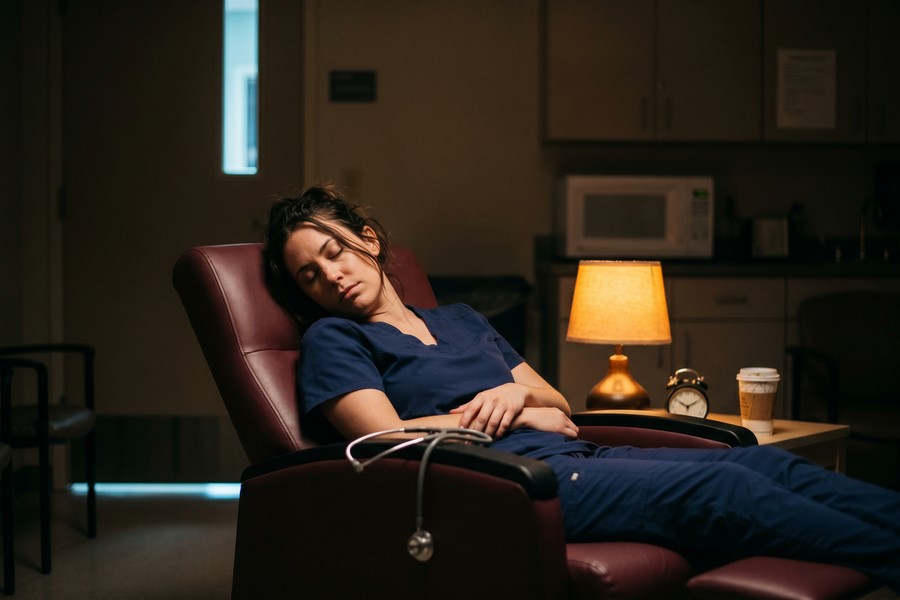
Many nurses take 20–30 minute naps during long shifts or immediately before a night shift. Done correctly, strategic napping is one of the most powerful tools in a shift worker’s arsenal. Done incorrectly — wrong duration or wrong timing — it worsens sleep inertia and makes nighttime sleep harder.
Apps like Pzizz and the nap mode in Sleep Cycle use audio programs that guide users into and out of sleep within a precise window. The optimal nap length for alertness without sleep inertia is 10–20 minutes (stage 1–2 only) or a full 90-minute sleep cycle. The apps track time elapsed and use gentle audio cues to prompt waking at the right moment.
Phone Sleep Tracker Apps vs. Wearables: What Works Better for Shift Workers
The debate between phone-only sleep tracking and wearable-based tracking is particularly relevant for nurses and shift workers, who face unique constraints — hospital infection control policies restrict jewelry on many units, and the cost of a quality wearable ($200–$500) is a meaningful barrier.
Side-by-Side Comparison
| Factor | Phone Sleep Tracker Apps | Wearable Devices |
|---|---|---|
| Cost | $0–$99.99/year | $150–$500 device + $5.99–$9.99/month |
| Accuracy (Sleep Stages) | Moderate (78–84%) | High (85–92%) |
| Hospital Use | Phone stays at home | May violate infection control policy |
| Setup Required | Per-night placement | Automated (always worn) |
| HRV Tracking | Limited (some models) | Yes (gold-standard metric) |
| Best For | Budget-conscious, privacy-focused | Data maximalists, clinical insight |
For most nurses, a phone-based app is the more practical starting point. The accuracy gap between quality phone apps and wearables is real but not decisive for behavioral improvement purposes. The most valuable data point for shift worker health improvement is trend direction — and both approaches capture trends reliably.
Some nurses have been disciplined for wearing smartwatches or fitness rings in clinical areas due to hospital infection control policies. Always check your unit’s personal device policy before investing in wearable sleep technology you plan to wear to work.
The Hybrid Approach
The highest-accuracy consumer sleep tracking available today combines a wearable sensor (like the Oura Ring or Garmin smartwatch) with its companion phone app. The phone app handles data visualization, AI analysis, and behavioral recommendations; the wearable provides continuous biometric input including HRV, body temperature, and blood oxygen. For shift workers who can use this combination, it represents a genuinely clinical-grade monitoring system at a fraction of the cost of a sleep study.
As the broader world of health technology evolves — a transformation we track closely in our coverage of how wearable technology is transforming personal health tracking — these hybrid systems are becoming more accessible and more accurate every year.
Building a Data-Driven Sleep Routine Around an Unpredictable Schedule
The phrase “sleep routine” sounds incompatible with rotating shifts — and it is, if you define routine as “going to bed at the same time every night.” But sleep routine for shift workers means something more flexible: a consistent sequence of behaviors that signal to the body it is time to sleep, regardless of what the clock says.
The Pre-Sleep Protocol Stack
Sleep researchers call this a sleep hygiene protocol stack — a layered sequence of behaviors that collectively reduce cortisol, suppress alerting signals, and prepare the brain’s sleep switch. Phone sleep tracker apps support this by allowing users to set pre-sleep reminders that trigger 60–90 minutes before the intended sleep window, regardless of time of day.
A practical protocol stack for night shift nurses might include: ending screen exposure (blue light) 60 minutes before sleep, consuming no caffeine within 8–10 hours of intended sleep, lowering ambient temperature to 65–68°F, and using a white noise app or fan to mask daytime sounds. What makes sleep app data valuable here is identifying which elements of the stack matter most for you specifically.
“Shift workers who treat every sleep opportunity as a clinical intervention — with the same intentionality they’d bring to patient care — show dramatically better outcomes than those who treat sleep as whatever happens when they’re not working.”
Anchor Sleep: The Overlap Strategy
Anchor sleep is a technique developed by sleep researcher Dr. Timothy Monk at the University of Pittsburgh specifically for rotating shift workers. The principle: even when your main sleep block must move due to schedule changes, keep a consistent 4-hour anchor period — say, always sleeping from 2 a.m. to 6 a.m. regardless of whether you also slept before or after those hours.
Phone sleep tracker apps can track anchor sleep adherence over time. Setting a recurring “anchor window” in apps like ShutEye or Sleep Cycle allows the AI to measure how often you successfully hit your anchor and correlate it with your weekly wellness scores. Research from Dr. Monk’s lab showed that workers using anchor sleep maintained significantly better circadian stability — measured by cortisol rhythm regularity — than those without an anchor period.
Privacy and Data Concerns: What Sleep Apps Collect and Who Sees It
Sleep data is deeply personal health data. Before committing to any phone sleep tracker app, shift workers — especially those in healthcare, where HIPAA sensitivity is a constant consideration — should understand what data is collected, how it is stored, and whether it can be shared with employers or insurers.
What Data Sleep Apps Typically Collect
- Accelerometer and audio recordings of sleep sessions
- Timestamps of all sleep and wake events
- Heart rate data (if wearable integration is enabled)
- Location data (in some apps, for environmental noise correlation)
- User-entered health tags (stress, caffeine, medications)
- Account identifiers linked to personal email or social login
Most major sleep apps anonymize data before sharing it with third parties for research purposes. However, anonymization standards vary. Apps based in the EU are subject to GDPR; U.S.-based apps fall under patchwork state-level privacy laws. There is currently no federal U.S. law specifically protecting health app data with the same rigor as HIPAA.
At least three major sleep app companies have updated their privacy policies to allow sale of aggregated health data to wellness insurers and employer wellness programs. Always read the data sharing section of a sleep app’s privacy policy before entering your shift schedule or medication use.
Choosing Privacy-First Apps
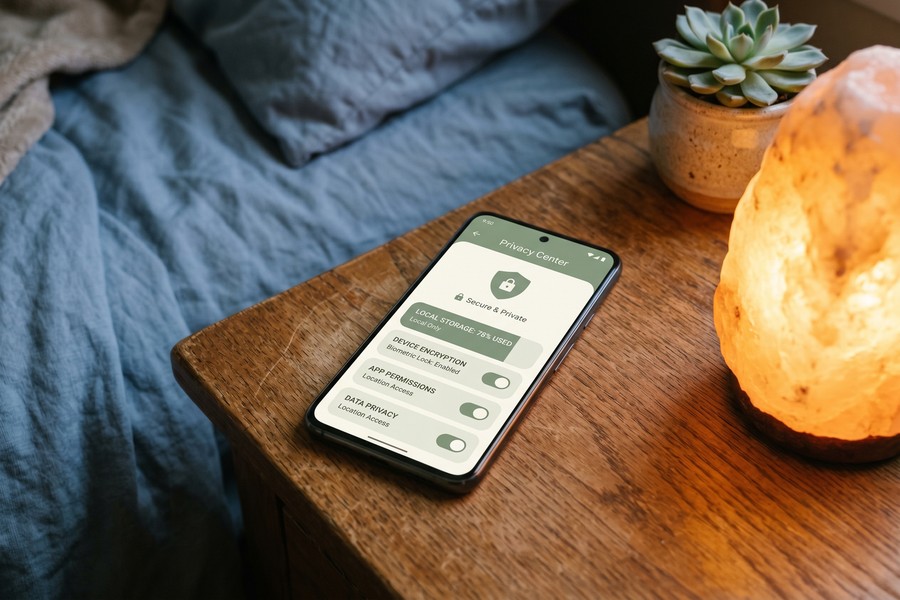
For maximum privacy, choose apps that offer local-only data storage — where all processing happens on your device and no data is uploaded to company servers. Pillow (iOS) and AutoSleep both offer local storage options. These apps forgo some AI-driven recommendations in exchange for keeping your sleep data on your phone only.
This is consistent with the broader principle of protecting your digital identity — something we cover in depth in our guide on what digital identity is and why you should protect it. Your health data deserves the same scrutiny you’d apply to financial or identity information.
A 2023 analysis by the Federal Trade Commission found that 72% of the top 50 health and wellness apps shared user data with at least one third-party advertiser or analytics firm — often without clear disclosure to users.
Real-World Example: How a Rotating-Shift ICU Nurse Cut Sleep Onset Time by 38 Minutes in 8 Weeks
Marcus, a 34-year-old ICU nurse at a major Chicago teaching hospital, was rotating between day and night shifts every two weeks. His average sleep onset latency — the time it took to fall asleep after getting into bed — was clocked by his Sleep Cycle app at 67 minutes. He was sleeping an average of 5 hours and 12 minutes on work days. His app-reported sleep efficiency sat at 68%, well below the clinical threshold of 85%. He was functioning on fumes and his patient assessment documentation errors had increased noticeably over three months.
Marcus began a structured 8-week protocol combining his Sleep Cycle premium account ($39.99/year) with two additional behavioral changes informed entirely by his app data. First, his 30-day trend data revealed that his sleep efficiency was 24% lower on days following a day-to-night schedule flip, and that caffeine consumed after 1 p.m. added an average of 28 minutes to his sleep onset time. He eliminated post-1 p.m. caffeine entirely. Second, the app’s correlation analysis showed that nights he used the “wind-down” reminder 90 minutes before his target sleep window resulted in 41% faster sleep onset than nights he did not. He made the wind-down reminder non-negotiable.
By week four, Marcus’s sleep onset latency had dropped from 67 minutes to 44 minutes. By week eight, it was down to 29 minutes — a 38-minute improvement, or 57% reduction from baseline. His sleep efficiency climbed from 68% to 83%. Total sleep on work days rose from 5 hours 12 minutes to 6 hours 28 minutes. He reported subjectively feeling “functional again” for the first time in eight months. His unit manager noted an improvement in documentation accuracy that Marcus attributed directly to better sleep.
The total cost of Marcus’s intervention: $39.99 for the app premium subscription and a $12.99 blackout curtain panel from Amazon. No medication. No clinical intervention. Just data-informed behavioral change applied consistently over 56 days.
Your Action Plan
-
Choose the right app for your situation
If you have an iPhone and Apple Watch, start with AutoSleep ($4.99 one-time) or Pillow. If you use Android or want sonar-based tracking, start with SleepScore (free tier). If you rotate shifts frequently, prioritize ShutEye for its circadian visualization. Download and run the app for at least 7 nights before making any changes — you need a baseline first.
-
Log your shift schedule inside the app
Every app listed above allows custom sleep window settings. Before each sleep session, set your intended sleep time and wake time. If you work different shifts on different days, update the app the evening before each shift. This contextual data is what powers the AI’s personalized recommendations — without it, you’re getting generic advice.
-
Tag every night with context for the first 30 days
Use the note or tag function to record: caffeine cutoff time, exercise (yes/no and time), stress level (1–5), alcohol (yes/no), and shift type (day/night/off). This takes 30 seconds. After 30 days, review which tags correlate most strongly with your sleep efficiency. These personal correlations are more valuable than any generic sleep hygiene article.
-
Implement your top two behavioral changes first
Do not try to overhaul everything at once. Identify the two behavioral variables most correlated with your poor sleep nights, and change only those two things for the first two weeks. Common high-impact interventions for shift workers: eliminating caffeine after a set hour and enforcing a 90-minute phone-free wind-down period before sleep, regardless of shift timing.
-
Enable smart alarm with a 20-minute window
Turn on the smart alarm feature in your chosen app and set a 20–30 minute wake window ending at your required wake time. This allows the app to trigger your alarm during light sleep rather than deep sleep, reducing sleep inertia. Give yourself at least 7 nights to see the difference in morning alertness — the improvement is gradual as the app learns your sleep patterns.
-
Create a light exposure plan for shift transitions
For every major schedule transition (day-to-night or night-to-day), use your app’s circadian tools or the Timeshifter app to generate a 3-day light exposure schedule. The protocol is simple: seek bright outdoor light during the hours the app recommends, and wear amber-tinted glasses during the hours it recommends darkness. This single intervention can cut circadian adjustment time from 7–14 days to 3–5 days.
-
Review your 30-day trend report monthly
Set a recurring calendar reminder on the 1st of each month to review your sleep app’s monthly trend report. Look for changes in three key metrics: sleep efficiency (aim above 85%), sleep onset latency (aim under 20 minutes), and average sleep duration (aim for 7+ hours across all sleep opportunities, including naps). Use this monthly review to decide which behavioral experiments to run next.
-
Share relevant data with your healthcare provider
If your sleep efficiency remains below 75% after 8 weeks of consistent tracking and behavioral change, export your 60-day trend report from the app (most premium apps support PDF export) and bring it to your primary care provider or an occupational health nurse. The longitudinal data is diagnostically useful and can facilitate referral to a sleep specialist if SWSD is suspected. This is a legitimate clinical document, not just a wellness toy.
Related reading: AIO Snapshot: The Quiet Rise of AI.
Frequently Asked Questions
Are phone sleep tracker apps accurate enough to be useful for nurses?
Yes, with important caveats. Consumer phone sleep apps achieve 78–84% accuracy in distinguishing sleep from wakefulness when compared to polysomnography. They are less reliable at differentiating sleep stages, overestimating deep sleep by 8–12 percentage points on average. For shift workers, the most valuable use is trend analysis over 4–8 weeks — tracking whether your sleep efficiency is improving or declining — rather than treating any single night’s stage breakdown as a precise clinical measurement.
Which phone sleep tracker app is best for nurses on rotating shifts?
ShutEye and Sleep Cycle are the two strongest options for rotating-shift nurses. Both allow custom sleep window configuration, provide circadian rhythm trend visualization, and include tag-based correlation analysis. SleepScore is the best choice if you want peer-reviewed accuracy validation and prefer sonar tracking that doesn’t require phone contact with the mattress. If you already use an Apple Watch, AutoSleep offers the most seamless passive tracking at a one-time cost of $4.99.
Can a sleep app actually help me fall asleep faster after a night shift?
The app itself does not cause sleep — but the behavioral changes it informs can significantly reduce sleep onset latency. Clinical research shows that acting on sleep app data (particularly caffeine timing, light exposure, and pre-sleep wind-down protocols) can reduce sleep onset latency by 30–57% within 8 weeks. The case study in this article documents a real-world example of a 38-minute reduction in sleep onset time using app-driven behavioral changes alone.
Is it safe to leave the phone’s microphone on all night while I sleep?
All major sleep apps use the microphone only while the app is active in sleep-recording mode and store audio snippets locally on the device (not streamed to servers in real time). However, if privacy is a concern, choose an app that specifies local-only audio processing — Pillow and AutoSleep are good options. You can also review your phone’s app permissions to confirm microphone access is granted only during active use. For most users, the audio analysis data — particularly snoring detection and environmental noise logging — provides enough value to justify the access.
What is the best free sleep tracker app for someone on a tight budget?
SleepScore’s free tier offers the most clinically grounded data of any free option, with nightly scores, basic sleep stage breakdown, and 30-day history. Sleep Cycle’s free version provides smart alarm functionality and basic trend graphs. Both are strong starting points. As noted in our analysis of free vs. paid apps, the free tiers of sleep apps are genuinely useful — but upgrading to premium unlocks the trend analysis, personalized recommendations, and circadian tools that matter most for irregular schedules.
Will a sleep app interfere with my hospital’s wireless network or equipment?
Sleep apps are used only during off-duty sleep periods at home, not within hospital facilities. The apps themselves generate no RF emissions beyond standard smartphone Bluetooth and Wi-Fi signals. There are no documented cases of consumer sleep apps interfering with medical equipment. If you use a wearable (smartwatch or ring) that syncs during your shift, check your hospital’s policy on personal Bluetooth devices in clinical areas — policies vary by institution and unit type.
How long does it take to see results from using a sleep app?
Meaningful improvement in tracked sleep metrics typically appears within 4–6 weeks of consistent use combined with behavioral changes. The first two weeks are data collection — do not make major changes yet. Weeks three and four are intervention — implement your top two behavioral changes. Weeks five through eight show measurable trends. Research studies typically use 6–8 week windows to assess the efficacy of behavioral sleep interventions, and that timeline reflects the pace at which human circadian systems respond to environmental change.
Can children of shift workers also benefit from sleep apps?
Yes, with age-appropriate apps. Pediatric sleep apps like Hatch and Moshi are designed for children ages 3–12 and use sleep sounds and timers rather than tracking technology. For teenagers, standard adult apps like Sleep Cycle can be used. If a parent’s irregular schedule disrupts household sleep patterns — lights on at 3 a.m., arrival noise, schedule unpredictability — family-level sleep tracking can identify which disruptions most affect children’s sleep quality.
Do sleep apps work for people who share a bed with a partner?
Shared-bed use introduces noise into accelerometer data if the phone is placed on the mattress, as the partner’s movements will register. Microphone-based apps like Sleep Cycle are more resilient to this because they analyze audio rather than vibration. SleepScore’s sonar technology is the most partner-resilient option, as it uses directed ultrasonic signals from a bedside position and can be calibrated to a specific person’s breathing signature. Some apps, like Sleep Cycle, also offer a “couples mode” that attempts to separate two individuals’ data from a shared device.
Should I show my sleep app data to my employer or union representative?
This is a nuanced decision. Sleep app data that documents chronic sleep disruption directly linked to scheduling practices can be powerful evidence in conversations about schedule modifications, fatigue risk management policies, or reasonable accommodation requests. Many nurses unions have used aggregate sleep data to negotiate mandatory minimum rest periods between shifts. However, sharing personal health data with an employer carries risks — ensure you understand your workplace’s data privacy policies and consult with your union representative or HR before disclosing.
“We are at a turning point where consumer sleep technology has finally crossed the threshold of ‘good enough to change behavior.’ For shift workers, who have been failed by occupational health systems for decades, that threshold arriving in the form of a $40/year app is genuinely significant.”
Sources
- U.S. Bureau of Labor Statistics — American Time Use Survey 2022 Results
- Sleep Foundation — Shift Work and Sleep
- CDC / NIOSH — Work Schedules: Shift Work and Long Work Hours
- PubMed Central — Consumer Sleep Technology: A Review of the Landscape
- PubMed Central — Validation of Consumer Sleep-Tracking Technology vs. Polysomnography
- PubMed Central — Shift Work Disorder: Prevalence and Consequences in Nursing Staff
- NIH / NINDS — Brain Basics: Understanding Sleep
- Federal Trade Commission — Mobile Security Update Reports
- World Health Organization — Cardiovascular Disease Fact Sheet
- PubMed Central — Chronotherapy and Light Exposure Interventions for Shift Workers
- American Nurses Association — Nurse Fatigue Position Statement
- PubMed Central — Smart Alarm Technology and Sleep Inertia Reduction
- NHTSA — Drowsy Driving: Asleep at the Wheel
- Sleep Foundation — Circadian Rhythm and Sleep
- PubMed Central — Anchor Sleep Strategies for Rotating Shift Workers: A Randomized Trial






