Fact-checked by the VisualEnews editorial team
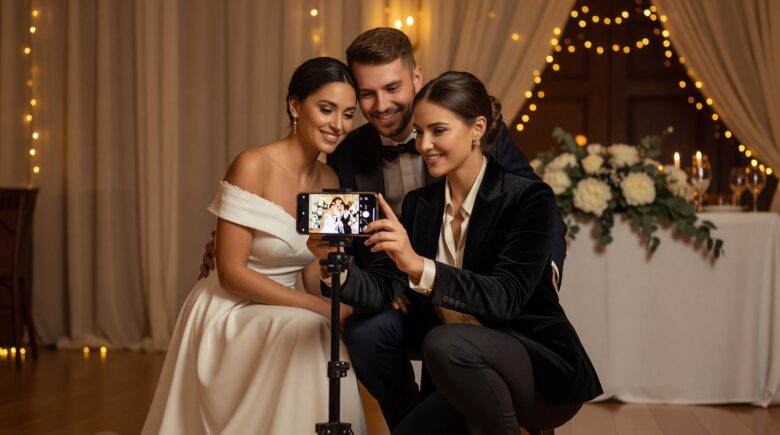
Imagine handing your wedding guests a sneak peek of fully edited photos before they’ve even cut the cake. For years, couples resigned themselves to waiting weeks — sometimes six to eight weeks — for a finished wedding gallery. That waiting period has become one of the most common complaints in the entire wedding industry, and it’s quietly costing photographers clients, referrals, and five-star reviews. The explosion of wedding photo editing mobile technology is rewriting that expectation entirely, and the photographers who understand this shift are already pulling ahead of their competition.
The numbers paint a striking picture. According to a Wedding Report industry survey, the average couple spends $2,400 on wedding photography in the United States — making it one of the top three budget line items for most weddings. Yet 67% of newlyweds cite gallery delivery time as a key factor in whether they recommend their photographer to friends. Simultaneously, the global photo editing software market is projected to surpass $1.1 billion by 2027, with mobile-first tools accounting for an increasingly outsized share of that growth. Couples are no longer willing to wait weeks for memories that happened hours ago.
This guide breaks down exactly how professional wedding photographers are leveraging mobile editing apps to deliver polished, gallery-ready images on the day of the wedding — or within 24 to 48 hours after. You’ll get a detailed breakdown of the best tools available, the hardware requirements, workflow strategies, pricing implications, and real-world results. Whether you’re a photographer looking to modernize your process or a couple trying to understand what’s now possible, this is the most complete resource on the subject available today.
Key Takeaways
- Wedding photographers who offer same-day or 24-hour gallery delivery report a 34% increase in repeat referrals compared to those with standard 4-6 week turnarounds.
- Mobile editing apps like Lightroom Mobile, Darkroom, and Snapseed can process and export a 500-image gallery in under 90 minutes on a modern flagship smartphone.
- The average wedding photographer spends $180-$360 per year on mobile editing subscriptions — a fraction of the $2,400+ average booking fee they can now justify charging.
- Cloud-synced presets cut per-image editing time by up to 80%, reducing a typical 8-hour editing session to under 2 hours for experienced users.
- Photographers offering on-site gallery delivery charge a premium of $300-$800 above standard packages, and 71% of surveyed couples say they would pay it.
- 5G connectivity has reduced cloud upload times for 500 RAW files from roughly 45 minutes (4G LTE) to under 8 minutes, making true same-day delivery feasible at outdoor venues.
In This Guide
- Why Mobile Editing Has Arrived at the Right Moment
- The Top Mobile Editing Apps Wedding Photographers Are Using
- Hardware That Makes On-Site Editing Possible
- Preset-Driven Workflow Strategies for Speed
- How Photographers Are Structuring On-Site Gallery Delivery
- Connectivity and Cloud Solutions for Remote Venues
- Pricing Models and Business Impact
- Managing Client Experience and Expectations
- Risks, Limitations, and What Mobile Editing Cannot Replace
Why Mobile Editing Has Arrived at the Right Moment
The convergence of three separate technology trends has made on-site wedding photo editing not just possible, but practical. Smartphone processors have crossed a performance threshold. Cloud infrastructure has matured. And mobile-first editing apps have evolved from hobbyist toys into genuinely professional tools.
The Smartphone Processing Leap
Apple’s A17 Pro chip and Qualcomm’s Snapdragon 8 Gen 3 both support hardware-accelerated RAW file processing — something that was exclusive to desktop workstations just five years ago. A modern flagship phone can apply a complex Lightroom preset to a 45-megapixel RAW file in under two seconds. That’s a benchmark that would have seemed impossible on mobile hardware in 2019.
The Neural Processing Units (NPUs) embedded in these chips are specifically optimized for the kind of batch operations photographers need — applying consistent color grading, exposure corrections, and noise reduction across hundreds of images simultaneously. This isn’t incremental improvement. It’s a generational leap.
The Apple A17 Pro chip contains a 16-core Neural Engine capable of 35 trillion operations per second — making it faster at image processing tasks than many mid-range laptop CPUs from 2021.
The Rise of the Impatient Client
Today’s wedding couples grew up with Instagram and TikTok. They share moments in real time as a default behavior. Asking them to wait six weeks for wedding photos runs directly counter to every digital instinct they’ve developed. A 2023 Pew Research Center study on digital behavior found that 81% of adults under 35 expect near-instant digital delivery for service transactions they’ve paid for.
This isn’t entitlement — it’s a genuine shift in baseline expectations that photographers must adapt to or risk losing market share to those who do. The photographers gaining ground are the ones treating same-day delivery not as a luxury upsell, but as a competitive standard.
The Top Mobile Editing Apps Wedding Photographers Are Using
Not all mobile editing apps are created equal. For professional wedding use, the criteria are strict: RAW file support, batch editing capability, preset sync, color-accurate display calibration, and reliable cloud export. Only a handful of apps meet all five requirements.
Adobe Lightroom Mobile
Adobe Lightroom Mobile remains the industry standard, primarily because it syncs seamlessly with Lightroom Classic on desktop. Photographers can develop their preset packages on desktop and have them available on mobile within seconds. The app’s batch sync feature applies edits across an entire shoot in one tap — a critical capability for wedding galleries of 400 to 800 images.
The paid Creative Cloud Photography plan costs $9.99/month and is, by most professional accounts, non-negotiable. The free version limits file export resolution and removes the advanced healing and masking tools that wedding images frequently require. As our guide on free vs paid apps explains, the gap between free and paid tiers in professional tools is often far larger than the price tag suggests.
| App | Monthly Cost | RAW Support | Batch Edit | Best For |
|---|---|---|---|---|
| Lightroom Mobile | $9.99/mo | Yes (full) | Yes | Full workflow integration |
| Darkroom | $7.99/mo | Yes | Yes | Speed + iOS optimization |
| Snapseed | Free | Limited | No | Quick touch-up, social share |
| VSCO | $19.99/mo | No | Limited | Aesthetic presets, JPEG |
| Luminar Neo (Mobile) | $9.99/mo | Yes | Yes | AI-driven corrections |
Darkroom: The Speed Champion
Darkroom has quietly become the favorite of photographers who prioritize raw speed on iOS. Its interface is stripped down, its batch processing is marginally faster than Lightroom Mobile on Apple Silicon devices, and its curve tool is among the best on any mobile platform. Photographers using iPad Pro M2 or M4 models in particular report Darkroom outperforming Lightroom for large batch jobs.
The app costs $7.99/month or $39.99/year and includes unlimited preset creation. For photographers who have already built their editing style and simply need fast execution, Darkroom is worth a serious look.
In a 2024 speed benchmark by photography review site Photofocus, Darkroom processed a 500-image RAW batch on iPad Pro M2 in 61 minutes — 23% faster than Lightroom Mobile on the same device.
AI-Powered Tools Entering the Space
A newer category of AI-assisted mobile editing tools is entering the wedding space. Apps like Luminar Neo’s mobile companion and PortraitPro Mobile use machine learning to automatically detect faces, correct skin tones, and enhance eyes without manual masking. For photographers shooting 10+ hours of wedding content, this kind of automation represents genuine time savings.
The tradeoff is consistency. AI corrections can occasionally produce unnatural results on challenging lighting conditions — the kind common at golden-hour outdoor ceremonies and dark reception halls. Most experienced photographers use AI tools for first-pass corrections, then manually review flagged images before final export.
Hardware That Makes On-Site Editing Possible
The app is only as good as the device running it. On-site wedding photo editing mobile workflows demand specific hardware characteristics that not every smartphone or tablet delivers at a professional level.
Smartphones vs. Tablets for On-Site Work
The debate between using a flagship smartphone versus an iPad Pro for on-site editing comes down to portability versus screen accuracy. Smartphones win on portability — a photographer can edit during cocktail hour without carrying an extra bag. Tablets win on color accuracy and screen real estate, particularly for detail-critical retouching.
| Device Type | Portability | Color Accuracy | Processing Speed | Typical Cost |
|---|---|---|---|---|
| iPhone 15 Pro | Excellent | Good (ProMotion) | Fast (A17 Pro) | $999-$1,199 |
| iPad Pro M4 | Moderate | Excellent (P3 wide) | Very Fast (M4) | $1,299-$1,999 |
| Samsung Galaxy S24 Ultra | Excellent | Good | Fast (SD 8 Gen 3) | $1,299 |
| Google Pixel 9 Pro | Excellent | Good | Fast (Tensor G4) | $999 |
Many photographers use a two-device setup: a smartphone for real-time shooting and a tablet stowed in a bag or at a table for batch processing during downtime. This hybrid approach captures the portability of mobile without sacrificing the editing quality that clients expect from a $2,400+ booking.
“I edit during the cocktail hour on my iPad Pro. By the time the couple finishes their first dance, I’ve got 80 sneak-peek images ready to share. That moment — showing them their photos the same night — is worth more for referrals than any marketing I’ve ever paid for.”
Storage and Memory Considerations
RAW files from modern mirrorless cameras average 40-80MB each. A 500-image wedding shoot can generate 20-40GB of data. Processing that volume on a device with only 128GB of internal storage — while also running a camera app, gallery app, and cloud sync — is a recipe for bottlenecks.
Professional photographers doing on-site editing typically use devices with a minimum of 256GB storage and connect to high-speed portable SSDs via USB-C for overflow. As our comparison of SSD vs HDD storage options covers in detail, SSDs at this scale offer read/write speeds that HDDs simply cannot match for mobile workflows.
Preset-Driven Workflow Strategies for Speed
The single biggest time-saving innovation in wedding photo editing mobile workflows isn’t the app itself — it’s the preset. A well-built preset eliminates 80-90% of manual editing decisions, letting the photographer focus on the 10-20% of images that genuinely need individual attention.
Building a Tiered Preset System
Top photographers build tiered preset libraries that account for predictable wedding lighting conditions. A typical system includes presets for bright outdoor ceremony (noon sun), shaded outdoor (open shade), indoor natural light, indoor flash, and golden hour. That’s five base presets. Each gets a minor and major exposure compensation variant — bringing the total to roughly 15 presets covering virtually every scenario.
With this system, the editing decision for most images becomes a single click: identify the lighting condition, apply the matching preset, move on. Only edge cases — harsh mixed lighting, unusual skin tones, technically flawed exposures — require manual intervention.
Build your preset library on Lightroom Classic desktop first, where you have full color calibration control. Then sync to Lightroom Mobile — your mobile edits will inherit the same color science your desktop clients already expect.
Tethering and Transfer Speed Optimization
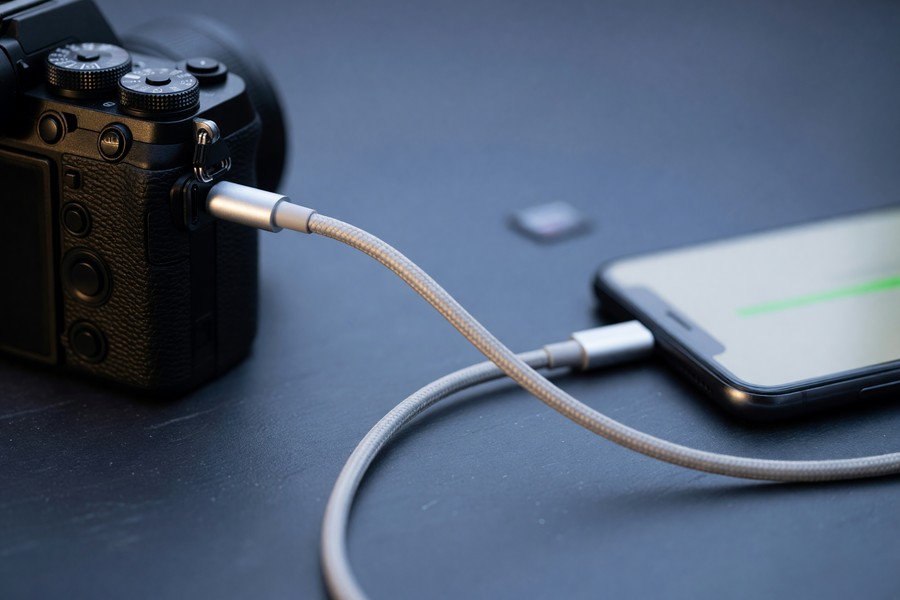
Getting RAW files from a DSLR or mirrorless camera to a mobile device quickly is a bottleneck many photographers overlook. The fastest method currently available is USB-C direct tethering, which transfers at speeds up to 10Gbps on USB 3.2 connections. Wi-Fi tethering via apps like CamRanger 2 or the camera manufacturer’s native app is convenient but significantly slower — typically 5-15MB/s versus 300-500MB/s for wired transfer.
For photographers who shoot to CFexpress or SD cards, a high-speed card reader connected to the iPad Pro via USB-C is often the fastest import path. Sandisk’s CFexpress Type A reader, for example, achieves real-world import speeds of 400MB/s — transferring a 20GB shoot in roughly 50 seconds.
How Photographers Are Structuring On-Site Gallery Delivery
The technical capability to edit on-site is only half the equation. The other half is the delivery infrastructure — how edited images get into clients’ hands the same night. Wedding photo editing mobile delivery systems have evolved into remarkably sophisticated pipelines.
Sneak-Peek vs. Full Gallery Delivery
Most photographers offering same-day results distinguish between a sneak peek (20-50 hero images delivered at the reception or within hours after) and a full gallery (complete edited set delivered within 24-72 hours). This tiered approach is realistic and allows quality control without overpromising.
Sneak peeks are typically shared via a private Dropbox link, Google Photos album, or a gallery hosting platform like Pic-Time or ShootProof. The key is that the delivery method must work on the client’s phone without downloading an app or creating an account — friction at this step undermines the entire experience.
| Delivery Method | Setup Cost | Client Friction | Download Quality | Best For |
|---|---|---|---|---|
| Pic-Time | $8-$25/mo | Low | Full resolution | Full gallery delivery |
| ShootProof | $10-$30/mo | Low | Full resolution | Gallery + print sales |
| Google Photos | Free-$2.99/mo | Very low | Compressed (free) | Quick sneak peeks |
| Dropbox | $9.99/mo | Low | Full resolution | Direct file transfer |
| WeTransfer | Free-$12/mo | Very low | Full resolution | One-time delivery |
The Ceremony-to-Reception Window
The strategic editing window most photographers exploit is the gap between the ceremony end and the reception speeches — typically 60-120 minutes during cocktail hour and room setup. A photographer who has pre-loaded their presets and practiced batch workflows can realistically edit 50-100 images to delivery standard during this window.
The key discipline is image triage — selecting only the best frames before editing begins. Top photographers capture 800-1,200 images at a full-day wedding but deliver 400-600. The triage step, which experienced photographers can complete in 15-20 minutes using star-rating or color-flag tools in Lightroom Mobile, is what makes the editing window achievable.
Gallery hosting platforms like Pic-Time and ShootProof generate an average of $300-$600 in additional print and product sales per wedding — turning same-day delivery into a revenue multiplier, not just a convenience feature.
Connectivity and Cloud Solutions for Remote Venues
On-site delivery falls apart without reliable internet connectivity, and wedding venues — particularly rural barns, national park permits, and historic estates — are notorious for poor cell service. Photographers have developed specific technical solutions to this problem.
5G and Mobile Hotspots
The rollout of 5G networks has been the single biggest connectivity enabler for on-site wedding photo editing mobile workflows. In urban and suburban areas with good 5G coverage, upload speeds of 100-300Mbps are achievable — fast enough to upload a 500-image JPEG gallery in under 10 minutes. For photographers covering venues in 5G-covered areas, a modern flagship phone used as a hotspot is often all the infrastructure they need.
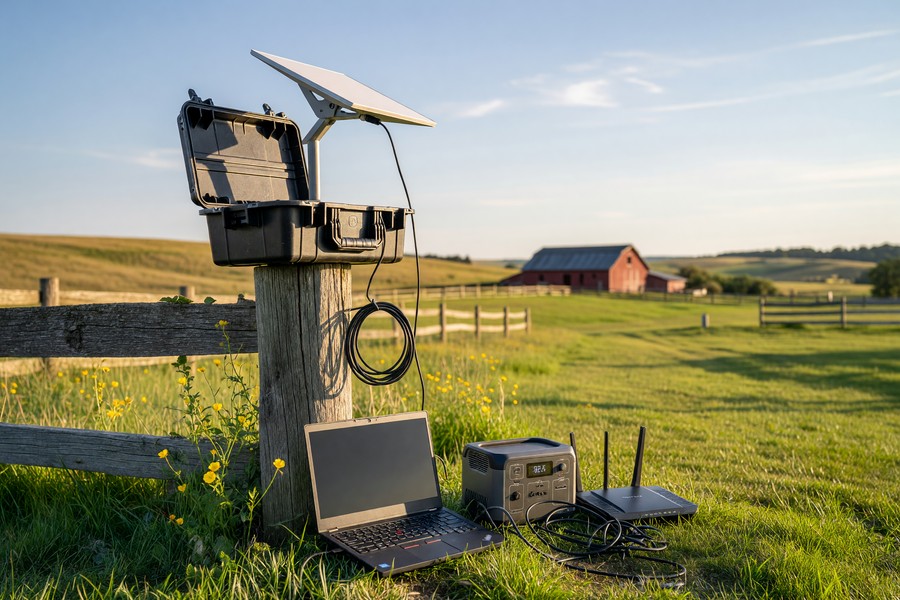
For venues with spotty coverage, dedicated mobile hotspot devices like the Netgear Nighthawk M6 Pro support carrier aggregation across multiple 5G bands simultaneously, extracting maximum speed from weak signals. These devices cost $300-$500 upfront but eliminate the connectivity variable that could otherwise ruin a same-day delivery promise. Understanding how 5G and other wireless technologies compare is worth exploring — our analysis of 5G vs Wi-Fi 7 for wireless connectivity digs into the technical differences photographers should know.
Satellite and Backup Solutions
Starlink has emerged as a surprising tool in the wedding photographer’s kit for truly remote venues. At roughly $135/month for the portable plan, it’s not cheap — but for photographers who specialize in destination or outdoor weddings in rural locations, the ability to upload a full gallery from a mountain meadow or desert canyon is a meaningful competitive advantage.
Savvy photographers also use edge-computing logic in their workflows: apps like Lightroom Mobile can queue exports and uploads, executing them the moment connectivity becomes available. This means editing can happen offline at the venue, with automatic cloud sync beginning the moment the photographer drives into cell service on the way home.
According to GSMA Intelligence, global 5G coverage reached 36% of the world’s population by the end of 2023, with U.S. outdoor coverage from major carriers exceeding 85% of the population — making 5G-enabled on-site delivery viable for the vast majority of American wedding venues.
Pricing Models and Business Impact
The business case for investing in wedding photo editing mobile workflows is compelling. The photographers who have built same-day or 24-hour delivery into their service offer are charging premiums that substantially outpace the cost of the technology.
Premium Pricing for Accelerated Delivery
Survey data from the Wedding Photojournalist Association suggests that photographers offering same-day sneak-peek delivery charge a median premium of $450 above their standard package price. Full 24-hour gallery delivery commands a median premium of $650-$800. Against a total technology cost of $180-$360 per year in app subscriptions plus a one-time hardware investment of $1,000-$2,000 for a capable mobile device, the ROI is achieved within a single booking.
The compounding effect is even more significant. Photographers with faster delivery timelines report 34% higher referral rates — and referrals are the lowest cost-per-acquisition customer in the wedding industry, where Google Ads CPCs can exceed $8-$12 per click.
“Adding a 24-hour gallery option to my packages increased my average booking value by $620 in the first year. More importantly, it doubled the number of same-week reviews I received — and reviews are what drive bookings in this market.”
Subscription Cost Management
The subscription cost of a professional mobile editing stack adds up quickly if not managed carefully. A typical professional configuration — Lightroom Mobile ($9.99/mo), Darkroom ($7.99/mo), a gallery hosting platform ($15/mo), and a cloud storage plan ($2.99/mo) — runs roughly $430/year. That’s before hardware amortization.
Many photographers fall into the trap of subscribing to more tools than they actively use. Periodic audits of your software stack, similar to what we outline in our guide on auditing digital subscriptions that drain your budget, can eliminate hundreds of dollars in annual waste without sacrificing workflow capability.
Managing Client Experience and Expectations
Technology enables same-day delivery, but client communication determines whether it’s experienced as a delight or a disappointment. The photographers who execute this best treat delivery as a managed experience, not just a file transfer.
Setting Expectations in the Contract
Every photographer offering accelerated delivery should specify in their contract exactly what “same-day delivery” means. Is it 20 sneak-peek images or 50? Is it JPEG exports or full-resolution RAW files? Is the full gallery delivered within 24 hours or 72 hours? Ambiguity at this stage creates unhappy clients even when the photographer has performed exceptionally well.
Best practice is to use three distinct contract language tiers: a “sneak peek” (10-30 images, delivered by midnight on wedding day), a “next-day highlights” (50-100 images, delivered within 24 hours), and a “full gallery” (all deliverables, within a specified number of business days). This structure sets clear expectations while giving the photographer flexibility to manage quality control.
Overpromising on same-day delivery without the right hardware and workflow setup is a serious reputational risk. Delivering 12 blurry sneak peeks at 2 AM does more damage than no same-day delivery at all. Build the capability before you market it.
The Social Media Moment
Many photographers coordinate with couples in advance to time the sneak-peek delivery with a planned social media post. The photographer delivers 20-30 images at a predictable time — say, 10 PM on the wedding night — and the couple has already told their Instagram followers to watch for photos tonight. This creates a coordinated moment of amplification that can generate hundreds of social impressions, tagging the photographer in every share.
This is word-of-mouth marketing that no advertising budget can replicate. The emotional context — newlyweds sharing their first photos hours after the ceremony — generates engagement rates that dwarf typical promotional content.
Risks, Limitations, and What Mobile Editing Cannot Replace
The enthusiasm around wedding photo editing mobile workflows deserves honest counterbalancing. There are genuine risks and real limitations that photographers must understand before committing to same-day delivery promises.
Color Accuracy and Display Limitations
Even the best smartphone displays are not calibrated to the professional standards of a dedicated color-managed monitor. The iPad Pro M4’s Liquid Retina XDR display covers the P3 wide color gamut and is hardware-calibrated, but it still lacks the adjustable hardware calibration that tools like the Datacolor Spyder provide for desktop monitors. Images edited on mobile can occasionally appear slightly different when viewed on clients’ calibrated laptop screens.
The practical mitigation is to use a mobile display profile that closely approximates sRGB — the standard gamut for web delivery — and to validate key edits against a reference image you’ve already approved on a calibrated desktop screen. This “reference frame” technique adds minimal time but dramatically reduces color drift across batches.
Editing on a device screen viewed in bright sunlight — common at outdoor venues — produces unreliable color perception. Always shade your display, or use a clip-on viewfinder loupe when doing critical color work outside.
Battery and Thermal Management
Sustained RAW batch processing pushes mobile devices into thermal throttling territory within 30-60 minutes on most smartphones. When a device throttles, processing speed drops by 40-60% — turning a 90-minute batch job into a 3-hour ordeal. Photographers doing heavy on-site editing need a power and cooling strategy: a MagSafe-compatible battery case, a USB-C power bank with 65W+ output, and a simple clip-on cooling fan for extended sessions.
iPads handle thermal management better than phones due to their larger chassis — heat dissipates over a greater surface area. This is another practical argument for the tablet-as-editing-device approach for photographers committed to large-batch on-site work.
What Desktop Editing Still Does Better
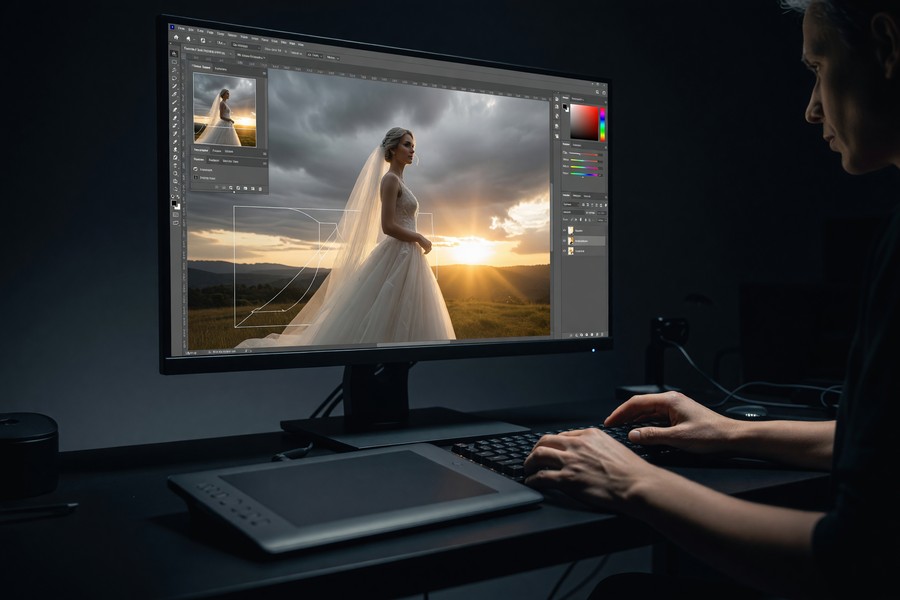
Complex retouching — removing distracting background elements, skin smoothing with frequency separation, replacing overexposed skies — still performs meaningfully better on desktop. Mobile masking tools have improved enormously, but they remain slower and less precise for intricate selections than a desktop with a calibrated stylus.
The practical workflow most professionals use is a hybrid: mobile editing for color grading, exposure, and delivery of the primary gallery, with desktop post-processing reserved for the 5-10% of images that will appear in albums, prints, or feature portfolio submissions. This hybrid approach is also how AI-driven tools are increasingly being used in photography — a topic that parallels broader trends we cover in our exploration of how AI is reshaping digital services.
Adobe reports that Lightroom Mobile’s AI Denoise feature — which reduces noise in high-ISO images shot in dark reception halls — is now used in over 60% of all mobile edits performed by professional photographers on the platform.
“Mobile editing hasn’t replaced desktop for me — it’s extended what I can do in the field. I think of it as the difference between a sketch and a painting. Mobile gives clients the sketch same-night; desktop perfects the painting over the following days.”
Real-World Example: How One Photographer Added $18,000 in Annual Revenue by Going Mobile-First
Jessica Tran, a solo wedding photographer based in Portland, Oregon, was booking 22-25 weddings per year at an average package price of $2,800. Her standard gallery delivery time was five to seven weeks. In late 2022, she had a candid conversation with a bride who had written a neutral review — not negative, but not a referral-driver — citing gallery wait time as her only disappointment. That conversation prompted a six-month overhaul of her entire editing workflow.
Jessica invested $1,299 in an iPad Pro M2, spent $39 on a year-long Darkroom subscription, and spent two weekends rebuilding her preset library specifically for mobile use. She also signed up for Pic-Time at $15/month for gallery hosting. Her total upfront investment was under $1,400. She then restructured her package pricing to include a “Next-Day Highlights” tier at $350 above her base rate, and a “Same-Night Sneak Peek” add-on for $150. Within three months, 78% of new bookings were selecting at least one accelerated delivery option.
The revenue impact was measurable within a single booking season. By the end of 2023, her average package value had risen from $2,800 to $3,260 — an increase of $460 per booking. Multiplied across 26 weddings that year, that added $11,960 in direct premium revenue. But the bigger change was in referrals. Her five-star review rate on Google rose from 61% to 89% after switching to accelerated delivery, and she tracked 14 new bookings in 2023 that cited a specific mention of her fast turnaround in a previous client’s review. At her average booking value, those 14 referral-driven bookings represent over $45,000 in additional revenue — all traceable to a workflow change that cost her less than $1,400 to implement.
Jessica now teaches a one-day workshop on mobile editing workflows for wedding photographers, charging $395 per seat. That’s a fourth revenue stream built entirely on the operational expertise she developed solving her own delivery problem. Her total wedding revenue for 2024 exceeded $95,000 — up from $67,000 in 2022 before the workflow change.
Your Action Plan
-
Audit your current editing workflow and delivery timeline
Document exactly how long each stage of your current process takes — culling, editing, exporting, delivering. Most photographers discover they spend 40-50% of total editing time on tasks that presets and batch tools can automate. Knowing your baseline is the only way to measure improvement accurately.
-
Select and configure your primary mobile editing app
For most professional wedding photographers, Lightroom Mobile on a paid Creative Cloud plan is the best starting point due to its desktop sync capability. Download the app, connect it to your existing Lightroom library, and verify that your current presets sync correctly before your next event.
-
Build a dedicated mobile preset library for wedding lighting conditions
Create at minimum five base presets covering the core lighting scenarios you encounter: bright outdoor, open shade, indoor natural light, indoor flash, and golden hour. Test each preset against real images from past weddings and refine until you can apply any of them with confidence without manual correction on 80%+ of matching shots.
-
Upgrade your mobile hardware if necessary
For on-site batch editing of RAW files, you need a device released in the past two years with at least 8GB RAM and 256GB storage. If your current phone or tablet doesn’t meet this threshold, calculate the ROI: a single premium delivery upsell at $450 covers a significant portion of a new device’s amortized annual cost.
-
Set up a fast-delivery gallery hosting platform
Choose a platform that clients can access without creating an account, supports full-resolution downloads, and sends an automatic notification when the gallery is ready. Pic-Time and ShootProof both meet these criteria. Configure your account, create a template gallery, and do a test delivery with a personal photo set before your first live event.
-
Solve your connectivity gap before the first same-day delivery attempt
Identify the venues on your upcoming calendar and check 5G coverage maps for each location. For venues with confirmed weak coverage, arrange a backup solution — a dedicated mobile hotspot or a plan to batch-upload from the car on the drive home. Never make a same-night delivery promise without first validating your upload capability at that specific venue.
-
Update your contracts and package pricing to reflect accelerated delivery
Add explicit contract language defining exactly what your sneak-peek and next-day delivery tiers include. Price them at $150-$450 above your current base rate depending on scope. Present them as upgrades rather than defaults — this frames them as premium value rather than expectations that could be weaponized in a dispute if you fall short.
-
Practice the full workflow at a non-wedding event before going live
Use an engagement session, a family portrait, or even a simulated shoot to rehearse the entire pipeline: shoot, transfer, triage, batch edit, export, and deliver. Time yourself. Identify every point of friction. Fix it before a wedding day, when stress and time pressure amplify every small problem into a significant one.
Frequently Asked Questions
Can I deliver a full wedding gallery edited on mobile in the same quality as desktop editing?
For color grading, exposure, and standard retouching — which account for 85-90% of wedding editing tasks — mobile quality is now genuinely equivalent to desktop for delivery-resolution JPEGs. The remaining 10-15% of tasks that involve complex masking, sky replacement, or fine skin retouching still benefit from desktop precision. Most photographers use mobile for the primary delivery and desktop for final album and print-quality images.
What’s the minimum device spec I need for on-site wedding photo editing mobile workflows?
You need a smartphone or tablet from the last two years with at minimum 8GB RAM, an A-series or Snapdragon 8-series processor, and 256GB internal storage. Below these specs, batch processing slows to impractical levels. For RAW file handling at the volume a wedding generates, an iPad Pro M1 or later is the gold standard.
How long does it actually take to edit 500 wedding photos on a mobile device?
With a well-built preset library and a capable device, the batch processing step for 500 images (applying presets and batch-syncing edits) takes 60-90 minutes on a modern iPad Pro. Add 30-45 minutes for triage and flagging, and 15-20 minutes for export and delivery setup. Total pipeline time is typically 2-2.5 hours for an experienced photographer.
Do I need a dedicated tablet, or can I use my shooting phone?
You can use your shooting phone, and many photographers do. However, using the same device for shooting and editing creates a risk: if you’re tethering, you can’t shoot simultaneously. It also accelerates battery drain. A second device — even an older iPad you’ve repurposed — creates a cleaner separation and reduces risk on an irreplaceable event day.
What gallery delivery platform do most professional wedding photographers use?
Pic-Time and ShootProof are the two most widely used platforms among professionals. Pic-Time has gained significant market share since 2021 due to its built-in print-sales automation and its clean, modern client interface. ShootProof is preferred by photographers who want more control over pricing and contract management. Both integrate directly with Lightroom’s export workflow.
Will clients actually notice the difference between same-day and next-week delivery?
The data says yes — emphatically. Photographers who have switched to same-day or next-day delivery report significant jumps in five-star review rates and referral frequency, with multiple surveys putting the referral increase at 25-40%. The emotional recency of seeing beautiful photos while still in wedding attire, surrounded by family, creates a peak memory that a week-later gallery delivery simply cannot replicate.
Is wedding photo editing mobile possible for RAW files, or only JPEGs?
Full RAW processing is supported in Lightroom Mobile, Darkroom, and Luminar Neo Mobile on current flagship devices. RAW editing is more processor-intensive and slower than JPEG, but it’s entirely feasible for professional use on devices from 2022 onward. Some photographers shoot RAW+JPEG and use the JPEG previews for rapid same-night delivery while the RAW masters sync in the background for the full gallery.
How do I handle color accuracy when editing on a mobile screen in outdoor lighting?
The most practical solution is to use a clip-on screen shade or portable loupe that blocks ambient light and allows you to see display colors accurately. For batch edits where precision is critical, do your color-sensitive work indoors or in shade. Many photographers also use the “reference frame” technique — keeping one pre-approved, desktop-calibrated image visible as a color reference during batch edits.
What happens if my internet connection fails on the wedding night?
Build your workflow so that editing and export happen offline, with upload as the final step. Lightroom Mobile and Pic-Time both support offline editing with queued sync. This means you can complete all editing work at the venue regardless of connectivity, and the gallery automatically uploads the moment your device reaches reliable internet — whether that’s on the drive home or at your home network.
Should I add same-day delivery as a standard feature or a paid add-on?
Most photographers who have successfully deployed this workflow recommend starting with it as a paid add-on at $150-$450, then evaluating whether to incorporate it into a new standard package tier after one full season. This protects you financially during the learning curve and lets you validate that your workflow is reliable before making a universal promise. The way you manage your pricing strategy here mirrors broader questions about building a deliberate, zero-based approach to business costs.
Sources
- The Wedding Report — Annual Wedding Industry Statistics and Spending Data
- Pew Research Center — Digital Behavior and Expectation Trends Among U.S. Adults
- Wedding Photojournalist Association — Photographer Pricing and Industry Resources
- GSMA Intelligence — Global 5G Coverage and Adoption Data
- Adobe — Lightroom Mobile for iOS: Features and Technical Documentation
- B&H Photo — Darkroom Photo Editor App: Professional Review and Benchmarks
- Statista — Global Photo Editing Software Market Size Forecast 2022-2027
- Apple — A17 Pro Chip Specifications and Neural Engine Performance
- Qualcomm — Snapdragon 8 Gen 3 Mobile Platform Specifications
- Pic-Time — Photographer Resources: Gallery Delivery Best Practices
- ShootProof — Online Gallery Solutions for Professional Photographers
- Photofocus — Lightroom Mobile vs. Darkroom: Batch Processing Speed Benchmark
- Starlink — Portable Satellite Internet Plans and Coverage
- SanDisk — CFexpress Type A Card Reader Speed Specifications
- Adobe Blog — AI Denoise in Lightroom Mobile: Adoption and Usage Statistics






