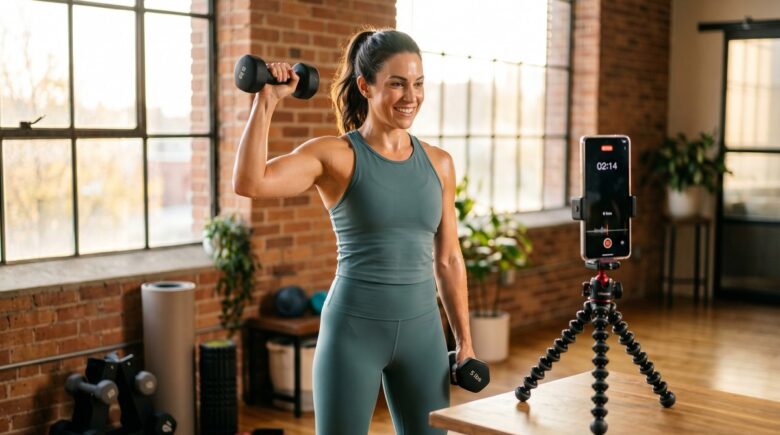
Fact-checked by the VisualEnews editorial team
Quick Answer
Fitness coaches can build professional workout tutorial videos using only mobile apps by choosing the right workout tutorial video app, filming with proper lighting and framing, editing with tools like CapCut or InShot, and publishing directly to social platforms. As of July 2025, coaches are producing studio-quality content in under 2 hours per video using free or sub-$15/month apps.
In July 2025, fitness coaches no longer need expensive studio equipment or a video production team to create compelling content. Using the right workout tutorial video app, trainers are producing polished, professional tutorials entirely from their smartphones — from filming and editing to adding captions and publishing. According to Statista’s 2024 fitness content report, fitness-related video content has grown by 67% year-over-year across short-form platforms, with mobile-produced content driving the majority of that growth.
The shift is being driven by a combination of dramatically improved smartphone cameras, AI-powered editing tools, and the democratization of video production software. Coaches who previously spent thousands on gear are now building six-figure audiences using nothing more than a phone, a ring light, and a handful of apps. The barrier to entry has collapsed — and the coaches who understand how to use these tools strategically are the ones winning clients online.
This guide is for personal trainers, group fitness instructors, and wellness coaches who want to start creating workout tutorial videos from scratch using only mobile apps. By the end, you will know which apps to use, how to set up a professional shoot, how to edit efficiently, and how to distribute your content for maximum reach.
Key Takeaways
- The global fitness app market is projected to reach $120.37 billion by 2027, according to Grand View Research, making video-based coaching one of the fastest-growing digital niches.
- Mobile video editing apps like CapCut and InShot have combined download counts exceeding 500 million installs globally, per Business of Apps 2024, signaling massive adoption among content creators.
- Fitness coaches who post 3 or more tutorial videos per week see follower growth rates up to 4x higher than those posting once weekly, according to Influencer Marketing Hub’s 2024 fitness report.
- Captions increase video watch time by 40% on average, according to Meta’s internal video advertising data, making captioning tools in mobile editing apps essential for engagement.
- Coaches using a workout tutorial video app with built-in templates report saving an average of 3.5 hours per video compared to building layouts from scratch, per a HubSpot 2024 marketing survey.
- Short-form workout videos between 45 and 90 seconds generate the highest completion rates on Instagram Reels and TikTok, according to Later’s 2024 Instagram benchmarks.
In This Guide
- Step 1: Which Workout Tutorial Video App Should I Use?
- Step 2: How Do I Set Up a Professional-Looking Filming Space with Just My Phone?
- Step 3: How Do I Actually Film a Workout Tutorial Video on My Smartphone?
- Step 4: How Do I Edit a Workout Tutorial Video Using a Mobile App?
- Step 5: How Do I Add Captions, Music, and On-Screen Graphics to My Workout Videos?
- Step 6: How Should I Publish and Distribute My Workout Tutorial Videos for Maximum Reach?
- Frequently Asked Questions
Step 1: Which Workout Tutorial Video App Should I Use?
The best workout tutorial video app for most coaches is CapCut — it is free, AI-powered, and handles everything from trimming and transitions to auto-captions and background removal. However, the right choice depends on your platform, editing skill level, and whether you need features like screen recording, teleprompter overlays, or multi-camera support.
How to Choose the Right App
Start by identifying your primary publishing platform. If you are creating content primarily for TikTok or Instagram Reels, CapCut integrates natively with both and includes trending audio and templates optimized for vertical video. If you are building a YouTube channel with longer tutorials, LumaFusion (iOS) or KineMaster (Android and iOS) offer timeline-based editing closer to desktop software like Adobe Premiere.
For coaches who want a simpler workflow with strong branding tools, InShot is an excellent alternative with a flat-rate subscription of $3.99/month. Coaches who need a teleprompter function while filming can layer in Teleprompter Premium alongside their primary editing app.
What to Watch Out For
Free tiers of many apps include watermarks that appear on exported videos — this can undermine professional credibility. Always check whether the free plan removes the watermark before committing to a workflow. Our guide on free vs paid apps and what you actually give up breaks down the true cost of “free” tools in detail.
Download CapCut and InShot and try both on the same raw clip before committing. Most coaches find one interface significantly more intuitive than the other — and sticking with one app consistently will cut your editing time in half within two weeks.
| App | Best For | Price | Platforms | Key Feature |
|---|---|---|---|---|
| CapCut | TikTok and Reels creators | Free / $7.99/month Pro | iOS, Android | AI auto-captions, TikTok sync |
| InShot | Beginners, branding focus | Free / $3.99/month | iOS, Android | Simple UI, logo overlay |
| LumaFusion | YouTube long-form | $29.99 one-time | iOS only | Multi-track timeline editing |
| KineMaster | Android power users | Free / $4.99/month | iOS, Android | Multi-layer editing, chroma key |
| Splice | Quick social clips | Free / $2.99/month | iOS, Android | Beat-synced edits, transitions |
No single app dominates every use case. Many professional coaches use two apps in combination — one for filming assistance (like a teleprompter or camera control app) and one for post-production editing.
CapCut surpassed 200 million monthly active users in 2024, making it the most widely used mobile video editing app in the world, according to Business of Apps.
Step 2: How Do I Set Up a Professional-Looking Filming Space with Just My Phone?
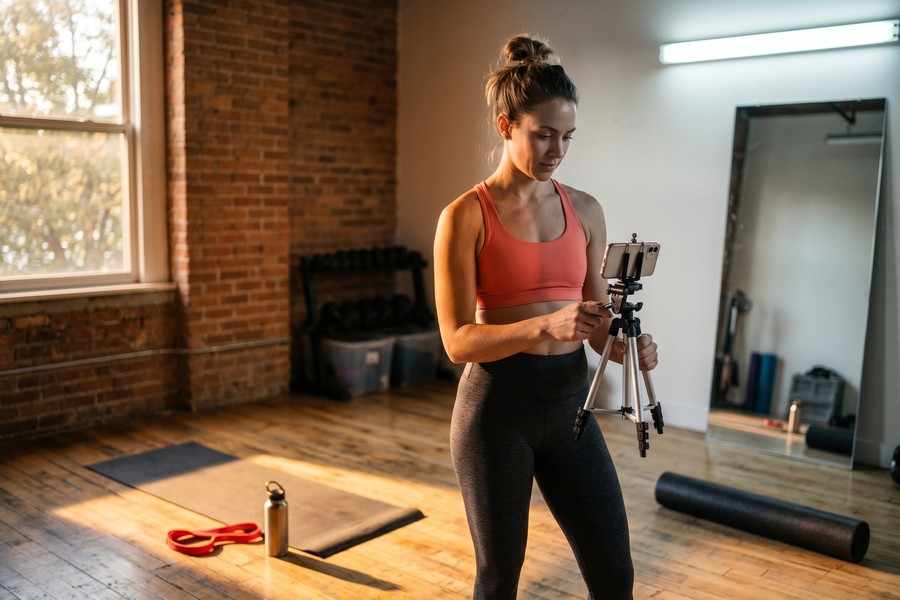
A professional filming setup requires three things: consistent, flattering light; a stable camera angle; and a clean or intentional background. You do not need a studio — a corner of a living room or gym floor works perfectly when these three elements are controlled.
How to Do This
For lighting, position a ring light or soft box facing you at a 45-degree angle. Budget ring lights from brands like Neewer or Elgato start at $25–$45 on Amazon and make a visible difference in video quality. If you are filming outdoors or near a window, use natural light from the front or side — never film with the light source behind you.
For stabilization, use a phone tripod with a flexible grip mount ($15–$30) to keep your framing consistent across takes. If you are filming movement-heavy exercises, mount your phone at a wider angle (roughly 24–28mm equivalent focal length on most iPhones) to capture your full range of motion without cutting off limbs.
For backgrounds, a plain wall, a gym setting, or a branded banner all work. Avoid cluttered backgrounds — they distract from the exercise being demonstrated. If you are using KineMaster or CapCut, you can use the chroma key (green screen) feature to digitally replace a messy background entirely.
What to Watch Out For
Inconsistent lighting between shots is one of the most common issues in mobile fitness videos. Film all your clips in one session under the same light conditions rather than spreading filming across multiple days with different lighting environments.
Modern smartphones like the iPhone 15 Pro and Samsung Galaxy S24 Ultra shoot in 4K at 60fps, which exceeds the resolution requirements of every major social platform in 2025 — meaning your phone camera is already more than capable of producing broadcast-quality fitness content.
Step 3: How Do I Actually Film a Workout Tutorial Video on My Smartphone?
Film each exercise in at least two angles — a wide shot showing full-body form and a close-up showing specific joint positions or grip details. This two-angle approach gives you editing flexibility and makes your tutorials significantly more educational and professional.
How to Do This
Before pressing record, script your verbal cues. A good workout tutorial follows this three-part format: introduce the movement (name and muscles targeted), demonstrate the full rep with verbal cues on form, and show a common mistake and its correction. This structure is immediately understandable and has been validated by fitness education research from the American College of Sports Medicine as the most effective format for motor skill instruction.
Use your phone’s native camera app for raw footage — it typically produces cleaner, more color-accurate footage than in-app camera tools inside editing apps. Film in 1080p at 60fps minimum for exercises with fast movement like jumping or kettlebell swings, since 30fps can create motion blur on quick transitions.
For solo coaches filming without an assistant, the Filmic Pro app ($14.99 one-time) offers remote control via a paired Apple Watch, so you can start and stop recording without running back to your phone between takes.
What to Watch Out For
Audio is frequently the most underestimated element. Your phone’s built-in microphone picks up room echo, HVAC noise, and ambient sound. A clip-on lavalier microphone — such as the DJI Mic Mini at $59 — connects wirelessly to your phone and delivers dramatically cleaner vocal audio during exercise demonstrations.
“The coaches who grow fastest on social media are not the ones with the most expensive gear — they are the ones who are most consistent. A clear, well-lit video filmed on a $400 phone posted three times a week will always outperform a perfectly produced video posted once a month.”
Film five to seven tutorial clips in a single two-hour session using the same setup. Batching your content creation means you maintain consistent lighting, audio, and background quality across a week or more of posts — and you only have to set up and break down your filming space once.
Step 4: How Do I Edit a Workout Tutorial Video Using a Mobile App?
The most efficient mobile editing workflow for workout tutorials involves four steps: trim dead space, cut between angles, add transitions, and color-correct. Using a workout tutorial video app like CapCut, most coaches complete this process in 20–40 minutes per video once they have established a template.
How to Do This
Import all your raw clips into your chosen editing app. In CapCut, tap the “+” icon and select all relevant clips in chronological order. Begin by trimming the beginning and end of each clip to remove setup time and pauses. Then cut between your wide shot and close-up angles to create visual variety — a standard pattern is wide shot for the full rep, close-up for the form detail, back to wide for the next rep.
Use jump cuts (direct cuts with no transition) for fast-paced exercise demonstrations, and dissolve transitions for rest period cutaways or section breaks. Avoid flashy spinning or glitch transitions — they look dated and distract from the exercise content. Keep your total video length between 45 and 90 seconds for Reels and TikTok, or 3–8 minutes for YouTube tutorial formats.
Apply a consistent color grade across all clips using your app’s filter or color correction tools. In CapCut, the “Cinematic” or “Natural” presets work well for fitness content — they brighten shadows slightly and add clarity without oversaturating skin tones.
What to Watch Out For
Avoid using too many different fonts, colors, or text animations in a single video. Consistency in your visual style is what builds a recognizable brand identity. Pick one or two font styles and stick to them across all your content. For a deeper look at how technology decisions compound over time, our coverage of how wearable technology is transforming personal health tracking shows how coaches are building data-integrated content workflows.

Exporting at low resolution to save phone storage is a common mistake. Always export at the highest resolution your target platform supports — typically 1080×1920 for vertical video. Uploading a compressed or low-res file means the platform will re-compress it again, resulting in noticeably blurry footage.
Step 5: How Do I Add Captions, Music, and On-Screen Graphics to My Workout Videos?
Captions, music, and on-screen text are not optional extras — they are core components of a workout tutorial video that dramatically increase watch time and comprehension. Adding auto-captions in CapCut takes under 30 seconds and increases average watch time by up to 40%, according to Meta’s platform data.
How to Do This
For captions, use CapCut’s built-in Auto Captions feature (found under the “Text” menu). It transcribes your audio using AI and places synchronized captions on screen. Review and correct any transcription errors before exporting — fitness terminology like “goblet squat” or “Romanian deadlift” is often misread by auto-transcription engines.
For music, use royalty-free tracks to avoid copyright strikes that can suppress your content’s distribution. Epidemic Sound offers a library of over 40,000 tracks at $15/month with full commercial licensing. CapCut also includes a built-in library of platform-cleared tracks. Avoid uploading popular commercial music unless you have confirmed the platform has licensed it — even songs cleared for personal use can trigger Content ID flags on YouTube.
For on-screen graphics, add exercise names as bold text overlays at the beginning of each new movement. Use muscle group callouts (e.g., “Targets: Glutes, Hamstrings”) as smaller secondary text. In CapCut, the Sticker library includes animated arrows and highlight elements that are useful for pointing out form cues without narration.
What to Watch Out For
Do not let music volume overpower your verbal coaching cues. Set music tracks to 15–20% volume in your editing app while keeping your voice track at 100%. Many coaches make the mistake of adding music at full volume, which makes the instructional audio impossible to follow — especially for viewers watching without headphones.
“Captions are not just an accessibility feature anymore — they are a retention tool. Most people scroll through social feeds with their sound off. If your video is not legible without audio, you are invisible to more than half your potential audience.”
Step 6: How Should I Publish and Distribute My Workout Tutorial Videos for Maximum Reach?
Publish your workout tutorial videos natively to each platform rather than cross-posting from a single source — native uploads receive preferential algorithmic treatment on TikTok, Instagram, and YouTube. Repurposing the same video across platforms is smart, but each platform’s algorithm rewards content uploaded directly through its app.
How to Do This
For TikTok, post between 6–9 AM or 7–9 PM local time based on your audience’s time zone — these windows are confirmed by Influencer Marketing Hub’s TikTok engagement benchmarks. Use 3–5 targeted hashtags rather than 20 generic ones — TikTok’s algorithm has shifted toward keyword-based discovery over hashtag volume.
For Instagram Reels, write a detailed caption with the exercise name, sets, reps, and coaching cues in full. Instagram now indexes caption text for search, meaning a keyword-rich caption acts similarly to on-page SEO for a blog post. Use your primary keywords like your niche (“home workout,” “glute training,” “beginner strength”) naturally in the caption.
For YouTube Shorts, publish the same short-form content as Shorts and also create a longer 5–10 minute version as a standard video. The long-form version captures search traffic for terms like “how to do a Romanian deadlift,” while the Short drives discovery and channel subscriptions. This dual-format strategy is one reason the top fitness coaches use a workout tutorial video app to produce both formats in the same session.
What to Watch Out For
Avoid deleting underperforming videos in the first 72 hours. TikTok and Instagram both use delayed distribution windows — a video that appears to stall in the first day can be boosted algorithmically days later if early viewer signals (saves, shares) are strong. Give every post at least one week before evaluating its performance.
Understanding how algorithms interact with connectivity is becoming increasingly important. If you are distributing video content to large audiences or in areas with varied infrastructure, our breakdown of 5G vs Wi-Fi 7 and which wireless technology to use is worth reviewing for upload speed optimization.
Repurpose each workout tutorial into three content formats: a 60-second Reel or TikTok, a 5–8 minute YouTube tutorial, and a static carousel post with exercise steps as slides. One filming session can yield content across all three formats with minimal extra editing work in your chosen app.
As your content business grows, it is worth monitoring what you are spending on apps and subscriptions. Our guide on auditing digital subscriptions that drain your budget quietly can help you evaluate whether every tool in your content creation stack is earning its monthly fee.
Frequently Asked Questions
What is the best free workout tutorial video app for beginners?
CapCut is the best free workout tutorial video app for beginners because it includes auto-captions, templates, transitions, and a music library with no watermark on the free tier. It is available on both iOS and Android and integrates directly with TikTok. Most first-time users produce a complete, shareable video within their first session.
Can I make money creating workout tutorial videos with just a mobile app?
Yes — fitness coaches are generating income from mobile-produced workout tutorial videos through TikTok Creator Fund payments, Instagram bonuses, YouTube AdSense, and direct product sales or coaching sign-ups. According to Influencer Marketing Hub, fitness influencers with audiences of 10,000–100,000 followers earn an average of $500–$5,000 per sponsored post. The content itself does not need to look professional — it needs to be consistent, instructional, and targeted.
How long should a workout tutorial video be for Instagram Reels?
Workout tutorial videos on Instagram Reels perform best at 45 to 90 seconds in length. This window is long enough to demonstrate an exercise with proper cuing but short enough to maintain completion rates above the platform’s average. Videos under 30 seconds often lack enough instructional depth to drive saves and follows, which are the key engagement signals Instagram uses to boost reach.
Do I need a separate microphone to film workout tutorial videos on my phone?
A separate microphone is not required, but it makes a significant difference in audio quality. Your smartphone’s built-in microphone is adequate for quiet indoor environments, but a clip-on lavalier like the DJI Mic Mini ($59) or the Rode Wireless GO II eliminates echo and background noise. Coaches who film in gyms or outdoor spaces should treat a wireless microphone as a high-priority investment — poor audio is the number-one reason viewers stop watching fitness tutorial videos.
Which workout tutorial video app works best for Android phones?
CapCut and KineMaster are the strongest workout tutorial video app options for Android users. CapCut is free with an intuitive interface, while KineMaster offers more advanced timeline editing at $4.99/month. InShot is also fully supported on Android and is particularly popular among coaches who want simple branding features like watermark logos and consistent color palettes.
How do I add exercise names and cues as text overlays in my workout videos?
In CapCut or InShot, tap the “Text” button after importing your clips and type the exercise name or cue directly. You can choose font style, size, color, and animation style, then drag the text to position it on screen and trim its duration to match the clip. Use bold, high-contrast text that is visible on both light and dark backgrounds — white text with a dark drop shadow is the most universally readable combination for fitness video content.
Should I film workout tutorial videos vertically or horizontally?
Film vertically (9:16 ratio) if your primary platforms are TikTok, Instagram Reels, or YouTube Shorts. Film horizontally (16:9) if you are building a YouTube channel focused on longer tutorial videos. Many coaches film horizontally and crop to vertical for social clips, but this often cuts off feet or hands during full-body movements — filming natively in the intended ratio produces better results. If you are posting to both formats, film in 4K horizontal and crop digitally, which preserves enough resolution for a 1080p vertical export.
How many workout tutorial videos should I post per week to grow my audience?
Posting 3 to 5 workout tutorial videos per week is the sweet spot for sustained audience growth according to Later’s 2024 Instagram content benchmarks. Fewer than three posts per week significantly slows algorithmic distribution. More than five per day can saturate your audience and reduce per-post engagement. Batch-filming sessions using a mobile editing app allow coaches to maintain this frequency without daily production work. Consistency matters more than perfect timing — coaches who post reliably outperform those who post sporadically regardless of video quality.
Is there an app that can automatically edit workout tutorial videos?
Yes — Mango AI, Captions App, and CapCut’s AI-powered “Auto Edit” feature can automatically trim dead footage, add transitions, and sync cuts to music beats with minimal manual input. These tools are particularly useful for coaches who film multiple angles and want a rough cut assembled quickly before refining manually. As AI video production tools continue to evolve — much like the broader AI changes transforming how we use technology, covered in our piece on how AI is changing the way we search the internet — automated editing will become even more capable within the next 12–18 months.
What are the copyright rules for music in workout tutorial videos?
Using commercial music without a license in workout tutorial videos can result in content strikes, muted audio, or demonetization on YouTube and Instagram. The safest approach is to use royalty-free music from platforms like Epidemic Sound ($15/month), Artlist ($16.60/month), or the free libraries built into CapCut and YouTube Studio. TikTok has a separate Commercial Music Library for business accounts that provides cleared tracks — personal accounts have broader music access but face restrictions if the account is monetized or used commercially.
Sources
- Grand View Research — Fitness App Market Size & Growth Report
- Business of Apps — CapCut Revenue and Usage Statistics 2024
- Influencer Marketing Hub — Fitness Influencer Statistics and Earnings
- Later — Instagram Reels Statistics and Best Practices 2024
- Influencer Marketing Hub — Best Time to Post on TikTok
- Later — How Often to Post on Instagram for Maximum Growth
- American College of Sports Medicine — Physical Activity Guidelines and Resources
- Statista — TikTok Fitness Content Growth Statistics
- HubSpot — Marketing Statistics: Video Content and Social Media
- Meta for Business — Video Ads Captioning and Watch Time Data






