
Fact-checked by the VisualEnews editorial team
Quick Answer
The best free video editing apps for Android in July 2025 include CapCut, DaVinci Resolve, VN Video Editor, InShot, and KineMaster. These apps offer professional-grade features at no cost, with over 3.5 billion combined downloads on Google Play. Most support 4K export, multi-track timelines, and AI-assisted editing tools without requiring a paid subscription.
The best free video editing apps for Android deliver desktop-quality tools directly on your smartphone, with Statista reporting over 1.2 billion mobile video editing app downloads globally in 2024. CapCut alone surpassed 500 million downloads on Android, making it the most-installed free editor in the category. These are not stripped-down demos — many offer multi-track timelines, color grading, and AI tools at zero cost.
As short-form video continues to dominate content creation on YouTube Shorts, Instagram Reels, and TikTok, having the right editing tool on your phone has become a practical necessity. This guide ranks the top free video editing apps for Android, breaks down what each app actually offers, and helps you choose the right one for your skill level and content goals.
Key Takeaways
- CapCut is the most downloaded free video editing app on Android, surpassing 500 million installs on Google Play (Google Play Store listing).
- DaVinci Resolve for Android supports 4K editing and professional color grading at no cost, matching features found in paid desktop software (Blackmagic Design product page).
- Mobile video content accounts for over 60% of all online video consumption globally as of 2024, making mobile editing tools more critical than ever (Cisco Annual Internet Report).
- KineMaster has been downloaded more than 100 million times on Android and remains a leading free option for multi-layer video editing (Google Play Store data).
- InShot’s free tier supports video exports up to 1080p resolution with no time limits on project length, making it ideal for beginner creators (InShot official site).
In This Guide
- What Are the Best Free Video Editing Apps for Android Right Now?
- Which Free Video Editing App Is Best for Beginners?
- Which Free App Offers the Most Professional Features?
- How Do Free and Paid Tiers Actually Compare?
- What Features Should You Prioritize in a Free Video Editor?
- Which Free Editing App Is Best for Social Media Content?
- Frequently Asked Questions
What Are the Best Free Video Editing Apps for Android Right Now?
The top free video editing apps for Android in 2025 are CapCut, DaVinci Resolve, VN Video Editor, InShot, and KineMaster. Each offers a distinct balance of features, ease of use, and export quality — all without charging an upfront fee.
CapCut, developed by ByteDance, leads the market due to its AI-powered auto-captions, trending template library, and seamless TikTok integration. It requires no watermark on exported videos in its free tier, which is a significant advantage over many competitors.
Top Apps at a Glance
| App | Best For | Max Free Export Quality | Watermark-Free | Google Play Downloads |
|---|---|---|---|---|
| CapCut | Social media creators | 4K / 60fps | Yes | 500M+ |
| DaVinci Resolve | Professional editors | 4K / 60fps | Yes | 10M+ |
| VN Video Editor | Multi-track editing | 4K / 60fps | Yes | 100M+ |
| InShot | Beginners and quick edits | 1080p / 60fps | No (paid removes it) | 500M+ |
| KineMaster | Layered video editing | 1080p / 30fps | No (paid removes it) | 100M+ |
| Alight Motion | Motion graphics | 1080p / 60fps | No (paid removes it) | 100M+ |
CapCut’s AI auto-caption feature supports over 35 languages and generates accurate subtitles in real time — a tool that previously required expensive desktop software like Adobe Premiere Pro.
Which Free Video Editing App Is Best for Beginners?
InShot is the best free video editing app for beginners on Android. Its interface is drag-and-drop simple, and it requires no prior editing knowledge to produce polished, shareable clips within minutes.
InShot provides trim, cut, merge, speed control, and filter tools in a single-timeline layout that new users can master quickly. The app has maintained a rating of 4.8 out of 5 on Google Play across more than 14 million reviews, reflecting broad user satisfaction.
Why InShot Works for New Creators
InShot’s free tier includes music overlays, text animation, sticker packs, and aspect ratio presets for Instagram, TikTok, and YouTube Shorts. The only limitation in the free version is a small watermark on exported video — a minor trade-off for the depth of available tools.
For beginners who want to understand the broader tradeoffs between free and premium mobile tools, the VisualEnews guide on free vs paid apps provides a clear breakdown of what you actually sacrifice when choosing the no-cost option.
If you want watermark-free exports without paying, use CapCut or VN Video Editor — both offer completely free, unbranded 4K exports, unlike InShot and KineMaster which reserve watermark removal for paid subscribers.
Which Free App Offers the Most Professional Features?
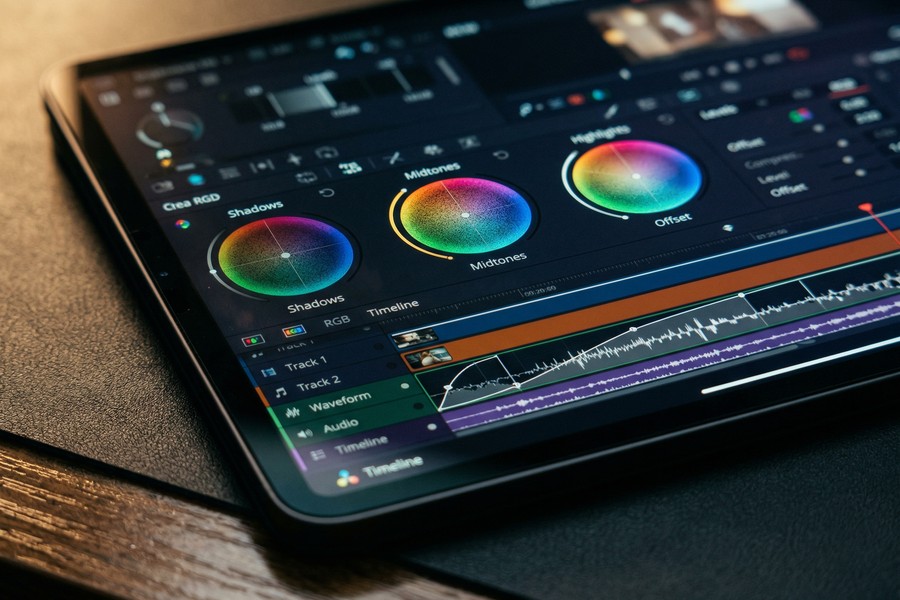
DaVinci Resolve for Android offers the most professional features of any free video editing app, including node-based color grading, multi-track audio mixing, and Fairlight audio tools — capabilities that rival paid desktop software costing hundreds of dollars per year.
Developed by Blackmagic Design, DaVinci Resolve is the industry-standard color grading platform used on Hollywood productions. Blackmagic Design reports that DaVinci Resolve is used on over 70% of Oscar and Emmy-winning productions. The Android version brings a meaningful subset of those tools to mobile at no charge.
Professional Tools Available in the Free Tier
- Node-based color correction with primary and secondary wheels
- Multi-track timeline with up to 4 video layers
- Built-in noise reduction and audio compression via Fairlight
- 4K export at 60fps with no watermark
- Support for RAW and ProRes footage from external cameras
“DaVinci Resolve has democratized professional color grading. What once required a dedicated $30,000 grading suite is now available on a $400 Android phone — and the free version gives you everything most independent creators will ever need.”
How Do Free and Paid Tiers Actually Compare?
Free tiers of video editing apps are more capable than most users expect. The primary limitations are watermarks, export resolution caps, and restricted template libraries — not core editing functionality like cutting, trimming, or color correction.
KineMaster’s free tier includes its full multi-layer engine but adds a watermark and restricts access to its premium asset store. The paid KineMaster subscription costs $3.99 per month, which primarily unlocks asset downloads and removes branding. For pure editing capability, the free version is largely equivalent.
When a Paid Upgrade Makes Sense
Paid upgrades are worth considering if you publish content commercially or at high frequency. Removing watermarks, accessing licensed music libraries, and unlocking AI background removal tools are the most common paid-tier benefits across CapCut Pro, InShot Pro, and KineMaster Premium.
Before upgrading any app to a paid plan, it is worth auditing your existing app subscriptions. The VisualEnews guide on auditing digital subscriptions offers a structured method for identifying which paid tools are actually delivering value.
According to Business of Apps 2024 data, the global mobile video editing app market generated $2.4 billion in revenue in 2024 — yet the majority of active users rely exclusively on free tiers.
What Features Should You Prioritize in a Free Video Editor?
Prioritize watermark-free export, 4K resolution support, and a multi-track timeline when choosing a free video editing app. These three features separate capable apps from limited ones — and all are available for free in at least three major Android apps.
Export quality matters most for creators publishing to YouTube, where Google’s YouTube Help documentation confirms that 4K (2160p) is the highest supported upload resolution. Editing and exporting in 4K preserves maximum quality even if viewers watch at 1080p.
Feature Checklist for Choosing an App
- Watermark-free export on the free plan
- 4K or at minimum 1080p export at 60fps
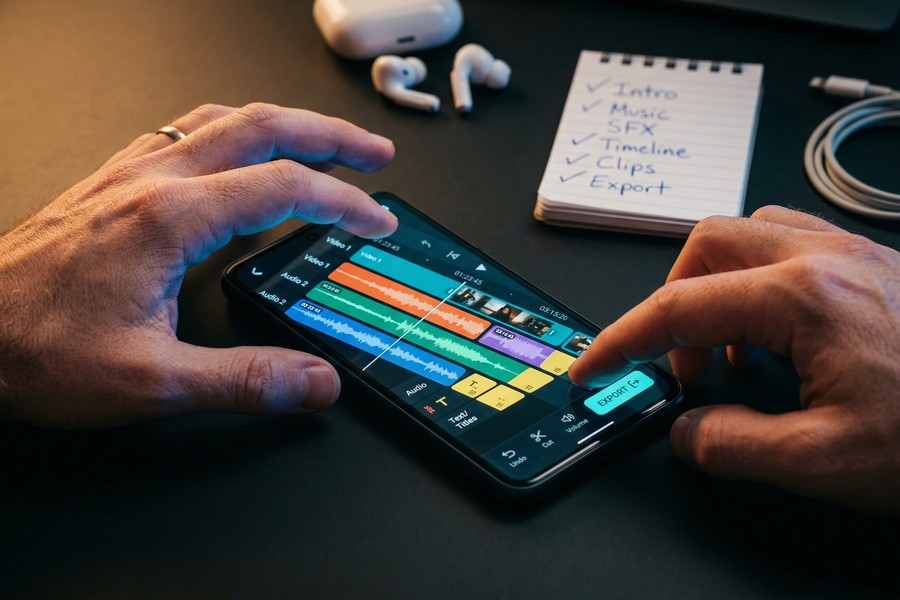
- Multi-track timeline for overlaying music, text, and B-roll
- Direct export presets for TikTok, Reels, and Shorts aspect ratios
- AI-assisted tools such as auto-captions or background removal
- Royalty-free music library or external audio import
Understanding how processing-intensive mobile tasks like 4K video rendering interact with your device’s hardware is increasingly important. Fast wireless connectivity also plays a role when uploading large video files directly from your phone to cloud platforms.
Which Free Editing App Is Best for Social Media Content?
CapCut is the best free video editing app for social media content creation on Android. It offers the most complete combination of trending templates, AI tools, direct platform export, and zero-watermark output in a single free package.
CapCut’s template library is updated weekly and mirrors trending formats on TikTok and Instagram Reels. Its AI features — including Smart Cutout, auto-reframe, and text-to-video generation — are accessible at no cost. Sensor Tower data shows CapCut was the second most-downloaded app globally in 2023, outpacing apps from Meta and Google in install volume.
VN Video Editor: The Underrated Alternative
VN Video Editor, developed by Guangzhou Baiyu Information Technology, is the best free alternative to CapCut for creators who prefer a cleaner, less template-driven workflow. VN supports a full multi-track timeline, keyframe animation, speed curves, and 4K export — all completely free with no watermark.
VN is particularly popular among vlog creators and documentary-style editors because it lacks the social-media-first interface that can feel limiting in CapCut. It has accumulated over 100 million downloads on Google Play with a 4.7-star rating from more than 3 million reviews.
Alight Motion, available free on Android, is the only major free mobile app that supports vector-based motion graphics — a feature typically reserved for Adobe After Effects, which costs $54.99 per month.
As AI continues to reshape content creation tools, it is worth noting that several free video editing apps now incorporate generative AI for scene transitions and script-to-video features. AI’s broader influence on how content is discovered and surfaced online makes producing polished, well-edited video more important than ever for visibility.
Frequently Asked Questions
What is the best free video editing app for Android with no watermark?
CapCut and VN Video Editor are the best free video editing apps for Android that export without a watermark. Both apps offer 4K resolution exports on their free tiers, and neither requires a paid subscription to remove branding from finished videos.
Can I edit 4K videos for free on Android?
Yes. CapCut, DaVinci Resolve, and VN Video Editor all support 4K editing and export on Android at no cost. Your device must have sufficient processing power — typically a Snapdragon 8 series or equivalent chipset — to handle 4K timelines without excessive lag.
Is DaVinci Resolve available for Android?
Yes. Blackmagic Design released DaVinci Resolve for Android in 2023, supporting tablets and high-performance smartphones. The Android version includes color grading, multi-track editing, and 4K export for free, though the full feature set is optimized for larger screens.
Which free video editing app is best for YouTube Shorts?
CapCut is the most popular free video editing app for YouTube Shorts due to its vertical format presets, auto-captions, and direct export feature. It automatically formats video to the 9:16 aspect ratio required for Shorts and includes trending music and effect libraries updated weekly.
Do free video editing apps slow down your Android phone?
Heavy apps like DaVinci Resolve and Alight Motion can strain older or budget Android devices during 4K rendering. Apps like InShot and CapCut are better optimized for mid-range hardware and typically run smoothly on devices with at least 4GB of RAM.
Is KineMaster still a good free option in 2025?
KineMaster remains a capable free option for multi-layer editing on Android, but its watermark and restricted asset store make it less competitive than CapCut or VN Video Editor in 2025. It is best suited for users already familiar with its interface who do not require watermark-free output.
What free video editing apps for Android support green screen removal?
KineMaster and Alight Motion both offer chroma key (green screen) removal on their free Android tiers. CapCut Pro includes AI-powered background removal, but the chroma key tool in CapCut’s free version requires manual color selection rather than automatic detection.
Sources
- Statista — Mobile Video Editing App Downloads Worldwide 2024
- Blackmagic Design — DaVinci Resolve Product Overview
- Sensor Tower — CapCut App Growth and Download Data
- Business of Apps — Mobile Video Editing App Market Revenue 2024
- Google Support — YouTube Recommended Upload Encoding Settings
- Google Play Store — CapCut Official Listing
- Google Play Store — InShot Official Listing
- InShot — Official Website and Feature Overview
- Cisco — Annual Internet Report: Mobile and Video Traffic Trends
- Google Play Store — KineMaster Official Listing






