Fact-checked by the VisualEnews editorial team
Quick Answer
The best AI portrait apps selfie tools in July 2025 include Lensa AI, Dawn AI, Remini, and YouCam Perfect — each generating studio-quality portraits from 10–20 selfies in under 30 minutes. Most offer free trials with paid tiers starting at $3.99/month. Your choice depends on style range, privacy policy, and output resolution.
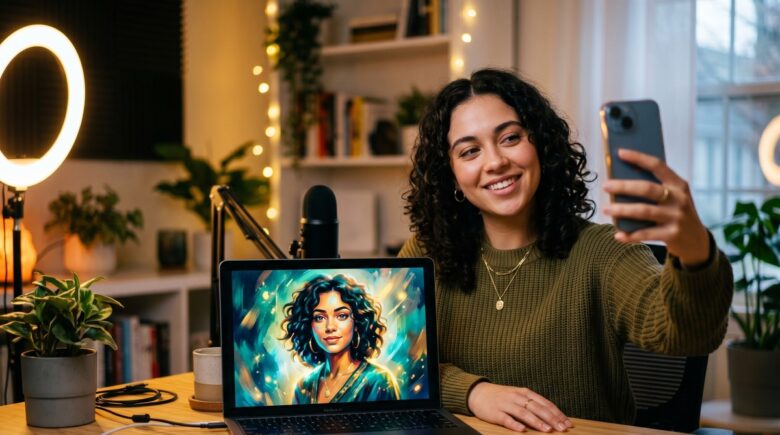
AI portrait apps selfie technology uses diffusion-model AI to transform ordinary smartphone photos into professional-grade artwork, avatars, or stylized portraits — no photographer required. According to Statista’s 2024 AI image generation market report, the global AI image generator market is projected to reach $917 million by 2030, driven largely by consumer portrait and avatar apps.
Choosing the right app matters more than ever. Privacy practices vary widely, output quality ranges from impressive to unusable, and pricing models can quietly drain budgets if left unchecked. This guide cuts through the noise — evaluating the top apps by image quality, privacy, price, and use case so you can make a confident choice today.
Key Takeaways
- Lensa AI by Prisma Labs generates 50 AI avatar styles from a single batch of selfies, making it the widest-style option available in 2025 (Prisma Labs).
- The AI image generation market is valued at over $299 million in 2024 and is growing at a 17.4% CAGR, according to Grand View Research’s 2024 industry analysis.
- Remini has surpassed 100 million downloads globally, making it one of the most widely adopted AI photo enhancement apps on the market (Google Play Store listing).
- Most top-tier AI portrait apps require between 10 and 20 source selfies to train a personalized model and deliver accurate likeness reproduction (The Verge’s Lensa AI breakdown).
- Privacy concerns are real: the FTC has flagged AI photo apps for data collection practices, making it essential to read each app’s privacy policy before uploading selfies (FTC AI consumer guidance).
In This Guide
- How Do AI Portrait Apps Turn Selfies Into Art?
- Which Are the Best AI Portrait Apps for Selfies in 2025?
- How Do the Top AI Portrait Apps Compare on Price and Features?
- What Are the Privacy Risks of Using AI Portrait Apps Selfie Tools?
- Are Free AI Portrait Apps Worth It, or Should You Pay?
- How Do You Get the Best Results From an AI Portrait App?
- Frequently Asked Questions
How Do AI Portrait Apps Turn Selfies Into Art?
AI portrait apps use a process called diffusion modeling — they analyze your selfies, learn your facial features, and then regenerate your likeness in a chosen artistic style. The core technology behind most consumer apps is derived from Stable Diffusion, an open-source model released by Stability AI in 2022.
The Training Process Explained
When you upload selfies, the app runs a mini training session called fine-tuning or DreamBooth — a technique developed by Google Research. This links your face to a unique text token inside the model, allowing it to reproduce your likeness across dozens of artistic styles. Most apps complete this in 15 to 45 minutes on cloud servers.
The number of selfies you provide directly affects output accuracy. Too few images result in generic faces; too many can cause overfitting. According to the original DreamBooth research paper on arXiv, 3 to 5 high-quality reference images are sufficient for basic personalization, but consumer apps typically request 10–20 for reliability.
The DreamBooth fine-tuning technique, developed by Google Research, was originally designed for text-to-image personalization in scientific settings — not consumer apps. Its adaptation into mobile AI portrait tools happened within months of its 2022 publication.
Which Are the Best AI Portrait Apps for Selfies in 2025?
The leading AI portrait apps selfie tools in 2025 are Lensa AI, Dawn AI, Remini, YouCam Perfect, and StarryAI — each excelling in different categories from style variety to photo restoration. Here is a detailed look at each.
Lensa AI by Prisma Labs
Lensa AI remains the category leader for sheer style variety. Upload 10–20 selfies and it generates 50 avatar styles including anime, fantasy, oil painting, and photorealistic portraits. Lensa runs on a subscription model at $7.99/month or $29.99/year, with a one-time avatar pack option starting at $3.99. Its outputs are stored on Prisma Labs’ servers for up to 24 hours before deletion, per their current privacy policy.
Dawn AI — Best for Anime and Fantasy Styles
Dawn AI targets users who want stylized, non-photorealistic portraits. It processes selfies into over 100 distinct artistic themes, with particular strength in anime and fantasy illustration. The app is free with optional coin purchases for premium style packs. As AI continues to reshape how we interact with digital tools, as explored in VisualEnews’s coverage of how AI is changing internet search, apps like Dawn AI show how the same underlying models power wildly different consumer experiences.
Remini — Best for Photo Enhancement and Portraits
Remini, developed by Bending Spoons, is best known for upscaling and restoring old or blurry photos, but its AI portrait mode is a strong secondary feature. With more than 100 million downloads globally, it is one of the most widely trusted names in AI photo processing. Subscription pricing sits at $4.99/week or $29.99/year.
YouCam Perfect — Best for Real-Time Beauty Portraits
YouCam Perfect by Perfect Corp uses real-time AI to enhance selfies with beauty filters, studio lighting simulation, and portrait-style backgrounds. It targets social media users who want polished, camera-ready results quickly. The free tier is generous; premium features unlock at $2.99/month.
StarryAI — Best for Artistic and Abstract Portraits
StarryAI leans into generative art rather than photorealism. Users receive 5 free credits daily, making it accessible without a subscription. It excels at blending selfie likenesses into surrealist or impressionist artwork, rather than producing accurate facial reproductions.
How Do the Top AI Portrait Apps Compare on Price and Features?
Pricing and feature sets vary considerably across top AI portrait apps selfie platforms. The table below compares the five leading options on the criteria that matter most.
| App | Starting Price | Styles Available | Selfies Required | Processing Time | Free Tier |
|---|---|---|---|---|---|
| Lensa AI | $3.99 one-time / $7.99/mo | 50+ | 10–20 | 20–30 min | Limited trial |
| Dawn AI | Free (coin purchases) | 100+ | 8–15 | 15–25 min | Yes |
| Remini | $4.99/week / $29.99/yr | 20+ | 5–10 | 5–15 min | 3 free uses/day |
| YouCam Perfect | $2.99/month | 30+ | 1 (real-time) | Instant | Yes (robust) |
| StarryAI | Free / $11.99/mo pro | Unlimited styles | 1–5 | 5–20 min | 5 credits/day |
The global AI portrait and avatar app segment processed an estimated 900 million image generation requests in 2023 alone, according to industry estimates cited by TechCrunch’s analysis of the Lensa AI surge. That figure is expected to triple by 2026.
What Are the Privacy Risks of Using AI Portrait Apps Selfie Tools?
Privacy is the most overlooked dimension of AI portrait apps selfie tools — and it is the most important one. When you upload selfies, you are submitting biometric data to a third-party server, and the terms of service determine what happens next.
What the Data Practices Actually Look Like
Several top apps retain uploaded images for model improvement unless users explicitly opt out. The FTC’s AI consumer guidance warns that biometric data collected by apps may be shared with advertising networks or data brokers. Illinois, Texas, and Washington have passed biometric privacy laws — the Illinois Biometric Information Privacy Act (BIPA) being the strictest — that require explicit consent before collecting facial data.
Before using any AI portrait app, read the privacy policy for three specific things: how long your images are stored, whether your face data is used for model training, and whether it is shared with third parties. Understanding your digital identity and how to protect it becomes especially relevant when your biometric data is involved.
“Consumers uploading selfies to AI apps should treat that action like handing someone their fingerprint. The likeness is permanent and uniquely identifiable, even if the app deletes the photo later.”
Which Apps Have the Strongest Privacy Practices
YouCam Perfect by Perfect Corp processes most transformations on-device, reducing server exposure. Remini deletes uploaded images within 24 hours post-processing, per its current terms. Lensa AI states that magic avatar training data is deleted after generation, though original uploaded images are temporarily stored for quality assurance.
Are Free AI Portrait Apps Worth It, or Should You Pay?
Free AI portrait apps selfie tools deliver usable results, but they consistently trade off on resolution, style variety, and data privacy compared to paid versions. The real question is what you are giving up — a topic worth understanding before downloading. As our guide on free vs paid apps and what you actually give up explains, free tiers often fund themselves through data collection and advertising rather than subscription fees.
When Free Is Enough
If you want to experiment casually with AI portrait styles, StarryAI’s 5 free credits per day or YouCam Perfect’s free tier are genuinely useful starting points. These are best for social sharing or testing, not for print-quality outputs.
When Paying Makes Sense
For professional headshots, high-resolution downloads, or commercial use, paid tiers are necessary. Lensa AI’s one-time avatar pack at $3.99 remains the best value for users who want a single high-quality portrait session without committing to a subscription. Watch for subscription creep — many apps default to auto-renewing annual plans. Reviewing your app subscriptions regularly, as outlined in this guide on auditing digital subscriptions that quietly drain budgets, can help you avoid paying for tools you rarely use.
Before paying for any AI portrait subscription, use the free tier for one full session first. Most quality differences between free and paid tiers are visible in the output resolution and watermark removal — test these specifically before committing to a billing cycle.
How Do You Get the Best Results From an AI Portrait App?
The quality of your output depends heavily on the quality of your input selfies. Following a few specific practices dramatically improves likeness accuracy and style fidelity across any AI portrait app.
Selfie Selection Best Practices
Use photos taken in natural daylight or with consistent soft lighting — harsh shadows confuse the model’s depth perception. Vary your angles slightly across the batch: include straight-on shots, slight left and right profiles, and one smiling versus neutral. Avoid sunglasses, hats, or heavy makeup in source images, as these obscure facial landmarks the model relies on.
Resolution matters. Submit the highest-resolution photos your phone captures — ideally at least 1080p. Most AI portrait apps downsample automatically, but starting with a high-quality input preserves facial detail that compressed images lose. According to Stability AI’s technical documentation, input image quality is one of the top three variables affecting DreamBooth fine-tuning accuracy.
Choosing the Right Style for Your Use Case
For LinkedIn headshots or professional profiles, select photorealistic styles in apps like Remini or Lensa AI. For social media and creative profiles, anime and fantasy styles from Dawn AI produce more shareable, distinctive results. For print art or digital wallpapers, StarryAI’s artistic rendering styles produce the highest visual impact at large sizes.
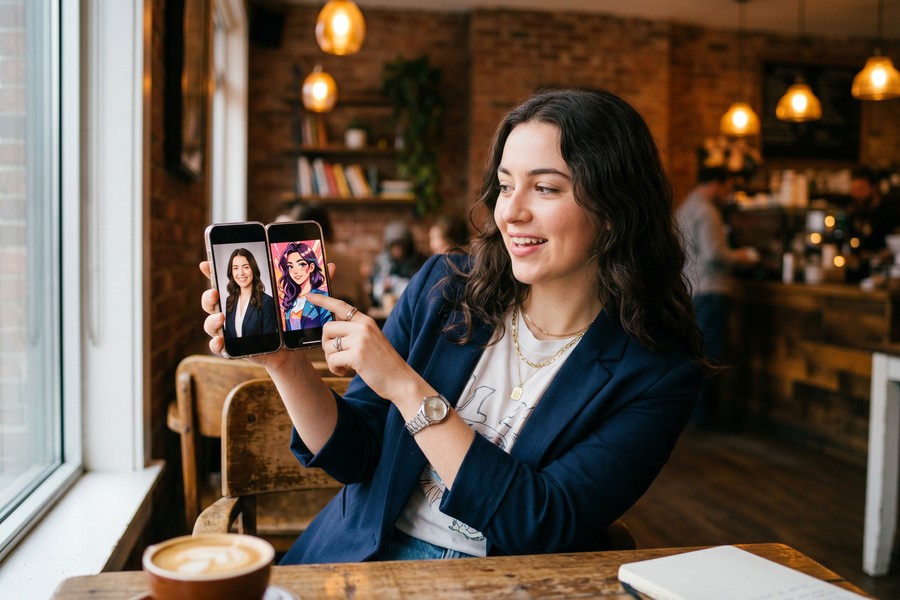
AI portrait apps that use on-device processing — rather than cloud servers — generate results faster and expose less personal data. Perfect Corp, the developer of YouCam Perfect, reports that its on-device AI processes portrait enhancements in under 200 milliseconds per frame.
The rapid evolution of these tools connects to broader AI infrastructure improvements. As quantum computing advances begin influencing everyday technology, the computational power behind AI portrait generation will continue to improve dramatically — meaning today’s 30-minute training runs could shrink to seconds within a few years.
Frequently Asked Questions
What is the best AI portrait app for selfies in 2025?
Lensa AI is the best overall AI portrait app for selfies in 2025, offering more than 50 distinct styles from a single batch of 10–20 photos. For users who prioritize style variety, Dawn AI’s 100+ themes make it the strongest alternative. Your best choice depends on whether you want photorealism or artistic output.
Are AI portrait apps safe to use with your selfies?
Most reputable AI portrait apps are reasonably safe, but all involve uploading biometric data to a third-party server. Read the privacy policy before uploading — specifically check image retention periods and whether your photos are used to train the AI model. Apps like YouCam Perfect that process images on-device carry lower data exposure risk.
How many selfies do I need for an AI portrait app?
Most AI portrait apps require between 10 and 20 selfies to generate accurate personalized portraits. Fewer images result in generic or inaccurate likenesses. Some apps like Remini require as few as 5, while higher-fidelity apps like Lensa AI recommend closer to 20 for best results.
Can AI portrait apps create professional headshots?
Yes, several AI portrait apps can produce professional-quality headshots suitable for LinkedIn profiles and business websites. Remini and Lensa AI both offer photorealistic portrait modes designed for this purpose. Output resolution and likeness accuracy are highest on paid tiers.
Do AI portrait apps work on both iPhone and Android?
All five major AI portrait apps — Lensa AI, Dawn AI, Remini, YouCam Perfect, and StarryAI — are available on both iOS and Android. Feature parity is generally consistent across platforms, though some apps roll out new styles on iOS first due to Apple’s developer ecosystem.
How long does it take an AI portrait app to generate results?
Processing times range from under 1 minute for real-time enhancement apps like YouCam Perfect to 20–45 minutes for full DreamBooth-style avatar generation in Lensa AI or Dawn AI. Cloud server load can extend these times during peak hours. Most apps send a push notification when results are ready.
Is there a free AI portrait app that produces high-quality results?
StarryAI offers 5 free credits per day and produces high-quality artistic portraits at no cost. YouCam Perfect’s free tier is the strongest option for real-time beauty and portrait enhancement. Neither provides print-resolution downloads on the free tier — paid upgrades are needed for high-resolution exports.
Sources
- Statista — AI Image Generator Market Size and Revenue Forecast
- Grand View Research — AI Image Generator Market Report 2024
- arXiv — DreamBooth: Fine Tuning Text-to-Image Diffusion Models (Google Research)
- Federal Trade Commission — Artificial Intelligence Consumer Guidance
- The Verge — Lensa AI Magic Avatars and Stable Diffusion Explained
- TechCrunch — Lensa AI Download Surge and AI Image Generation Volume Analysis
- Stability AI — Stable Diffusion Public Release and Technical Notes
- Prisma Labs — Lensa AI Official Product Page
- Google Play Store — Remini App Listing and Download Statistics
- Illinois General Assembly — Biometric Information Privacy Act (BIPA) Full Text






