
Fact-checked by the VisualEnews editorial team
Quick Answer
The best apps to convert video to reels instantly in July 2025 are CapCut, InShot, Adobe Premiere Rush, Splice, and Mojo. These tools reformat footage into 9:16 vertical video in under two minutes, with AI-assisted cropping, preset aspect ratios, and direct publishing to Instagram Reels, TikTok, and YouTube Shorts.
To convert video to reels, you need an app that handles aspect ratio reformatting (typically 16:9 to 9:16), adds captions or transitions, and exports at the correct resolution — usually 1080×1920 pixels. According to Statista’s Instagram platform data, Instagram Reels now reaches over 2.35 billion monthly active users, making short-form vertical video one of the highest-reach content formats available today.
Choosing the wrong tool wastes time and degrades video quality. This guide ranks the top apps by speed, output quality, and platform compatibility — so you can pick the right one and start publishing faster.
Key Takeaways
- CapCut is the most downloaded free editing app globally, with over 500 million downloads as of 2024, according to Business of Apps’ CapCut statistics.
- Instagram Reels must be formatted at 9:16 aspect ratio and 1080×1920 pixels for optimal display, per Instagram’s official Reels specifications.
- Short-form video generates 3x more engagement than standard video content on social platforms, according to Sprout Social’s 2024 social media statistics.
- Adobe Premiere Rush exports at up to 4K resolution and supports direct publishing to multiple platforms, making it the strongest option for professional-grade output (Adobe Premiere Rush).
- Mobile video editing app revenue is projected to surpass $7.4 billion by 2026, reflecting surging demand for tools that convert video to reels and short clips, per Grand View Research’s market analysis.
In This Guide
- What Does It Actually Mean to Convert Video to Reels?
- What Are the Best Free Apps to Convert Video to Reels?
- Which Paid Apps Deliver the Highest Quality Reels?
- How Do the Top Reels Converter Apps Compare?
- Which Apps Use AI to Automate the Conversion Process?
- How Do You Optimize Reels for Each Platform?
- What Are the Most Common Mistakes When Converting Video to Reels?
What Does It Actually Mean to Convert Video to Reels?
Converting video to reels means reformatting existing footage — changing its aspect ratio, trimming its length, and optimizing its resolution for short-form vertical platforms like Instagram Reels, TikTok, and YouTube Shorts.
Most source footage is recorded in landscape (16:9) format. Reels require portrait (9:16) orientation. An app that handles this conversion must reframe the video intelligently — not just crop blindly — to keep the subject centered and readable on a phone screen.
Why Aspect Ratio and Length Both Matter
Instagram Reels supports clips up to 90 seconds, while TikTok allows up to 10 minutes for verified accounts. YouTube Shorts caps content at 60 seconds. Each platform also applies its own compression algorithm, so exporting at the correct bitrate matters as much as the aspect ratio itself.
Understanding these technical constraints is similar to understanding how your tools interact with platform infrastructure — the same way readers who study how AI is changing internet search learn that context and format affect how content gets surfaced and ranked.
What Are the Best Free Apps to Convert Video to Reels?
The best free apps to convert video to reels are CapCut, InShot, and VN Video Editor. All three offer 9:16 presets, trimming tools, and direct export to social platforms at no cost.
CapCut
CapCut, developed by ByteDance, is the leading free option. It includes auto-captions, AI background removal, and one-tap reformat presets specifically labeled for Instagram Reels and TikTok. With over 500 million downloads globally, it is the most widely used free video editing app on both iOS and Android.
CapCut’s “Auto Reframe” feature detects the subject in a video and repositions the crop automatically. This is particularly useful when converting horizontal drone or action footage where the subject moves across the frame.
InShot and VN Video Editor
InShot specializes in social media formatting. It offers canvas blur (filling black bars with a blurred background), speed controls, and filter packs. It is especially popular among Instagram creators for its clean interface and reliable export quality at 1080p.
VN Video Editor is a more advanced free alternative. It supports multi-track editing, keyframe animation, and lossless export — features typically reserved for paid tools. Its free tier has no watermark, which makes it a standout among no-cost options.
CapCut’s auto-caption feature supports over 20 languages, making it one of the most accessible free tools for creators targeting international audiences on Instagram Reels and TikTok.
Which Paid Apps Deliver the Highest Quality Reels?
For professional output, Adobe Premiere Rush, LumaFusion, and Splice are the top paid apps to convert video to reels with broadcast-level quality.
Adobe Premiere Rush
Adobe Premiere Rush starts at $9.99/month as a standalone plan and is included in the Adobe Creative Cloud subscription. It exports up to 4K resolution and supports direct publishing to YouTube, Facebook, and TikTok from within the app. Its social media presets include a dedicated Reels template that auto-sets resolution, frame rate, and bitrate.
Premiere Rush syncs projects across desktop and mobile via Adobe’s cloud infrastructure. For creators who edit on a laptop and finish on a phone, this cross-device workflow is a significant advantage over mobile-only competitors.
LumaFusion and Splice
LumaFusion is an iPad and iPhone-exclusive app priced at a one-time fee of $29.99. It supports 6-track video timelines, HDR export, and frame-accurate editing — making it the closest thing to a desktop editor on a mobile device. Professionals in broadcast journalism and documentary production use it regularly.
Splice, owned by GoPro, costs $2.99/month and is designed specifically for action and travel footage. Its strength is automatic beat-syncing — the app aligns cuts to the rhythm of a music track, which produces polished Reels without manual timing work.
Before choosing a paid app, audit whether you already pay for unused creative subscriptions. Our guide on auditing digital subscriptions that drain your budget can help you identify overlap before adding another monthly charge.
How Do the Top Reels Converter Apps Compare?
The table below compares the six leading apps across the criteria that matter most when you need to convert video to reels efficiently: price, maximum export resolution, AI features, and platform support.
| App | Price | Max Export Resolution | AI Features | Platforms Supported |
|---|---|---|---|---|
| CapCut | Free / $7.99/mo Pro | 4K | Auto-caption, AI reframe, background removal | Instagram, TikTok, YouTube |
| InShot | Free / $3.99/mo Pro | 1080p | Canvas blur, basic filters | Instagram, TikTok, Facebook |
| Adobe Premiere Rush | $9.99/mo | 4K | Auto-reframe, color match | YouTube, TikTok, Facebook |
| LumaFusion | $29.99 one-time | 4K HDR | None (manual precision) | All (manual export) |
| Splice | $2.99/mo | 1080p | Beat-sync, auto-cut | Instagram, TikTok |
| VN Video Editor | Free | 4K | Keyframe animation | All (manual export) |
“The biggest bottleneck for most creators isn’t creativity — it’s the technical friction of reformatting footage for different platforms. Apps that automate aspect ratio conversion and captioning remove that barrier entirely and dramatically increase publishing frequency.”
Which Apps Use AI to Automate the Conversion Process?
CapCut, Adobe Premiere Rush, and Mojo use AI most aggressively to automate the process when you convert video to reels — handling subject tracking, caption generation, and scene detection without manual input.
AI Auto-Reframe and Subject Tracking
Adobe Premiere Rush’s Auto Reframe uses Adobe Sensei, the company’s AI engine, to detect the primary subject in a frame and dynamically reposition the crop as the subject moves. This is the same underlying technology used in Adobe Premiere Pro for professional broadcast workflows.
CapCut’s equivalent feature works similarly but adds a layer of template-driven styling. Users can select a “Reels style” preset and the app will cut the clip to the correct length, apply transitions, and generate captions — all in a single automated workflow that takes under 90 seconds for a 60-second clip.
Mojo and Template-Driven AI
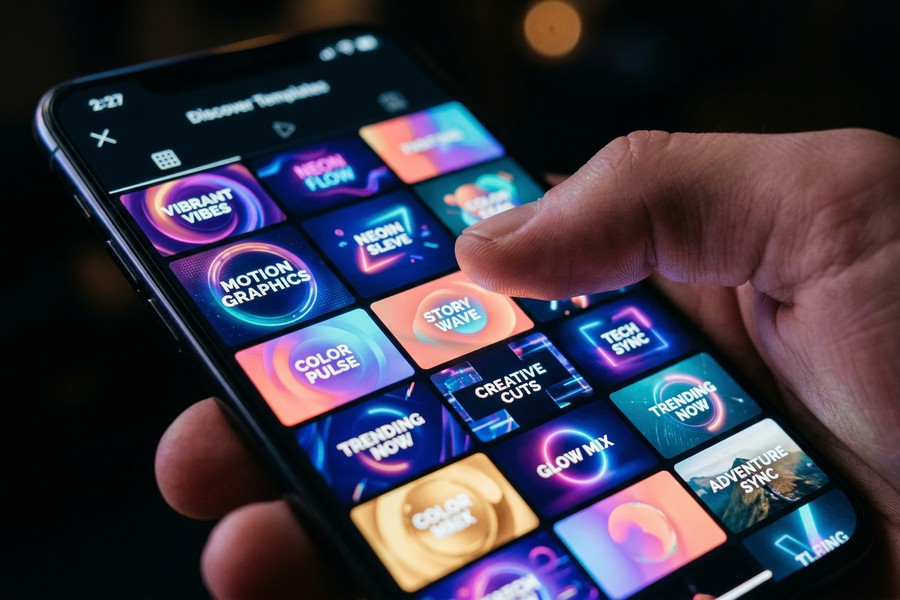
Mojo takes a template-first approach. Its AI engine analyzes the visual content of your footage and recommends the best-fit animated template from a library of over 1,000 designs. This is particularly effective for brand-consistent Reels where a recurring visual identity matters.
The rise of AI-driven editing tools reflects a broader shift in how content is produced and surfaced. If you’re interested in how AI is reshaping content discovery at scale, our explainer on how AI is changing the way we search the internet covers the downstream effects on content visibility.
According to Sprout Social’s 2024 social media benchmark report, Reels and short-form video content receives 3x more engagement than static image posts on Instagram — making efficient video conversion a direct lever on content performance.
How Do You Optimize Reels for Each Platform?
Each platform applies different compression, resolution requirements, and algorithm behavior — so the same exported file will not perform equally across Instagram Reels, TikTok, and YouTube Shorts.
Instagram Reels Specifications
Instagram recommends exporting at 1080×1920 pixels, 30 fps, and under 4GB file size for Reels. According to Instagram’s official content specifications, H.264 codec with AAC audio at 128kbps delivers the best post-compression quality. Uploading at a higher bitrate than Instagram’s ingest limit causes visible quality loss during their re-encoding process.
Captions and on-screen text should be kept within the middle 80% of the frame — the top and bottom 15% are obscured by Instagram’s UI overlays (profile name, audio bar, action buttons).
TikTok and YouTube Shorts
TikTok’s algorithm rewards high watch-through rates. Shorter clips — under 15 seconds — consistently outperform longer ones on the For You page, according to TikTok’s Creator Newsroom guidance. When converting longer footage, trim to the highest-impact segment rather than including full context.
YouTube Shorts requires videos to be under 60 seconds and vertically formatted. Google’s algorithm indexes Shorts separately from long-form content, giving creators a second discovery channel without cannibalizing their main video performance.
Optimizing your publishing workflow also requires reliable hardware. If you’re editing on a laptop rather than a phone, our guide to the best laptops for remote workers in 2026 covers machines with the processing power needed for smooth 4K video exports.
YouTube Shorts crossed 70 billion daily views in early 2023, according to YouTube’s official blog announcement — making it the fastest-growing short-form video platform by raw view volume.
What Are the Most Common Mistakes When Converting Video to Reels?
The most common mistakes when you convert video to reels are: incorrect aspect ratio cropping, exporting at too low a bitrate, ignoring platform-specific safe zones, and uploading files that exceed platform size limits.
Cropping Without Subject Awareness
Blindly cropping a 16:9 video to 9:16 by cutting the sides equally often removes the subject from the frame entirely. Always use an app with smart reframe or manually adjust the crop anchor point before exporting. This is the most common error among first-time converters and the one most likely to result in a rejected or low-performing clip.
A related issue is failing to check how subtitles or lower-thirds in the source footage interact with the new crop. Text burned into a landscape video at the bottom-left will disappear in a portrait crop.
Ignoring Audio Licensing
Using unlicensed music in Reels can trigger automated copyright removal across all platforms. Instagram, TikTok, and YouTube all use Content ID or equivalent systems to flag restricted audio. Apps like CapCut and Splice include licensed music libraries — using these tracks avoids takedown risk entirely.
This connects to a broader pattern of hidden costs in digital tools. Just as readers discover unexpected charges by understanding what free apps actually cost them, creators can lose reach and revenue through audio licensing violations that are easily avoided with in-app music libraries.
“Creators consistently underestimate the impact of export settings on platform performance. A video exported at the wrong bitrate loses sharpness during re-encoding, which directly affects how polished the content looks in the feed — and that affects watch time.”
Frequently Asked Questions
Can I convert video to reels without losing quality?
Yes, but only if you export at the correct resolution and bitrate before uploading. Export at 1080×1920 pixels with H.264 encoding. Instagram, TikTok, and YouTube all re-encode uploaded files, so uploading at a higher quality than required reduces the impact of their compression.
Is CapCut free to use for converting videos to Reels?
CapCut’s core editing features — including aspect ratio presets, auto-captions, and direct export — are free. The Pro tier at $7.99/month unlocks additional AI features, 4K export, and expanded template libraries. Most casual creators can convert video to reels effectively using the free version.
What is the best app to convert video to reels on iPhone?
LumaFusion is the most powerful iPhone option, offering professional-grade multi-track editing at a one-time cost of $29.99. For free iPhone use, CapCut provides the best combination of AI automation and output quality without a subscription.
How long can a Reel be on Instagram?
Instagram Reels can be up to 90 seconds long as of 2024. Clips under 30 seconds typically achieve the highest completion rates, which Instagram’s algorithm uses as a key ranking signal. Shorter, high-retention clips consistently outperform longer ones in organic reach.
Does Adobe Premiere Rush support direct publishing to Instagram?
Adobe Premiere Rush supports direct publishing to YouTube, TikTok, and Facebook, but not Instagram Reels directly due to Instagram’s API restrictions. For Instagram, you export the file and upload manually — a limitation shared by most desktop-class tools.
Can I convert a YouTube video to an Instagram Reel?
Yes. Download the YouTube video (where permitted by the creator’s license), import it into CapCut, InShot, or Adobe Premiere Rush, select the 9:16 preset, trim to under 90 seconds, and export. Always verify you have the rights to repurpose the content before publishing.
Which app converts video to reels the fastest?
CapCut is the fastest end-to-end option. Its one-tap “Auto Reels” workflow — which reframes, captions, and exports a clip — completes in under 90 seconds for a 60-second video on a mid-range smartphone. Adobe Premiere Rush is faster for users who need batch exports across multiple clips simultaneously.
Sources
- Statista — Instagram Platform Statistics and Monthly Active Users
- Business of Apps — CapCut Revenue and Download Statistics
- Instagram Help Center — Reels Video Specifications
- Sprout Social — 2024 Social Media Statistics and Benchmarks
- Adobe — Premiere Rush Product Page and Feature Overview
- YouTube Official Blog — YouTube Shorts 70 Billion Daily Views Announcement
- TikTok Newsroom — Creator Guidance and Algorithm Updates
- Grand View Research — Video Editing Software Market Size and Forecast






