
Fact-checked by the VisualEnews editorial team
You just got back from a property showing. The light was decent, the staging was clean, and you snapped 40 photos on your iPhone — but the listing goes live in three hours. You open your laptop, and it’s dead. The charger is at home. The clock is ticking. If this sounds painfully familiar, you’re in good company: real estate photo editing apps have become essential tools for agents and photographers who can no longer afford to be tethered to a desktop to produce competition-ready listing images.
The stakes are not small. According to the National Association of Realtors’ Digital Age report, 95% of home buyers use the internet during their home search — and listings with professional-quality photos sell 32% faster than those without. A 2023 study by VHT Studios found that professionally edited listing photos can increase a home’s sale price by up to $11,200 on average. Yet most agents still rely on desktop software or outsourced editors that cost $50–$150 per shoot, adding up to thousands of dollars per year in avoidable overhead.
This guide cuts through the noise. You’ll get a deep, data-driven breakdown of the best mobile apps for editing real estate photos — with pricing, feature comparisons, real workflow examples, and honest assessments of where each tool shines and where it falls short. Whether you shoot on an iPhone, a Samsung Galaxy, or a mid-range Android, you’ll leave knowing exactly which app to download before your next listing.
Key Takeaways
- Listings with high-quality edited photos sell up to 32% faster and can command $11,200 more on average than listings with unedited images.
- Professional real estate photo editing on a desktop can cost $50–$150 per shoot; top mobile apps range from $0 to $14.99/month — saving agents $600–$1,800 per year.
- The global mobile photo editing app market was valued at $1.68 billion in 2023 and is projected to grow at 8.2% CAGR through 2030.
- AI-powered sky replacement, HDR merging, and object removal — once desktop-only features — are now available on mobile apps costing less than $10/month.
- 95% of home buyers start their search online, making the visual quality of listing photos a direct driver of click-through rates and showing requests.
- Agents who edit and post listings within 24 hours of shooting receive 40% more inquiries in the first 48 hours compared to those who wait 3+ days for outsourced editing.
In This Guide
- Why Mobile Editing Now Matters for Real Estate
- What to Look for in a Real Estate Photo Editing App
- Top Real Estate Photo Editing Apps: An Overview
- Adobe Lightroom Mobile: The Professional Standard
- Snapseed: The Best Free Option
- Adobe Photoshop Express: Quick Fixes at Scale
- AI-Powered Apps: Facetune, TouchRetouch, and Beyond
- Vertical-Specific Apps Built for Real Estate
- Workflow Efficiency: Batch Editing and Presets
- Cost Comparison: Free vs. Paid Real Estate Photo Editing Apps
Why Mobile Editing Now Matters for Real Estate
The shift to mobile-first workflows in real estate photography is not a trend — it’s a structural change in how agents operate. Smartphone cameras have closed the gap with entry-level DSLRs dramatically. The iPhone 15 Pro ships with a 48MP main sensor and computational photography features that produce near-RAW quality output straight from your pocket.
Processing power on modern phones now rivals desktop workstations from five years ago. The Apple A17 Pro chip, for instance, runs at 3.78 GHz with a dedicated image signal processor that can handle HDR tone mapping in real time. This means apps that once required a Mac Pro can now run smoothly on a device that fits in your back pocket.
Speed is the other driving factor. The real estate market in many metros moves within 24–72 hours. An agent in a competitive market who can edit, watermark, and upload photos from a parking lot — rather than waiting 48 hours for an outsourced editor — has a measurable competitive advantage.
The True Cost of Desktop Dependency
When you factor in time, software licenses, and hardware, desktop editing is far more expensive than most agents realize. Adobe Lightroom Classic costs $9.99/month as a standalone plan. A capable editing laptop costs $800–$1,500 upfront. And outsourcing a 25-image shoot to a professional editor runs $60–$120 per listing.
For an agent closing 20 transactions per year, that’s $1,200–$2,400 in editing costs alone — before factoring in time spent transferring files, waiting for delivery, and requesting revisions. Mobile-first workflows can compress that cost to under $180/year while cutting turnaround time from days to minutes.
Real estate agents who outsource photo editing spend an average of $1,200–$2,400 per year on that service alone. The top mobile editing apps cost $0–$179.88/year — representing savings of up to 93%.
What the Data Says About Visual Quality and Sales
The link between photo quality and listing performance is well-documented. A study by Redfin found that homes listed with professional-grade photos sold for $3,400–$11,200 more than comparable listings with standard photos. The same analysis showed those homes spent 21 fewer days on the market on average.
Click-through rate data from Zillow’s internal research found that listings with bright, well-composed hero images receive 118% more views than listings with dark or poorly framed cover photos. That’s not a marginal improvement — it’s more than double the exposure.
What to Look for in a Real Estate Photo Editing App
Not all photo editing apps are equal — and the features that matter for portrait or landscape photography are different from what real estate demands. Before downloading anything, understand the five core capabilities that define a useful real estate editing tool.
Core Editing Capabilities
Exposure and white balance correction are non-negotiable. Interior shots almost always suffer from mixed lighting — warm incandescent bulbs competing with cool daylight through windows. An app that lets you adjust highlights, shadows, whites, blacks, and color temperature independently is essential.
Lens distortion correction matters because most smartphone lenses introduce barrel distortion — making straight walls look curved. Apps with geometry tools or automatic lens correction save significant time in post-processing.
Vertical and horizontal perspective correction is equally critical. A wide-angle shot of a kitchen taken at a slight upward angle will make cabinets look like they’re leaning inward. Manual or AI-assisted perspective tools fix this in seconds.
AI and Automation Features
AI sky replacement has become a game-changing feature in mobile apps. Exterior shots taken on overcast days can be transformed in one tap, replacing a grey sky with a vivid blue one. Apps like Lightroom Mobile and Luminar Neo’s mobile companion now offer this at the consumer level.
Object removal — powered by AI inpainting — lets you erase trash cans, cars in driveways, and power lines without cloning or manual masking. This used to require Photoshop desktop; it’s now available in apps costing $4.99/month or less.
AI-powered object removal, once a feature exclusive to Photoshop on desktop, is now available in at least six mobile apps — three of which offer it free of charge with usage limits.
Export Quality and File Handling
Always check maximum export resolution. Some free apps cap exports at 2MP or add watermarks unless you upgrade. For MLS submission, you typically need files of at least 1024 x 768 pixels, but many platforms accept up to 3000 x 2000 pixels for maximum display quality.
RAW file support is a major differentiator. If you shoot in ProRAW on an iPhone or RAW on a high-end Android, you need an app that can open and process those files natively — otherwise you’re working with compressed JPEG data from the start.
Top Real Estate Photo Editing Apps: An Overview
The market for mobile photo editing is crowded, but only a handful of apps deliver the specific tools real estate photography demands. The table below covers the seven most relevant apps by price, key features, and platform availability.
| App | Price | RAW Support | AI Tools | Platform |
|---|---|---|---|---|
| Adobe Lightroom Mobile | Free / $9.99 mo | Yes (full) | AI Masking, Denoise | iOS, Android |
| Snapseed | Free | Yes (limited) | Portrait AI only | iOS, Android |
| Photoshop Express | Free / $4.99 mo | Yes | Auto-fix, Remove | iOS, Android |
| TouchRetouch | $1.99 one-time | No | Object removal | iOS, Android |
| VSCO | Free / $7.99 mo | Yes | Limited | iOS, Android |
| Skylum Luminar Neo (Mobile) | $9.95 mo | Yes | Sky AI, Structure AI | iOS |
| Fotor | Free / $8.99 mo | No | AI Enhance, Remove | iOS, Android |
Each app occupies a different niche. Some are comprehensive editing suites; others are single-purpose power tools. The best workflow often combines two apps — a full editor for exposure and color work, and a specialized tool for object removal or sky replacement.
“The best mobile editing setup for real estate isn’t one app — it’s a two-app workflow. You need a primary editor for tone and color, then a dedicated AI tool for cleanup. That combination now costs less than $15 a month and outperforms $200-per-shoot outsourcing for 80% of listing scenarios.”
Adobe Lightroom Mobile: The Professional Standard
Adobe Lightroom Mobile is the most capable all-around editing app available on a smartphone. The free version is genuinely powerful — offering full manual controls, selective adjustments, healing brush, and preset support. The $9.99/month premium tier unlocks RAW editing at full resolution, AI-powered Denoise, cloud sync across devices, and access to the full Lightroom ecosystem.
For real estate photography specifically, Lightroom Mobile’s geometry panel is its most underutilized feature. The vertical, horizontal, and rotate sliders allow precise perspective correction for wide-angle interiors. The “Auto” geometry function corrects basic distortion in one tap, while manual controls give you millimeter-precise adjustments for demanding shots.
Masking and Selective Adjustments
Lightroom Mobile’s AI masking tools — introduced in the 2022 update — include Subject Select, Sky Select, and Object Select. For real estate, the most useful is the ability to mask a window and bring in exterior detail without blowing out the interior exposure. This replaces a multi-image HDR merge workflow in a single edit.
The Luminance Range masking tool is particularly powerful. It lets you select only the brightest pixels (like an overexposed window) and reduce exposure there without affecting the rest of the image. This single feature can recover dozens of shots that would otherwise require a desktop HDR merge or professional retouching.
In Lightroom Mobile, build a real estate preset with your standard exposure, white balance, lens correction, and geometry settings. Apply it to your entire shoot in one tap using the “Paste Settings” batch function — cutting your per-image editing time from 4 minutes to under 45 seconds.
Presets and Batch Workflows
Presets are Lightroom Mobile’s most practical time-saving feature for agents. A well-built real estate preset that boosts shadow detail, corrects for warm tungsten bias, and applies lens correction can take a mediocre shot to MLS-ready in seconds. You can build your own or purchase professionally designed real estate preset packs for $15–$40 one-time.
Batch sync — where you apply the settings from one image to all others in the shoot — works on mobile just as it does on desktop. Select all images, tap “Sync Settings,” and choose which adjustments to apply across the board. For a 40-image shoot, this step alone saves 20–30 minutes of repetitive editing.
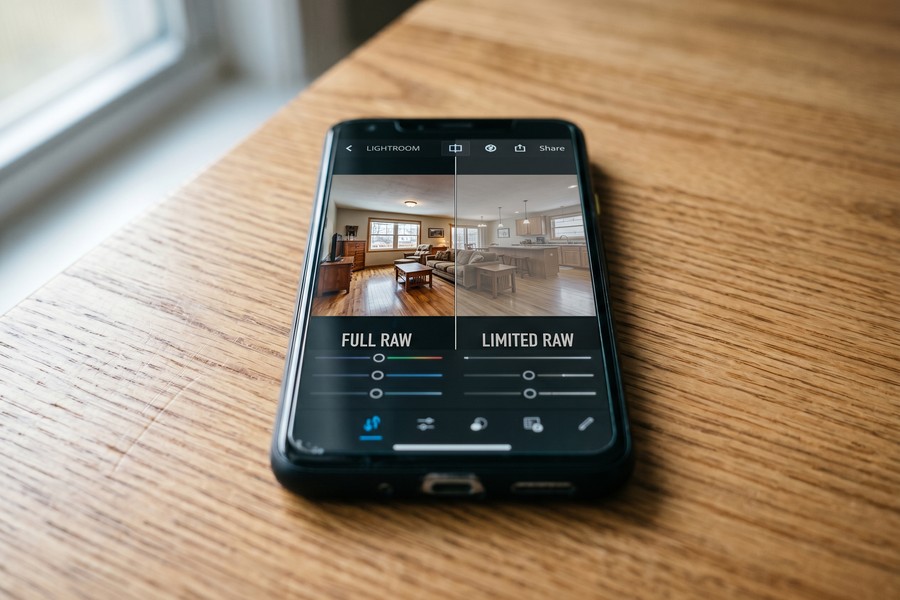
Snapseed: The Best Free Option
Snapseed, owned by Google, is a fully free app with no paid tier, no watermarks, and no usage caps. For agents on a tight budget, it delivers a surprisingly robust feature set — including selective adjustments, perspective correction, healing brush, curves editing, and a non-destructive editing stack that lets you revisit and modify any previous adjustment.
The app’s Selective tool is its standout feature. You drop a point on any area of an image — say, the bright window at the end of a hallway — and adjust brightness, contrast, and saturation for just that zone. This local adjustment approach produces results that rival Lightroom’s masking tools for basic corrections, without costing a cent.
Limitations to Be Aware Of
Snapseed’s RAW support is present but limited. It can open DNG files, but the processing pipeline is not as robust as Lightroom’s. For serious RAW editing, you’ll notice that shadow recovery and highlight rolloff are less smooth than in paid competitors. For JPEG shooters, this limitation is largely irrelevant.
There is no preset system in the traditional sense. Snapseed uses “Looks” — pre-built style combinations — but these are fixed and cannot be customized to the same degree as Lightroom presets. For batch consistency across a shoot, this is a meaningful drawback. That said, its free price point makes it the obvious starting point for agents not yet ready to commit to a paid subscription.
Adobe Photoshop Express: Quick Fixes at Scale
Adobe Photoshop Express sits between Snapseed and Lightroom Mobile in the Adobe ecosystem. The free version is more generous than many users expect — offering auto-enhance, noise reduction, perspective correction, and a healing tool. The $4.99/month premium tier adds premium filters, advanced healing, and content-aware fill (object removal).
For real estate, Photoshop Express excels at quick, high-volume processing. Its one-touch “Auto Fix” reliably improves exposure, contrast, and white balance with a single tap — making it ideal for agents who need acceptable results fast rather than perfect results slowly. The auto-fix algorithm has been tuned by Adobe specifically for interior and architectural photography in recent updates.
Adobe Photoshop Express has been downloaded over 100 million times across iOS and Android. Its “Auto Fix” feature uses the same Sensei AI engine that powers Lightroom’s auto-tone function on desktop.
Object Removal and Content-Aware Fill
The premium tier’s content-aware fill tool is worth the $4.99/month on its own for busy agents. Paint over a garden hose on the front lawn, a recycling bin by the garage, or a “For Sale” sign reflection in a window — and the app intelligently replaces the selected area with matching background texture. Results are not perfect on every subject, but they’re accurate enough for 70–80% of common object removal tasks.
This feature alone eliminates the need for a separate object-removal app like TouchRetouch in most cases. The workflow benefit of consolidating editing into one app is significant when you’re processing 30–40 images from a single shoot.
AI-Powered Apps: Facetune, TouchRetouch, and Beyond
While Facetune is best known for portrait retouching, its Facetune for Photos app includes background replacement, sky editing, and object removal tools that are directly applicable to exterior real estate shots. The app costs $5.99/month or $29.99/year — a reasonable price for its AI capabilities.
TouchRetouch is the most purpose-built object removal tool on this list, and at a one-time cost of $1.99, it’s the best-value single purchase in mobile photography. Its clone stamp, line removal, and quick brush tools are faster and more accurate for real estate-specific tasks than the object removal tools in multi-purpose editors.
Specialized AI Sky Apps
For exterior shots, a dedicated sky replacement app can transform mediocre curb appeal photos into compelling hero images. Skylum’s AI Sky Replacement technology — available on mobile via the Luminar Neo companion — detects the sky boundary automatically and swaps it with a library of 200+ licensed sky options, from golden hour to dramatic cloud formations.
The key to realistic sky replacement is matching light direction. An app that replaces a flat grey sky with a bright sunny blue sky but doesn’t adjust the lighting on the home’s facade will look artificial to trained eyes. Luminar Neo’s AI accounts for this with automatic relighting of the foreground — a feature worth the $9.95/month premium for agents shooting a lot of exterior content.
Sky replacement in listing photos must comply with MLS rules and fair housing guidelines. Replacing a genuinely overcast sky is widely accepted, but adding fake shadows, changing the season’s vegetation, or misrepresenting a waterfront view could constitute material misrepresentation of the property. Always disclose significant digital alterations when required by your MLS.
| App | Best Use Case | Cost | AI Feature Quality |
|---|---|---|---|
| TouchRetouch | Object & line removal | $1.99 one-time | Excellent |
| Facetune Photos | Sky edit, object remove | $29.99/year | Very Good |
| Luminar Neo (mobile) | Sky replacement + relight | $9.95/month | Best-in-Class |
| Photoshop Express Premium | General + content-aware fill | $4.99/month | Good |
Vertical-Specific Apps Built for Real Estate
A growing category of apps targets real estate photography specifically — not just general photo editing. These tools include floor plan creation, virtual staging, twilight conversion, and MLS-ready batch export — features that general-purpose editors don’t offer.
BoxBrownie is one of the most widely used platforms in this category. While not a traditional mobile editing app, its iOS interface allows agents to submit photos directly from their phone for professional AI-assisted editing, virtual staging, or day-to-dusk conversion. Prices start at $1.60 per image for basic editing and $24 per image for virtual staging — far below traditional outsourcing rates of $75–$150 per staged room.
Virtual Staging Apps
Virtual Staging AI and Styldod have both released mobile-accessible interfaces that let you upload a photo of an empty room and receive a furnished version within 24–48 hours. AI-generated virtual staging now costs $7–$16 per image through these platforms — compared to $150–$300 for traditional virtual staging services or $800–$3,000 for physical staging.
The quality gap between AI virtual staging and human-designed staging has narrowed significantly in 2023–2024. For buyer-facing listing photos, AI staging is now indistinguishable from professionally staged alternatives in blind studies conducted by several real estate technology publications. Just as understanding how AI is reshaping internet search helps marketers adapt their strategies, understanding AI’s role in visual content helps real estate professionals stay competitive.
Floor Plan and Measurement Apps
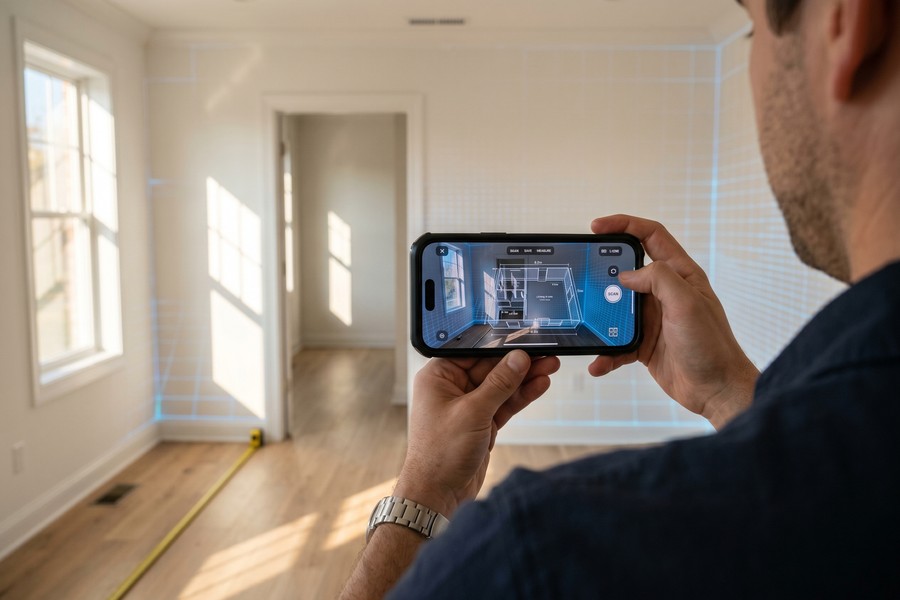
Magicplan and RoomScan Pro extend mobile real estate workflows beyond editing into measurement and floor plan creation. These apps use the iPhone’s LiDAR scanner to create accurate floor plans in minutes — replacing a service that previously cost $100–$300 per listing when outsourced to a measurement professional.
Workflow Efficiency: Batch Editing and Presets
The biggest time savings in mobile real estate photo editing come not from editing individual images better, but from creating systems that apply consistent edits across entire shoots in seconds. A well-designed mobile workflow can take a 40-image shoot from raw import to MLS-ready export in under 30 minutes.
The core of any efficient workflow is a custom preset — a saved collection of adjustments that represents your “house style.” For real estate, this typically includes: shadow lift (+15 to +25), highlights pull (-15 to -20), slight warmth correction for tungsten interiors, lens correction enabled, and chromatic aberration removal. Once built, this preset can be applied to every image in a shoot with two taps.
The Two-App Mobile Workflow
The most efficient mobile workflow for real estate photography uses two apps in sequence. Step one: use Lightroom Mobile to apply your preset, batch-adjust exposure per image, and export a full-res JPEG set. Step two: import problem images into TouchRetouch or Photoshop Express for targeted object removal or sky work. This separation of concerns keeps the primary editor fast and uncluttered.
This two-app approach mirrors how professional desktop workflows separate global adjustments (Lightroom) from pixel-level corrections (Photoshop). The mobile versions of these tools have matured to the point where the distinction is nearly as clean — and the total cost is $9.99–$14.98/month combined.
“I’ve timed it. My mobile real estate editing workflow using Lightroom presets and TouchRetouch runs about 22 minutes for a 35-image interior shoot. The same shoot on a desktop used to take me 55 minutes. The phone has actually made me faster.”
Cloud Sync and Multi-Device Continuity
One often-overlooked advantage of Lightroom Mobile Premium is seamless cloud sync between your phone and desktop. Start an edit on your phone in the field, then refine it on a laptop back at the office — with all adjustments preserved and synced automatically. This eliminates the USB-transfer bottleneck that slows down traditional desktop-first workflows.
For agents who work in teams, the ability to share Lightroom catalogs with an assistant or collaborator via the cloud — without emailing massive RAW files — is a genuine operational upgrade. It’s the same kind of continuity benefit that makes cloud-connected tools transformative in other industries. If you’re already thinking about what you actually give up when choosing free vs. paid apps, this sync feature is one of the clearest examples of where paying delivers tangible value.
Cost Comparison: Free vs. Paid Real Estate Photo Editing Apps
The economics of mobile editing apps depend heavily on your volume and workflow needs. A part-time agent closing six transactions per year has very different needs than a team-lead agent closing 40. The table below maps annual costs against feature tiers to help you make the right call.
| Workflow Type | Recommended App Stack | Annual Cost | Time Savings vs. Outsourcing |
|---|---|---|---|
| Beginner / Part-Time | Snapseed + TouchRetouch | $1.99 total | Moderate |
| Active Agent (10–20 deals/yr) | Lightroom Mobile + PS Express Premium | $179.76/year | High |
| High-Volume Agent (20+ deals/yr) | Lightroom Premium + Luminar Neo Mobile | $239.64/year | Very High |
| Team / Brokerage | Creative Cloud Teams + BoxBrownie | $600–$900+/year | Maximum |
For context, a high-volume agent outsourcing 25 shoots per year at $80/shoot spends $2,000 annually on editing. Switching to the Lightroom Premium + Luminar Neo stack at $239.64/year saves $1,760 per year — a 12x reduction in editing costs. That’s meaningful money. If you’re looking at where subscription costs can quietly drain your finances, a full digital subscription audit is a smart exercise for any agent managing multiple software tools.
A high-volume agent who switches from outsourced editing ($80/shoot, 25 shoots/year) to a mobile app stack ($239/year) saves $1,760 annually — enough to cover 2 months of MLS dues, a professional headshot session, and a new smartphone with budget to spare.
Hidden Costs to Watch For
Free apps are not always free in practice. Some impose resolution caps that require an upgrade for MLS-quality exports. Others insert watermarks unless you subscribe. Before committing to a free tier, test the full export at maximum resolution and check the output dimensions against your MLS’s requirements.
Storage is another hidden cost. RAW files from an iPhone 15 Pro can run 25–75MB each. A 40-image shoot in RAW occupies 1–3GB on your device. If you’re shooting RAW and editing on-device, you’ll burn through local storage fast — and iCloud or Google One upgrades cost $0.99–$9.99/month depending on capacity. That said, understanding the real tradeoffs between free and paid apps helps you make this decision with clear eyes, not marketing hype.
Some free photo editing apps monetize by collecting your image data for AI training. Read the privacy policy before uploading listing photos containing client homes and personal property. Several apps explicitly state they retain rights to user-submitted content unless you opt out or upgrade to a paid tier.
The ROI Calculation for Paid Apps
The return on investment for a premium editing app is straightforward to calculate. If better photos reduce your average days-on-market by even five days and increase your average sale price by $3,000, the $120–$240/year app cost pays for itself on a single transaction — and you close dozens per year.
Buyer agents benefit too. Better photos mean more clicks from portal listings, more showing requests, and a stronger perceived value for the services you provide. In a buyer’s market, the quality of your listing presentation directly affects your ability to win and retain clients. It’s a competitive investment, not just an operational expense. Agents who invest thoughtfully in their tech stack — the same way savvy consumers invest in their laptop choices for remote work — consistently outperform those who don’t.
| App | Free Tier Limitations | Paid Tier Price | Key Paid Unlock |
|---|---|---|---|
| Lightroom Mobile | No full RAW, no cloud sync | $9.99/month | Full RAW, AI Denoise, Sync |
| Photoshop Express | No object removal, watermark on some | $4.99/month | Content-aware fill, Premium filters |
| VSCO | Limited preset access | $7.99/month | Full preset library, RAW |
| Fotor | Watermarks on exports | $8.99/month | No watermark, AI enhance |
| Snapseed | No batch, limited RAW | Free (no paid tier) | N/A |

The global mobile photo editing market is projected to reach $3.1 billion by 2030 — driven largely by real estate, e-commerce, and social media content creation. Real estate is the fastest-growing professional segment using these tools.
“The democratization of professional-level photo editing is one of the most significant shifts in real estate marketing over the past five years. An agent with a $12/month app can now produce images that previously required a $2,000 editing workstation and years of Photoshop training.”
According to the National Association of Realtors, listings with professional-quality photos receive 118% more online views and sell 21 days faster on average compared to listings with standard smartphone snapshots — unedited.
Real-World Example: From $80/Shoot Outsourcing to a $14.98/Month Mobile Stack
Maria Chen is a solo buyer’s agent in Seattle, Washington, closing 18–22 transactions per year. Until mid-2023, she outsourced all photo editing to a local retoucher at $80–$95 per shoot. With 20 listings per year, her annual editing bill was $1,600–$1,900. Worse, she was waiting 48–72 hours for edited photos to come back — a serious disadvantage in Seattle’s fast-moving market, where homes routinely go under contract within 72 hours of listing.
In August 2023, Maria switched to a two-app mobile workflow: Lightroom Mobile Premium ($9.99/month) paired with TouchRetouch ($1.99 one-time). She spent four hours building a custom real estate preset in Lightroom — one tuned for Seattle’s overcast, blue-grey ambient light. After three weeks of practice, she reduced her per-shoot editing time to 25 minutes for a standard 30-image interior shoot. Her total editing tool cost for the year: $121.87 (12 months of Lightroom + $1.99 TouchRetouch).
The financial impact was immediate. Maria saved $1,478–$1,778 in the first year. More importantly, her listings now go live within four hours of a shoot — compared to her previous 60+ hour turnaround. On her first listing using the new workflow, a 1,850 sq ft condo in Bellevue, she received 14 showing requests in the first 24 hours and accepted an offer at $17,000 over asking price after three days on market. Her client directly attributed the strong response to the quality of the listing photos.
Maria now teaches the workflow at her local REALTOR association’s quarterly tech training. Her total investment in the workflow — including the four hours of learning time — paid for itself within the first month of use. She has since added Luminar Neo Mobile for exterior shots with challenging skies, bringing her annual software spend to $241.87 — still 85% below what she was spending on outsourced editing.
Your Action Plan
-
Audit your current editing costs and turnaround time
Before downloading anything, calculate what you’re currently spending on photo editing per year — whether that’s outsourcing fees, desktop software subscriptions, or time spent on manual edits. Establish your baseline turnaround time from shoot to listing-live. This gives you a clear ROI benchmark to measure against after switching to a mobile workflow.
-
Identify your primary pain points
Are your main challenges overexposed windows, object clutter, grey skies, inconsistent white balance, or simply editing speed? Different apps solve different problems. Match your pain points to the feature strengths outlined in this guide before committing to a subscription.
-
Download Snapseed and edit your next shoot for free
Before paying for anything, run your next shoot through Snapseed. Use the Selective tool to fix window exposure, apply the Details tool for sharpness, and use the Perspective tool to correct vertical distortion. This zero-cost test will tell you whether you need advanced features or whether a free tool meets your needs.
-
Start a 7-day Lightroom Mobile free trial
Adobe offers a 7-day free trial of the full Lightroom Mobile Premium tier. Use this period to build your real estate preset, edit an entire shoot in RAW, and test the batch sync workflow. If the trial saves you more than one hour of editing time, the $9.99/month subscription is justified on productivity alone.
-
Purchase TouchRetouch for $1.99 as a permanent complement
At $1.99, TouchRetouch is the easiest purchasing decision in this guide. Buy it, install it, and use it exclusively for object removal — power lines, trash cans, cars, and visual clutter. Keep it as your clean-up tool after your primary editing pass in Lightroom or Snapseed. This one-time investment will pay for itself on your first listing.
-
Build and save a real estate editing preset
Invest 60–90 minutes building a custom preset in Lightroom Mobile tuned to the typical lighting conditions in your market. Save it with a clear name (e.g., “RE Interior Standard” or “RE Exterior Overcast”). Test it on 10 different images from past shoots and fine-tune until 80% of your shots need only minor tweaks after applying the preset.
-
Test a sky replacement app on your next exterior shoot
If you shoot exterior content with challenging weather, download Luminar Neo Mobile for a free trial or Facetune Photos for $5.99/month. Apply sky replacement to three exterior images from a recent shoot and compare the results against your original. Evaluate honestly whether the improvement justifies the monthly cost based on how frequently you face this problem.
-
Track your time and results for 60 days
Log your editing time per shoot for two months after adopting your new mobile stack. Also track click-through rates and days-on-market for listings edited with your new workflow versus historical averages. Real data — not intuition — should drive your decision about which apps to keep, upgrade, or drop after the trial period.
Related reading: aio quick authority: mistakes using.
Frequently Asked Questions
What is the best free app for editing real estate photos on a phone?
Snapseed is the best fully free option. It offers selective adjustments, perspective correction, healing brush, and a non-destructive editing stack with no watermarks, no paid tier, and no usage limits. For agents on a zero budget who shoot JPEG, it handles 90% of standard real estate editing needs effectively.
The only meaningful limitation is the absence of a preset/batch system, which makes consistency across an entire shoot harder to achieve. If batch editing and consistency matter to you, the free tier of Lightroom Mobile is the better zero-cost option — though you’ll need the paid tier for full RAW support and cloud sync.
Can I edit RAW photos on my phone for real estate listings?
Yes, and it’s worth doing if your phone supports it. iPhone 12 and later support Apple ProRAW, which gives you 12–14 stops of dynamic range — critical for recovering blown-out windows and lifting dark shadows in interior shots. Lightroom Mobile Premium, VSCO Premium, and Luminar Neo Mobile all support RAW and ProRAW editing natively on iOS.
On Android, RAW support varies by manufacturer and model. Samsung Galaxy S21 and later, Google Pixel 6 and later, and several OnePlus and Sony Xperia models support RAW capture and editing via Lightroom Mobile or Snapseed.
How long does it take to edit a full real estate shoot on a phone?
With a well-built preset and a batch workflow in Lightroom Mobile, a standard 30–40 image interior shoot can be edited in 20–35 minutes on a phone. Without presets, editing individual images manually, expect 2–4 minutes per image — roughly 60–160 minutes for the same shoot.
The time investment upfront to build a good preset and master batch tools typically takes 3–5 hours spread over a few practice sessions. That initial investment pays off within the first two shoots it’s applied to.
Are mobile-edited real estate photos good enough for MLS submission?
Yes — with the right tools and workflow. Most MLS platforms accept JPEG files at 1024 x 768 pixels minimum and up to 3000 x 2000 pixels. Lightroom Mobile exports full-resolution JPEGs from RAW files at the native sensor resolution of your phone, which is well above MLS minimums on any phone made after 2020.
The quality concern is not resolution but color accuracy and consistency. Mobile-edited photos that are properly white-balanced, perspective-corrected, and exposure-adjusted are indistinguishable from desktop-edited equivalents at typical MLS display sizes. Many professional real estate photographers now use mobile editing as their primary workflow for standard listings.
Is sky replacement legal in real estate listing photos?
In most jurisdictions, sky replacement is considered standard digital enhancement — similar to HDR processing or color correction — and is widely accepted. However, any digital alteration that misrepresents the property itself (removing neighboring structures, adding trees that don’t exist, or changing the apparent season) may violate MLS rules or, in severe cases, consumer protection laws.
Always check your local MLS’s digital enhancement policy. Some MLSs require disclosure of significant AI alterations. When in doubt, add a photo disclosure note to the listing indicating images have been digitally enhanced for visual clarity.
What is the cheapest paid app worth buying for real estate photo editing?
TouchRetouch at $1.99 (one-time purchase) is the most cost-effective paid app for real estate. Its object removal capabilities are best-in-class for removing visual clutter from listing photos — and the one-time pricing model means no recurring subscription. For comprehensive editing, Photoshop Express Premium at $4.99/month is the cheapest full-featured option.
Do I need to shoot in RAW to get good results from mobile editing apps?
No. JPEG editing produces excellent results for the majority of listing photos, especially in well-lit conditions. RAW becomes significantly more valuable in challenging lighting — dark rooms with bright windows, golden-hour exterior shots, or rooms with heavy mixed lighting. If you regularly encounter these situations, RAW gives you 2–3 stops of additional recovery range in highlights and shadows.
A practical approach: shoot JPEG for well-lit standard interiors and RAW for challenging rooms and all exterior shots. This reduces file sizes and editing time while preserving maximum quality where it matters most.
Can real estate photo editing apps do virtual staging?
Dedicated apps like Virtual Staging AI, Styldod, and BoxBrownie’s mobile interface can generate AI virtual staging from your phone. These are not real-time editing apps but rather cloud-based services you submit images to and receive staged versions back within 24–48 hours. Pricing ranges from $7–$24 per image depending on the service and quality tier.
Traditional photo editing apps like Lightroom, Snapseed, and Photoshop Express cannot do virtual staging — they’re image correction tools, not furniture placement tools. For staging, you need a purpose-built virtual staging service.
How do I keep my real estate photos looking consistent across an entire shoot?
The most reliable method is a custom preset applied to every image as the starting point, followed by individual micro-adjustments for exposure variation. In Lightroom Mobile, apply your preset to the first image, adjust exposure as needed, then use “Copy Settings” and “Paste Settings” to sync the preset (without the exposure adjustment) to all other images. Fine-tune each image’s exposure individually.
Shooting in consistent light — either all window-light dominant, or all flash-lit — also reduces the per-image correction time significantly. Consistency during the shoot reduces variability in post-processing by 40–60% based on professional photographer benchmarks.
What phone is best for shooting real estate photos to edit on mobile?
The iPhone 15 Pro and Pro Max are currently the strongest options, with the 48MP main sensor, ProRAW support, and the ability to shoot at 24mm, 28mm, and 35mm focal lengths — all useful for real estate. The Google Pixel 8 Pro is the strongest Android competitor, with outstanding computational photography and native RAW support in Lightroom Mobile.
Budget-tier phones (under $400) generally produce acceptable JPEG output for standard daytime interiors but struggle with dynamic range in high-contrast scenes. If you’re shooting primarily on a mid-range device, prioritizing JPEG-friendly apps like Snapseed and Photoshop Express is more practical than investing in a RAW workflow.
Sources
- National Association of Realtors — Real Estate in a Digital Age Research Report
- Redfin — How Professional Photography Affects Home Sale Price and Speed
- VHT Studios — Professional Photography and Home Sale Outcomes Study
- Statista — Mobile Photo Editing App Market Size Worldwide
- Adobe — Lightroom Mobile Features and Pricing
- Google Snapseed — Official Feature Documentation
- Adobe Photoshop Express — Mobile App Features Overview
- Apple — iPhone 15 Pro Camera System Specifications
- Skylum — Luminar Neo AI Photo Editing Features
- BoxBrownie — Real Estate Photo Editing and Virtual Staging Pricing
- Zillow Research — Listing Photo Quality and Buyer Engagement Data
- Realtor.com — Guide to Real Estate Photography Best Practices
- The Wall Street Journal — How Professional Photos Help Homes Sell Faster
- Adobe Help — Using AI Masking Tools in Lightroom Mobile
- Virtual Staging AI — Pricing and Feature Comparison






