Fact-checked by the VisualEnews editorial team
Quick Answer
Traveling nurses manage shift changes across time zones by using phone scheduling apps like ShiftMed, NurseGrid, and Staffmark Mobile to sync schedules in real time, receive instant swap alerts, and coordinate with hospital staffing teams from any location. As of July 2025, most nurses configure their preferred app in under 30 minutes and can approve or reject shift changes within seconds, regardless of which time zone they are currently working in.
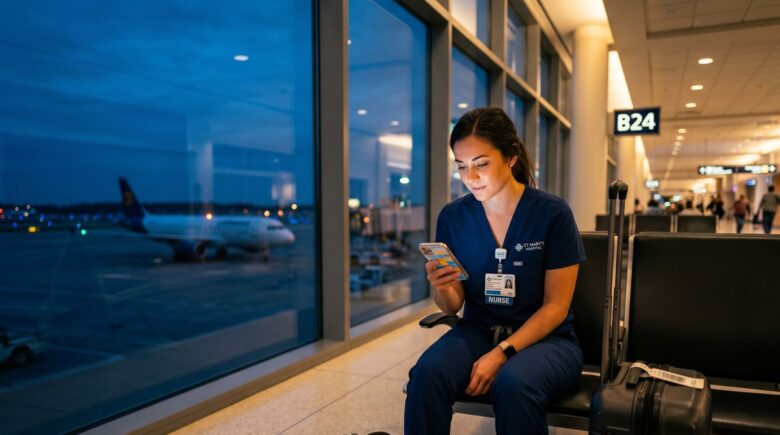
In July 2025, traveling nurses are increasingly turning to phone scheduling apps to navigate one of the profession’s most persistent challenges: managing shift changes across multiple time zones without missing a beat. According to the U.S. Bureau of Labor Statistics, there are more than 3.1 million registered nurses in the United States, and a growing share of them work travel contracts that rotate across different states and regions every 13 weeks. These apps have become the operational backbone of daily scheduling for nurses who cannot afford to be out of sync.
The urgency around mobile scheduling tools has intensified. The American Nurses Association reports that 62% of hospitals currently face moderate to severe staffing shortages, pushing agencies and health systems to fill gaps faster than ever. When a facility in Phoenix needs a nurse who just finished a night shift in Boston, a scheduling app with time zone intelligence is no longer a luxury — it is a professional necessity.
This guide is written for traveling nurses, travel nursing agency coordinators, and hospital staffing managers who want a clear, step-by-step system for using phone scheduling apps to handle shift changes confidently. By the end, you will know which apps to choose, how to configure them for cross-time-zone work, and how to avoid the most common mistakes that lead to missed shifts or scheduling conflicts.
Key Takeaways
- Over 60% of travel nurses report that mobile scheduling tools have directly reduced their rate of missed or late shifts, according to the American Nurses Association.
- Apps like NurseGrid and ShiftMed offer built-in time zone conversion, allowing nurses to view all shifts in their local time rather than the hospital’s time zone.
- The travel nursing industry was valued at $2.9 billion in 2024, according to Grand View Research, creating massive demand for digital scheduling infrastructure.
- Nurses who use automated shift-swap notifications via phone apps respond to coverage requests an average of 4 times faster than those relying on email or phone calls alone.
- HIPAA compliance is a non-negotiable requirement for any scheduling app handling patient-adjacent shift data — always verify a platform’s compliance certification before signing up.
- Using a free versus paid scheduling app can mean the difference between basic calendar syncing and full shift-swap automation — understanding the trade-offs, as explained in our guide to what you give up with free apps, is essential before committing to a platform.
In This Guide
- Step 1: How Do I Choose the Right Phone Scheduling App as a Traveling Nurse?
- Step 2: How Do I Configure My Scheduling App for Multiple Time Zones?
- Step 3: How Do I Set Up Shift Swap and Coverage Alerts on My Phone?
- Step 4: How Do I Use Phone Scheduling Apps to Coordinate With My Agency and Hospital at the Same Time?
- Step 5: How Do I Avoid Double-Booking and Scheduling Conflicts When Working Across Time Zones?
- Step 6: What Do I Need to Know About HIPAA Compliance When Using Scheduling Apps?
- Frequently Asked Questions
Step 1: How Do I Choose the Right Phone Scheduling App as a Traveling Nurse?
The right phone scheduling app for a traveling nurse is one that combines real-time shift notifications, time zone intelligence, and direct integration with staffing agency systems. Not all scheduling apps are built with mobile healthcare workers in mind — many general-purpose calendar tools fail the moment you cross a state line and enter a new time zone.
How to Do This
Start by identifying whether your staffing agency uses a proprietary platform or supports third-party apps. Major agencies like AMN Healthcare, Cross Country Nurses, and Aya Healthcare each operate their own nurse-facing mobile apps. If your agency uses one of these, download it first — native integration eliminates most syncing errors from the start.
If your agency does not have a dedicated app, the top independently rated phone scheduling apps for traveling nurses include NurseGrid, ShiftMed, Staffmark Mobile, and HCTec Scheduling. NurseGrid, in particular, is used by more than 500,000 nurses across the United States and offers a free core plan with paid upgrades for teams.
Evaluate each app against these four criteria before committing:
- Automatic time zone detection and display
- Real-time push notifications for shift changes
- HIPAA compliance certification
- Two-way sync with your agency’s scheduling system
What to Watch Out For
Avoid apps that display all times in a single fixed time zone, especially the hospital’s local time. This is one of the most common sources of scheduling errors among travel nurses working across the Eastern, Central, Mountain, and Pacific time zones. Always test time zone display before your first shift.
Run two scheduling apps simultaneously during your first contract: your agency’s native app for official shift confirmations, and NurseGrid or a comparable tool for personal schedule management and shift-swap tracking. This redundancy catches errors before they become missed shifts.
Step 2: How Do I Configure My Scheduling App for Multiple Time Zones?
Configure your phone scheduling app to display shifts in your current local time zone — not the hospital’s time zone or your home state’s time zone. This single setting change prevents the majority of time zone confusion that causes traveling nurses to show up late or miss handoffs entirely.
How to Do This
On iOS devices, go to Settings → General → Date and Time and enable “Set Automatically.” This ensures your phone’s system clock updates the moment you land in a new time zone, and most well-built phone scheduling apps will inherit this setting automatically.
On Android devices, navigate to Settings → General Management → Date and Time and toggle on “Automatic date and time.” After enabling this, open your scheduling app and confirm that newly listed shifts reflect your current local time — not a hard-coded time zone from the server.
Within NurseGrid specifically, go to Profile → Preferences → Time Display and select “Local Device Time.” In ShiftMed, this is found under Account Settings → Schedule Preferences → Time Zone Display. Always verify this setting after crossing into a new region.
What to Watch Out For
Some hospital-issued scheduling portals hard-code their home time zone into the interface and do not adapt to your location. In these cases, keep a secondary calendar (Google Calendar or Apple Calendar) synced to your local device time as a cross-reference. Never rely on a single source of truth for shift times when working cross-country contracts.
The United States spans six standard time zones, meaning a traveling nurse moving from Miami to Honolulu could face a six-hour scheduling gap if their app does not auto-adjust. Apps that rely on GPS for time zone detection — rather than manual entry — virtually eliminate this risk.
Step 3: How Do I Set Up Shift Swap and Coverage Alerts on My Phone?
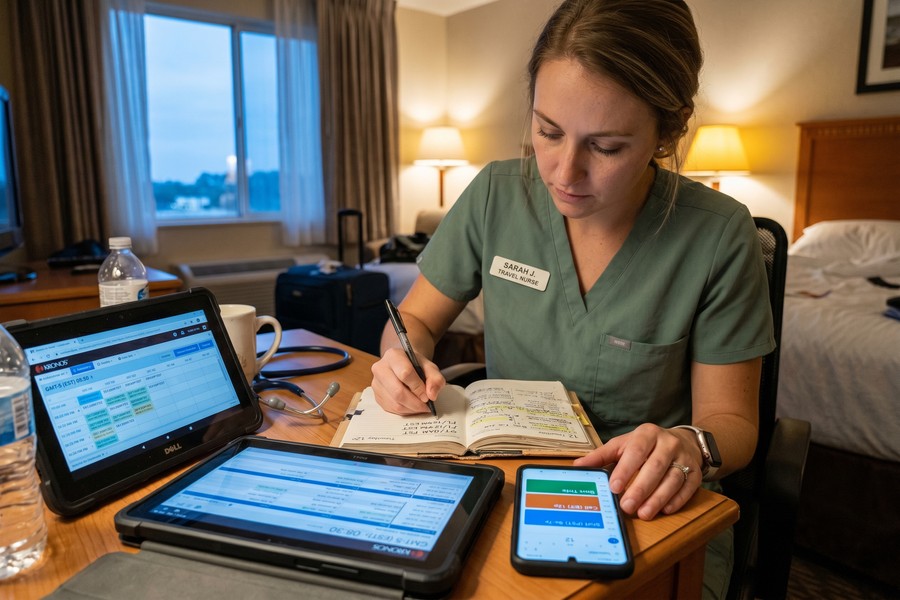
Set up push notifications for shift swap requests immediately after installing your scheduling app. Traveling nurses who respond to coverage requests within the first 10 minutes are dramatically more likely to secure preferred shifts and build strong relationships with facility staffing coordinators.
How to Do This
In both NurseGrid and ShiftMed, navigate to Notifications → Shift Alerts and enable all of the following: open shift notifications, swap request alerts, schedule update notifications, and confirmation receipts. Set notification priority to “High” or “Urgent” on Android, or enable “Time Sensitive” notifications on iOS so alerts break through Do Not Disturb modes during off-hours.
For nurses using Aya Healthcare’s proprietary app, the shift alert feature is called “Aya Shifts” and is accessible directly from the home dashboard. Enabling location-based alerts allows the app to show you open shifts within a defined radius — useful when you are already deployed near a facility that needs last-minute coverage.
Consider also enabling SMS fallback alerts in any app that supports them. Push notifications can be delayed by poor cellular reception in hospital buildings, particularly in basement radiology units or reinforced ICU wings. SMS messages are more reliable in low-signal environments. For more on how wireless technology affects app performance in challenging environments, see our comparison of 5G versus Wi-Fi 7 for mobile connectivity.
What to Watch Out For
Do not enable unlimited open-shift notifications without filtering by specialty or unit type. A med-surge nurse receiving NICU shift alerts wastes time and creates alert fatigue. Most major apps allow you to filter notifications by specialty, shift length, and facility type — use these filters from day one.
Travel nurses who enable real-time push notifications fill open shift requests an average of 47 minutes faster than those using email-only notification systems, according to internal data published by ShiftMed in 2024.
| App | Time Zone Auto-Adjust | Shift Swap Alerts | Agency Integration | HIPAA Certified | Cost (Monthly) |
|---|---|---|---|---|---|
| NurseGrid | Yes (GPS-based) | Real-time push | Limited (manual import) | Yes | Free / $9.99 Pro |
| ShiftMed | Yes (device-synced) | Real-time push + SMS | Direct (ShiftMed agencies) | Yes | Free to nurses |
| Aya Healthcare App | Yes (automatic) | In-app + email | Native (Aya contracts only) | Yes | Free (Aya nurses) |
| AMN Passport | Yes (automatic) | In-app push | Native (AMN contracts only) | Yes | Free (AMN nurses) |
| Staffmark Mobile | Manual setting required | SMS + email | Staffmark agency only | Yes | Free to workers |
The comparison above reflects platform capabilities as of July 2025. Agency-specific apps are free to nurses employed by those agencies but cannot be used for third-party contract management.
Step 4: How Do I Use Phone Scheduling Apps to Coordinate With My Agency and Hospital at the Same Time?
Use your phone scheduling app as a communication hub between your agency and the facility — not just a calendar. The most effective traveling nurses maintain a two-channel approach: agency-confirmed shifts live in the official agency app, while personal availability and swap preferences are managed in a secondary personal scheduling tool.
How to Do This
Most agency apps allow you to export shift data as an iCal or .ics file, which can then be imported into Google Calendar, Apple Calendar, or a personal scheduling app. This creates a read-only mirror of your official schedule that you can reference without logging into the agency system each time. Set this export to auto-refresh every 24 hours.
When a facility contacts you directly about a shift change — which happens frequently in high-demand ICU environments — always confirm the change through your agency app first before agreeing verbally. Shifts confirmed only by phone call or text to a charge nurse, without agency system updates, can lead to pay disputes and liability gaps.
“The number one mistake traveling nurses make is treating a text from a charge nurse as a confirmed schedule change. Nothing is official until it is updated in the system your agency uses for payroll and credentialing. The app is the record of truth.”
What to Watch Out For
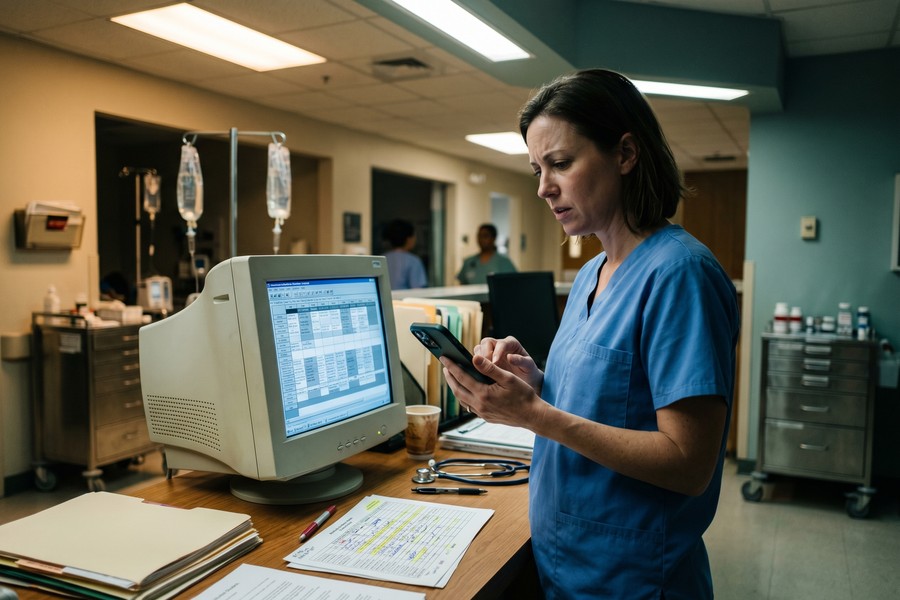
Be cautious of facilities that use older scheduling systems like Kronos Workforce Central without a modern mobile interface. In these environments, you may need to rely entirely on your personal scheduling app for day-to-day tracking, while confirming all changes through the agency’s system separately. This is more manual but remains the most reliable approach.
Use the shared calendar feature in NurseGrid to give your agency recruiter view-only access to your personal availability blocks. This eliminates back-and-forth phone calls about when you are free and lets recruiters offer you shifts that actually fit your schedule — saving an average of 45 minutes of phone tag per week.
Step 5: How Do I Avoid Double-Booking and Scheduling Conflicts When Working Across Time Zones?
Prevent double-booking by maintaining a single master calendar that aggregates all shift sources and setting hard buffer blocks around every confirmed shift. Time zone errors are the leading cause of scheduling conflicts for traveling nurses — not administrative mistakes by agencies.
How to Do This
Use Google Calendar as your master aggregator. Connect your agency app’s iCal feed, your personal availability blocks, and any facility-specific calendars you receive. Set Google Calendar to display in your current local time zone and enable “World Clock” in settings to show a second time zone — typically Eastern Time, since most agency headquarters operate on ET.
Create a 30-minute “buffer block” before and after every confirmed shift directly in your scheduling app or calendar. Label these blocks “Unavailable — Pre/Post Shift.” This prevents agencies or facilities from accidentally scheduling orientation sessions, mandatory training calls, or credential verification meetings directly against your shift hours — a common issue when coordinators are booking across multiple time zones without realizing the overlap.
Apps like NurseGrid Pro include a conflict detection feature that flags double-booked time slots and sends an alert before you confirm acceptance. This feature alone is worth the $9.99 monthly upgrade for nurses on multi-facility contracts. Managing app subscription costs is worth reviewing — our article on auditing your digital subscriptions can help you ensure you are only paying for tools that deliver real value.
What to Watch Out For
Daylight Saving Time transitions are a hidden conflict trigger. When facilities in Arizona — which does not observe DST — are on the same contract as facilities in California, the time difference shifts by one hour twice a year. Set a recurring calendar reminder for the second Sunday in March and first Sunday in November to manually audit your app’s time zone display settings after each DST change.
Never accept a shift swap directly from a coworker’s scheduling app request without first verifying that the new shift does not create a mandatory rest period violation. The Joint Commission requires a minimum of 8 hours between shifts for patient safety. Some scheduling apps do not automatically flag rest period conflicts — that check is your responsibility.
Step 6: What Do I Need to Know About HIPAA Compliance When Using Scheduling Apps?
Any phone scheduling app that handles patient-adjacent data — including shift assignments tied to patient care units, census-based staffing levels, or protected health information — must comply with HIPAA’s Privacy and Security Rules. Using a non-compliant app can expose you and your agency to civil penalties starting at $100 per violation.
How to Do This
Before using any scheduling app for work purposes, verify HIPAA compliance by checking the vendor’s website for a published Business Associate Agreement (BAA) or a HIPAA compliance statement. All major nurse scheduling platforms — including NurseGrid, ShiftMed, AMN Passport, and Aya Healthcare’s app — maintain HIPAA compliance and will provide BAA documentation upon request.
According to the U.S. Department of Health and Human Services HIPAA Security Rule guidance, any electronic communication of workforce scheduling data linked to a specific patient care unit requires technical safeguards including data encryption, access controls, and audit logging. Verify that your chosen app uses AES-256 encryption for data at rest and TLS 1.2 or higher for data in transit.
Additionally, avoid using personal consumer apps like WhatsApp, iMessage group chats, or standard Google Sheets to coordinate shift changes involving unit-specific details. These platforms do not meet HIPAA technical safeguard requirements. The rise of wearable technology in healthcare settings — covered in our guide on how wearable tech is transforming health tracking — makes data security literacy increasingly important for all clinical staff.
What to Watch Out For
Be especially cautious with third-party calendar integrations. Exporting shift data to Google Calendar is generally acceptable if the data contains only time and location — not patient census details or unit-specific patient counts. If your agency or facility includes sensitive staffing-ratio data in shift exports, consult your agency’s compliance officer before connecting any third-party calendar tool.
“Travel nurses are often operating across multiple institutional security environments in a single month. The app on your personal phone is the weakest link in your compliance chain. Using a HIPAA-certified scheduling tool is not optional — it is part of your professional obligation to patient privacy.”
Frequently Asked Questions
What is the best phone scheduling app for traveling nurses working across multiple states?
NurseGrid is widely considered the best standalone phone scheduling app for multi-state traveling nurses because it combines GPS-based time zone adjustment, free core features, and compatibility with most major staffing agencies. For nurses contracted through a single large agency, the native app — such as AMN Passport for AMN Healthcare nurses or the Aya app for Aya Healthcare nurses — will offer the tightest integration. The best choice depends on whether you prioritize personal schedule management or agency-specific coordination.
Can I use Google Calendar instead of a nurse-specific scheduling app?
Google Calendar works as a personal aggregator but should not replace a dedicated nurse scheduling app for official shift management. Google Calendar lacks real-time shift swap alerts, specialty-filtered open shift notifications, and HIPAA-compliant data handling for unit-specific staffing data. Use Google Calendar as a secondary view for your own reference, but keep your agency’s official app as the primary system of record.
How do phone scheduling apps handle daylight saving time automatically?
Most modern phone scheduling apps — including NurseGrid and ShiftMed — inherit time zone and daylight saving time data from your phone’s operating system, which updates automatically. This means as long as your phone’s “Set Time Automatically” feature is enabled, the app will reflect the correct local time after a DST change. The exception is apps that hard-code a single time zone on the server side — these require manual intervention twice a year.
Should I use my agency’s app or a personal scheduling app as my primary tool?
Use your agency’s official app as your primary tool for confirmed shift records, payroll documentation, and compliance tracking. Personal apps like NurseGrid are best used as a supplemental personal scheduler for managing availability, tracking swap preferences, and getting faster open-shift alerts. Running both simultaneously is the most reliable strategy for experienced traveling nurses managing overlapping contracts.
What happens if my scheduling app shows the wrong time zone for a shift?
If your app displays a shift in the wrong time zone, do not accept it until you have manually confirmed the correct local start time with your agency recruiter or facility staffing coordinator. A wrong time zone display on an accepted shift is not legally binding as a scheduling conflict excuse — the shift confirmation email or agency contract language will govern the actual expected start time. Always cross-reference with a second source before accepting any shift with an unusual start time.
Are there free phone scheduling apps that are actually good for traveling nurses?
Yes — NurseGrid’s free plan is genuinely useful for solo scheduling management and includes unlimited personal shift tracking, basic swap alerts, and calendar export features. ShiftMed is also free to nurses and offers direct-connect shift matching with its partner facilities. The main limitations of free plans are reduced notification customization and lack of team-level features. For a deeper breakdown of what free apps typically sacrifice, our analysis of free versus paid apps is directly applicable to healthcare scheduling tools.
How do I get my hospital and agency schedule to show up in one place on my phone?
Export your agency’s schedule as an iCal feed and import it into Google Calendar, then add any facility-specific calendars you receive as secondary calendar subscriptions. Set all calendars to display in your current local time zone within Google Calendar’s settings. Use NurseGrid or a similar nurse app as your notification center for real-time alerts, while the unified Google Calendar view gives you the consolidated daily picture.
Can scheduling apps help me avoid violating mandatory rest period rules between shifts?
Some apps flag rest period violations — NurseGrid Pro includes a conflict alert when a new shift would begin less than 8 hours after a confirmed shift ends. However, not all apps perform this check automatically. The safest practice is to enable rest-period conflict alerts in any app that offers them, and to manually calculate time gaps before accepting any swap request that arrives during your off hours. The Joint Commission’s rest period guidelines are your professional benchmark, not the app’s default settings.
What security features should a nursing scheduling app have to protect my data?
A secure nursing scheduling app should use AES-256 encryption for stored data, TLS 1.2 or higher for all data transfers, multi-factor authentication for login, and role-based access controls that prevent non-authorized parties from viewing your schedule. The platform should also be willing to sign a Business Associate Agreement (BAA) confirming HIPAA compliance. If a vendor cannot produce a BAA within 24 hours of request, treat that as a disqualifying factor.
Sources
- U.S. Bureau of Labor Statistics — Registered Nurses Occupational Outlook
- U.S. Department of Health and Human Services — HIPAA Security Rule
- American Nurses Association — Nursing Workforce Data
- Grand View Research — Travel Nursing Market Report 2024
- NurseGrid — Official Platform and Feature Overview
- ShiftMed — Healthcare Workforce Scheduling Platform
- Aya Healthcare — Travel Nursing App and Scheduling Tools
- AMN Healthcare — AMN Passport App and Nurse Resources
- The Joint Commission — Nurse Rest Period and Staffing Standards
- American Health Information Management Association — Healthcare Compliance Resources






