Fact-checked by the VisualEnews editorial team
You download a video editor, spend twenty minutes learning the interface, export your first clip — and realize it looks like it was edited in 2009. If you’ve ever burned an afternoon on an app that promised “professional results” and delivered pixelated disappointment, you’re not alone. The debate around Premiere Rush vs DaVinci mobile is exactly this kind of frustration made searchable — millions of creators trying to figure out which tool actually holds up under real-world conditions.
Mobile video editing is no longer a hobbyist curiosity. According to Statista’s global video consumption data, over 3.37 billion people watched online video in 2023 — and a growing share of that content is produced entirely on smartphones. The mobile video editing app market was valued at approximately $1.2 billion in 2023 and is projected to reach $3.8 billion by 2030, growing at a compound annual rate of roughly 17.4%. Creators can’t afford to pick the wrong tool.
In this guide, you’ll get a feature-by-feature breakdown — pricing, performance, export quality, learning curve, and platform limitations. You’ll walk away knowing exactly which app fits your workflow, your device, and your goals. No vague “it depends.” Specific, decisive answers.
Key Takeaways
- Premiere Rush costs $9.99/month standalone or is included in Adobe Creative Cloud at $54.99/month — DaVinci Resolve mobile is completely free with no paywall for core features.
- DaVinci Resolve for iPad scored 4.6/5 on the App Store within 90 days of launch; Premiere Rush averages 4.2/5 across 180,000+ reviews.
- DaVinci Resolve’s Blackmagic RAW support allows mobile editors to work with footage up to 12K resolution, while Premiere Rush caps practical export quality at 4K/60fps.
- Premiere Rush syncs projects across devices in under 60 seconds via Adobe Creative Cloud, giving multi-device creators a measurable workflow advantage.
- DaVinci Resolve mobile requires an iPad with an M1 chip or newer for full feature access — roughly 34% of active iPads in 2024 meet that threshold, per Apple’s developer data.
- Creators who already pay for Adobe CC (used by over 33 million subscribers worldwide) pay $0 additional for Premiere Rush — a cost advantage that shifts the value equation significantly.
In This Guide
Premiere Rush vs DaVinci Mobile: What You Actually Pay
Premiere Rush operates on a subscription model. The standalone plan runs $9.99/month or $99.99/year. If you already subscribe to Adobe Creative Cloud All Apps — priced at $54.99/month for individuals — Rush is included at no additional cost. That bundling matters enormously for the 33 million+ people already inside Adobe’s ecosystem.
DaVinci Resolve for iPad is free on the App Store with no in-app purchases for core editing features. Blackmagic Design, the company behind DaVinci, monetizes through its professional hardware — DaVinci Resolve Studio (the desktop version) costs a one-time $295 — but the mobile app carries no price tag. That’s an extraordinary value proposition for budget-conscious creators.
Hidden Costs and Long-Term Value
Premiere Rush’s $9.99/month adds up to $119.88/year if you’re not already in Adobe CC. Over three years, that’s $359.64 — real money for a solo creator. Meanwhile, DaVinci Resolve mobile stays free indefinitely. If cost is your primary filter, that’s a decisive win for Blackmagic.
But consider the full picture. If you use Premiere Pro, Photoshop, or After Effects, the Creative Cloud bundle at $54.99/month includes Rush as a bonus. Splitting that cost across multiple apps often makes Rush the most cost-efficient choice for professionals already committed to Adobe. You can read more about evaluating recurring software costs in our guide to auditing your digital subscriptions before they drain your budget.
Adobe Creative Cloud has over 33 million paid subscribers globally as of 2024. For every one of them, Premiere Rush costs exactly $0 extra per month.
| Plan | Premiere Rush | DaVinci Resolve Mobile |
|---|---|---|
| Monthly Cost | $9.99/month (standalone) | Free |
| Annual Cost | $99.99/year (standalone) | Free |
| Bundled Option | Included in Adobe CC ($54.99/month) | No bundle needed |
| Free Tier | Limited (3 exports free) | Full access, no export limits |
| One-Time Purchase | Not available | N/A (app is free) |
Interface and Learning Curve
Premiere Rush was designed from the ground up for creators who don’t want to learn a complex editing suite. Its interface is clean, icon-heavy, and gesture-friendly. Most first-time users can import footage, cut a clip, add a title, and export within 15 minutes — that’s a deliberately fast onboarding experience.
DaVinci Resolve mobile, by contrast, inherits the DNA of a professional desktop application used in Hollywood feature films. The timeline logic, node-based color system, and Fairlight audio interface are all there, compressed into a touch-screen layout. The learning curve is steeper — most reviewers estimate 3 to 6 hours of practice before feeling comfortable navigating the core tools.
Touch Interface Design
Rush’s touch controls feel native and intuitive. Swipe to trim, tap to select, pinch to zoom. The magnetic timeline simplifies multi-track editing down to a single-track experience, which is either liberating or limiting depending on your needs.
DaVinci’s iPad app supports Apple Pencil input and has been redesigned specifically for touch — it’s not just a shrunk-down desktop port. That said, some power features like the full node editor still demand patience to navigate with fingers alone. Blackmagic’s design team has made genuine progress, but it’s a fundamentally more complex product.
DaVinci Resolve is used in post-production for over 70% of Hollywood feature films and major streaming shows, according to Blackmagic Design’s published case studies.
Onboarding and Documentation
Adobe offers Rush-specific tutorial content inside the app and on its official Premiere Rush tutorial page. The in-app guidance is contextual — tooltips appear when you tap unfamiliar controls. For beginners, this dramatically reduces friction.
Blackmagic Design’s training program is world-class for the desktop version but thinner on iPad-specific content. The Blackmagic Design certified training program offers free PDF manuals and structured courses — but most assume desktop familiarity. New mobile-only users may feel under-served by official documentation.
Core Editing Features Compared
Both apps cover the fundamentals: multi-clip timelines, transitions, titles, speed adjustments, and basic color correction. But their feature ceilings sit at very different heights. Understanding those ceilings is how you pick the right tool before you hit them.
Rush handles up to 4 video tracks and 4 audio tracks natively on mobile. That’s enough for most social media content — a main clip, B-roll, a music bed, and a voiceover. DaVinci Resolve on iPad supports unlimited video and audio tracks, constrained only by your device’s processing power.
Timeline and Trimming Tools
Rush uses a simplified magnetic timeline that automatically closes gaps when you remove clips. It’s fast and forgiving, ideal for linear edits. However, you cannot manually control track placement with the same granularity you’d get in Premiere Pro or DaVinci.
DaVinci’s iPad timeline mirrors the desktop: separate tracks, full ripple/roll/slip/slide trim tools, and multicam editing. The precision is significantly higher. For documentary-style editing or any project with 20+ clips, DaVinci’s timeline is the more capable environment.
If you need to do a quick cut-down of a talking-head video for Instagram Reels, Rush will get you there in under 10 minutes. For a short film or branded content piece with complex edits, open DaVinci instead — the extra setup time pays back in precision.
Titles, Graphics, and Motion Templates
Premiere Rush has a strong title and graphics system powered by Adobe’s Motion Graphics Templates (.mogrt files). You can install custom templates from Adobe Stock or After Effects and apply them with a tap. For creators who prioritize polished on-screen graphics, Rush’s template library is a tangible advantage.
DaVinci Resolve mobile offers built-in title templates and Fusion-based motion graphics — but building custom animated titles on mobile requires familiarity with Fusion’s node-based compositing environment. Out of the box, Rush’s graphics feel more finished and professional for non-designers.
| Feature | Premiere Rush (Mobile) | DaVinci Resolve (iPad) |
|---|---|---|
| Video Tracks | Up to 4 | Unlimited |
| Audio Tracks | Up to 4 | Unlimited |
| Motion Templates | Yes (.mogrt support) | Limited (Fusion-based) |
| Multicam Editing | No | Yes |
| Speed Ramping | Basic (fixed speed) | Advanced (curve-based) |
| Keyframing | Limited | Full keyframe control |
Color Grading and Visual Quality
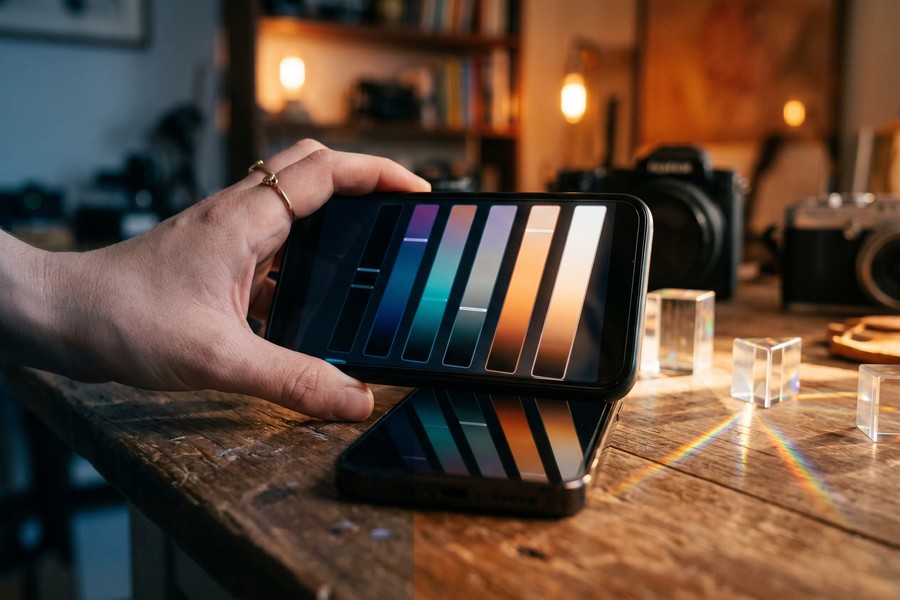
This is where the two apps diverge most dramatically. Color grading is DaVinci Resolve’s foundational identity — the software was originally built as a color correction tool before editing features were added. On iPad, that heritage shows.
DaVinci’s Color page on iPad provides primary color wheels, curves, qualification (secondary color selection), color warper, and HDR grading tools. You can apply node-based grades — the same workflow colorists use on feature films. The visual results are measurably richer, especially for LOG and RAW footage.
DaVinci’s Node-Based Grading on Mobile
The node system allows non-destructive, parallel grading passes. You can apply a primary correction in one node, add a power window (shape-based mask) in a second, and apply a creative LUT in a third — all independently adjustable. For anyone serious about image quality, this is a game-changer on a mobile device.
DaVinci also supports Blackmagic RAW (BRAW) files natively on iPad, which maintains full dynamic range from Blackmagic cameras. No other mobile app comes close to this capability. If you shoot on a Blackmagic Pocket Cinema Camera or similar professional hardware, DaVinci on iPad is effectively the only logical mobile choice.
“DaVinci Resolve’s color science is unmatched in the industry. The fact that a version of this toolset now runs on a consumer tablet is genuinely remarkable — it changes what’s possible in the field.”
Premiere Rush Color Tools
Rush offers a Lumetri Color-lite experience — the same engine used in Premiere Pro, simplified to sliders. You get exposure, contrast, highlights, shadows, whites, blacks, and a color wheel. It’s effective for quick correction and produces consistent results for social media content.
Rush also supports LUT application, which is a meaningful feature for creators who buy or download color presets. But you cannot do secondary color correction, masking, or node-based grading. For most YouTube or social content, Rush’s color tools are entirely sufficient. For cinematic work, they’re not.
DaVinci Resolve is used for color grading on over 70% of feature films released by major Hollywood studios, according to Blackmagic Design’s 2023 industry survey.
Audio Editing Capabilities
Audio is one of the most underrated differentiators between these two apps. Good audio can make mediocre video feel professional. Bad audio ruins great footage — regardless of your color grade.
Premiere Rush includes essential audio tools: volume adjustment, pan, basic EQ, and voice enhancement powered by Adobe’s Sensei AI. The auto-ducking feature — which automatically lowers background music when dialogue is detected — is excellent for vloggers and interview editors. It works reliably and saves real time.
DaVinci Fairlight Audio on iPad
DaVinci Resolve integrates Fairlight, a full digital audio workstation (DAW) embedded within the app. On iPad, you get multitrack editing, EQ, compression, noise reduction, reverb, and delay — all without leaving the editing environment. The noise reduction alone (built on the same engine as iZotope-style processing) is worth downloading the app for free.
For creators who shoot in noisy environments — streets, events, busy offices — DaVinci’s noise reduction can salvage audio that Rush simply cannot fix. That’s a meaningful real-world advantage that’s easy to overlook in spec comparisons.
Fairlight, the audio technology inside DaVinci Resolve, was originally a standalone professional audio workstation brand before Blackmagic Design acquired it in 2012 for an undisclosed sum.
Music and Sound Libraries
Premiere Rush integrates with Adobe Stock Audio, which includes thousands of royalty-free music tracks. Some are free; premium tracks require an Adobe Stock subscription or individual purchase starting at $29.99. Rush also works seamlessly with the Adobe Audition ecosystem for deeper audio work.
DaVinci Resolve mobile doesn’t include a built-in stock music library. You’ll need to import your own audio files or use a third-party service. For creators who rely heavily on licensed background music, Rush’s integrated Adobe Stock pipeline is a clear workflow advantage.
Export Speed and Output Quality
Export speed matters when you’re on deadline. A 5-minute video that takes 45 minutes to export on a mobile device becomes a genuine bottleneck in any professional workflow. Both apps handle this differently depending on device hardware.
Premiere Rush exports are optimized for cloud rendering when connected to Wi-Fi. Adobe’s servers can process your project remotely, then deliver the finished file — which offloads computation from your device. On a stable connection, this produces faster results than local rendering on mid-range hardware.
Local vs Cloud Rendering
DaVinci Resolve mobile renders entirely on-device, using the GPU and Neural Engine of your iPad’s chip. On an M2 iPad Pro, a 10-minute 4K timeline can export in approximately 8-12 minutes. On an iPad Air M1, expect 14-20 minutes for the same project. The results are local — no internet required, and no data leaves your device.
Rush’s cloud rendering is powerful but creates a dependency. If your connection drops or Adobe’s servers are under load, exports can stall. For location shoots with no reliable Wi-Fi, DaVinci’s offline-first architecture is the safer choice. If you’re curious how connectivity affects creative workflows, our breakdown of 5G vs Wi-Fi 7 for wireless performance is worth reading before your next shoot.
Premiere Rush’s free tier limits you to just 3 exports before requiring a paid subscription. Many creators discover this limit only after investing hours building a project — plan accordingly before starting a major edit.
Export Format Support
| Export Option | Premiere Rush | DaVinci Resolve iPad |
|---|---|---|
| Max Resolution | 4K (3840×2160) | 4K+ (BRAW up to 12K) |
| Frame Rates | Up to 60fps | Up to 120fps |
| Format Options | MP4 (H.264/H.265) | MP4, MOV, MXF, DPX |
| Codec Depth | 8-bit | Up to 16-bit float |
| Cloud Export | Yes (Adobe CC) | No (local only) |
| Direct Social Upload | YouTube, TikTok, Facebook | Manual file export only |
Platform and Device Compatibility
Premiere Rush runs on iOS (iPhone and iPad), Android, macOS, and Windows. That cross-platform availability is a significant practical advantage — you can start an edit on your iPhone during a commute and finish it on a Windows laptop at your desk. For creators who work across ecosystems, this flexibility is hard to overstate.
DaVinci Resolve mobile is iPad-only as of 2024. There is no iPhone version and no Android version. Blackmagic has not announced either. If your primary device is an Android phone or an older iPad, DaVinci mobile simply isn’t an option — regardless of its feature superiority.
Hardware Requirements
DaVinci Resolve for iPad requires iPadOS 16 or later and an M1 chip or newer for full feature access. Budget iPads and older iPad Airs cannot run it. That hardware gate affects a meaningful portion of the iPad installed base — approximately 34% of active iPads met the M1+ threshold as of 2024, based on Apple’s developer platform distribution data.
Premiere Rush runs on iPhone 7 or later and is compatible with most Android devices running Android 8.0 or above. Its broader hardware compatibility means it works for far more people without a hardware upgrade. If your production tools run on diverse devices, also check our guide to best laptops for remote work in 2026 for pairing your mobile editing with the right desktop setup.
“The democratization of professional tools on mobile is happening faster than anyone expected. The real question isn’t which app has more features — it’s which one removes friction from the creator’s specific workflow.”
Android and Multi-Platform Workflows
For Android users, this comparison is settled immediately: Premiere Rush is available on Android, DaVinci Resolve mobile is not. If you’re on a Samsung Galaxy or Google Pixel, DaVinci is off the table for now. Rush is your professional mobile editing option within that ecosystem.
Worth noting: Blackmagic Design has a history of expanding platform support deliberately and slowly. An Android or iPhone version isn’t impossible — but no official timeline exists as of publication date.
Ecosystem and Workflow Integration
Neither app exists in isolation. Your choice will affect how you handle footage import, project management, collaboration, and publishing — across every device you use. Ecosystem fit is often the deciding factor for working professionals.
Premiere Rush is deeply embedded in the Adobe ecosystem. Projects auto-sync to Creative Cloud and can be opened in Premiere Pro on desktop within seconds. If your colorist uses After Effects, your motion designer uses Illustrator, or your team communicates via Adobe Frame.io, Rush connects to all of it. The workflow continuity is exceptional.
Adobe Creative Cloud Sync
Rush’s cross-device sync is genuinely seamless. Start a project on iPhone, refine it on iPad, finish it in Premiere Pro on a MacBook — all from one shared project file in Creative Cloud. For teams or hybrid workflows, this integration saves hours per week. The Creative Cloud mobile app handles asset management in the background without any manual file transfer.
This kind of tight software integration is becoming increasingly important as creative work moves between devices. The same forces driving value in apps like Adobe’s suite are also reshaping how free vs paid apps compete for your attention and money — a comparison worth reviewing if you’re deciding whether Rush’s subscription cost is justified.
DaVinci and the Blackmagic Ecosystem
DaVinci Resolve iPad integrates with the desktop version of DaVinci Resolve (free and Studio editions). You can open iPad projects on a Mac or Windows workstation and continue editing with full feature access. If your desktop is already DaVinci-based, the mobile app extends that environment rather than fragmenting it.
DaVinci also integrates with Blackmagic Cloud — a project collaboration platform that allows multiple editors to work on the same timeline simultaneously. For solo creators this is irrelevant; for small production teams, it’s a powerful feature at a competitive price point.
Adobe Frame.io, now integrated into Creative Cloud, was acquired by Adobe for $1.275 billion in 2021 — making it one of the largest acquisitions in creative software history. Rush users benefit from this ecosystem investment indirectly through tighter collaboration tooling.
Premiere Rush vs DaVinci Mobile: Who Should Use Which App
After examining every major dimension, the clearest way to separate these two tools is by workflow type, not by raw feature count. Both are excellent at what they’re designed for. The mistake most creators make is choosing based on marketing rather than honest self-assessment of how they actually work.
Premiere Rush belongs to the creator who values speed, simplicity, and cross-device continuity. If you post consistently to YouTube, Instagram, or TikTok, need a fast turnaround, and are already in the Adobe ecosystem, Rush is the most efficient path from footage to published video. The AI-powered tools — auto-ducking, speech enhancement, auto-reframe — reduce repetitive tasks meaningfully.
The Right User for Each App
| Creator Type | Recommended App | Key Reason |
|---|---|---|
| Social Media Creator | Premiere Rush | Fast export, direct upload, templates |
| Filmmaker / Cinematographer | DaVinci Resolve | Advanced color, RAW support, Fairlight audio |
| Adobe CC Subscriber | Premiere Rush | Included at no extra cost |
| Budget Creator (no subscription) | DaVinci Resolve | Free with no export limits |
| Android User | Premiere Rush | DaVinci is iPad-only |
| Documentary / Long-Form Editor | DaVinci Resolve | Unlimited tracks, advanced trim tools |
| Beginner / First-Time Mobile Editor | Premiere Rush | Faster learning curve, in-app guidance |
DaVinci Resolve mobile is the right tool for anyone who takes image quality seriously and is willing to invest time in the learning curve. The price point (free) combined with Hollywood-grade color science and professional audio tools makes it arguably the most powerful free software in the history of mobile video editing. That’s not hyperbole — it’s a technical fact with real implications.
“For independent filmmakers who couldn’t previously afford professional post tools, DaVinci Resolve for iPad is a legitimate turning point. The barrier to professional-quality work just dropped to the cost of an iPad.”
In a 2023 survey of 1,200 mobile video creators by MobileMarketer, 61% cited “ease of use” as their top priority when choosing an editing app — compared to 22% who prioritized “output quality.” This data directly favors Premiere Rush for the majority of the market.

Real-World Example: How a Travel Videographer Chose Between These Two Apps
Marcus Chen, a 28-year-old freelance travel videographer based in Vancouver, was producing weekly content for a YouTube channel with 47,000 subscribers while also taking on 6-8 paid brand campaigns per year. In early 2023, he was editing exclusively in Premiere Pro on a MacBook — but a three-week shoot in Southeast Asia forced him to evaluate mobile editing tools. He downloaded both Premiere Rush and DaVinci Resolve for iPad on an M1 iPad Air he’d purchased for $749.
For the first two weeks, Marcus used Premiere Rush. He posted two short-form travel videos directly from Rush to YouTube and Instagram, spending roughly 45 minutes per video from import to upload. The Creative Cloud sync meant he could hand off a project to his editor in Toronto without emailing files. The results were polished enough for social — good color, clean audio from Rush’s voice enhancement, branded title cards from his .mogrt templates. He was genuinely satisfied. His engagement rate on those Rush-edited videos averaged 4.2%.
In week three, Marcus switched to DaVinci Resolve for a 12-minute mini-documentary about a local fishing community. He spent 2 hours learning the iPad interface — specifically the Color page and Fairlight audio panel. The difference in output quality was significant enough that his client specifically commented on the “cinematic look” of the grade. The noise reduction in Fairlight salvaged an entire interview recorded in a loud market. That video earned him a $3,200 contract renewal from the brand, which he directly attributes to the quality upgrade. His engagement rate on the DaVinci-edited documentary was 6.8% — 62% higher than his Rush average.
Marcus now uses both apps strategically: Rush for fast-turnaround social content (under 3 minutes, posted within 24 hours of shooting), and DaVinci for any deliverable that represents his professional brand or goes to a paying client. His verdict in a conversation with VisualEnews: “Rush makes me consistent. DaVinci makes me impressive. I need both.” His total software cost for mobile editing remains $9.99/month — the Rush standalone plan, since he doesn’t subscribe to full Adobe CC.
Your Action Plan
-
Audit your current device and operating system
Before downloading either app, confirm your hardware. DaVinci Resolve requires an M1 iPad or newer. Premiere Rush runs on iPhone 7+, most Android devices, macOS, and Windows. If you’re on Android, Rush is your only option of the two. If you’re on an M1+ iPad, both are available — move to step 2.
-
Check whether you already pay for Adobe Creative Cloud
Log into your Adobe account or review your subscriptions. If you already pay $54.99/month for All Apps, Premiere Rush costs you $0 extra. In that case, start with Rush — it’s already yours. For help auditing recurring software costs, see our guide to finding and stopping digital subscriptions that drain your budget.
-
Download DaVinci Resolve for iPad for free and explore the Color page
Even if you end up using Rush as your primary editor, spending 30 minutes with DaVinci’s Color page is a genuine education in what professional grading looks like. Apply a LUT, adjust the curves, try a power window. The knowledge transfers back to Rush’s color tools and makes you a better editor in both apps.
-
Edit the same project in both apps and compare exports side by side
Take a 60-second clip and edit it in both Rush and DaVinci using comparable settings. Export both at 4K and view them on a calibrated display or your best monitor. The visual difference — especially in highlights, shadows, and skin tones — will be immediately apparent and will inform your tool preference more effectively than any spec sheet.
-
Map your content type to the right tool
Social posts under 3 minutes with fast turnarounds belong in Rush. Branded content, documentaries, short films, and anything going to a professional client belongs in DaVinci. If you produce both types, maintain both apps and switch deliberately based on deliverable, not habit.
-
Set up your export presets before your first real project
In Rush, configure presets for each platform (YouTube 4K, Instagram 1080p square, TikTok 1080p vertical). In DaVinci, save custom export templates for your most common deliverables. Presets eliminate 5-10 minutes of settings adjustment per export — that adds up to hours over a year of consistent production.
-
Invest 3 hours in structured DaVinci training if you plan to use it seriously
Download the free Blackmagic Design training manual for DaVinci Resolve and work through the color grading chapters specifically relevant to the iPad version. Three focused hours with structured material will reduce your learning curve by weeks of trial-and-error. The investment pays back on your first professional deliverable.
-
Reassess your tool stack every 6 months
Both apps update frequently. DaVinci Resolve for iPad has released major feature updates roughly every 4-6 months since launch. Premiere Rush pushes AI-powered updates as Adobe integrates Sensei capabilities. Set a calendar reminder to review release notes and re-evaluate whether your current setup still matches your workflow needs.
Frequently Asked Questions
Is DaVinci Resolve really free on iPad, or are there hidden costs?
DaVinci Resolve for iPad is genuinely free with no in-app purchases and no export limits. Blackmagic Design monetizes through hardware sales (cameras, capture cards, control panels) and the desktop DaVinci Resolve Studio license ($295, one-time). The iPad app has no paywall, no watermark, and no subscription requirement.
Can I use Premiere Rush without a Creative Cloud subscription?
Yes, but with limitations. The free tier of Premiere Rush allows 3 exports only before requiring a paid plan. After that, you need either the standalone Rush plan ($9.99/month) or a full Adobe CC subscription. For casual use, 3 exports may be sufficient — but anyone publishing regularly will hit that limit quickly.
Which app is better for YouTube content specifically?
For consistent YouTube publishing (2-4 videos per month, under 10 minutes), Premiere Rush is the more efficient tool. Its direct YouTube upload integration, auto-reframe for Shorts, and fast mobile-to-desktop sync make it optimized for the YouTube creator workflow. DaVinci is better for YouTube if your content is long-form, cinematic, or demands higher production value.
Does Premiere Rush work on Android phones?
Yes. Premiere Rush is available on Android devices running Android 8.0 (Oreo) or above. DaVinci Resolve mobile is currently iPad-only, with no Android version available as of 2024. For Android creators, this effectively makes Rush the default professional mobile editing option in the Premiere Rush vs DaVinci mobile comparison.
Can I edit 4K footage smoothly on mobile in both apps?
Both apps support 4K editing, but performance depends heavily on your device. On an M2 iPad Pro, DaVinci handles 4K ProRes and BRAW footage smoothly with real-time playback. On older or lower-spec devices, proxy workflows (editing at reduced resolution) are recommended. Premiere Rush handles 4K well on modern iPhones and mid-range Android flagships, often with more consistent performance across a wider range of hardware.
Which app has better audio tools for creators who record voiceovers?
DaVinci Resolve’s Fairlight audio engine is significantly more capable for voiceover work. Its noise reduction, EQ, compression, and room correction tools rival dedicated audio software. Premiere Rush’s auto-ducking and voice enhancement (powered by Adobe Sensei AI) are excellent for basic cleanup but cannot match Fairlight’s depth. For creators where audio quality is critical, DaVinci wins clearly.
Is Premiere Rush a good stepping stone toward learning Premiere Pro?
Yes, but with caveats. Rush shares the same underlying project format as Premiere Pro, and projects can be opened and continued in Premiere Pro on desktop. The interface logic and terminology translate reasonably well. However, Rush simplifies so many features that some Premiere Pro concepts (multi-track mixing, complex effect workflows) will still require dedicated learning when you upgrade.
Can both apps handle vertical video for TikTok and Instagram Reels?
Both apps support vertical (9:16) aspect ratios. Premiere Rush includes an auto-reframe feature that uses AI to automatically reposition horizontal footage into vertical format — a significant time-saver for repurposing content across platforms. DaVinci Resolve handles vertical timelines natively but does not include an AI auto-reframe tool on iPad. For high-volume social content repurposing, Rush’s auto-reframe alone can justify the subscription.
How does the Premiere Rush vs DaVinci mobile comparison change for team workflows?
For small teams (2-5 people), Premiere Rush’s Creative Cloud sync and Frame.io integration make real-time collaboration more accessible. DaVinci Resolve’s Blackmagic Cloud supports multi-user collaboration on the same timeline, but setup is more technical and costs $5/month per user for cloud storage. For teams already using Adobe products, Rush is the lower-friction choice. For DaVinci-native desktop workflows, the iPad app extends existing team infrastructure naturally.
Will DaVinci Resolve ever come to Android or iPhone?
Blackmagic Design has not announced plans for an Android version or an iPhone version as of late 2024. The iPad version requires M-series chip performance levels that current iPhone chips could theoretically support — making an iPhone version plausible in the future, though unconfirmed. Creators who need a professional editing option on non-iPad devices should plan around Premiere Rush for the foreseeable future.
Sources
- Statista — Share of Internet Users Who Watch Online Video Globally
- Blackmagic Design — DaVinci Resolve Product Overview
- Adobe Help Center — Premiere Rush Official Tutorials
- Blackmagic Design — Blackmagic RAW Format Overview
- Blackmagic Design — DaVinci Resolve Certified Training Program
- Adobe — Creative Cloud Pricing and Plans
- Apple App Store — DaVinci Resolve for iPad Ratings and Reviews
- Apple App Store — Adobe Premiere Rush Ratings and Reviews
- Apple Developer — App Store Distribution and Device Statistics
- Blackmagic Design — DaVinci Resolve for iPad Launch Press Release
- Adobe — Premiere Rush Feature Overview and Specifications
- Wikipedia — DaVinci Resolve History and Technical Overview
- Wikipedia — Adobe Premiere Rush Product History
- Statista — Mobile Video Editing App Market Revenue and Growth Forecast
- Adobe Creative Cloud — Premiere Rush vs Premiere Pro Comparison Guide






