Fact-checked by the VisualEnews editorial team
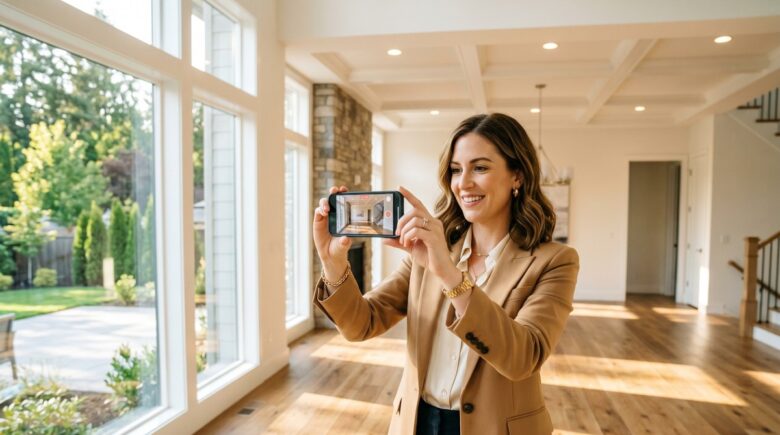
A listing sits on the market for 47 days. The photos are decent, but buyers scroll past in seconds. Meanwhile, the agent down the street posts a two-minute walkthrough video shot entirely on a smartphone — and that property goes under contract in four days. The gap between those two outcomes often comes down to one tool: a real estate video app phone setup that almost any agent can afford and learn in an afternoon.
The data is striking. According to the National Association of Realtors, 73% of homeowners say they are more likely to list with an agent who uses video marketing. Yet only 9% of agents currently use video at all. Listings with video receive 403% more inquiries than those without, and homes marketed with professional-quality video sell 32% faster on average. The barrier is not skill — it is knowing which apps and workflows actually produce results.
This guide cuts through the noise. You will learn exactly which apps top-performing agents are using right now, how to configure your phone for cinematic-quality footage, what post-production tricks add polish without adding hours, and how to distribute your videos for maximum reach — all without spending more than a few hundred dollars. Whether you are filming your first listing or your fiftieth, the frameworks here will elevate your output immediately.
Key Takeaways
- Listings with video generate 403% more inquiries than photo-only listings, according to industry research.
- The average top-rated real estate video app for phones costs between $0 and $49.99 per month — far less than a $500–$2,000 professional videographer booking.
- Agents who add video to their marketing mix report a 20% increase in closed transactions within 12 months of adoption.
- 73% of sellers say they prefer agents who use video, yet fewer than 1 in 10 agents currently do — a massive competitive gap.
- Smartphone cameras in 2024 can shoot 4K at 60fps, matching the technical output of entry-level professional cameras that cost $3,000+.
- Properties marketed with walkthroughs spend an average of 31% fewer days on market compared to static-photo listings.
In This Guide
- Why Video Wins in Real Estate Marketing
- Optimizing Your Phone Hardware for Property Videos
- Top Real Estate Video Apps for Your Phone
- Shooting Techniques That Make Listings Look Professional
- Editing Your Walkthrough on Your Phone
- Audio and Narration Strategies That Convert
- Distribution Strategy for Maximum Reach
- Costs, ROI, and Budgeting for Video Marketing
- Compliance and Legal Considerations
Why Video Wins in Real Estate Marketing
Still photography dominated real estate marketing for decades. But buyer behavior has fundamentally shifted. According to NAR’s 2023 Home Buyers and Sellers Generational Trends Report, 96% of buyers now begin their home search online — and video content drives 88% longer time-on-page compared to text and images alone.
When buyers watch a walkthrough, they form spatial memory. They can mentally place their furniture. They can feel the flow between rooms. That emotional engagement is what static photos cannot replicate, and it is why video listings convert at dramatically higher rates.
The Engagement Gap Between Photos and Video
Research from the real estate marketing platform Inman found that video listings receive an average of 157% more organic traffic from search engines. Google’s algorithm actively prioritizes pages with embedded video, giving agents an SEO advantage that compounds over time. A single well-optimized listing video can generate leads for months after a property sells.
Social platforms amplify this further. Instagram Reels featuring property walkthroughs receive 3x more reach than static carousel posts of the same listing. Facebook video posts generate 135% more organic reach than photo posts. TikTok’s real estate content category grew 122% year-over-year in 2023, with many clips earning millions of views for free.
Homes listed with video marketing sell an average of 31% faster and receive 403% more inquiries than comparable listings without video, per industry data cited by the National Association of Realtors.
Why Agents Have Been Slow to Adopt
The reluctance is understandable. Traditional property videography required hiring a professional crew, renting stabilizers and lighting rigs, and waiting days for edited footage — often costing $500 to $2,000 per listing. For an agent with a thin margin on a modest transaction, that math rarely worked.
But smartphone cameras have erased most of that argument. The iPhone 15 Pro, Samsung Galaxy S24 Ultra, and Google Pixel 9 Pro all shoot stabilized 4K video with computational color grading built in. Paired with the right real estate video app phone workflow, agents can produce broadcast-quality footage for under $150 in total app and accessory costs.
Optimizing Your Phone Hardware for Property Videos
Before you open any app, your physical setup determines the ceiling of your output quality. The most powerful editing software cannot fix shaky footage or blown-out windows captured with wrong camera settings. Getting the hardware side right takes less than an hour to configure — and the difference is immediately visible.
Essential Accessories Under $200
A gimbal stabilizer is the single highest-impact accessory for property video. The DJI OM 6 ($159) and Hohem iSteady M6 ($89) are the two most popular options among agents. Both use three-axis motorized stabilization to eliminate hand tremor completely, even while walking through narrow hallways or climbing stairs.
A wide-angle lens attachment is the second priority. Smartphone lenses are not wide enough to capture full rooms naturally. The Moment 14mm Wide Lens ($99) or Apexel 0.45x Wide Angle ($18) attach magnetically or via clip and can increase apparent room size by 30–40% without the fish-eye distortion of cheaper optics.
| Accessory | Budget Option | Premium Option | Impact on Quality |
|---|---|---|---|
| Gimbal | Hohem iSteady M6 — $89 | DJI OM 6 — $159 | Eliminates shake entirely |
| Wide Lens | Apexel 0.45x — $18 | Moment 14mm — $99 | +30–40% room coverage |
| Microphone | Rode VideoMicro — $59 | DJI Mic 2 — $249 | Removes wind and echo |
| Portable Light | Lume Cube Panel Mini — $49 | Aputure MC Pro — $199 | Fills shadows in dark rooms |
| Tripod | Joby GorillaPod — $35 | Manfrotto Pixi — $29 | Stable room establishing shots |
Camera Settings to Configure Before Every Shoot
Lock your exposure manually before entering each room. Auto-exposure causes the camera to constantly adjust as you pan across windows, creating flickering footage that is distracting and unprofessional. Set ISO to 100 in bright rooms, 400–800 in darker spaces.
Shoot in 4K at 30fps for walkthroughs. The 30fps frame rate looks cinematic rather than the soap-opera effect of 60fps. Reserve 60fps for slow-motion feature clips — a swimming pool ripple or fireplace flame shot at 60fps and slowed to 30fps is a professional-looking touch that takes seconds to create.
Always enable your phone’s gridlines and shoot with the horizon perfectly level. Crooked walls are one of the most common amateur mistakes in property video — and one of the easiest to avoid.
Top Real Estate Video Apps for Your Phone
The market for video tools has exploded. Searching “real estate video app phone” in the App Store returns hundreds of results. The challenge is not finding an app — it is knowing which ones are genuinely built for property marketing versus generic video tools that happen to work passably. The five platforms below lead the field in 2024.
Purpose-Built Real Estate Video Platforms
BombBomb is the most widely adopted video platform in real estate. It integrates directly with major CRMs including Follow Up Boss and Salesforce, allows agents to record and send personalized video emails, and tracks open rates and watch time. Pricing starts at $33/month. Over 65,000 real estate professionals use BombBomb actively.
Loom ($12.50/month) is simpler but faster for quick listing tours or follow-up videos. Its one-click share links work seamlessly in email and text. Many agents use Loom for client update videos and save BombBomb for lead nurture sequences where tracking data matters.
Animoto ($16–$39/month) excels at converting photo-and-clip collections into polished social media videos automatically. The real estate template library includes 50+ layouts designed for MLS thumbnails, Instagram Stories, and YouTube headers. Agents who are not confident editors find Animoto’s drag-and-drop timeline far less intimidating than traditional editing apps.
| App | Price/Month | Best For | Platform | Learning Curve |
|---|---|---|---|---|
| BombBomb | $33 | Video email + CRM integration | iOS / Android | Low |
| Loom | $12.50 | Quick shares and client updates | iOS / Android | Very Low |
| Animoto | $16–$39 | Social media highlight reels | iOS / Android | Low |
| LumaFusion | $29.99 one-time | Professional multi-track editing | iOS only | High |
| CapCut | Free / $7.99 | Fast social-first editing | iOS / Android | Very Low |
General Video Editors That Excel for Real Estate
LumaFusion is widely considered the most powerful mobile editing suite available. It supports six video tracks, color grading tools that rival desktop software, and direct export to YouTube and social platforms. The $29.99 one-time purchase (iOS only) makes it exceptional value. Agents who invest time in LumaFusion can produce videos indistinguishable from professional production.
CapCut has become a phenomenon. Its free tier offers AI-powered auto-captions, background music matching, and one-tap color enhancement. The template library is enormous and updated weekly. While originally built for TikTok content, its real estate template category now has thousands of community-created layouts. Just be aware of the trade-offs in free versus paid apps — the free version includes watermarks and limited export resolution.
Real estate agents who use purpose-built video CRM tools like BombBomb report a 26% higher email reply rate compared to text-only emails, according to BombBomb’s 2023 State of Video Report.
Shooting Techniques That Make Listings Look Professional
Technical setup is only half the equation. The other half is movement and sequencing — decisions you make with your feet before you ever touch an app. Professional videographers follow established shot choreography that creates a natural, intuitive sense of space for viewers.
The Walk-In Method
Always enter each room from the doorway and walk toward the focal point. This mimics the natural way a buyer would explore the space and creates a satisfying sense of discovery. For a living room, the focal point is usually a fireplace or a view window. For a bedroom, it is the headwall. For a kitchen, it is the island or range.
Move at half your natural walking speed. This feels unnervingly slow in person but looks perfectly natural on screen. Faster movement creates motion blur and gives the impression of a rushed, disorganized tour. Slow, deliberate movement signals confidence and gives viewers time to absorb details.
The Three-Shot Rule for Every Room
Professional property videographers use a three-shot structure for each room: an establishing wide shot from the doorway, a mid shot walking through the center of the space, and a detail shot highlighting one premium feature. That feature might be quartz countertops, custom millwork, or an oversized soaking tub.
This structure gives you raw footage that is easy to edit into a logical sequence. Rooms that receive only one or two angles often feel incomplete in the final cut, causing viewers to feel uncertain about the space’s actual dimensions.
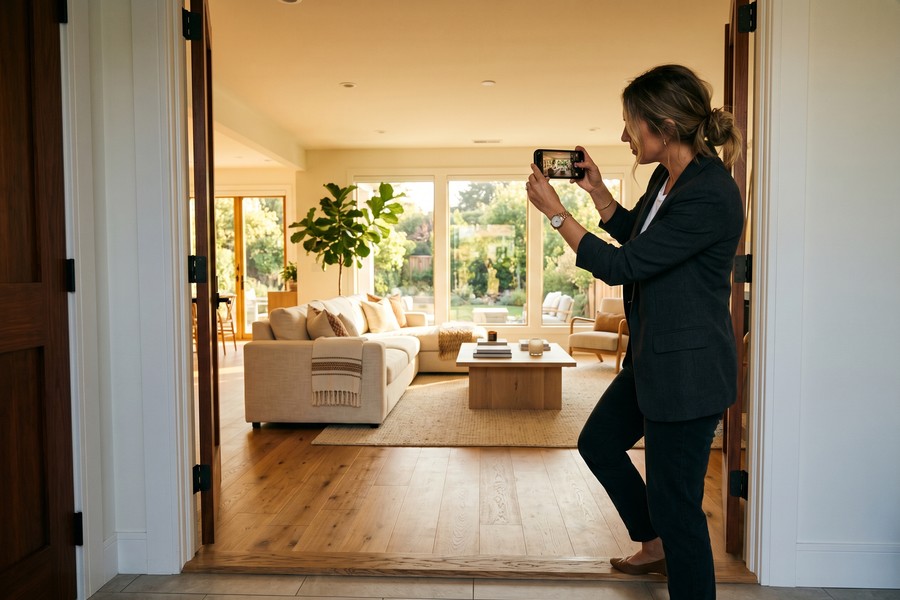
“The number one mistake I see agents make is rushing the shot. Video is a patience game. Slow down, breathe, and let the room unfold for the viewer. Your phone’s stabilization will handle the rest.”
Lighting for Interior Spaces
Natural light is your best asset and your biggest challenge. Bright windows create harsh contrast that causes cameras to either blow out the exterior or underexpose the interior. The solution is to shoot during the golden hour — the 60-minute window after sunrise or before sunset — when exterior light is warm and diffuse.
For midday shoots, close blinds to 30% open. This blocks the harsh direct sun while letting enough diffuse light through to illuminate the room naturally. Supplement with a portable LED panel at 5600K color temperature (daylight balanced) to fill any shadows. A Lume Cube Panel Mini ($49) provides enough fill light for rooms up to 400 square feet.
Editing Your Walkthrough on Your Phone
Raw footage from a property shoot typically runs 20–40 minutes. Your final walkthrough video should be 2–4 minutes for YouTube, 60–90 seconds for Instagram Reels, and 30–45 seconds for TikTok. The editing process is where you transform raw material into a compelling narrative — and modern phone apps make this faster than ever.
The Editing Workflow: Step by Step
Start by importing all clips into your app of choice and deleting everything below 80% quality immediately. Most editors find that 60–70% of raw footage is unusable. This sounds brutal but saves enormous time downstream. In LumaFusion, you can scrub through clips at 4x speed to identify the best takes quickly.
Arrange your clips in a logical tour sequence: exterior establishing shot, front door entry, main living area, kitchen, dining, primary bedroom, additional bedrooms, bathrooms, and then back to a signature exterior or view. This sequence mirrors the physical experience of touring a home and feels intuitive to viewers.
Never use jump cuts between rooms without a transition. Abrupt cuts disorient viewers and make the space feel fragmented. Use a 0.3-second dissolve, a whip pan, or a simple black frame between rooms for a polished, professional result.
Color Grading on a Phone
Raw phone footage often looks flat or slightly desaturated. A simple color grade takes 5–10 minutes and makes an enormous visual difference. In LumaFusion, apply the “Vivid Warm” preset as a starting point, then reduce saturation by 10% and increase highlights by 5% to avoid blown-out windows. In CapCut, the “Cinematic” filter with intensity at 40% achieves a similar result with one tap.
Consistency across clips matters more than perfection in any single clip. If one room looks warm and golden while the next looks cold and blue, the overall video feels amateur regardless of the underlying footage quality. Use a saved color preset and apply it to every clip in the sequence.
Audio and Narration Strategies That Convert
Audio quality separates good property videos from great ones. Research from Wistia found that poor audio quality causes 58% of viewers to stop watching a video — even when the visuals are excellent. Buyers subconsciously equate audio quality with the overall professionalism of the agent presenting the listing.
Choosing Between Music, Narration, and Captions
Background music only works well for social media clips where narration would compete with platform sound environments. Choose tracks with no lyrics, a moderate tempo, and a duration that matches your video length. Both Animoto and CapCut include royalty-free music libraries. Never use copyrighted music — YouTube and Instagram will mute or remove your video automatically.
Voiceover narration outperforms music-only videos for YouTube and dedicated listing pages. Agents who narrate their own walkthroughs report 34% higher viewer retention than those using music alone. Record your narration separately in a quiet room using the Rode VideoMicro ($59) connected to your phone’s headphone jack, then layer it over your footage in LumaFusion.
| Audio Strategy | Best Platform | Viewer Retention Lift | Production Time |
|---|---|---|---|
| Music Only | Instagram / TikTok | Baseline | 15 minutes |
| Voiceover Narration | YouTube / Listing Pages | +34% | 45–60 minutes |
| Captions Only | Facebook / LinkedIn | +26% | 20 minutes |
| Music + Captions | All platforms | +41% | 30 minutes |
Writing a Narration Script That Sells
Your narration should follow a simple structure: feature → benefit → emotional hook. Instead of “This is the kitchen with quartz countertops,” say “The chef’s kitchen features waterfall quartz countertops — and the double oven means holiday dinners actually have enough space.” The benefit and emotional hook are what buyers remember.
Keep your script to 125–150 words per minute of video. Speak slightly slower than you would in conversation — mic proximity exaggerates speech pace. Practice each room’s narration twice before recording. Most agents find they can script and record a clean narration track in under 30 minutes after two or three attempts.
85% of Facebook video is watched without sound, according to Digiday research. Adding captions to your property videos can increase watch time by 12% on that platform alone — and auto-caption tools in CapCut make this a 2-minute task.
Distribution Strategy for Maximum Reach
Creating an excellent walkthrough video and posting it in one place is like staging a home and then closing the blinds. The distribution strategy determines whether your video reaches 50 people or 50,000. Top-performing agents treat each video as content that gets repurposed across at least five channels.
Platform-Specific Optimization
Each platform has different optimal video dimensions, lengths, and audience behaviors. YouTube favors 16:9 landscape videos at 1080p or 4K, with descriptions over 300 words for SEO. Instagram Reels performs best with 9:16 vertical video under 90 seconds. Facebook prefers square (1:1) format for feed posts. Creating separate exports for each format takes 15 minutes in LumaFusion or Animoto but dramatically increases reach.
YouTube is where property videos have the longest lifespan. A well-tagged listing video can generate organic search traffic for 6–12 months after a property sells — keeping the agent’s name and brand visible to future sellers in that neighborhood. Title your videos with the street address, neighborhood, city, and key features: “3-Bedroom Modern Ranch | Oak Grove Estates | Austin TX | Pool + Guesthouse.”
“Agents who treat video as a one-and-done exercise are leaving enormous money on the table. One listing video, repurposed intelligently, becomes 10–15 pieces of content across email, social, and search — all for the same production cost.”
Email and CRM Integration
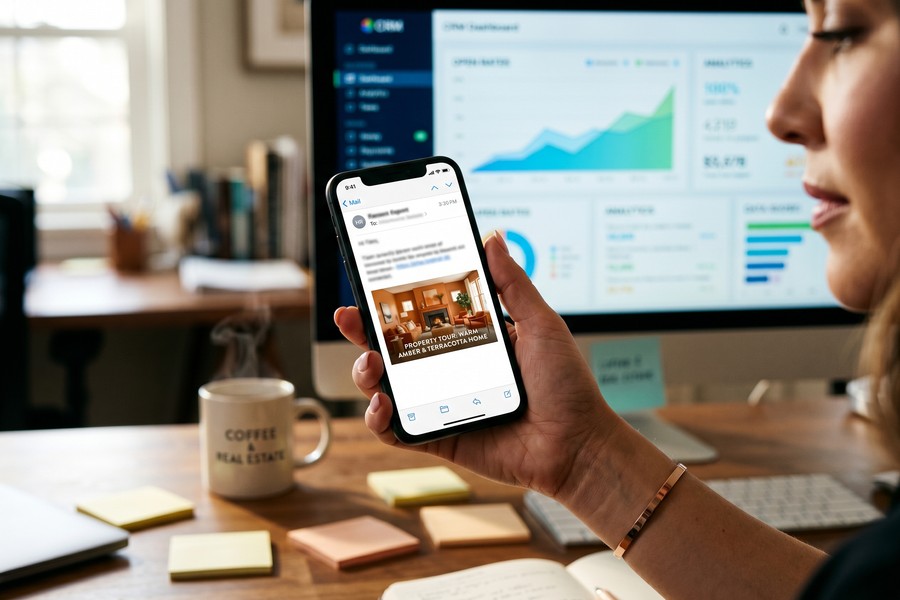
Video in email subject lines increases open rates by 19% and click rates by 65%, according to HubSpot’s marketing benchmarks. Adding the word “video” to your email subject line alone lifts open rates by 7%. Tools like BombBomb allow you to embed a thumbnail GIF of your video that plays on click — this keeps video working inside email clients that block direct embedding.
Send your listing walkthrough to your entire sphere of influence — not just active buyers. Homeowners who see high-quality video marketing from an agent are significantly more likely to call that agent when they are ready to sell. One video email to a 500-person contact list takes 20 minutes to create and can generate multiple seller leads from people who were not previously in the market.
Costs, ROI, and Budgeting for Video Marketing
The financial case for a real estate video app phone workflow is compelling. The total setup cost for a professional-grade mobile video system is achievable under $350 in hardware and under $50/month in software — compared to $500–$2,000 per listing for a hired videographer. For an agent who lists 15 properties per year, the savings compound significantly.
First-Year Cost Breakdown
| Category | DIY Phone Setup | Hired Videographer |
|---|---|---|
| Per-Listing Cost | $0 (after initial investment) | $500–$2,000 |
| Annual Software | $200–$600 | $0 |
| Hardware (one-time) | $200–$400 | $0 |
| 15-Listing Annual Total | $600–$1,000 | $7,500–$30,000 |
| Time Per Listing | 2–4 hours | 0.5 hours (coordination) |
| Turnaround | Same day | 2–5 business days |
Calculating Your Return on Investment
If video-marketed listings sell 31% faster, the financial impact extends beyond marketing costs. Faster sales reduce carrying costs for sellers, strengthen your negotiating position, and reduce the probability of a deal falling apart due to buyer’s remorse or rate lock expiration. These outcomes translate directly into referrals and repeat business.
Agents with established video libraries also command stronger listing presentations. In competitive listing appointments, the ability to show a seller a polished sample video — shot entirely on a phone — signals technical sophistication and marketing commitment. Many agents report that their video portfolio is now the deciding factor in 30–40% of their listing wins.
Real estate agents who consistently use video marketing earn 49% more in annual commission income than those who do not, according to data from the National Association of Realtors’ annual technology survey.
Compliance and Legal Considerations
Video marketing introduces legal considerations that photo marketing does not. Agents who overlook these details can face fair housing violations, privacy complaints, or intellectual property claims — all of which carry serious professional and financial consequences.
Fair Housing and Video Content
The Fair Housing Act prohibits any marketing that signals preference for or against a protected class. This applies to video. Do not include shots of religious items, family photos, or culturally identifying décor in your walkthrough. Blur or remove these items before filming, or use camera angles that exclude them naturally.
Narration scripts must avoid language that describes neighborhood demographics, school district quality in ways that could imply racial composition, or proximity to religious institutions. Language like “great for families” has been flagged in fair housing complaints. Stick to factual descriptions of the property itself.
Music Licensing and Privacy Rights
Using copyrighted music without licensing will result in automatic content removal on YouTube and Instagram — sometimes accompanied by a strike against your account. Use only royalty-free music from platforms like Epidemic Sound ($15/month), Artlist ($16.60/month), or the free YouTube Audio Library. Platforms that include built-in licensed music libraries, like CapCut, are safe for in-app use but may have restrictions on cross-posting.
If your walkthrough footage captures neighbors, passersby, or workers, obtain written releases before publishing. Filming through windows onto adjacent properties may also constitute a privacy violation in some jurisdictions. When in doubt, consult your brokerage’s legal team or your state’s REALTOR association for jurisdiction-specific guidance. Understanding your digital identity and how to protect it is also worth reviewing as you build your online video presence.
Drone footage captured without a Part 107 FAA certification is illegal for commercial real estate use in the United States. Fines start at $1,100 per violation. If you want aerial shots, hire a certified drone operator or use a legal provider like DroneBase or AirVuz.
MLS and Brokerage Video Rules
Many Multiple Listing Services have specific rules about what can appear in listing videos. Some prohibit branded content, agent face-cam appearances, or third-party watermarks in videos uploaded to the MLS feed. Check your local MLS rules before creating a branded template you plan to use for all listings — what works on Instagram may be non-compliant for the MLS upload.
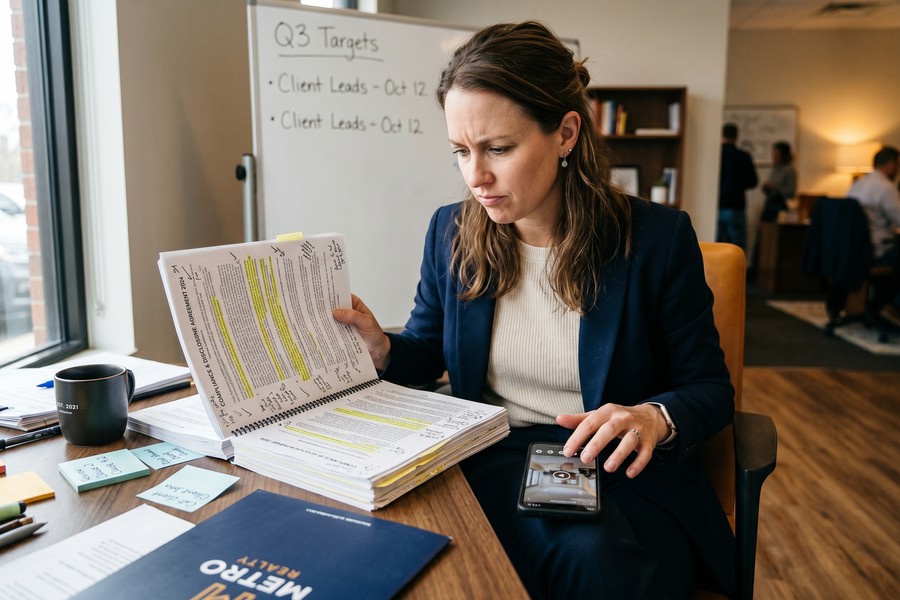
“Video compliance is not optional. The same fair housing rules that govern print advertising apply word-for-word to video scripts and shot selection. Agents who treat video as informal social content are taking real legal risks.”
Managing your subscription costs for video software tools is worth auditing regularly. A quick review using a digital subscription audit can reveal redundant apps you are paying for but not using — a common issue as agents accumulate multiple video tools over time.
Real-World Example: How One Agent Went from Zero Videos to 12 Listings in 90 Days
Marcus Delgado had been a licensed real estate agent in Phoenix, Arizona for six years. His average days-on-market was 41 — slightly above the local median — and his annual gross commission income had plateaued around $112,000. He had tried paid Facebook ads, direct mail, and even a billboard. None moved the needle meaningfully. In January 2024, a colleague showed him a two-minute property walkthrough shot entirely on an iPhone 14 Pro. The listing had received 22 showings in 72 hours and was under contract before the weekend.
Marcus invested $289 in a DJI OM 6 gimbal, the Moment wide-angle lens, and a Rode VideoMicro microphone. He downloaded LumaFusion for $29.99 and subscribed to BombBomb at $33/month. His first video — a 3-bedroom ranch in Tempe — took him four hours to shoot and edit. It was rough but genuine. He posted it to YouTube with a keyword-rich title, embedded it in an email to his 600-person database, and shared a 60-second cut to Instagram Reels. Within 48 hours, the video had 1,400 views and generated three buyer inquiries and one seller call.
By March 2024 — 90 days after his first video — Marcus had filmed 12 listings using his real estate video app phone setup. His average days-on-market dropped from 41 to 19. Two sellers specifically cited his video marketing as the reason they chose him over competing agents. His pipeline grew from 4 active clients to 11. He closed $4.2 million in volume in Q1 alone — a 67% increase over Q1 of the previous year — without increasing his marketing budget beyond the initial $289 hardware investment and $66 in monthly software subscriptions.
By mid-year, Marcus had refined his process to a 90-minute shoot-to-post workflow. He hired a part-time virtual assistant to add captions and optimize YouTube descriptions, freeing him to focus on client relationships. His annual GCI projection for 2024 was $198,000 — a $86,000 increase attributed almost entirely to the consistency and reach of his phone-based video marketing. He has since begun coaching other agents at his brokerage on the same system.
Your Action Plan
-
Audit your current phone and identify your camera capabilities
Check your phone model and confirm it can shoot 4K video. Go to Camera Settings and enable gridlines, lock exposure, and set video format to 4K at 30fps. If your phone is older than 2019, consider whether an upgrade is warranted — but most phones from 2020 onward are capable enough to produce professional results.
-
Purchase your core accessory kit (budget: $150–$300)
Start with a gimbal stabilizer and a wide-angle lens attachment. These two items produce the most dramatic quality improvement. Add a microphone if you plan to record narration on-location. Do not over-invest in lighting until you have established a consistent shooting routine — natural light management will solve 80% of lighting challenges.
-
Download and learn one editing app before your first listing
Choose LumaFusion (iOS, $29.99) for maximum control or CapCut (free) for speed and simplicity. Spend 60–90 minutes watching the platform’s official tutorial videos before your first shoot. Practice editing a 5-minute video of your own home or office to learn the interface under zero pressure. Understanding what you give up with free versus paid apps will help you decide which tier is right for your workflow.
-
Plan your first listing shoot using the three-shot rule
Walk through the property before filming and identify the focal point of each room. Write a simple shot list: establishing, mid, detail for every space. Allocate 5–8 minutes of filming per room. A 1,500-square-foot property should produce 30–45 minutes of raw footage, which edits down to a 3-minute final video.
-
Record and layer your narration or background music
Write your narration script using the feature-benefit-emotion structure. Record in a quiet room using your phone’s built-in mic or an external microphone. For social-first content, skip narration and use a royalty-free track from CapCut’s built-in library or Epidemic Sound. Apply captions using your editing app’s auto-caption tool — this step takes under 5 minutes and dramatically increases accessibility and watch time.
-
Export and optimize for each platform separately
Export a 16:9 version for YouTube at 4K, a 9:16 version for Instagram Reels and TikTok, and a 1:1 version for Facebook. Write a keyword-rich YouTube description of at least 300 words including the property address, neighborhood, city, and key features. Add closed captions to your YouTube upload for an additional SEO boost.
-
Distribute to your full sphere via email using a video-enabled platform
Set up BombBomb or Loom and send your listing video to your entire contact database. Use a subject line that includes the word “video” — this alone increases open rates by 7–19%. Track which contacts watch the full video. Follow up with those engaged viewers within 24 hours. Warm outreach to active video viewers converts at significantly higher rates than cold calls.
-
Review, refine, and build a content library over 90 days
After your first three or four listing videos, review your analytics honestly. Which videos earned the most views? Which generated inquiries? Adjust your shot list, editing style, and distribution timing based on real data — not assumptions. By video 10, your workflow will be under 90 minutes per listing and your content library will be generating passive leads from YouTube search. Consider budgeting intelligently for your growing suite of video tools — an approach similar to zero-based budgeting can help you evaluate each subscription’s true ROI.
Frequently Asked Questions
Do I need the latest iPhone or Samsung to make good property videos?
No — any flagship smartphone from 2020 or later is capable of producing professional-quality listing videos. The iPhone 12 Pro, Samsung Galaxy S21, and Google Pixel 5 all shoot 4K video with optical image stabilization. What matters more than the specific device is your accessory setup (gimbal, wide lens) and your shooting technique. A 2021 phone with a $89 gimbal will outperform a 2024 phone handheld every time.
How long should a property walkthrough video be?
It depends on the platform and the property. For YouTube and listing pages, aim for 2–4 minutes — long enough to show every key space, short enough to hold viewer attention. For Instagram Reels and TikTok, create a condensed 30–60 second highlight version. For Facebook, 60–90 seconds is optimal. Luxury properties or unique listings can justify longer formats, but most residential listings perform best under 3 minutes.
What is the best free real estate video app for phones?
CapCut is the strongest free option for editing and publishing property videos. Its auto-caption feature, royalty-free music library, and real estate template collection make it capable of producing polished content without any paid tier. For free video email tools, Loom’s free plan allows up to 25 videos at 720p resolution — sufficient for client communication, though limited compared to the paid tier.
Can I use background music from Spotify or Apple Music in my videos?
No. All music on Spotify and Apple Music is commercially licensed and cannot be used in real estate marketing videos without a separate sync license — which is typically expensive and complex to obtain. Use royalty-free music platforms instead: Epidemic Sound ($15/month), Artlist ($16.60/month), or the completely free YouTube Audio Library for content posted directly to YouTube.
How do I handle dark rooms or basements that look terrible on camera?
Dark spaces are a common challenge. Turn on every light source in the room before filming, including lamps, under-cabinet lights, and closet lights. Use a portable LED panel (Lume Cube Panel Mini at $49 is ideal) held at arm’s length and slightly to your left to create soft fill light. In post-production, use your editing app’s highlight and shadow sliders to recover detail without making the footage look artificially bright. Avoid using your phone’s built-in flash — it creates flat, unflattering light and is immediately identifiable as amateur footage.
Do I need a real estate license to post property walkthrough videos on social media?
You need a license to market properties for compensation. If you are an unlicensed assistant filming on behalf of a licensed agent, ensure all published content is attributed to and approved by the licensed agent. The licensed agent is responsible for all marketing content — including video — under most state licensing laws. Check your state’s specific regulations through your real estate commission’s website.
How do I film properties where sellers still live?
Schedule shoots when the property is unoccupied if possible — typically during school hours or when sellers are at work. If residents must be present, ask them to stay in one room and out of frame. Remove personal photos, medications, and any items that identify the residents before filming. Always obtain written permission from the seller before publishing any video of their home. Most listing agreements now include a media consent clause — review yours carefully.
Is it worth hiring a professional videographer for luxury listings?
For properties listed above $2 million, a hybrid approach often works best. Use your phone-based real estate video app setup for social media content and buyer outreach videos, where volume and speed matter more than absolute production quality. Commission a professional videographer for the primary listing video on luxury properties, where cinematic drone sequences, professional lighting rigs, and advanced color grading may be expected by sellers and buyers at that price point.
How do I make my videos rank on YouTube for local real estate searches?
YouTube SEO for real estate relies on three main factors: keyword-rich titles, detailed descriptions, and consistent channel activity. Include the property address, neighborhood name, city, and state in your video title. Write descriptions of 300–500 words using natural language that a local buyer would search. Add location tags and relevant tags like the neighborhood name, school district, and property type. Uploading consistently — even one video per week — signals to YouTube’s algorithm that your channel is active and deserves increased distribution. Staying current with how AI is changing internet search will also help you anticipate how future algorithm changes may affect your video discoverability.
What connectivity do I need on-site to manage and upload large video files?
4K video files are large — typically 350–500MB per minute of footage. On-site, you do not need strong connectivity to film. But uploading directly from a property can be slow on typical LTE connections. Most agents transfer footage to a laptop at home or office via cable and upload from a fast Wi-Fi connection. If you need to upload quickly from the field, understanding the differences between 5G and Wi-Fi 7 connectivity options can help you choose the fastest available network for on-site uploads.
Agents who upload property videos to YouTube consistently — at least twice per month — see 3.2x more profile views and 2.8x more inbound inquiry calls after 12 months compared to agents with no video presence, per industry benchmarking data.
Sources
- National Association of Realtors — Profile of Home Buyers and Sellers 2023
- National Association of Realtors — Research and Statistics Hub
- U.S. Department of Housing and Urban Development — Fair Housing Act Overview
- HubSpot — Marketing Statistics and Benchmarks
- Inman — Video Marketing Statistics for Real Estate Agents 2023
- Wistia — Video in Email: The Impact on Open and Click Rates
- National Association of Realtors — Real Estate in a Digital Age Report
- BombBomb — State of Video in Business Report 2023
- Federal Aviation Administration — Become a Commercial Drone Pilot (Part 107)
- Digiday — 85 Percent of Facebook Video Watched Without Sound
- YouTube — How YouTube Search and Discovery Works
- Animoto — The Complete Real Estate Video Marketing Guide
- The Wall Street Journal — Real Estate Video Marketing on Social Media
- Google / YouTube — Copyright and Music Licensing Guidelines
- National Association of Realtors — Technology Adoption in Real Estate 2023






